
KB Health
Scan your knowledge base for contradictions across documents and fix conflicts before a user runs into them.
KB Health scans your knowledge base for contradictions across your documents — for example, two pages that state different prices, or policies that conflict. Catching these early stops your chatbot from giving inconsistent answers.
KB Health is most useful for knowledge base chatbots with many documents, where conflicting facts are easy to miss.
Open KB Health
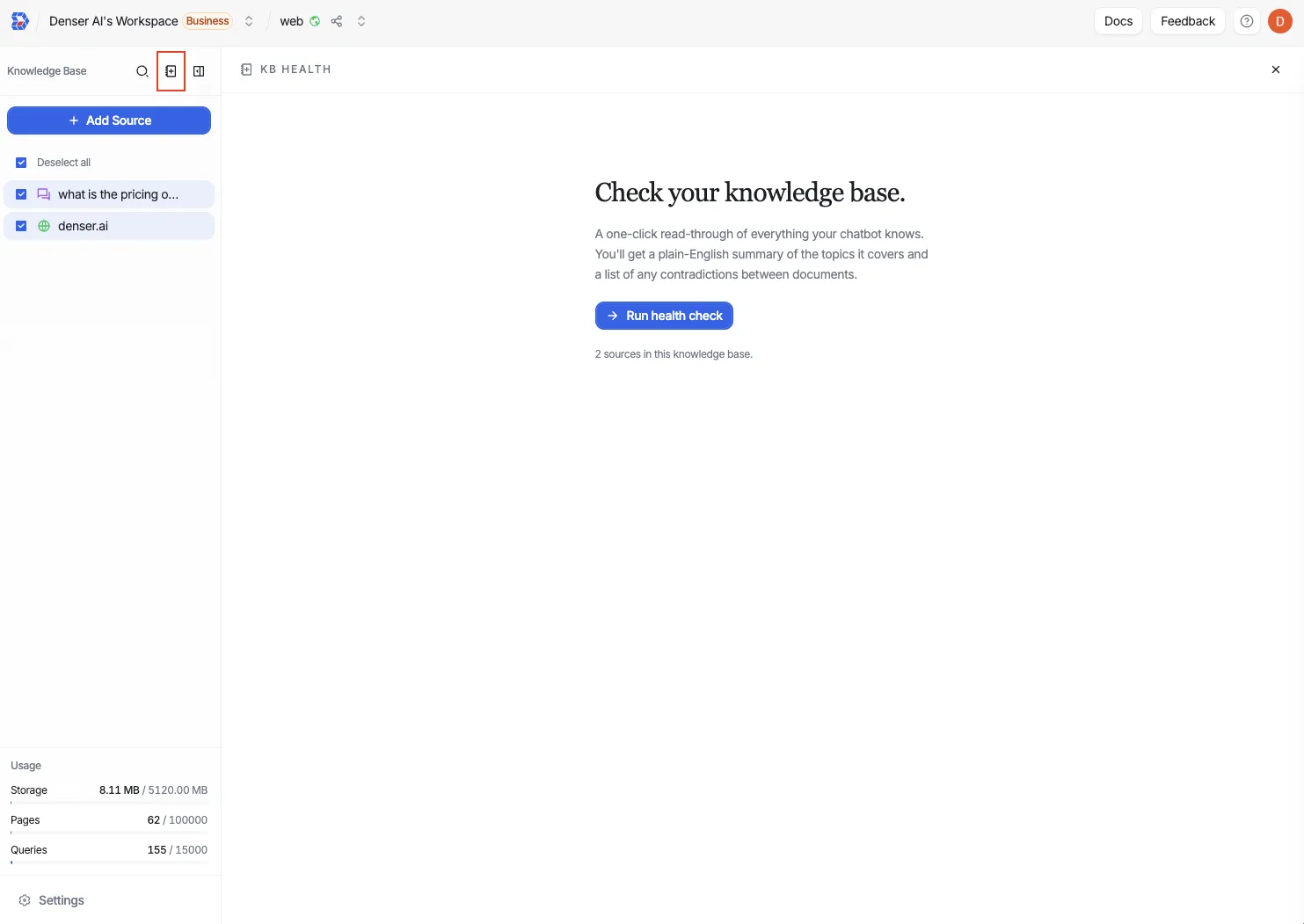
KB Health is reached from the knowledge base sidebar in the chat view, marked with a health icon.
Run a scan and review findings
Open KB Health from the knowledge base sidebar, then click Run health check. (Once a report exists, the button reads Run again.)
The scan reads through the sources in your knowledge base. Its status moves through queued, running, and then ready (or failed if something went wrong); before the first scan the status is never run.
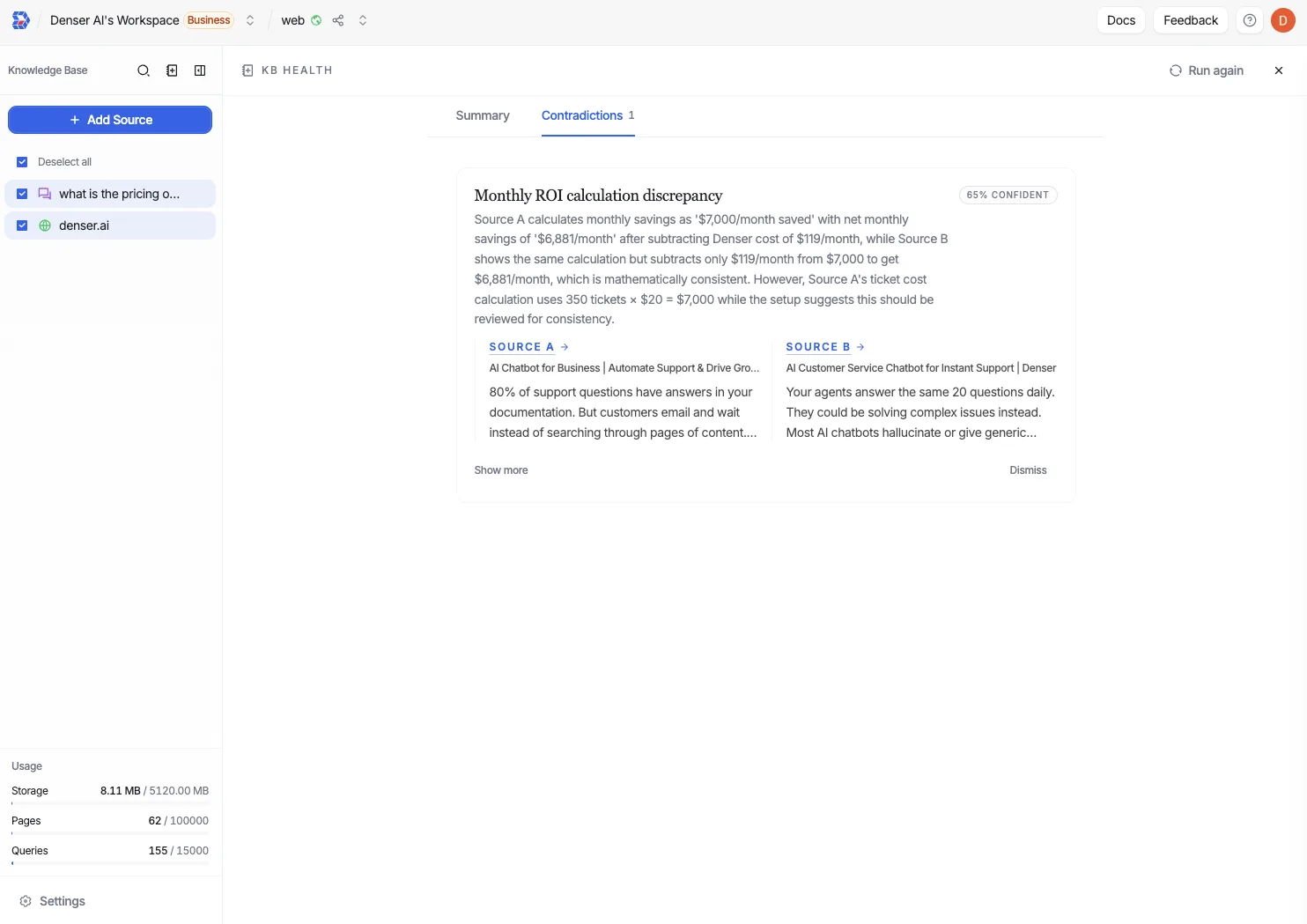
When the report is ready, open the Summary tab for a plain-English overview of what your knowledge base covers, then switch to the Contradictions tab to work through each conflict it found.
Each contradiction shows a confidence score and the two conflicting sources behind it. Open a source to fix it — update or remove whichever document is wrong so the facts agree — or Dismiss the finding if it isn't a real conflict.
Status reference
| Status | Meaning |
|---|---|
| Never run | No scan has been run yet. |
| Queued | The scan is waiting to start. |
| Running | The scan is in progress. |
| Ready | The report is complete and findings are available. |
| Failed | The scan did not finish; try running it again. |
Re-run after updates
Whenever you edit, add, or remove sources, run KB Health again. The report reflects only the state of your documents at scan time, so a fresh scan confirms your fixes resolved the conflicts.
Fixing the source
Resolve a finding in the Data Store, where your documents live. Then re-run the scan to confirm the contradiction is gone.