
Deploy Overview
Deploy your Denser chatbot to your website, e-commerce store, messaging apps, or automation tools.
Launch your chatbot wherever your audience already is — on your website, in your storefront, inside messaging apps, or as part of your automation stack. Open Deploy from your chatbot dashboard to choose a channel.
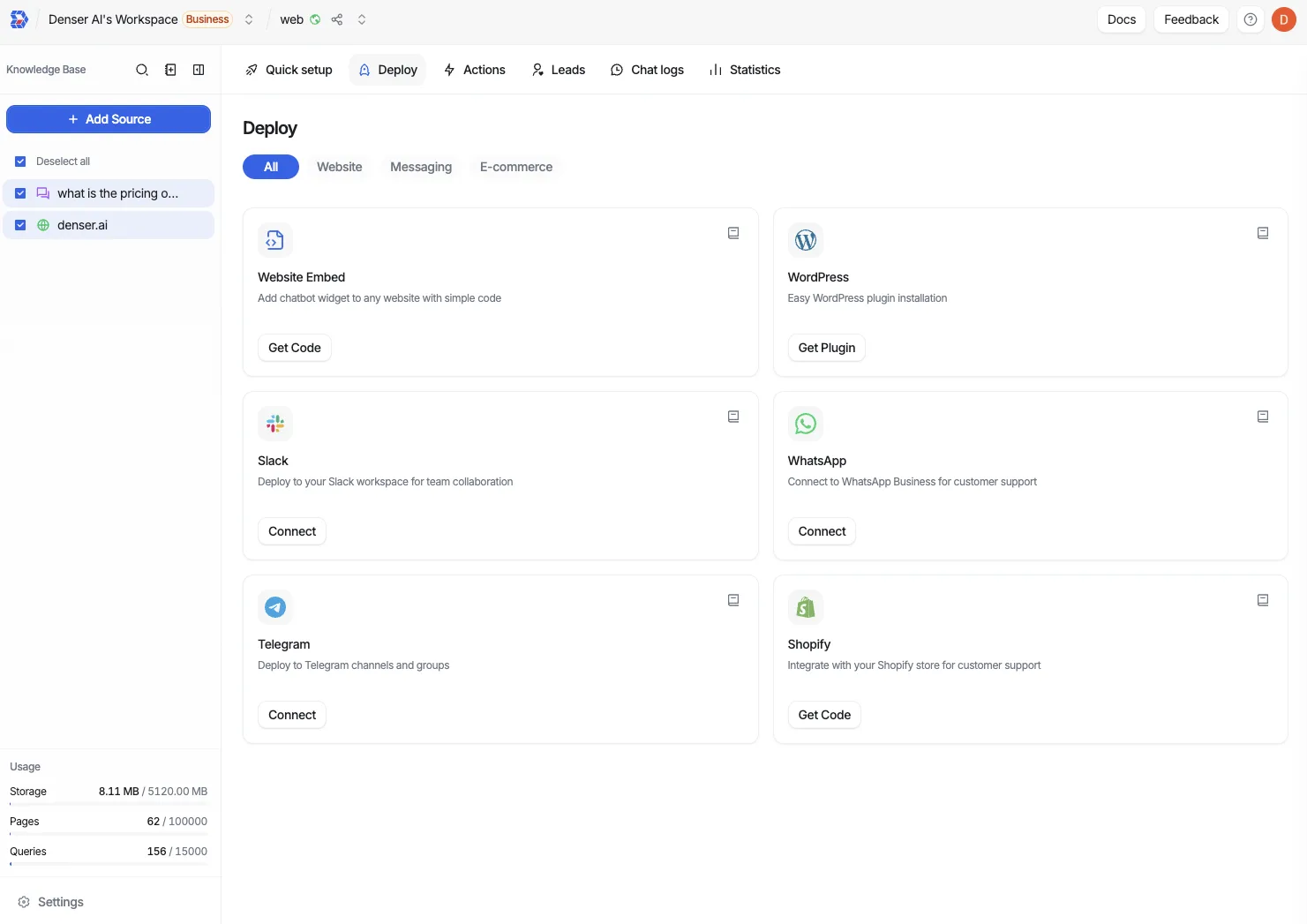
Two ways to deploy
How you deploy depends on the kind of chatbot you built:
- Website chatbots are public assistants embedded on a site. Add them as a floating widget or inline frame (Website Embed), through the WordPress plugin, or in your Shopify storefront.
- Knowledge base chatbots are often private and internal. Deploy them to Slack for your team, or embed them inside an internal page or app dashboard.
Public chatbots only for website widgets
A chatbot must be set to Public before it can be deployed as a public website widget. Set visibility under Security → Visibility.
Website
Website Embed
Add a floating widget or inline frame to any page with a snippet.
Help Page
Host the chatbot as a full-page help center, on denser.ai or your own domain.
WordPress
Install the Denser plugin to manage embeds from your WordPress admin.
E-commerce
Messaging
Give your chatbot its own address so it answers the mail your support inbox already gets.
Phone
A number customers can call, answered by the chatbot through Twilio or Vapi.
Slack
Bring your knowledge base into shared Slack channels for your team.
Telegram
Pair your chatbot with a Telegram bot for instant, mobile-friendly answers.
Reply to customers on WhatsApp through a WhatsApp Business account.