
Website vs Knowledge Base chatbot
Denser supports two common chatbot setups. Learn which one fits your use case and how they differ.
Denser is one platform that adapts to two common setups. You don't pick a fixed "type" up front — you choose which data sources to connect and how you deploy. Most users land in one of these two patterns.
At a glance
| Website chatbot | Knowledge base chatbot | |
|---|---|---|
| Primary sources | Website crawl (URLs, domain, sitemap) | File uploads, Google Drive |
| Typical access | Public — embedded on your site | Private — internal to your workspace (can also be public) |
| Best for | Customer support, lead capture, pre-sales | Internal knowledge, document Q&A, research |
| Where it lives | Embed widget, WordPress, Shopify | Dashboard, Slack, or embedded internally |
| KB Health | Optional | Recommended — catch contradictions across docs |
Both setups use the same data store, customization, engagement, and analytics features. You can mix sources freely — a website chatbot can also include uploaded PDFs, and a knowledge base chatbot can include crawled pages.
Website chatbot
Point Denser at your website. It crawls your pages, indexes them, and answers visitor questions with citations back to the source page. You then embed it as a widget so it's available to everyone who visits.
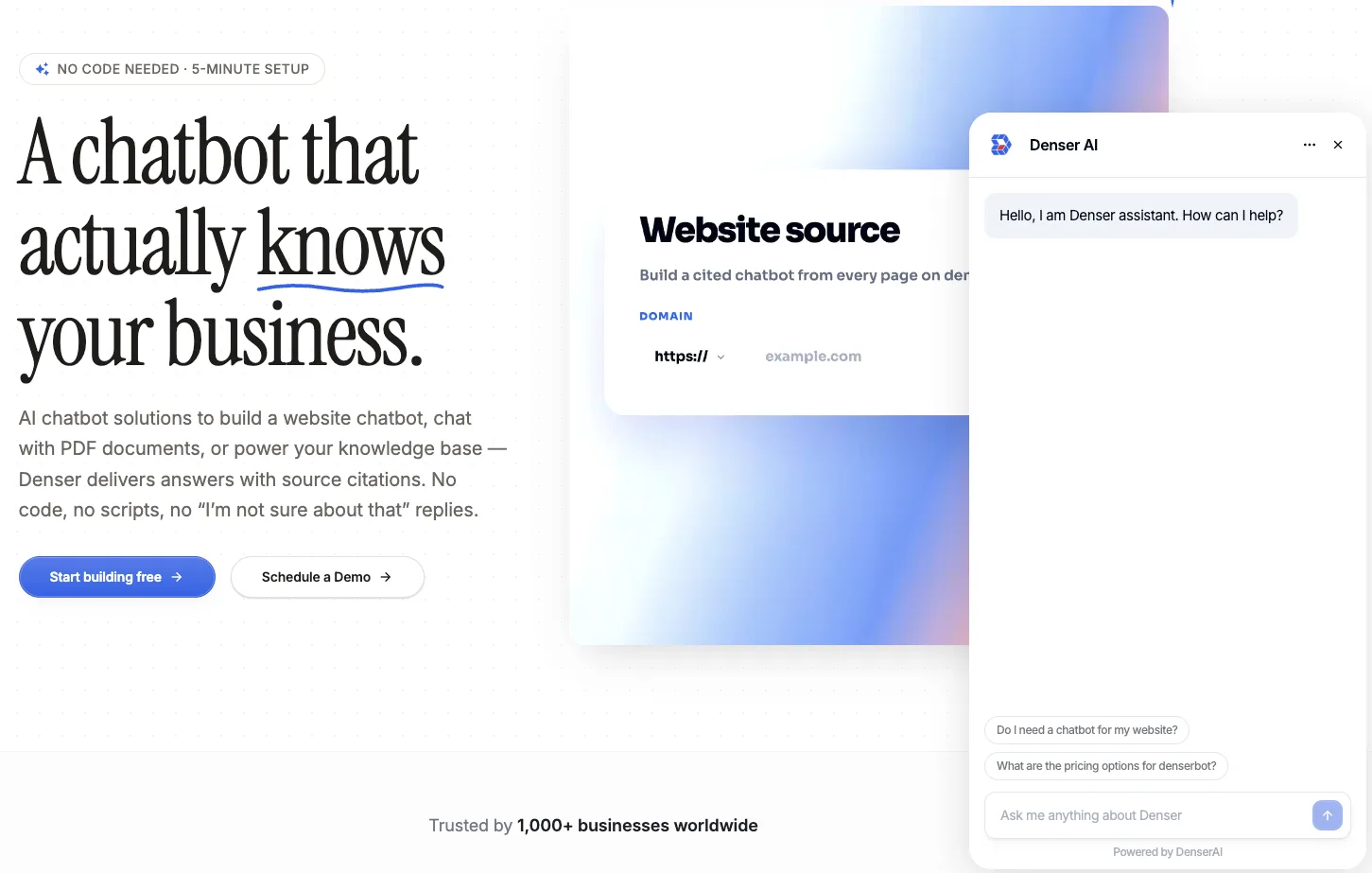
Choose this if you want to:
- Deflect repetitive support questions with 24/7 answers
- Capture leads mid-conversation
- Help visitors find the right product or page
Knowledge base chatbot
Upload your documents — PDFs, Word, Excel, slides — or connect Google Drive. Denser builds a private knowledge base your team can ask questions against. Keep it internal, or publish it when you're ready.
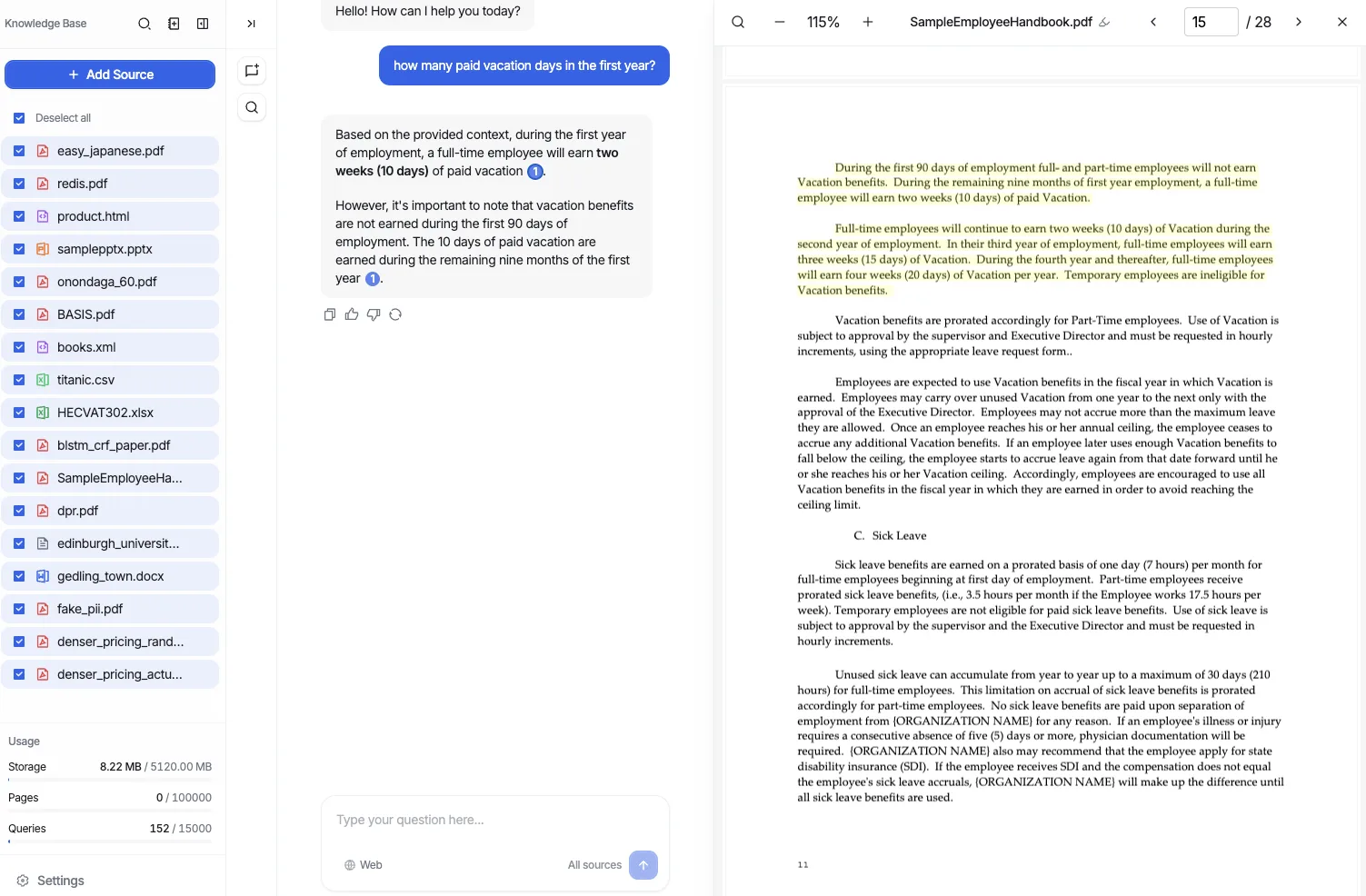
Choose this if you want to:
- Give your team instant answers from internal docs
- Search across many documents at once
- Keep contradictory or outdated content in check with KB Health