
Shopify Integration
Connect Denser.ai to your Shopify store. Shoppers search live products, add to the cart, check out, and track orders from a chat on every page of your storefront.
Connect your chatbot to your Shopify store and it appears as a chat button on every page of your storefront. Shoppers can ask about your products, see live results with prices and stock, add items to the cart, go to checkout, and check an order's status, all without leaving the page.
What to prepare
- Admin access to your Shopify store (you'll approve the Denser app).
- Your store's name, the part before
.myshopify.com(for examplenorth-starfornorth-star.myshopify.com). - The chatbot set to Public (see Security → Visibility).
Connect your store
Open the Shopify tab
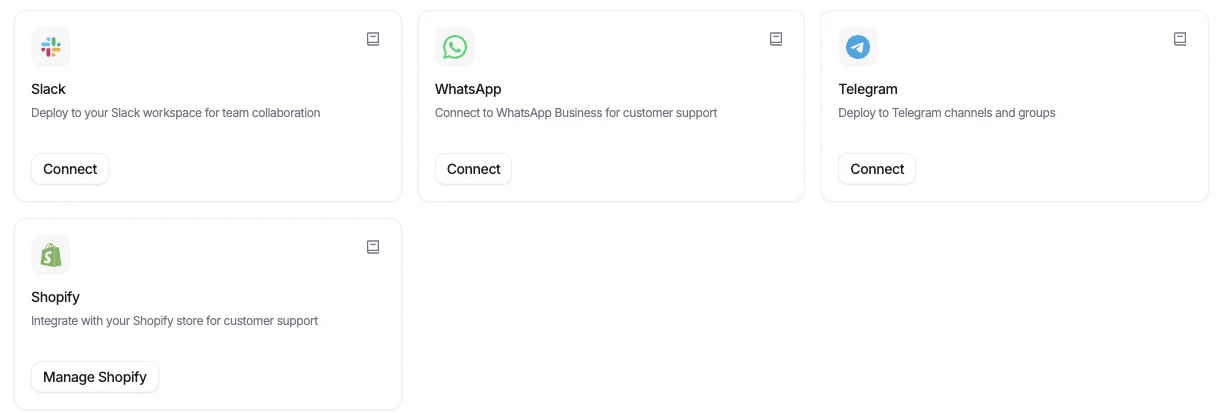
In your chatbot dashboard, open Chat and select the Shopify tab. Click Connect Shopify store in the top right. Once a store is connected, the same button reads Manage Shopify.
You can also start from Deploy: the Shopify card opens the same panel.
Install Denser from Shopify
Click Install from Shopify App Store and install Denser AI on your store. Shopify asks you to approve read access to your products and orders, so the chat can search your catalog and look up orders. Click Install to approve. Shopify brings you back to Denser, where you choose the chatbot to connect the store to, then click Connect Shopify.
If you installed Denser from the Shopify App Store first, open it from Apps in your Shopify admin and you land on the same chatbot picker.
Follow the setup steps
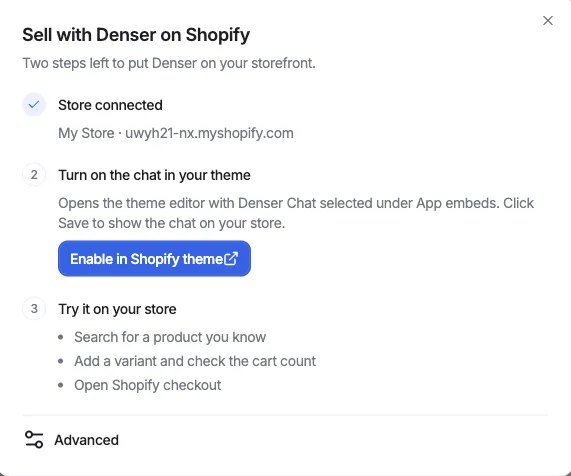
Back in Denser, the panel shows your store as connected and lists what's left: turn on the chat in your theme, then try it on your store.
Connecting also switches Enable Shopify chat on, on the Shopify tab. Leave it on: while it is off, the chat stays hidden on your store even with the theme embed enabled.
Turn on the chat in your theme
Click Enable in Shopify theme. Shopify's theme editor opens on App embeds with Denser Chat selected. Switch it on if it isn't already, then click Save in the top right.
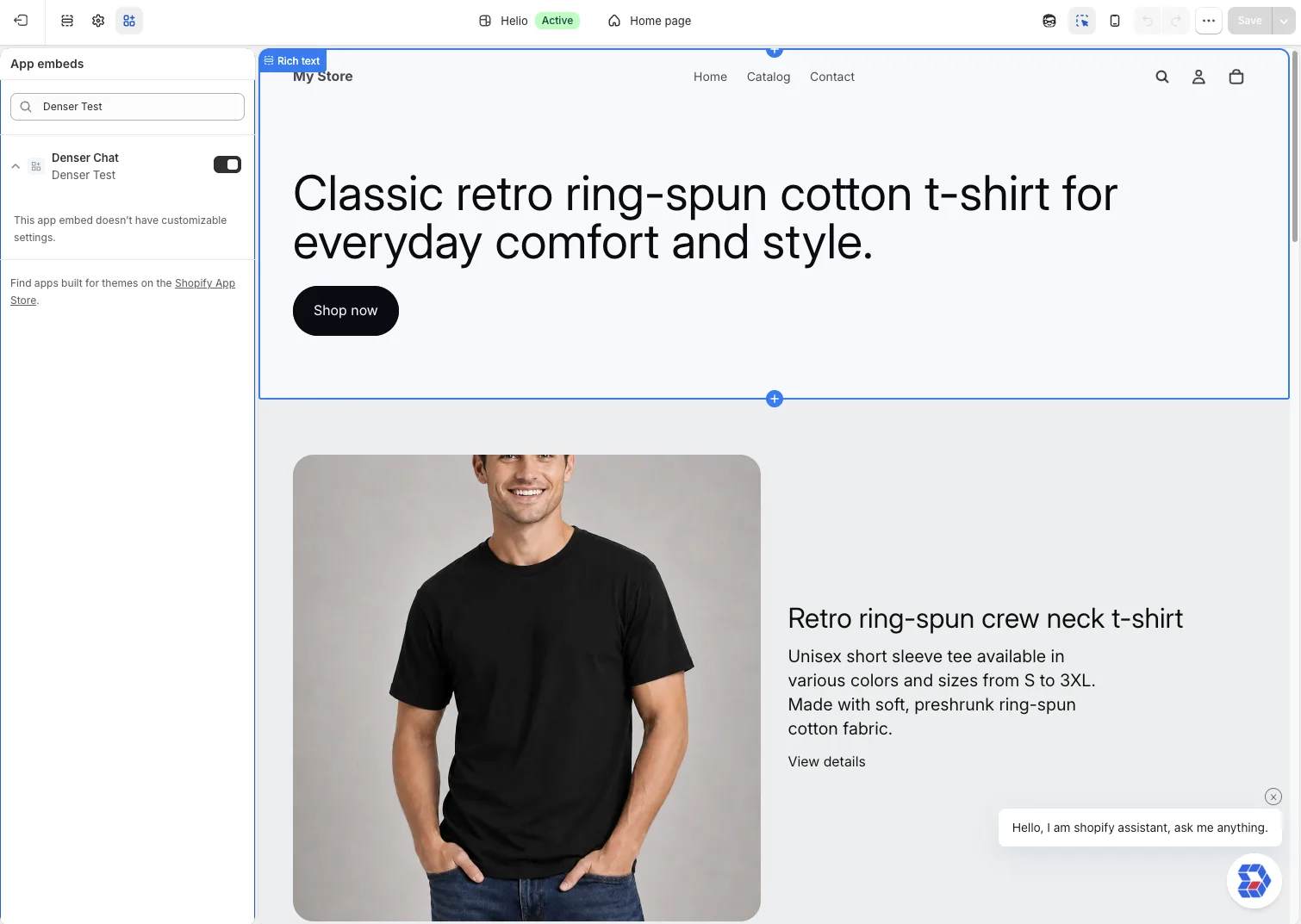
The chat button and your chatbot's greeting appear in the preview right away.
Try it on your store
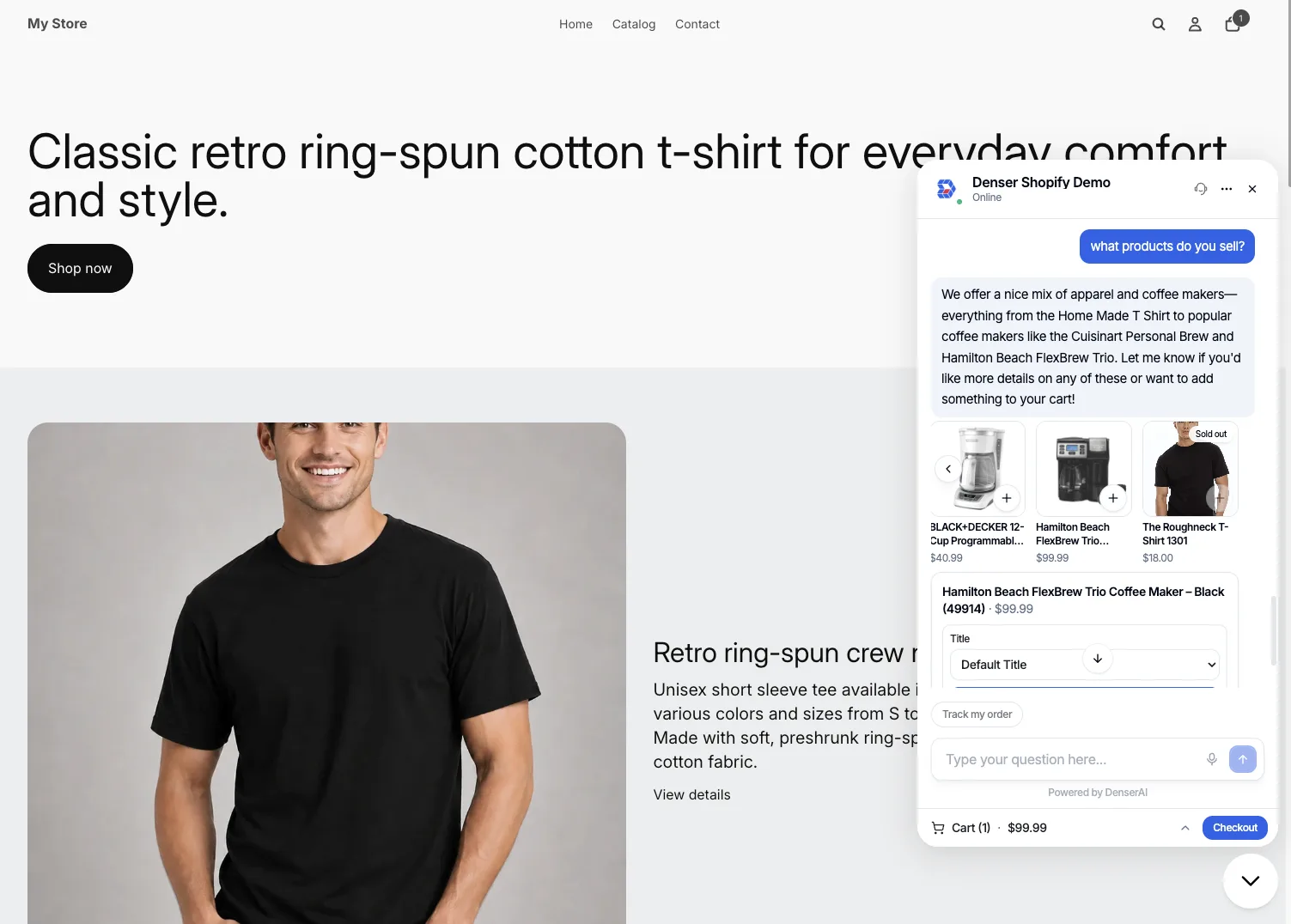
Open your storefront and click the chat button. Search for a product you know, add it to the cart, and open checkout to make sure everything works.
Customize the storefront chat
The Shopify tab has the same Appearance, Messages, and AI Settings as Website chat, and they are shared: your store's chat looks and answers like the chat on your website, and a change made on either tab applies to both. Only Enable Shopify chat is separate, so you can show the chat on your website and hide it on your store, or the other way round.
Click Preview on the Shopify tab to try the storefront chat before you open your store.
One theme at a time
App embeds are switched on per theme. If you publish a different theme later, turn Denser Chat on in that theme too, or the chat won't show.
What shoppers can do
- Find products. Questions like "what coffee makers do you sell?" return product cards from your live catalog with images, prices, and sold-out labels. Use the arrows to browse them.
- Add to the cart. Click + on a card, or ask "add the black one to my cart". Products with options open a picker for size, color, and so on. Items go into your store's real cart.
- Check the cart and check out. The cart stays at the bottom of the chat and opens with a tap. Checkout takes shoppers to your normal Shopify checkout, where payment and shipping work as they always do.
- Track an order. Shoppers tap Track my order and enter their order number and the email they used at checkout. Shoppers signed in to your store see their recent orders without typing anything.
- Ask anything else. Questions about shipping, returns, sizing, and policies are answered from your chatbot's sources, as on any other channel.
The chat button uses your chatbot's icon, and its greeting bubbles come from your chatbot's customization settings.
Manage or disconnect
Click Manage Shopify on the Shopify tab, or on the Deploy page's Shopify card, to see the connected store and its setup steps again.
- To hide the chat for a while, switch Enable Shopify chat off on the Shopify tab. Your store stays connected, and switching it back on brings the chat back. (Switching off Denser Chat under App embeds in Shopify's theme editor does the same from the Shopify side.)
- To remove the store, click Disconnect store in the panel and confirm with Disconnect Shopify. You can also uninstall the Denser app from your Shopify admin (Settings → Apps); the panel then offers Reconnect Shopify.
Deleting the chatbot also disconnects its store, so the store can then be connected to another chatbot.
A store can be connected to one chatbot at a time. To move it to another chatbot, disconnect it from the first one.
Troubleshooting
| What you see | What to do |
|---|---|
| No chat button on the storefront | Check that Enable Shopify chat is on, on the Shopify tab, and that the chatbot is Public. Then, in the theme editor, check that Denser Chat is on under App embeds for your published theme, and that you clicked Save. |
| The panel shows Reconnect Shopify | The app was uninstalled or needs your approval again. Click Reconnect Shopify and approve in Shopify. |
| "Already connected to another chatbot" | Disconnect the store from the chatbot it's connected to, then connect it here. |
| An order can't be found | Shoppers need the order number and the exact email used at checkout. Orders placed without an email can't be looked up. |