
Data Store Overview
Understand the Data Store: the sources that train your Denser chatbot, the shared concepts behind them, and how to mix source types.
The Data Store is the set of sources that train your chatbot. Add one or more sources, and Denser processes them into a searchable knowledge base your chatbot answers from.
Source types
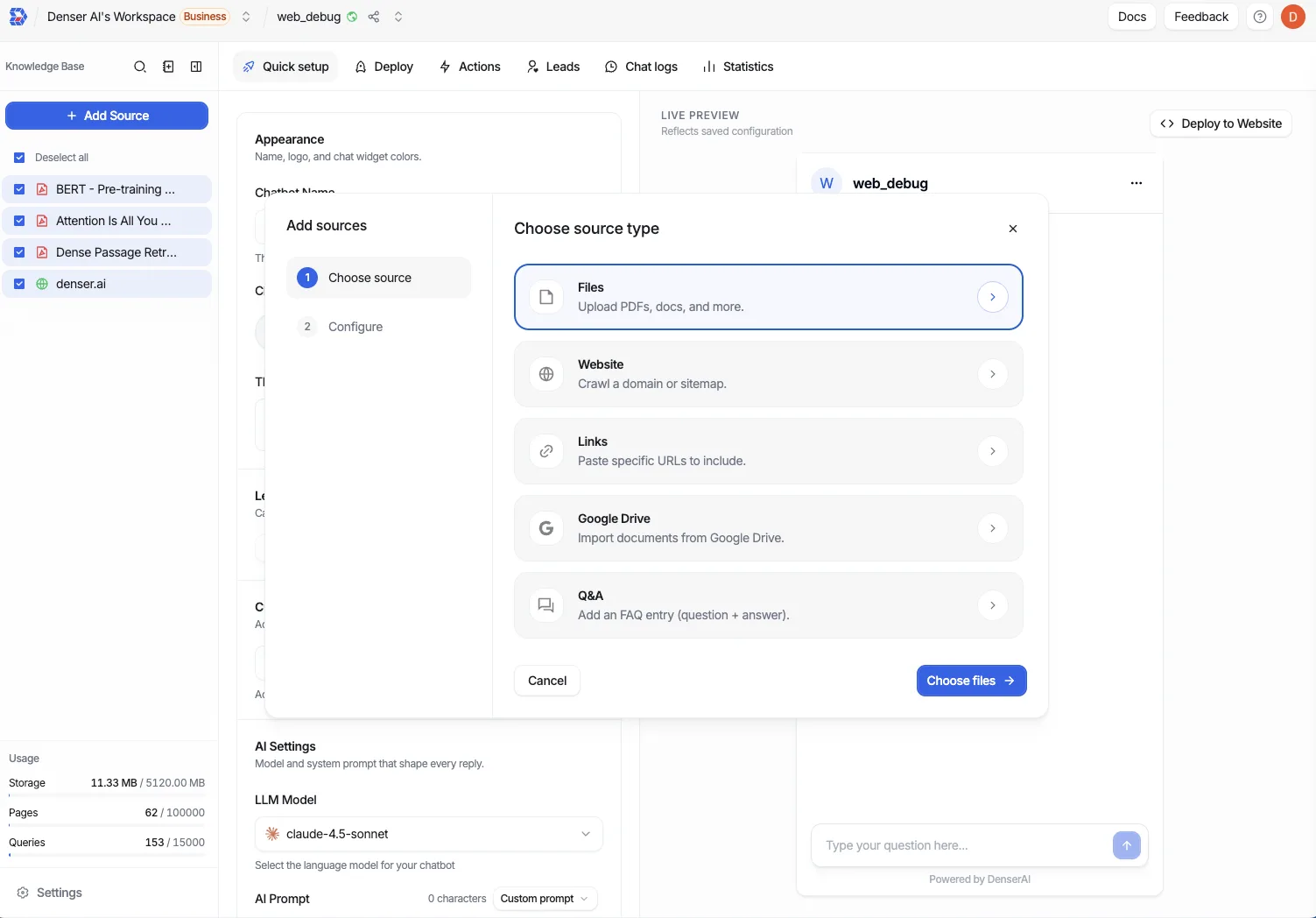
When you create a chatbot or add sources to an existing one, you choose from five source types. A single chatbot can mix any combination of them.
File
Upload PDFs, Office docs, and text files. Best for knowledge base chatbots.
Website
Crawl a domain, single URL, or sitemap. The usual starting point for a website chatbot.
Links
Index a specific list of URLs you paste, without crawling a whole site.
Google Drive
Connect Drive and sync selected files. Best for knowledge base chatbots.
Q&A
Author exact question/answer pairs for FAQs and canonical answers.
Two common setups
Denser supports website chatbots (crawl a site, usually embedded publicly) and knowledge base chatbots (uploaded documents or Drive files, often private). Both use the same Data Store. Website crawling is the typical starting point for a website chatbot, while File and Google Drive are typical for a knowledge base chatbot. You can combine source types in either setup.
Shared concepts
These behaviors apply to every source type in the Data Store.
- Status — Each source or link shows its current state as it moves through processing (for example, uploading, processing/crawling, completed, or failed). Check status before training to confirm the source is ready.
- Search — Find a source by name when your list grows long.
- Filter — Narrow the list by status to spot items that need attention.
- Batch delete — Select multiple sources and remove them in one action.
Quotas
Usage counts against your plan's quotas:
- Storage quota — Files and Google Drive files consume storage.
- Crawl quota — Website and Links sources consume crawl quota, measured as the number of links.
- Q&A — Q&A pairs do not count against a quota.
Quotas vary by plan. See Plans & Billing for the limits on your plan.