

Best AI PDF Reader & Document Reader (2026) — 7 Tools Compared

Updated: June 2025 · 22 min read
Professionals spend up to 1.8 hours per day searching for information buried in documents. When those documents are PDFs, contracts, whitepapers, technical guides, and financial reports, finding specific answers with a traditional viewer is slow and error-prone.
What is the best AI PDF reader? The best AI PDF readers in 2026 are Denser (enterprise-grade with visual citations and 80+ language support), ChatPDF (fast and simple), AskYourPDF (Chrome extension and knowledge base), Smallpdf (all-in-one PDF toolkit), PDF.ai (data extraction), SciSpace (academic research), and Adobe Acrobat AI (native PDF integration). Denser leads with source-highlighted answers and multi-file chat capabilities.
AI-powered document tools change this by letting you chat with PDF files directly, asking questions and receiving instant answers grounded in your document's content. These tools go far beyond simple viewing or keyword search — they work as full AI document readers that understand context, extract meaning, and summarize lengthy sections instantly.
In this guide, you'll learn:
- What an AI PDF reader and AI document reader are, and how they differ from traditional viewers
- Detailed reviews of the top 7 tools with features, pricing, and limitations
- How to choose the right tool for your specific needs
- Which tool fits each use case, from academic research to legal review
- The best free AI PDF reader options available
Looking for traditional PDF readers too? This guide focuses on AI-powered tools. For the broader category including Adobe Acrobat Reader, Foxit, SumatraPDF, and other traditional viewers, see our 10 best PDF readers in 2026 comparison.
Quick Comparison: Best AI PDF Readers & Document Readers in 2026#
| Tool | Best For | Free Tier | Visual Citations | Multi-File Chat | Starting Price |
|---|---|---|---|---|---|
| Denser | Enterprise & teams, multi-format documents | Yes | ✅ Yes | Unlimited | Free; paid from $39/mo |
| ChatPDF | Quick individual questions | Yes (2 PDFs/day) | ❌ No | Folder-based | Free; Plus $14.99/mo |
| AskYourPDF | Budget users, Chrome integration | Yes (1 doc/day) | ❌ No | Premium only | Free; Premium $11.99/mo |
| Smallpdf | All-in-one PDF workflows | Limited | ❌ No | No | Free; Pro $15/mo |
| PDF.ai | Multi-document data extraction | Very limited | ❌ No | 100+ PDFs | Free; Pro $10/mo |
| SciSpace | Academic research | Yes | ❌ No | Yes | Free; Premium $20/mo |
| Adobe Acrobat AI | Adobe ecosystem users | No | ✅ Yes | No | $19.99/mo + $4.99 AI |
What Is an AI PDF Reader?#
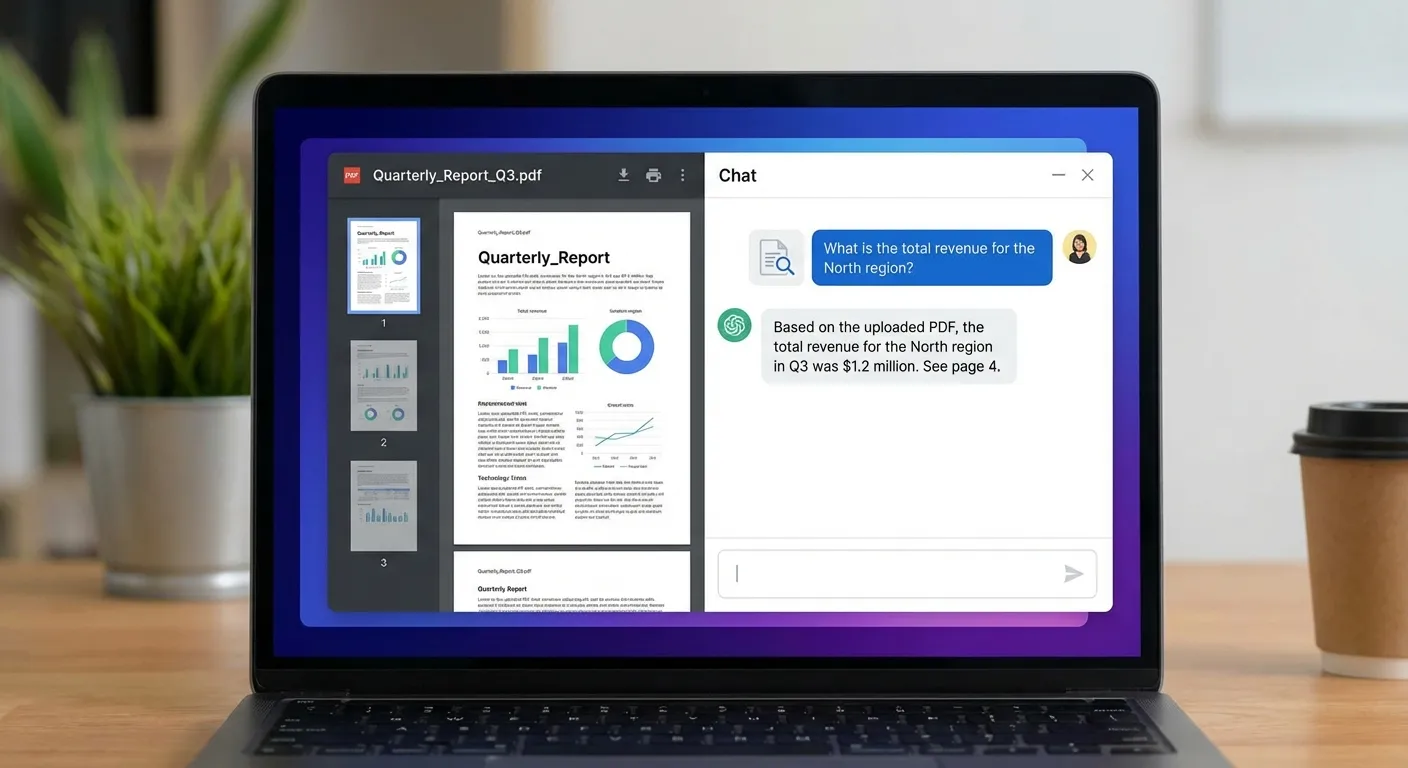
An AI PDF reader — sometimes called a pdf reader ai — uses artificial intelligence to transform static PDF documents into interactive experiences. Unlike traditional viewers that limit you to scrolling and basic keyword searches (Ctrl+F), these tools let you chat with PDF files as naturally as having a conversation.
When you use an AI PDF reader, you're not just viewing documents — you're engaging with them. You ask questions in plain language and get answers drawn directly from the document's content, with source citations that show exactly where the information came from.
How an AI PDF Reader Works#
Under the hood, these tools use retrieval-augmented generation (RAG) combined with natural language processing to understand your documents. When you ask a question, the AI retrieves the most relevant passages from your PDF and generates an answer grounded in that content — not from its general training data. This means answers are specific to your document, not generic information the model learned during pre-training.
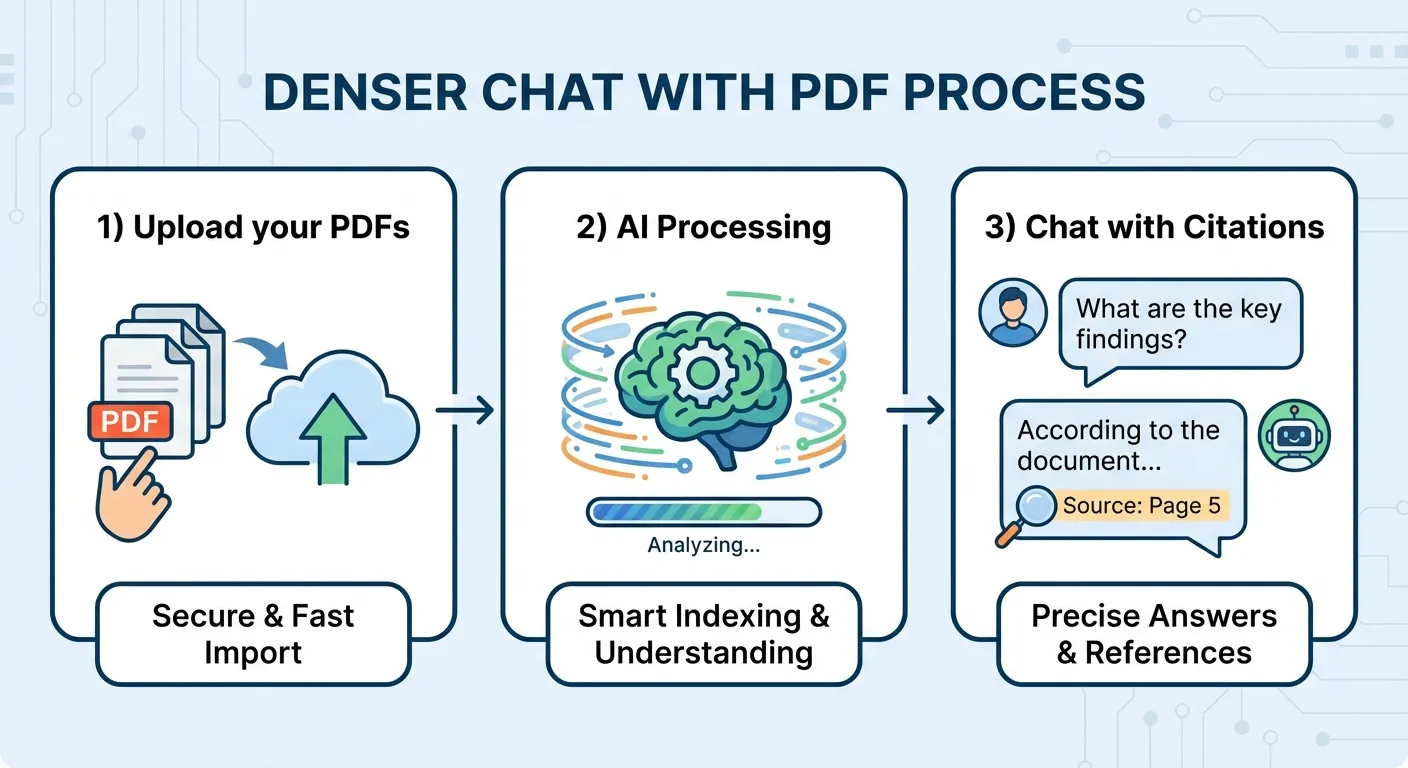
The typical workflow looks like this:
- Upload your PDF file to the platform
- The AI indexes the document, breaking it into searchable chunks with semantic embeddings
- You ask a question in natural language
- The system retrieves the most relevant passages and generates a cited answer
- You verify the answer against the highlighted source passage
This process takes seconds, compared to the minutes or hours you might spend manually scrolling through a 100-page document looking for a specific clause or data point.
What Is an AI Document Reader?#
An AI document reader is the broader category that encompasses AI PDF readers and extends beyond PDFs. While a PDF reader AI focuses specifically on Portable Document Format files, an AI document reader handles multiple file formats — Word documents (.docx), HTML pages, PowerPoint presentations (.pptx), Excel spreadsheets (.xlsx), plain text files, and more.
Think of it this way: every AI PDF reader is an AI document reader, but not every AI document reader is limited to PDFs. The best tools in 2026 work across all your document types, so you don't need a separate tool for each format. Tools like Denser support Word, Excel, and PowerPoint alongside PDFs, giving you a unified document intelligence experience.
According to Gartner, over 60% of enterprises are now investing in AI-powered document processing tools, up from less than 20% in 2023. The demand for smarter document workflows is driving rapid growth in both the AI PDF reader and AI document reader categories.
If your business handles large volumes of documents — not just PDFs — and relies on fast, accurate decision-making, an AI-powered document tool is more than a convenience. It's a competitive advantage.
AI PDF Reader vs AI Document Reader#
These two terms are often used interchangeably, but there's an important distinction that matters when choosing the right tool:
| Aspect | AI PDF Reader | AI Document Reader |
|---|---|---|
| Scope | PDF files only | Multiple file formats (PDF, Word, HTML, PPT, Excel, TXT) |
| Typical use | Reading reports, contracts, research papers in PDF format | Interacting with documents across an organization's entire file ecosystem |
| Format support | PDF (sometimes with OCR for scanned PDFs) | PDF + Word + PowerPoint + Excel + HTML + plain text |
| Best for | Users whose documents are primarily PDFs | Teams with mixed document types across departments |
| Example tools | ChatPDF, SciSpace | Denser, AskYourPDF, Adobe Acrobat AI |
Why this matters: Many businesses assume they only need an AI PDF reader because their documents "arrive" as PDFs. But contracts come as Word files before they're signed, presentations live in PowerPoint, financial data lives in Excel, and internal documentation may be in HTML or text formats. An AI document reader handles all of these, so you're not switching between tools or converting files before you can ask questions.
If your workflow involves only PDFs — for example, reading academic papers or reviewing signed contracts — a dedicated AI PDF reader like ChatPDF or SciSpace may be sufficient. But if you work across document types, look for an AI document reader like Denser that supports the full range of formats natively.
Traditional PDF Viewer vs AI-Powered Document Tool#
Traditional document viewers serve a basic purpose: viewing and navigating. But as document complexity grows, so does the need for smarter tools. Here's how the experience differs:
| Capability | Traditional PDF Viewer | AI-Powered Document Tool |
|---|---|---|
| Navigation | Scroll and page-through | Ask questions, jump to answers |
| Search | Keyword match (Ctrl+F) | Semantic search — understands meaning |
| Summarization | Manual reading and note-taking | One-click summaries of sections or full documents |
| Citations | Copy-paste passages manually | Automatic source highlighting with page references |
| Cross-document | Open multiple windows | Chat across all documents in one session |
| Format support | Usually PDF only | PDF + Word + Excel + PPT + HTML |
| Interaction | Passive viewing | Active conversation with document content |
This evolution from passive viewing to active PDF AI analysis represents a fundamental shift in how professionals process information. The underlying technology, semantic search, allows these tools to understand the meaning behind your questions rather than just matching keywords — so you can ask "what's the termination clause?" and get the right answer even if the document uses the phrase "cancellation provision."
7 Best AI PDF Readers & Document Readers in 2026#
We tested each tool by uploading a 45-page legal contract, a 120-page technical manual, and a 30-page research paper. We evaluated accuracy, citation quality, speed, pricing, and multi-document support. Here is our detailed comparison of the seven best AI PDF reader and AI document reader tools in 2026.
1. Denser — Best AI PDF Reader for Teams and Enterprise#
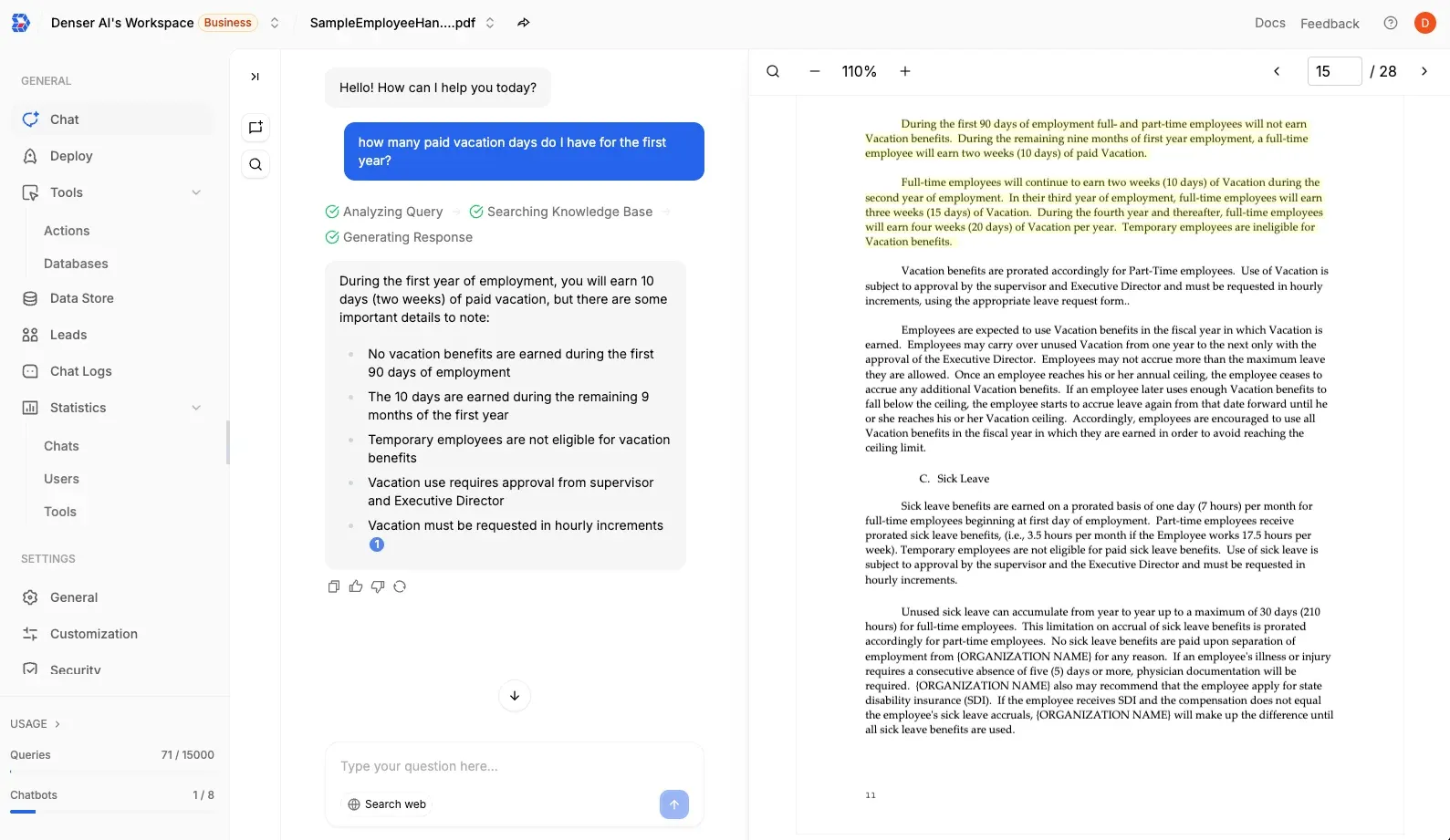
Denser is a no-code AI platform that turns PDFs and other documents into interactive knowledge bases. It's built for teams that need accurate, sourced answers from their documents — and it works as a full AI document reader, not just a PDF reader AI.
Key features:
- Visual source citations: Every answer highlights the exact passage in the original document, not just a page number. This makes it easy to verify and audit responses — essential for legal, financial, and compliance work.
- 80+ language support: Upload a PDF in one language and ask questions in another. Useful for global teams and multilingual operations.
- Multi-file chat across formats: Chat across PDFs, Word docs, PowerPoint presentations, and Excel files in a single session. Denser functions as a true AI document reader, not just a PDF-only tool.
- Multi-channel deployment: Use it on the dashboard, or deploy as a chatbot on your website so customers can search your documentation. It also integrates with Slack and Zapier for team workflows.
- Enterprise-grade security: Private knowledge bases with access controls, so sensitive documents stay within your organization.
Pros:
- Source-highlighted answers build trust and speed up review
- Unlimited multi-file chat on paid plans across all document formats
- Free tier available to test before committing
- Works as both an AI PDF reader and AI document reader
- REST API for custom integrations
- Enterprise-grade security with private knowledge bases
Cons:
- Advanced features require paid plans
- No native desktop app (browser-based)
Pricing: Free tier available (1 bot, 50 queries). Paid plans start at $39/month (Starter, 1,500 queries), with Standard at $119/month (7,500 queries) and Business at $399/month (15,000 queries). See pricing details or try Chat with PDF free.
2. ChatPDF — Simple and Fast for Individual Documents#
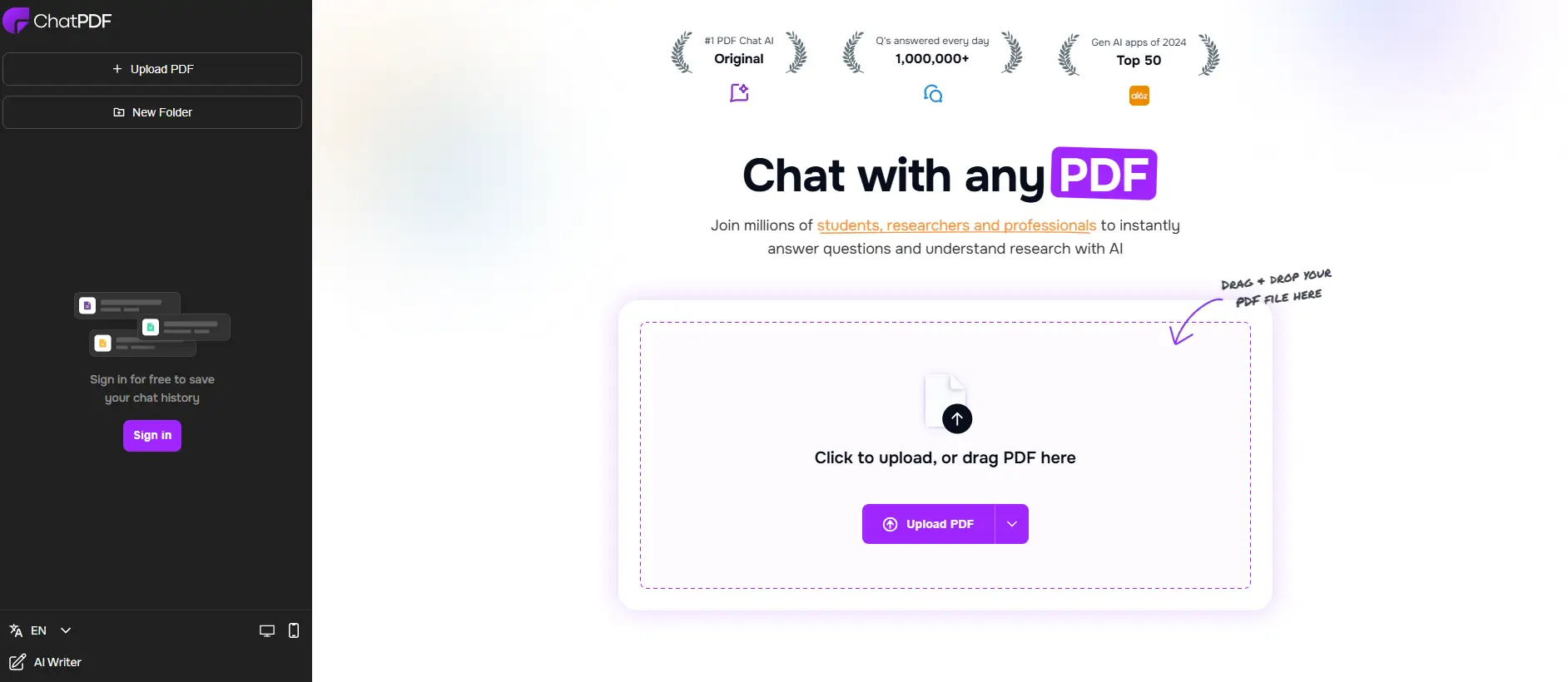
ChatPDF is a straightforward AI PDF reader with a side-by-side layout that shows your document alongside the chat conversation. This split view makes it easy to follow along as you ask questions.
The platform supports multiple file formats, including Word, PowerPoint, and text files, converting them to PDFs for analysis. You can group several PDFs into a folder and query them together.
Pros:
- Clean, intuitive side-by-side interface
- Folder-based multi-document queries
- No account required for basic use
- Supports multiple file format conversions
- One of the best free AI PDF reader options for quick lookups
Cons:
- No visual source citations (text references only)
- Free tier limited to 2 documents per day
- No enterprise plan or team collaboration features
- Limited OCR accuracy for scanned documents
- Functions primarily as a PDF reader AI — limited as a broader document reader
Pricing: Free tier with 2 PDFs/day. Plus plan at $14.99/month ($7.58/month billed yearly) for unlimited PDFs and unlimited questions.
For more options like ChatPDF, see our ChatPDF alternative comparison.
3. AskYourPDF — Chrome Extension with Knowledge Base#
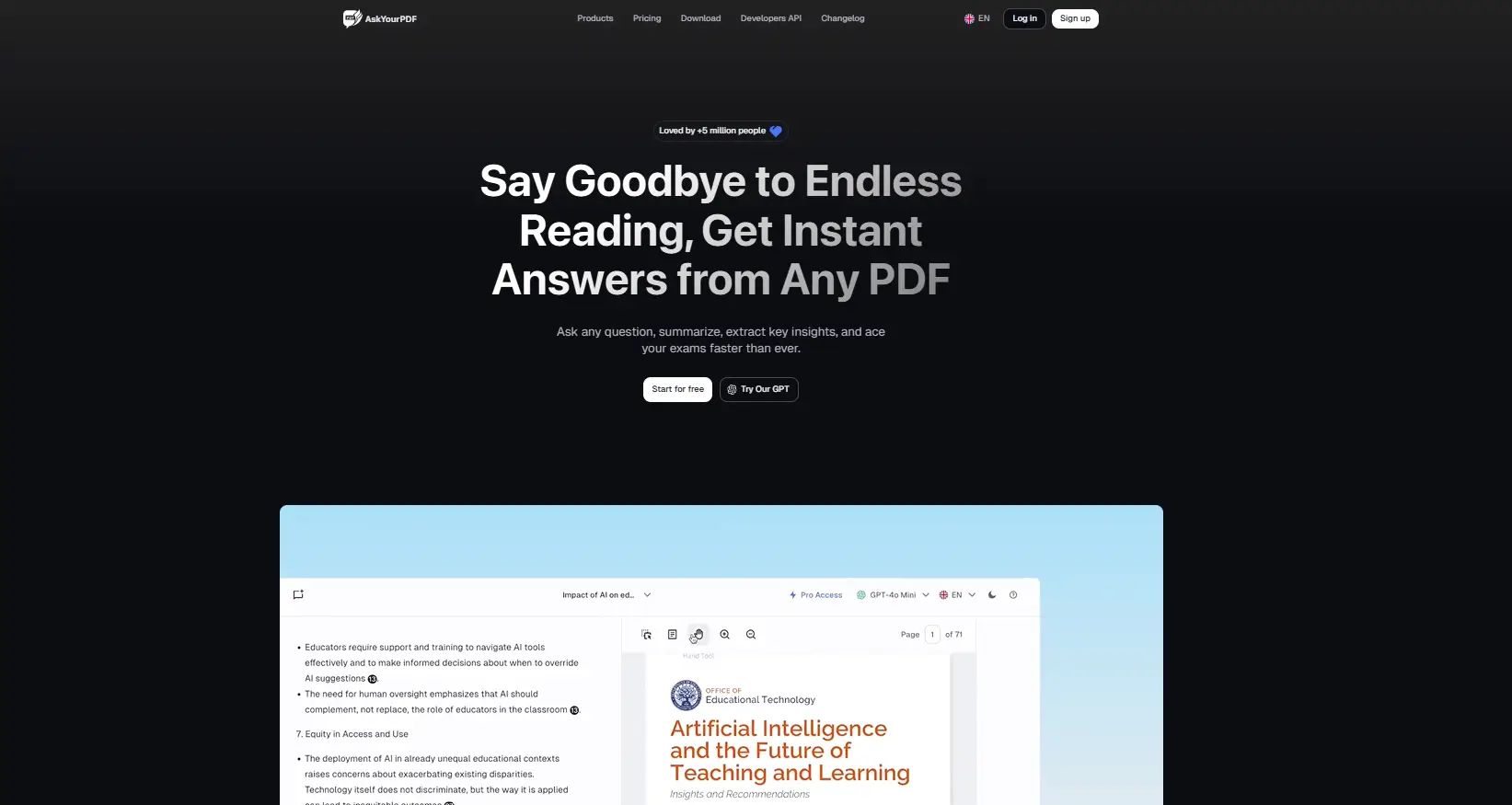
AskYourPDF is an AI-powered tool that lets you interact with and summarize lengthy documents. It includes a Knowledge Base feature that supports uploading and querying multiple documents in one workspace.
The platform offers a literature review tool, an academic writing assistant, and a Research Assistant GPT mode for detailed analysis. It also integrates with Chrome, Zotero, and ChatGPT for cross-device access, making it a versatile AI document reader for researchers.
Pros:
- Chrome extension for quick access while browsing
- Knowledge base for multi-document conversations (Premium+)
- ChatGPT plugin integration
- Good for academic and research use cases
- Budget-friendly entry pricing
Cons:
- No visual source citations (text-only references)
- Privacy concerns: Trustpilot rating of 2.0/5 with reports of data access issues
- Users have reported unexpected billing after trial periods
- Multi-document support requires paid plan
Pricing: Free tier with 1 document/day and 50 questions. Premium at $11.99/month with knowledge base and Chrome extension. Pro at $14.99/month with priority support.
4. Smallpdf — All-in-One PDF Toolkit with AI Chat#
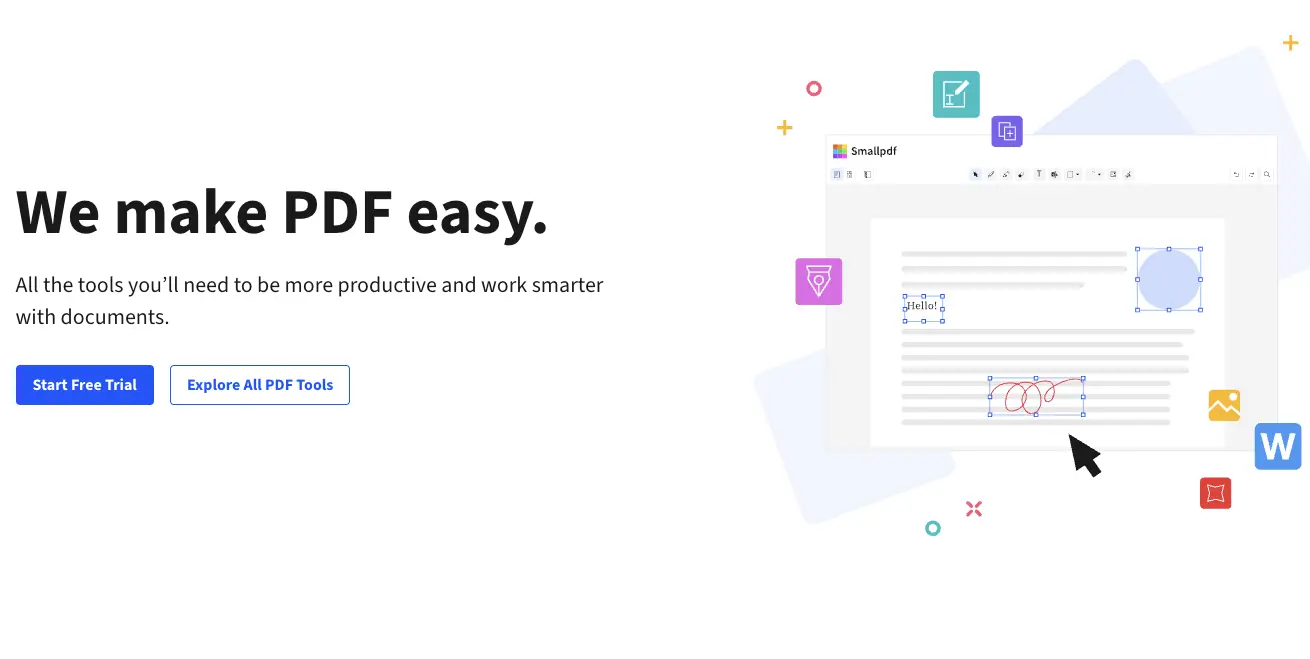
Smallpdf is primarily a PDF utility suite for compressing, converting, merging, and signing documents, but its AI assistant adds document chat capabilities to the mix. If you already use Smallpdf for other PDF tasks, the chat feature is a natural addition.
The platform handles over 30 document management tools in one interface. Its AI chat feature lets you ask questions about uploaded PDFs and get summarized answers, though the AI functionality is one feature among many rather than the primary focus.
Pros:
- Combines chat with PDF editing, conversion, and signing tools
- Strong summarization for long documents
- Clean, polished interface trusted by 1.7 billion users since 2013
- Handles large files well
- 30+ format support through conversion tools
Cons:
- AI chat is one feature among many, not the primary focus
- No multi-document conversations
- Limited customization for business use cases
- AI document word limit of 25–35k words on free plan
- Not ideal as a dedicated AI document reader — better as a PDF toolkit with AI bonus
Pricing: Free plan with limited daily uses. Pro at $15/month with unlimited access to all tools including AI chat. Team plans at $12/seat/month.
5. PDF.ai — Multi-Document Data Extraction#
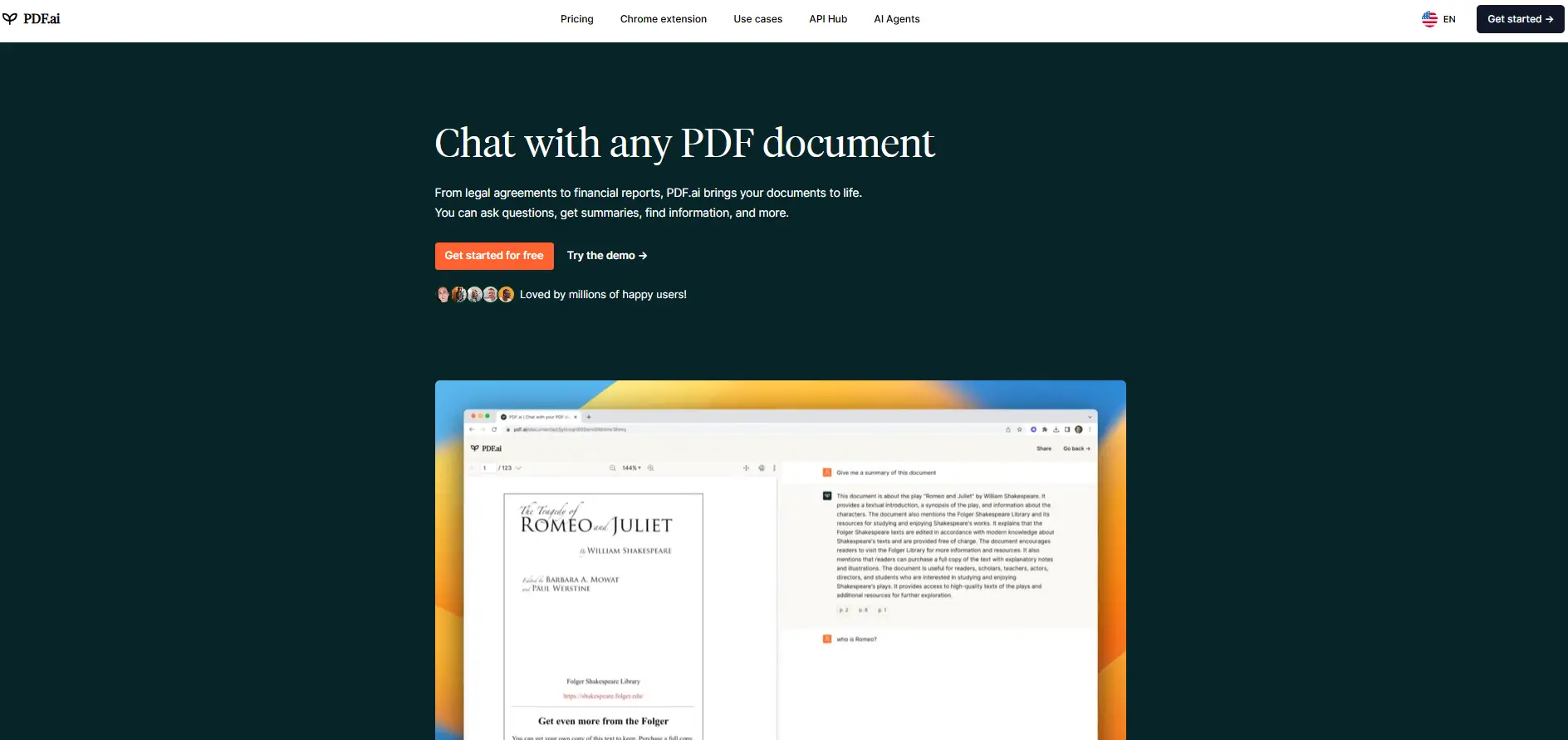
PDF.ai is an AI-powered assistant focused on data extraction and multi-document analysis. It supports chatting across 100+ PDFs at once, making it useful for building a searchable library of files.
The platform includes AI Agents on higher-tier plans, built-in OCR for scanned documents and images, and collaboration features for teams. Browser extensions integrate with Google Drive and Dropbox for easy file access.
Pros:
- Strong multi-document support (100+ PDFs)
- Built-in OCR for scanned documents
- AI Agents for automated workflows on Ultimate+ plans
- Google Drive and Dropbox integration
- Solid for batch data extraction from invoices and financial documents
Cons:
- Free tier very limited (1 PDF, 100 questions/month)
- No visual source citations
- Advanced AI models locked behind paid plans
- Per-user pricing on higher tiers can add up quickly for teams
- PDF-only — not a full AI document reader for Word, HTML, or PowerPoint
Pricing: Free Hobby plan (1 PDF). Pro at $10/month. Ultimate at $20/user/month. Enterprise at $30/user/month. All billed yearly.
6. SciSpace — Best AI PDF Reader for Academic Research#
SciSpace is built specifically for academic and scientific literature. It connects to a database of 220 million+ papers, so you can search, read, and chat with research documents in one place.
The platform excels at explaining complex academic language in simpler terms. Its literature review tools go beyond simple Q&A, helping researchers find related papers, trace citations, and understand how studies connect to each other.
Pros:
- Search across 220M+ academic papers integrated with document chat
- Citation-backed answers that reference specific studies
- Explains complex academic language in simpler terms
- Literature review tools beyond simple Q&A
- Free access to basic academic search features
Cons:
- Focused almost exclusively on academic content
- Not suitable for business documents, contracts, or manuals
- Limited file format support beyond PDFs — not a general AI document reader
- Premium pricing is higher than general-purpose tools
- Not designed for multi-format document workflows
Pricing: Free Basic plan with limited daily usage. Premium at $20/month ($12/month billed yearly). Teams at $18/seat/month.
7. Adobe Acrobat AI Assistant — Native PDF Integration#
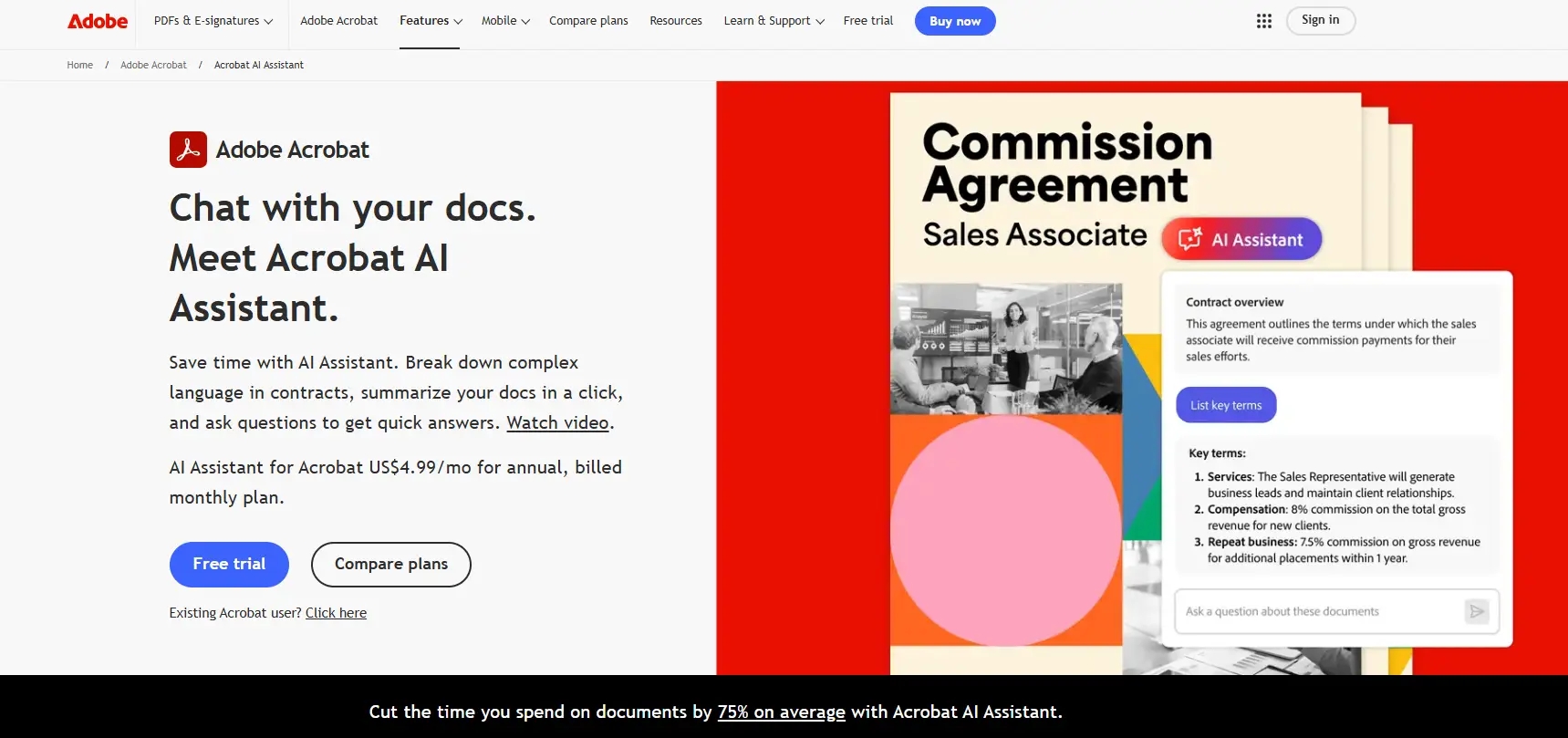
Adobe Acrobat AI Assistant is built into Adobe Acrobat and works with PDF and Office documents through a conversational interface. It generates summaries, suggests relevant questions, and answers queries in natural language.
The assistant supports content recognition in tables and charts, and responses include clickable citations that highlight the corresponding sections in the document, similar to Denser's visual citation approach.
Pros:
- Native integration with the world's most widely used PDF software
- Visual citations with document highlighting
- Strong table and chart recognition
- Encryption and session data deletion after 12 hours
- Works with Office documents as a basic AI document reader
Cons:
- No free tier for AI features (requires Acrobat Pro subscription)
- 120-page limit for document processing
- Single-document chat only (no multi-file support)
- Adobe acknowledges the AI may produce inaccurate citations
- Limited to the Adobe ecosystem — no API or external integrations
Pricing: Requires Acrobat Pro ($19.99/month) plus AI Assistant add-on ($4.99/month), or Acrobat Studio ($24.99/month) which bundles both.
AI PDF Reader Feature Comparison#
| Feature | Denser | ChatPDF | AskYourPDF | Smallpdf | PDF.ai | SciSpace | Adobe AI |
|---|---|---|---|---|---|---|---|
| Free plan | Yes | Yes | Yes | Limited | Very limited | Yes | No |
| Visual citations | ✅ Yes | ❌ No | ❌ No | ❌ No | ❌ No | ❌ No | ✅ Yes |
| Multi-document chat | Unlimited | Folder-based | Premium | No | 100+ PDFs | Yes | No |
| OCR support | Built-in | Basic | Basic | Yes | Built-in | No | Native |
| File formats beyond PDF | Word, Excel, PPT, HTML | Word, PPT, TXT | Multiple | 30+ formats | No | No | Office docs |
| Team workspaces | ✅ Yes | ❌ No | ❌ No | Team plan | Paid | ❌ No | Enterprise |
| API access | ✅ REST API | ❌ No | ✅ Yes | ❌ No | ✅ Yes | ❌ No | ❌ No |
| Academic paper search | ❌ No | ❌ No | ❌ No | ❌ No | ❌ No | 220M+ papers | ❌ No |
| Browser extension | ❌ No | ❌ No | Chrome | ❌ No | Chrome | ❌ No | ❌ No |
| AI document reader scope | Full (multi-format) | PDF-focused | PDF + web | PDF-focused | PDF-only | PDF-only | PDF + Office |
| Best for | Enterprise, mixed docs | Individuals | Budget users | PDF workflows | Data extraction | Researchers | Adobe users |
Best AI Document Reader: Beyond PDFs#
While most people search for an "AI PDF reader," many professionals need a tool that goes beyond PDFs. If your work involves contracts in Word, presentations in PowerPoint, financial data in Excel, or documentation in HTML, you need a true AI document reader — not just a PDF reader AI.
Here's what the best AI document readers support beyond PDF:
Word Documents (.docx)#
Many contracts, proposals, and internal documents start as Word files before being converted to PDF. An AI document reader like Denser lets you chat with Word documents directly, without converting them first. This is especially valuable during the drafting phase, when documents are still being edited and the PDF version doesn't exist yet.
HTML Pages#
For teams that work with web-based documentation, internal wikis, or published web content, HTML support matters. Rather than printing a web page to PDF and then uploading it, an AI document reader that handles HTML natively saves time and preserves formatting like tables and links.
PowerPoint Presentations (.pptx)#
Slide decks often contain critical business information — quarterly results, product roadmaps, training materials. An AI document reader that understands PowerPoint can answer questions across all slides, extract key data points, and summarize presentation content without you having to scroll through every slide.
Excel Spreadsheets (.xlsx)#
Financial analysts, operations teams, and data-driven professionals often need to query spreadsheet data. While AI PDF readers can't help here, an AI document reader like Denser can ingest Excel files and answer questions about the data they contain.
Which Tools Work as Full AI Document Readers?#
| Tool | Word | Excel | PPT | HTML | True Document Reader? | |
|---|---|---|---|---|---|---|
| Denser | ✅ | ✅ | ✅ | ✅ | ✅ | Yes — all formats |
| ChatPDF | ✅ | ✅ (converted) | ❌ | ✅ (converted) | ❌ | Partial — converts to PDF |
| AskYourPDF | ✅ | ✅ | ❌ | ❌ | ❌ | Partial |
| Smallpdf | ✅ | ✅ (via conversion) | ❌ | ❌ | ❌ | Partial — conversion-focused |
| PDF.ai | ✅ | ❌ | ❌ | ❌ | ❌ | No — PDF only |
| SciSpace | ✅ | ❌ | ❌ | ❌ | ❌ | No — PDF only |
| Adobe Acrobat AI | ✅ | ✅ | ❌ | ✅ | ❌ | Partial — within Adobe ecosystem |
If your work spans multiple document types, Denser is the clear choice as a true AI document reader. For PDF-only workflows, ChatPDF or SciSpace may be sufficient.
How to Choose the Best AI PDF Reader#
When evaluating AI tools for PDF reading and document review, the difference between a basic tool and an exceptional one lies in how well it enables you to interact with your documents. Here are the key factors to consider:
Accuracy and Citations#
The most important factor is whether you can trust the answers. Tools with visual source citations like Denser and Adobe Acrobat AI let you verify exactly where an answer came from. For legal, financial, or compliance work, this is non-negotiable — you need to see the highlighted passage, not just a text reference.
Without visual citations, you're trusting the AI's summary without being able to confirm it against the source. This is acceptable for casual reading but risky for professional document review.
Multi-Document Support#
If you work with document collections rather than individual files, multi-document chat matters. Denser, PDF.ai, and SciSpace handle this well. ChatPDF offers folder-based grouping, while Smallpdf and Adobe are limited to single documents.
For teams that need to compare documents, cross-reference contracts, or search across an entire knowledge base, unlimited multi-file chat is essential. Denser's unlimited multi-file support across all document types makes it the strongest option here.
File Format Flexibility#
Not all important documents are PDFs. Denser supports Word, Excel, PowerPoint, and HTML alongside PDFs. Smallpdf handles 30+ formats through its conversion tools. If your workflow involves mixed document types, prioritize tools that handle them natively rather than requiring conversion first.
Ask yourself: Do I only work with PDFs, or do I also need an AI document reader for Word, PowerPoint, and other formats? The answer determines whether you need a dedicated PDF reader AI or a broader document intelligence platform.
Integration Needs#
Consider how the tool fits your workflow. AskYourPDF's Chrome extension is great for browsing. Adobe Acrobat AI works natively if you're already in that ecosystem. Denser and PDF.ai offer APIs for custom integrations. For team deployments, Denser offers website chatbot deployment and API access.
If you need to embed document AI into your product or internal tools, API access is critical. Denser and PDF.ai are the only tools in this list with REST API support.
Budget#
Prices range from free to $399/month. For personal use, ChatPDF or AskYourPDF offer the best value. For teams, consider the per-user cost. Denser's Starter plan at $39/month covers small teams, while PDF.ai's per-user pricing can add up quickly.
Also factor in the cost of not having the right tool — hours spent manually searching through documents translate to real labor costs. An AI PDF reader that saves your team even 30 minutes per day pays for itself quickly.
Data Privacy and Security#
If you're uploading sensitive documents — contracts, financial records, medical files, legal briefs — check each tool's data handling policies. Denser offers private knowledge bases with enterprise-grade security. Adobe encrypts data and deletes session data after 12 hours. AskYourPDF has known privacy concerns (Trustpilot rating of 2.0/5).
For regulated industries, choose a tool with clear data retention policies, encryption, and access controls. See our guide to document review tools for more on security considerations.
AI PDF Reader by Use Case#
Different situations call for different tools. Here is how to match your use case to the right AI PDF reader or AI document reader.
For Academic Research#
If you need an AI PDF reader for research, start with SciSpace if you work primarily with published papers. Its integration with 220M+ papers and citation-backed answers makes it the strongest option for literature reviews. For non-academic PDFs in a research context, ChatPDF is a fast and reliable backup.
For Legal and Contract Review#
Accuracy and source verification matter most here. Denser is the strongest option because of its visual source highlighting, which lets legal teams verify exactly where an answer came from. For firms that need a dedicated legal chatbot solution, Denser also offers purpose-built workflows. Adobe Acrobat AI is a solid alternative for teams already using Acrobat Pro.
For dedicated contract review workflows, see our AI vs lawyer contract review comparison.
For Customer Support Teams#
If you need to turn product manuals, FAQ documents, and policy guides into an interactive knowledge base chatbot for support agents, Denser is designed for exactly this. Its team workspaces, chat analytics, and integration with tools like Slack and Zapier make it a strong enterprise chatbot solution at scale.
For Individual Productivity#
If you just need fast answers from a single PDF, ChatPDF is the simplest option. No account required, no setup time. For users on a tight budget who need multi-document search, AskYourPDF offers Chrome integration on its free tier.
For All-in-One PDF Workflows#
If you need editing, conversion, merging, and signing alongside AI chat, Smallpdf combines all of these in one platform. The AI chat is a bonus feature rather than the primary focus, but having everything in one place simplifies your workflow.
For Finance and Data Extraction#
PDF.ai stands out when you need to pull structured data from invoices, financial statements, or billing documents. Its extraction tools automate table and field identification across 100+ documents at once.
For Cross-Format Document Review#
If you need to review documents across multiple formats — Word contracts, PDF reports, PowerPoint decks, Excel data — Denser is the only tool that handles all of these natively in a single chat session. It functions as a true AI document reader rather than just a PDF reader AI.
For Students and Education#
SciSpace offers free access to academic search, and ChatPDF provides free daily queries. For students who need to summarize papers and extract key concepts, these two tools cover most needs without any cost. See our free AI PDF tools guide for more no-cost options.
Best Free AI PDF Reader Options#
Not ready to commit to a paid plan? Several tools offer meaningful free tiers that let you test AI document reading before you buy. Here's how they compare:
| Tool | Free Tier Limits | Best Free Use Case |
|---|---|---|
| ChatPDF | 2 PDFs/day, unlimited questions | Quick lookups on individual documents |
| AskYourPDF | 1 doc/day, 50 questions | Browser-based document chat via Chrome extension |
| Denser | 1 bot, 50 queries/month | Evaluating the platform for team use |
| SciSpace | Limited daily usage | Academic paper search and summarization |
| Smallpdf | 2 tasks/day, 25–35k word limit | Basic PDF summarization alongside editing tools |
| PDF.ai | 1 PDF, 100 questions/month | Minimal — mostly a trial for paid features |
Our pick for the best free AI PDF reader: ChatPDF, because it requires no account and gives you 2 full documents per day with unlimited questions. For academic use, SciSpace's free tier provides access to 220M+ papers.
For a deeper comparison of free options, check out our free AI PDF tools guide.
AI PDF Reader & Document Reader FAQs#
What is the best AI for reading PDFs?#
The best AI for reading PDFs depends on your needs. For teams and enterprises that need source-verified answers, Denser leads with visual citations and multi-format document support. For quick individual questions, ChatPDF is the fastest option. For academic papers, SciSpace connects to 220M+ research documents. For data extraction, PDF.ai handles 100+ documents at once.
What is the best AI to read PDF documents?#
The best AI to read PDF documents in 2026 is Denser for professional use, because it provides source-highlighted answers you can verify against the original text. For personal use, ChatPDF offers a no-signup experience that gets you answers in seconds. Adobe Acrobat AI is best if you're already in the Adobe ecosystem and need native PDF integration.
What is a PDF reader AI?#
A PDF reader AI is an AI-powered tool that lets you interact with PDF documents through natural language conversation. Instead of scrolling and searching manually, you ask questions and receive answers drawn directly from the document's content. Leading PDF reader AI tools include Denser, ChatPDF, SciSpace, and Adobe Acrobat AI. They use retrieval-augmented generation (RAG) to find relevant passages and generate accurate, cited responses.
What is an AI document reader?#
An AI document reader is a broader category than a PDF reader AI. While a PDF reader AI focuses on PDF files, an AI document reader handles multiple file formats including Word (.docx), PowerPoint (.pptx), Excel (.xlsx), HTML, and plain text. Denser is the most capable AI document reader in this comparison, supporting all major document formats in a single chat session. This makes it ideal for teams that work with mixed document types across departments.
Which is the best AI PDF reader?#
The best AI PDF reader overall is Denser, because it combines visual source citations, multi-format document support, unlimited multi-file chat, and 80+ language support in one platform. For specific use cases, ChatPDF is best for speed, SciSpace is best for research, and Adobe Acrobat AI is best for Adobe users. See the comparison table above for a full feature breakdown.
What is the best free AI PDF reader?#
The best free AI PDF reader is ChatPDF — it lets you upload 2 PDFs per day with unlimited questions and no account required. SciSpace offers free academic paper search, and AskYourPDF provides a free Chrome extension. Denser has a free tier for evaluating the platform. For more details, see our free AI PDF tools comparison.
Can an AI PDF reader handle scanned documents?#
Yes, most AI PDF readers include OCR (Optical Character Recognition) for scanned documents. Denser, PDF.ai, and Adobe Acrobat AI offer the strongest OCR support. Smallpdf also includes OCR through its conversion tools. Results are less reliable than with native text PDFs, so test your specific document type before committing to a paid plan. This is especially important for older scanned contracts or handwritten documents.
How much do AI PDF readers cost?#
| Tool | Free Tier | Entry Paid Plan | Enterprise |
|---|---|---|---|
| Denser | Yes (1 bot, 50 queries) | $39/month | $399/month |
| ChatPDF | Yes (2 PDFs/day) | $14.99/month | Not available |
| AskYourPDF | Yes (1 doc/day) | $11.99/month | Custom |
| Smallpdf | Yes (limited daily) | $15/month | Custom |
| PDF.ai | Yes (1 PDF, 100 questions) | $10/month | $30/user/month |
| SciSpace | Yes (limited daily) | $20/month | $18/seat/month |
| Adobe Acrobat AI | No | $19.99/month + $4.99 AI add-on | Available |
Can AI document readers work with Word, Excel, and PowerPoint files?#
Yes — but not all of them. Denser supports Word, Excel, PowerPoint, and HTML natively, making it a true AI document reader. ChatPDF and Smallpdf can convert Word and PowerPoint files to PDF for analysis, but don't support native chat with these formats. Adobe Acrobat AI works with Office documents within the Adobe ecosystem. Tools like PDF.ai and SciSpace are PDF-only. If you work with multiple document formats, choose a tool that supports them natively rather than relying on conversion.
Get Started with an AI PDF Reader#
Choosing the right tool depends on your priorities. For quick, individual document questions, ChatPDF gets you answers in seconds. For academic research, SciSpace connects you to millions of papers. If you need an all-in-one PDF toolkit, Smallpdf covers editing, conversion, and chat in one platform.
For teams and businesses that need source-cited answers, multi-file chat across document types, and the ability to deploy document AI across channels, Denser offers the most complete package. You can extend it beyond document reading by turning it into an AI knowledge base or using it to chat with your data across your entire organization.
Try Chat with PDF free or schedule a demo to see how it works with your documents.
If you also need a traditional PDF viewer or editor for daily reading and annotation, see our 10 best PDF readers in 2026 guide covering Adobe Acrobat Reader, Foxit, SumatraPDF, PDF Expert, and more.
Explore More Resources#
- Chat with PDF — Complete guide to AI-powered PDF conversation tools
- Free AI PDF Tools — No-cost options for document analysis
- ChatPDF Alternative — Compare alternatives to ChatPDF with more features
- AI PDF Summarizer — Best tools specifically for PDF summarization
- Document Review Tool — AI tools for legal and compliance document review
- Chat with PDF Feature — Try Denser's document chat directly
Chat With Your PDFs Instead of Scrolling Them#
A PDF reader shows you the document. Denser answers questions about it. Upload a contract, a manual, or a folder of research papers, then ask in plain language. Every answer highlights the exact passage it came from, so you can verify it in one click rather than trusting it.
Try it on your own file with the free Chat with PDF tool, see how it works, or start a 7-day trial for larger document sets and team access.