

10 Best PDF Readers in 2026 (Free, Paid & AI-Powered)

The right PDF reader depends on what you actually do with PDFs. Some users only need to view and annotate. Others edit, sign, redact, and convert. A growing number want AI features so they can summarize and chat with documents instead of scrolling through them.
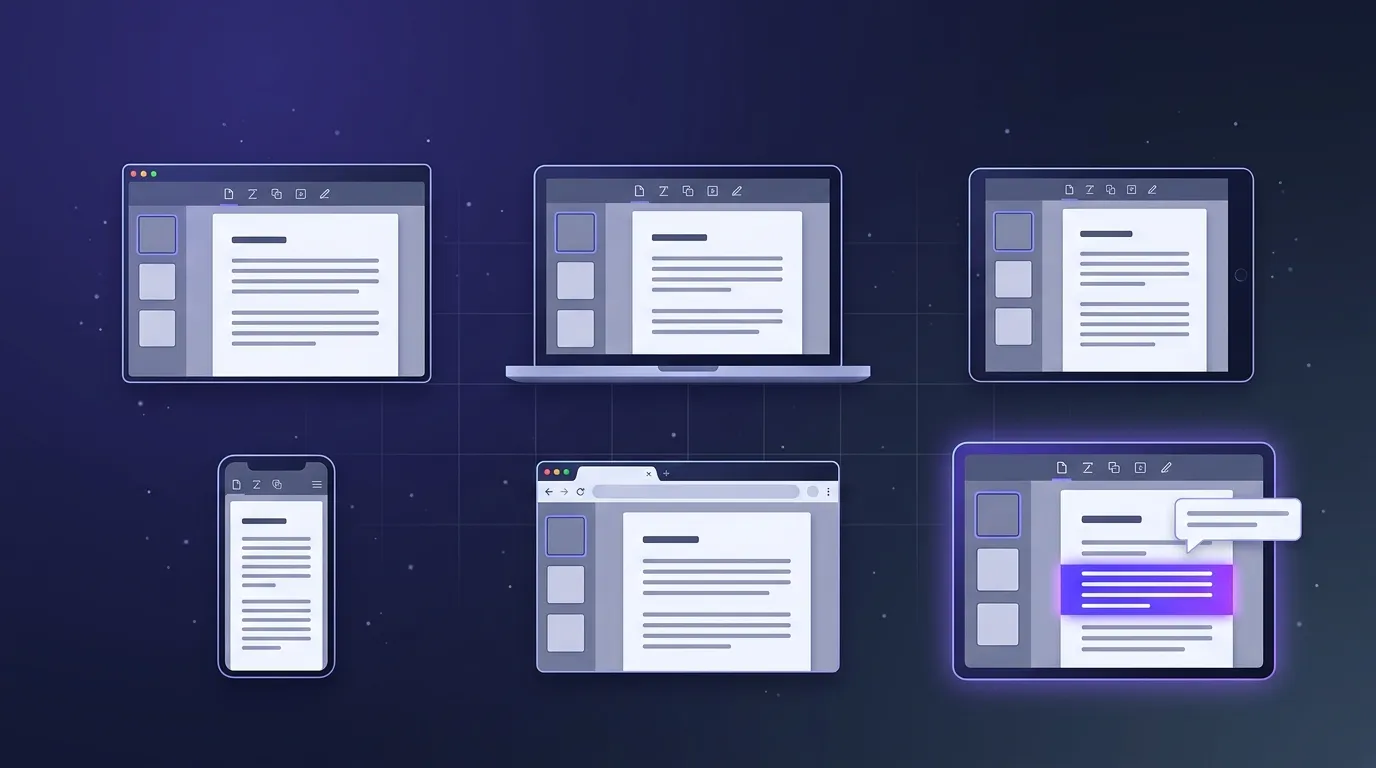
This guide tested the 10 best PDF readers in 2026 across Windows, Mac, mobile, and browser, with separate picks for free, paid, and AI-powered use cases.
Just want AI-powered PDF readers? Skip ahead to our dedicated 7 best AI PDF reader tools comparison covering Denser AI, Adobe Acrobat AI, ChatPDF, and more.
TL;DR#
The shortlist:
- Best free PDF reader overall: Adobe Acrobat Reader — the industry default, free for viewing and basic annotation.
- Best lightweight free PDF reader: SumatraPDF — fast, minimal, perfect for low-spec machines.
- Best free PDF reader with editing: PDFGear — full editing without a subscription.
- Best paid PDF reader for power users: PDF Expert (Mac) or PDF-XChange Editor (Windows).
- Best PDF reader with AI: Denser AI — chat with any PDF, get cited summaries, deploy as a knowledge base.
- Best PDF reader for collaboration: DocHub — browser-based with team workflows.
Want to try before choosing a tool? Use Denser's free Chat with PDF tool to upload a few documents and start a 7-day trial on any plan.
Reading more than one PDF? Turn manuals, policies, reports, and other files into a persistent AI knowledge base chatbot that your team can search together. Denser answers questions across the collection and cites the source behind every response.
What changed for PDF readers in 2026#
PDF readers are no longer just viewers. The biggest 2026 shift is toward AI-powered document workspaces that can summarize long files, answer questions across multiple PDFs, and cite the exact source passage. Adobe's current Acrobat AI Assistant documentation now emphasizes source-cited answers and multi-file PDF Spaces, while Acrobat Studio bundles AI summaries, PDF Spaces, and content reuse into a higher-tier workflow.
That makes trust and privacy more important than raw feature count. For sensitive files, check whether the tool uses your documents to train models, how long uploaded files are retained, whether answers include citations, and whether admins can control AI features. Adobe's enterprise guidance for Acrobat AI Assistant says customer documents are not used to train AI models and describes admin governance controls, which is the kind of standard business buyers should expect from any AI PDF reader.
How to Choose a PDF Reader in 2026#
The PDF reader market in 2026 has split into three categories:
- Traditional readers — view, annotate, basic editing (Adobe Acrobat Reader, Foxit, SumatraPDF)
- Editing suites — full editing, redaction, OCR, signing (PDF Expert, Nitro, PDF-XChange, Smallpdf)
- AI-powered readers — summarize, chat with PDFs, extract insights (Denser AI, Adobe Acrobat AI, ChatPDF)
Most teams use one tool from category 1 for daily reading and a separate AI tool when they need to actually understand a long document. The best choice depends on which workflow you spend the most time on.
For a deep dive on the AI-powered category specifically, see our guide to the best AI PDF reader tools.
10 Best PDF Readers in 2026#
1. Adobe Acrobat Reader: Best Overall Free PDF Reader#
Adobe Acrobat Reader is the industry default for a reason. It is free, supports every PDF feature, and has the best compatibility with PDFs created by other tools.
What it does well:
- Free for viewing, annotation, form filling, and signing
- Best-in-class compatibility with all PDF standards
- Cross-platform: Windows, Mac, iOS, Android, web
- Cloud sync across devices
Where it falls short:
- Editing requires Acrobat Pro subscription ($19.99/month)
- Heavy install size and memory footprint
- AI features sit in separate Acrobat AI Assistant or Acrobat Studio plans
Best for: Anyone who needs the most compatible, full-featured free PDF reader.
Pricing: Free. Acrobat Pro from $19.99/month.
2. SumatraPDF: Best Lightweight Free PDF Reader#
SumatraPDF is a tiny, fast, open-source PDF reader for Windows. It does one thing well: open and read PDFs (plus EPUB, MOBI, CHM, XPS, DjVu, and comic book formats) without bloat.
What it does well:
- Tiny install (~12 MB) and instant startup
- Reads many formats besides PDF
- Free and open-source
- Perfect for low-spec or older machines
Where it falls short:
- No editing, signing, or form-filling
- Windows only
- Spartan interface; no cloud sync
Best for: Users who only need to read PDFs and want zero overhead.
Pricing: Free, open-source.
3. PDFGear: Best Free PDF Reader with Editing#
PDFGear offers a full editing experience for free, including text editing, OCR, conversion, and AI chat features. It is one of the few tools where the free tier is genuinely useful.
What it does well:
- Full PDF editing without subscription
- Built-in AI chat for documents
- OCR for scanned PDFs
- No watermarks on free tier
Where it falls short:
- Less mature than Adobe or Foxit
- Smaller user community for support
Best for: Users who need editing without paying.
Pricing: Free.
4. PDF Expert: Best Paid PDF Reader for Mac#
PDF Expert is the Mac-native PDF reader of choice. Speed, polished UI, and tight macOS integration make it the default for many Mac power users.
What it does well:
- Native Mac and iOS app with smooth performance
- Excellent annotation and editing tools
- Strong form-filling and signing
- iCloud sync
Where it falls short:
- Mac and iOS only (no Windows version)
- Subscription required for full features
Best for: Mac and iPad users who want a polished, fast PDF experience.
Pricing: Free trial. Pro from $79.99/year or $9.99/month.
5. PDF-XChange Editor: Best Paid PDF Reader for Windows#
PDF-XChange Editor is the long-time Windows power-user pick. Tons of features, fast performance, and a one-time purchase option (rare in 2026).
What it does well:
- Comprehensive editing, OCR, redaction
- One-time license available (no subscription)
- Fast and stable on Windows
- Free version with watermarked output
Where it falls short:
- Windows only
- Interface feels dated next to newer competitors
Best for: Windows users who prefer a one-time purchase over subscription.
Pricing: Free with watermarks. Pro license from $59.50 (one-time).
6. Foxit PDF Reader: Best for Enterprise Compatibility#
Foxit PDF Reader has been the corporate alternative to Adobe for years. It is fast, full-featured, and integrates with enterprise document workflows.
What it does well:
- Strong enterprise features (DRM, Sharepoint, AD integration)
- Cross-platform with mobile apps
- Faster than Acrobat Reader on most operations
- ConnectedPDF for collaboration
Where it falls short:
- Free version pushes upgrades aggressively
- Editing requires paid Foxit PDF Editor
Best for: Enterprise teams that need an Acrobat alternative.
Pricing: Free reader. Editor from $109/year.
7. Nitro PDF Pro: Best for Document Workflows#
Nitro PDF Pro bundles a strong PDF editor with workflow automation, eSignatures, and team analytics. The pricing skews higher but the workflow features are solid.
What it does well:
- Strong editing and conversion tools
- Built-in eSignature workflows
- Team management and analytics
- One-time license available
Where it falls short:
- Higher price than competitors
- Windows-focused (Mac version exists but is less polished)
Best for: Teams that need PDF editing plus signature workflows.
Pricing: From $179.99 one-time or $159.99/year.
8. Smallpdf: Best Browser-Based PDF Toolkit#
Smallpdf is a browser-based all-in-one PDF toolkit for compressing, converting, merging, signing, and (recently) AI chat. If you do not want to install anything, this is the easiest path.
What it does well:
- 30+ PDF tools in one browser interface
- No install required
- AI chat feature added in 2024
- Trusted by 1.7B+ users
Where it falls short:
- Free tier limited to 2 daily uses per tool
- Files upload to the cloud (privacy concern for sensitive docs)
Best for: Users who want zero installs and occasional PDF tasks.
Pricing: Free with limits. Pro from $15/month.
9. DocHub: Best for Browser Collaboration#
DocHub is a browser-based PDF editor with strong team and signature workflows. Tight Google Drive integration makes it natural for Google Workspace users.
What it does well:
- Real-time collaboration on PDFs
- Native Google Drive integration
- eSignature workflows built in
- Free tier covers basic editing
Where it falls short:
- Browser-only (no desktop or mobile app)
- Less polished than dedicated desktop editors
Best for: Google Workspace teams that collaborate on PDFs.
Pricing: Free with limits. Pro from $14/month.
10. Denser AI: Best AI-Powered PDF Reader#
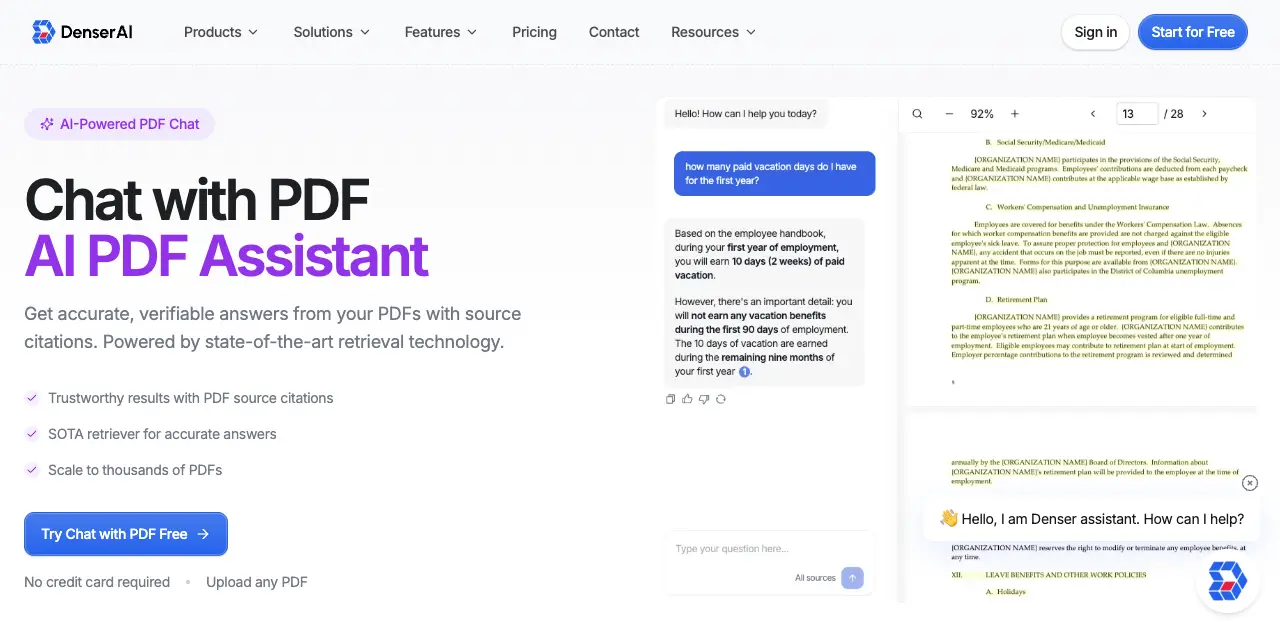
Denser AI takes a different approach. Rather than focusing on viewing and editing, it lets you upload a PDF (or hundreds of them) and chat with the content. Every answer includes visual source highlighting in the original document.
For ongoing work, those PDFs do not have to remain isolated one-off chats. You can combine employee handbooks, product manuals, contracts, research, and related files into a shared knowledge base chatbot that stays available to your team.
What it does well:
- Visual source highlighting points to the exact passage in the PDF
- Multi-document chat across PDFs, Word, Excel, PowerPoint, and websites
- Multilingual support (80+ languages)
- Deploy as a chatbot on your website, Slack, or Shopify
- Free plan available
Where it falls short:
- Not a viewer or editor; it is built for chat and search
- Browser-based (no desktop app)
- Best for users who want insights from PDFs, not just to read them
Best for: Anyone who needs to understand long PDFs, search multi-document collections, or create a reusable knowledge base for a team.
Pricing: Free plan available. Paid plans from $39/month.
Create a PDF knowledge base with Denser
Best PDF Readers Compared at a Glance#
| PDF Reader | Best For | Platform | AI Features | Price |
|---|---|---|---|---|
| Adobe Acrobat Reader | Overall free | Win/Mac/iOS/Android/Web | Paid add-on | Free; Pro $19.99/mo |
| SumatraPDF | Lightweight reading | Windows | No | Free |
| PDFGear | Free editing | Win/Mac/iOS/Android | Built-in chat | Free |
| PDF Expert | Mac power users | Mac/iOS | No | $9.99/mo |
| PDF-XChange Editor | Windows power users | Windows | No | $59.50 one-time |
| Foxit PDF Reader | Enterprise | Win/Mac/iOS/Android | Paid | Free; Pro $109/yr |
| Nitro PDF Pro | Workflow teams | Win/Mac | Paid | $179.99 one-time |
| Smallpdf | Browser toolkit | Web | Paid add-on | $15/mo |
| DocHub | Browser collab | Web | No | $14/mo |
| Denser AI | AI chat with PDFs | Web | Built-in | Free; from $39/mo |
Best PDF Reader by Use Case#
The right PDF reader depends on what you do with PDFs.
For Daily Reading#
If you mostly view PDFs and add the occasional comment, Adobe Acrobat Reader or SumatraPDF cover it. Acrobat Reader if you want full feature compatibility; SumatraPDF if you want minimal overhead.
For Editing Without Subscription#
PDFGear offers full editing for free. PDF-XChange Editor has a one-time license for Windows users who hate subscriptions.
For Mac Users#
PDF Expert is the native Mac choice. Polished UI, fast performance, and iPad sync.
For Enterprise#
Foxit integrates with corporate identity systems and document workflows. Adobe Acrobat Pro is the safest enterprise default.
For Browser-Only Workflows#
Smallpdf for occasional tasks. DocHub for team collaboration.
For Working With Long or Complex PDFs#
When you need to actually understand a 100-page contract, manual, or research paper, traditional readers fall short. AI-powered readers like Denser AI let you ask questions and get cited answers in seconds. See our chat with PDF feature page for the full workflow.
For Large PDF Collections#
If you have hundreds of PDFs (legal cases, research papers, product manuals), traditional readers force you to open them one at a time. A Denser knowledge base chatbot indexes the collection into one searchable assistant, answers across documents, and gives teammates a consistent place to find cited information.
Free vs Paid PDF Readers: What to Expect#
Most PDF reader needs can be met with free tools.
Free covers:
- Viewing PDFs of any size
- Basic annotation (highlighting, comments, sticky notes)
- Form filling
- Simple signing
Paid unlocks:
- Full content editing (text, images, layout)
- Redaction (legal-grade)
- OCR for scanned documents
- Batch processing
- Conversion to other formats
- Cloud sync and team workspaces
- Advanced security (encryption, password protection)
- AI features (summarization, chat with PDF)
If you only need viewing and annotation, stick with free tools. If you do significant editing or PDF-heavy work, the $10-20/month subscription pays for itself in time saved.
What About AI-Powered PDF Readers?#
The fastest-growing category in 2026 is AI-powered PDF readers. Instead of just displaying the document, they let you summarize long PDFs, ask questions, and extract insights.
The use case is simple: most long PDFs (contracts, manuals, research papers, financial reports) are not meant to be read end-to-end. You need specific information, fast. An AI PDF reader gets you there in seconds.
The leaders in this category:
- Denser AI: Visual source citations, multi-document chat, knowledge base deployment
- Adobe Acrobat AI Assistant: Native Acrobat integration with citation highlighting
- ChatPDF: Fastest single-document chat
For a detailed comparison, see our best AI PDF reader guide.
Turn your PDF library into an AI knowledge base#
Most PDF readers help you view documents. Denser AI helps you actually understand them.
Upload related PDFs and other company files, then let employees or customers ask questions in plain language. Every answer points back to the supporting passage, so readers can verify it without opening and searching each document individually.
Ready to make a collection searchable? Create a PDF knowledge base for manuals, policies, contracts, research, or onboarding documents. If you only have one file, try Chat with PDF for free first.
FAQs About PDF Readers#
What is the best free PDF reader?#
For overall use, Adobe Acrobat Reader is free and supports every PDF feature. For a lightweight option on Windows, SumatraPDF is the smallest and fastest. For free editing, PDFGear is the strongest. For free AI chat with PDFs, Denser AI offers a free plan.
Do I need Adobe Acrobat to read PDFs?#
No. Adobe Acrobat Reader is the most full-featured option, but every modern OS and browser includes a built-in PDF reader. Chrome, Edge, Firefox, Safari, macOS Preview, and Windows Edge all open PDFs without any extra software. Adobe Reader is best when you need maximum compatibility or specific Adobe features.
What is the lightest PDF reader for old computers?#
SumatraPDF at ~12 MB is the lightest mainstream PDF reader. It opens instantly even on machines with 2 GB of RAM. Foxit Reader is also significantly lighter than Adobe Acrobat Reader.
Can I edit PDFs for free?#
Yes. PDFGear offers full editing for free with no watermarks. PDF-XChange Editor has a free version (with watermarks on output) and a one-time license for unlimited use. Smallpdf has a browser-based free tier with daily limits.
What is the difference between a PDF reader and a PDF editor?#
A reader views, annotates, and lets you fill forms. An editor lets you change the actual content (text, images, layout). Most modern tools blur the line; Adobe Acrobat Pro, PDF Expert, and Foxit PDF Editor combine both in one app.
Is there an AI-powered PDF reader?#
Yes. Denser AI is built specifically for AI chat with PDFs, with visual source citations. Adobe Acrobat AI Assistant is a paid add-on for Adobe users. ChatPDF offers fast single-document chat. See our chat with PDF feature page for the full workflow.
Can I build a knowledge base from multiple PDFs?#
Yes. A Denser knowledge base chatbot can combine multiple PDFs with Word documents, spreadsheets, presentations, websites, Google Drive files, and written Q&A. Your team can ask questions across the collection and check each answer against its cited source.
What is the best PDF reader for Mac?#
PDF Expert is the most popular paid choice for Mac users. macOS Preview is built in and free for basic viewing and annotation. Adobe Acrobat Reader for Mac is the most full-featured free option.
What is the best PDF reader for Windows?#
For free, Adobe Acrobat Reader or SumatraPDF. For paid, PDF-XChange Editor offers the strongest features per dollar with a one-time license. Foxit Reader is the enterprise default.