Frequently asked questions
Shopify AI chatbot FAQ
Can you add an AI chatbot to Shopify?
Yes. Install Denser AI from the Shopify App Store, approve the store permissions, choose the chatbot that answers shoppers, and turn on the Denser app embed in your theme. No theme code edits are needed, and you can test it before shoppers see it.
What can Denser's Shopify AI chatbot do?
It can search the live Shopify catalog, show product and variant details, manage the native storefront cart, check eligible order status, and answer store questions from the knowledge sources you connect.
Does Shopify have a built-in chatbot?
Shopify Inbox lets your team chat with shoppers, and Sidekick is an AI assistant for running your store, not for answering shoppers. An AI chatbot for Shopify like Denser answers shoppers on its own: it searches your catalog, fills the cart, checks orders and hands off to your team when it should.
Is there a ChatGPT for Shopify?
Denser works like ChatGPT for your store, with one difference that matters: it answers from your live Shopify catalog and your own store policies, not from the open web, and it shows the source behind policy answers. It can also act in Shopify, which a general chatbot can't.
Is it a Shopify AI agent or a chatbot?
Both. It chats with shoppers like a chatbot, and it acts like a Shopify AI agent: it adds items to the native cart, looks up orders, and cancels an order or starts a return once the shopper confirms.
Do I need coding skills?
No. Installing the app, connecting your store and switching on the app embed are all point-and-click, and Ask AI can set up the chatbot's sources and actions from a plain-language request.
Is it free?
The Denser AI app is free to install, and the Free plan includes 50 chatbot queries every 30 days with no card required. Paid plans start at $39 a month. See the pricing page for current plans.
Which AI chatbot is best for Shopify?
It depends on what you need it to do. Denser fits stores that want cited answers to policy questions and order actions, including cancellations and returns, that only run after the shopper confirms. Our comparison of Shopify AI tools covers the other options, including live chat and helpdesk apps.
Does the chatbot use current product information?
Yes. Product requests query Shopify at the time of the conversation, so shoppers can see current product details and availability returned by your store.
Can shoppers check an order securely?
Yes. Guest shoppers provide an order number and the exact email associated with the order. Signed-in customers can view their recent eligible orders.
Can shoppers cancel an order or request a return in chat?
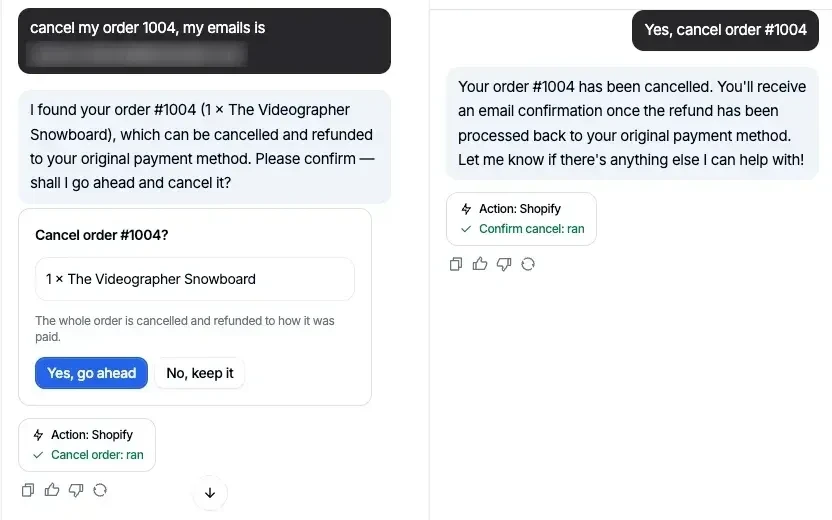
Yes, once you switch those actions on; they ship turned off. The agent checks the order number against the checkout email, shows exactly what would be cancelled or returned, and acts only after the shopper confirms in a later message. Cancellations are refunded to how the shopper paid, and return requests arrive in Shopify for you to approve.
Can the chatbot follow my return policy?
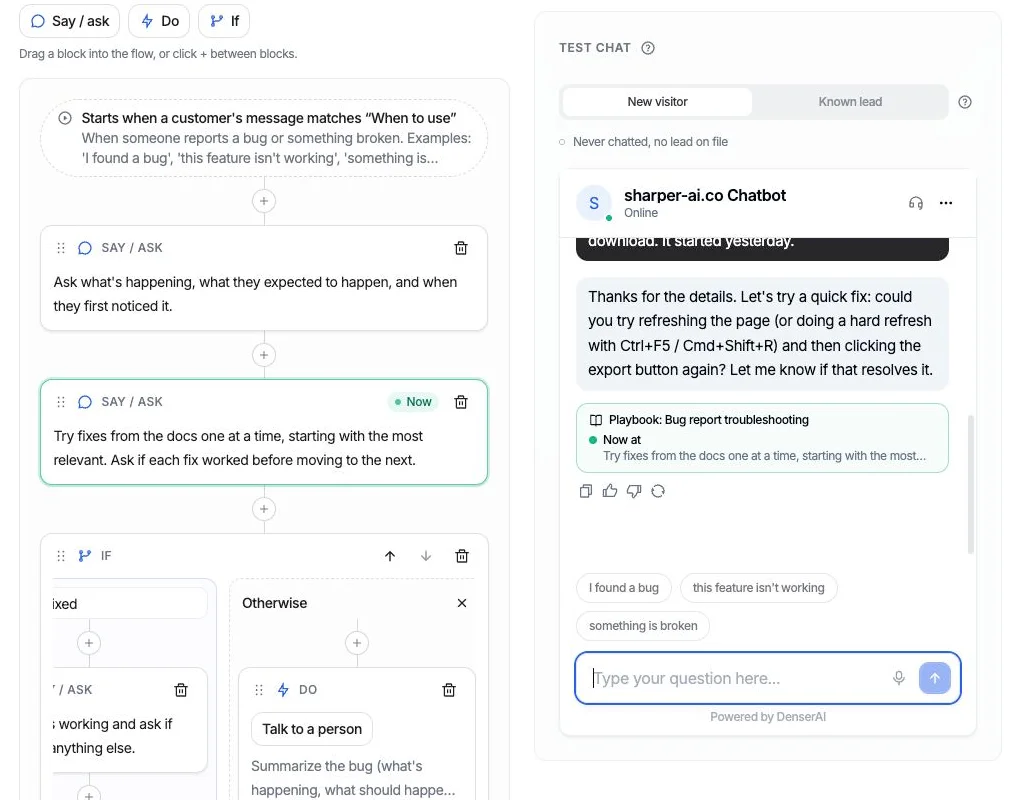
Yes. A playbook tells the agent how to handle a return step by step: find the order, check it is inside your return window, then request the return once the shopper confirms. Start from the Return request template, change the window to your own policy, and watch each step run in the test chat before you switch it on.
Can the chatbot answer return and shipping questions?
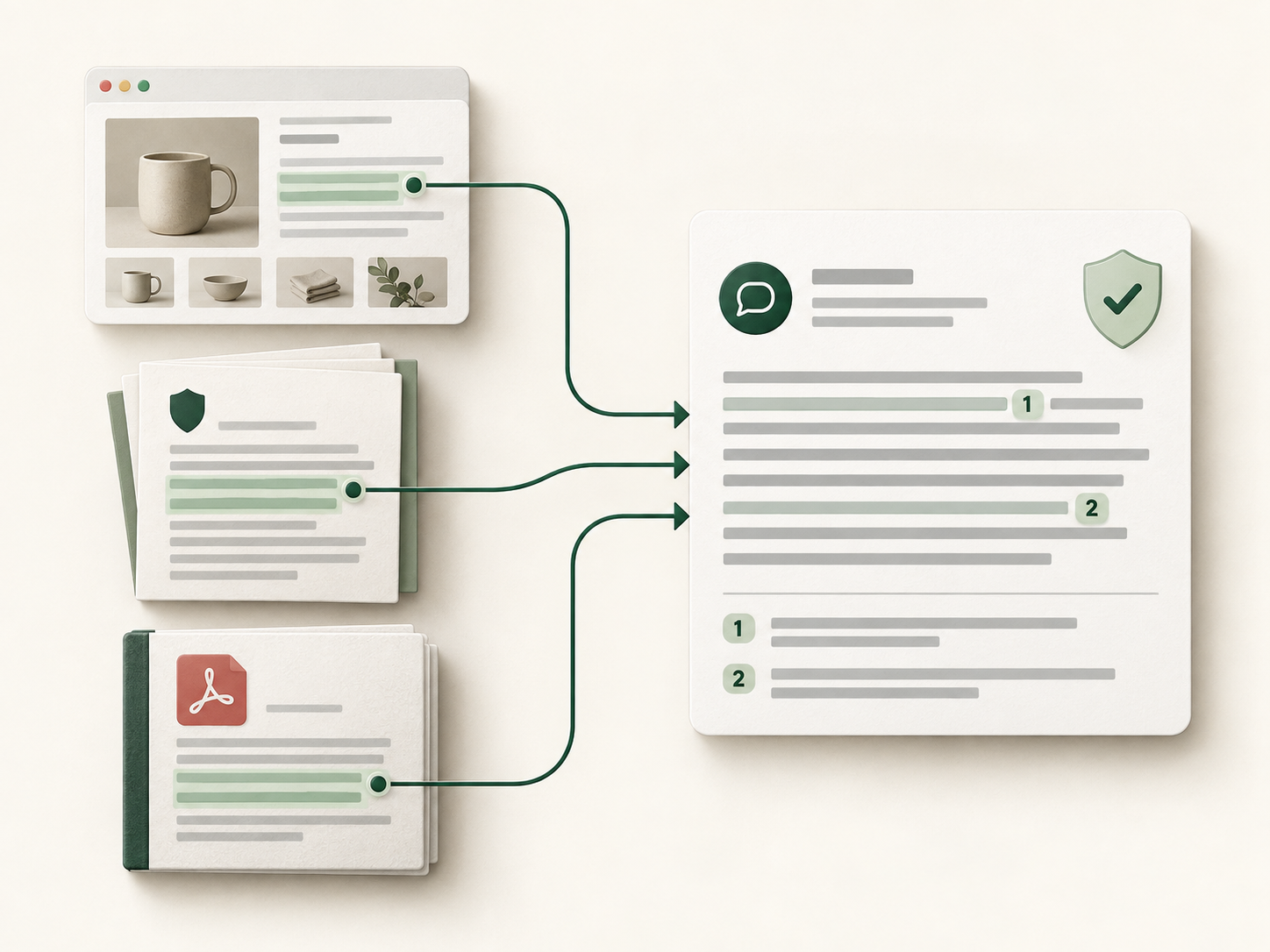
Yes. Connect policy pages, help-center content, PDFs, and other store knowledge so Denser can answer those questions with grounded responses and source references.
Can a shopper reach a person?
Yes. Add the Talk to a person action. When a teammate is available, they take over the same chat live; when nobody is, the conversation becomes a ticket with the transcript attached, so the shopper never has to repeat themselves.
How do I install Denser on Shopify?
Install Denser AI from the Shopify App Store, or click Install from Shopify App Store on your chatbot's Shopify tab. Approve the requested store permissions, choose the public chatbot that answers shoppers, then enable the Denser app embed in your Shopify theme and save. No theme code edits are required.