

How Shopify AI Chatbots Work: Merchant Guide for 2026

A Shopify AI chatbot can help a shopper find the right product, answer a return-policy question, update a cart, or check an order without making them search through menus and help pages. To see one working on a store, try Denser's AI chatbot for Shopify.
But those tasks do not all use the same data. Product availability should come from Shopify. Return instructions should come from the merchant's current policy. Order details require identity checks. An unusual delivery complaint may need a person.
This guide explains how Shopify AI chatbots work, where they create value, what Shopify already provides through Inbox, and how to evaluate a third-party chatbot without relying on a polished demo.
What Is a Shopify AI Chatbot?#
A Shopify AI chatbot is a conversational assistant connected to an online store. Instead of navigating filters or opening several support pages, a shopper can ask a question in natural language:
- “Show me a waterproof jacket under $150.”
- “Does this sweater come in navy?”
- “What is your return window?”
- “Where is order #1042?”
- “Add the 16-ounce green mug to my cart.”
The phrase covers several different products. A chatbot may be a simple FAQ widget, a live-chat tool with AI-suggested replies, a shopping assistant connected to catalog and cart data, or a customer-service agent that can retrieve order information and escalate conversations.
That distinction matters. A chatbot trained only on public pages can explain a published policy, but it cannot safely infer live stock, access a private order, or change the storefront cart.
How Shopify AI Chatbots Work#
A useful Shopify chatbot follows four steps for each request.
1. Interpret the shopper's intent#
The assistant identifies what the shopper wants and extracts useful constraints. “I need a carry-on backpack under $100 for a three-day trip” contains a product category, budget, and use case.
Good intent handling includes follow-up questions. If the shopper asks for “the blue one” after seeing several products, the chatbot should use the conversation context instead of starting a new search.
2. Choose the right source of truth#
Different questions require different sources:
| Shopper request | Appropriate source |
|---|---|
| Product, price, variant, or availability | Current Shopify catalog data |
| Shipping, sizing, warranty, or returns | Merchant-controlled pages and documents |
| Cart contents or quantity changes | The storefront's active Shopify cart |
| Order and tracking status | Verified Shopify order data |
| Exception, complaint, or unsupported request | Human-support workflow |
This routing is more important than the language model itself. A fluent answer from the wrong source can still be wrong.
3. Retrieve information or perform a supported action#
The chatbot can return an answer, show product cards, or request an action. For example, Denser searches Shopify for current product results, while policy questions use retrieval-augmented generation (RAG) to find relevant passages in connected websites and documents.
Actions need stronger controls than answers. The model can recognize that a shopper wants to add an item, but application code should validate the selected variant and update the real cart. Checkout should remain an explicit shopper decision.
4. Answer, ask for clarification, or escalate#
The assistant should not guess when the catalog lacks an attribute, the knowledge base has no reliable answer, or a request falls outside its permitted actions. It should ask a focused follow-up question or offer a clear route to a person.
For the data-engineering tradeoffs behind product freshness, compare batch imports, webhooks, and live catalog queries for ecommerce chatbots.
Seven High-Value Shopify Chatbot Use Cases#
Product discovery#
Natural-language search helps shoppers describe a need rather than guess the merchant's filters. It is especially useful for stores with detailed catalogs, technical products, gifts, compatibility requirements, or many variants.
Test product discovery with real constraints:
- Budget and availability
- Size, color, or material
- Intended use
- Compatibility with another product
- A request that has no valid result
The chatbot should separate known catalog facts from general advice and link each recommendation to the correct product page.
Product questions and comparisons#
Shoppers often want to understand differences between similar products. A useful response should compare verifiable attributes such as dimensions, materials, included components, or care instructions. It should not invent a “best” option when the catalog does not support the claim.
Cart assistance#
A commerce-aware chatbot can add a selected variant, change quantity, remove an item, or show the cart. The important question is whether it updates Shopify's native storefront cart or creates a disconnected basket.
Using the native cart keeps discount logic, taxes, shipping, and Shopify checkout in the merchant's existing purchase flow.
Order tracking#
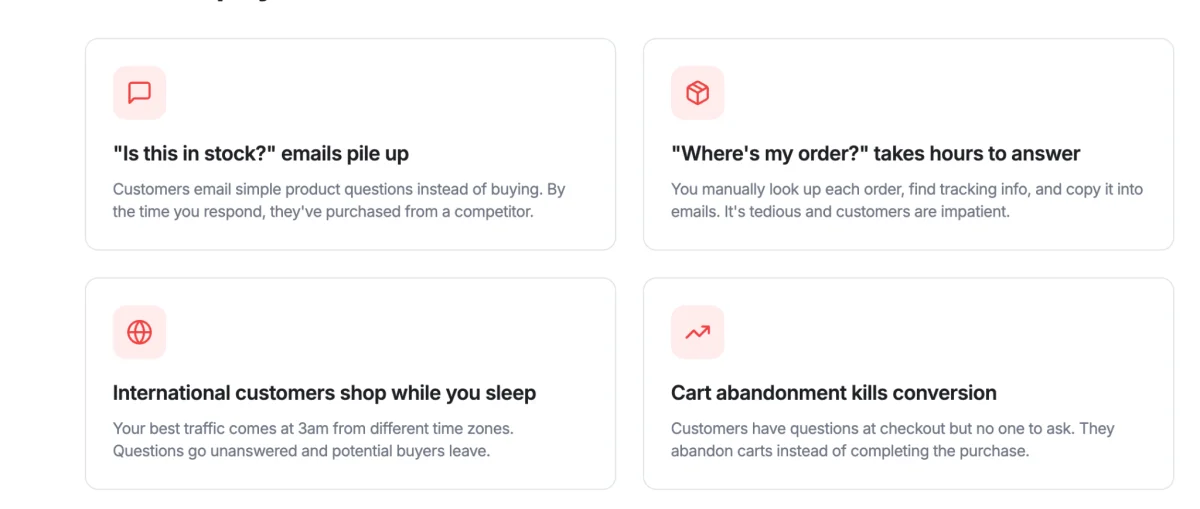
“Where is my order?” is a good automation candidate because the desired result is usually factual. It is also private.
For Denser, a guest shopper provides the order number and the exact email used at checkout. Signed-in shoppers can view recent eligible orders. The chatbot can show payment and fulfillment status plus available tracking details, but it should not claim that order lookup also includes cancellations, exchanges, address changes, or return approval.
Policy and product-support answers#
Return policies, shipping rules, warranties, assembly guides, product-care instructions, and sizing documents are well suited to RAG. The assistant retrieves relevant passages before writing its answer, and source references let the shopper verify the details.
The quality of these answers depends on the source content. Duplicate policies, expired promotions, and conflicting sizing guides create conflicting answers. Treat content maintenance as part of chatbot operations.
Lead capture and pre-sales qualification#
For expensive or complex products, the chatbot can collect the context a sales or support specialist needs. Ask only for information that has a clear purpose, explain what happens next, and avoid turning every conversation into a form.
Human escalation#
Automation should have an exit. Escalate when the request involves judgment, a frustrated shopper, an unsupported account change, ambiguous policy, or repeated failure.
A strong handoff preserves the shopper's question and relevant conversation context. At minimum, the chatbot should make the next step obvious. Denser lets merchants configure a Speak to a human action that points shoppers to their preferred support workflow.
Shopify Inbox or a Third-Party AI Chatbot?#
Shopify Inbox is the native starting point and may be enough for many merchants. Shopify says its Inbox agent can answer from the product catalog, store policies, Knowledge Base facts and files, and published storefront content. It can also personalize product recommendations when relevant customer information is available. Review the current capabilities in the official Shopify Inbox documentation.
Choose Shopify Inbox when you want:
- A Shopify-native chat experience
- A low-complexity starting point
- Staff-managed conversations in Shopify Inbox
- Answers and recommendations based on Shopify-managed sources
- Native Inbox reporting and conversation review
A third-party chatbot becomes useful when your requirements extend beyond the native workflow. Depending on the product, that may include deeper document retrieval, citations, configurable actions, a separate helpdesk, broader channel coverage, custom analytics, or a particular product-discovery experience.
Choose based on the workflow you need, not the number of features on a pricing page. If you are comparing vendors, see our Shopify AI tools guide.
What to Evaluate Before Installing a Shopify Chatbot#
Shopify integration depth#
“Integrates with Shopify” can mean anything from placing a widget on the theme to reading orders and changing the cart. Ask which Shopify resources the app reads, which actions it can perform, and whether the data is live or periodically synchronized.
Answer grounding#
Ask how the bot uses websites, policies, help-center pages, and uploaded files. Then test an answer whose exact wording appears in a source and another question the sources cannot answer. The bot should distinguish evidence from inference and acknowledge missing information.
Product and variant accuracy#
Confirm how the bot handles sold-out products, variant availability, price ranges, and ambiguous options. Product cards should link to the correct storefront URL. If your store uses Shopify Markets, test the currencies and prices shoppers actually see.
Privacy and permissions#
Review the app's requested Shopify scopes, data retention, transcript storage, and staff access. Order lookup should require appropriate verification and should not expose whether a guessed order number exists.
Shopify advises merchants to review what connected AI tools can access and what changes they can make. Its guidance for third-party AI tools is a useful baseline even when evaluating a customer-facing chatbot.
Human handoff#
Do not stop at “human handoff supported.” Test the full experience:
- Is the handoff available inside the conversation?
- Does it explain expected response time or availability?
- Does the human receive the conversation context?
- Can the merchant route sales and support requests differently?
- What happens outside business hours?
Merchant controls#
Your team should be able to review conversations, identify unanswered questions, update source content, and disable the chatbot without editing theme code. Shopify Inbox, for example, reports assisted sessions, assisted orders, satisfaction rate, and average response time in its conversation-performance documentation.
Pricing at your real volume#
Chatbot pricing can depend on conversations, AI resolutions, seats, contacts, messages, or model usage. Estimate cost using a normal month and a peak month. Include the helpdesk or channel plan required to use the advertised AI features.
How to Add Denser's AI Chatbot to Shopify#
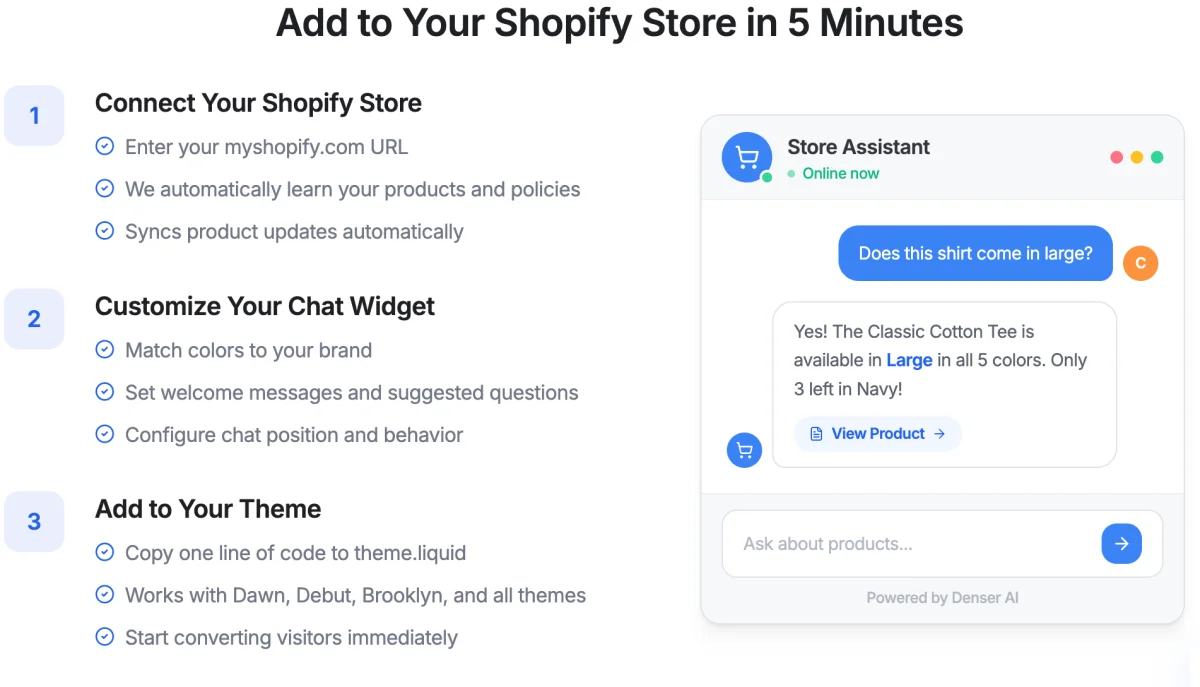
Denser's setup uses a Shopify app embed, so merchants do not need to paste theme code.
- Install the app. Click Install from Shopify App Store on the chatbot's Shopify tab, or install Denser AI from the Shopify App Store directly.
- Approve access and choose the chatbot. Shopify shows the product, order, and return permissions before installation. Back in Denser, select the public chatbot that should answer shoppers and click Connect store.
- Enable Denser Chat. Open Shopify's theme editor, turn on the Denser app embed, and save.
- Test the storefront. Search for a known product, select a variant, update the cart, ask a policy question, and test order lookup.
- Publish with a fallback. Confirm that shoppers can reach a person before promoting the chatbot as a support channel.
App embeds are enabled per theme. If you publish a different Shopify theme later, enable Denser Chat on that theme as well. Follow the current Shopify installation guide for screenshots and troubleshooting.
A Pre-Launch Test Plan#
Use a fixed test set so every chatbot candidate faces the same conditions.
Product and cart tests#
- Search with category, price, and one product attribute.
- Ask for an unavailable color or size.
- Ask for a product attribute that is absent from Shopify.
- Add a specific variant, change its quantity, and remove it.
- Confirm the item appears in the storefront's actual cart.
- Open checkout and confirm Shopify remains responsible for payment.
Knowledge tests#
- Ask for the return window and inspect the cited source.
- Ask a question answered only in an uploaded document.
- Introduce conflicting information in a test source and review the response.
- Ask a question with no answer and confirm the bot does not improvise a policy.
Order and privacy tests#
- Look up a valid order with the matching email.
- Try the same order with the wrong email.
- Try an unknown order number.
- Repeat failed attempts and confirm rate limiting or abuse controls.
- Confirm the bot does not reveal private details before verification.
Handoff and resilience tests#
- Ask for an unsupported cancellation or address change.
- Request a person directly.
- Test outside staff hours.
- Temporarily remove a knowledge source and inspect the fallback.
- Test the widget on mobile, slow connections, and the published theme.
How to Measure Shopify Chatbot Performance#
Start with a baseline from before launch. Then review outcomes by intent instead of combining every conversation into one automation number.
Useful measures include:
- Engagement rate: sessions that open or use chat divided by eligible storefront sessions.
- Answer success: resolved knowledge questions divided by knowledge questions attempted.
- Product-search success: searches that lead to a product view, add-to-cart event, or useful refinement.
- Assisted conversion rate: orders from sessions that used chat divided by sessions that used chat.
- Escalation rate: conversations transferred to a person divided by chatbot conversations.
- Failed-answer rate: unanswered, corrected, or negatively rated responses divided by answered questions.
- Order lookup success: verified lookups completed divided by order-status attempts.
An increasing escalation rate is not automatically bad. It may mean the chatbot is correctly identifying high-value or sensitive requests. Review the reason for escalation and whether the handoff helped the shopper.
Common Shopify Chatbot Mistakes#
Treating every source as equally current#
Catalog data, policies, and editorial content change at different speeds. Assign an owner and review schedule to each source type.
Automating unsupported actions#
Answering a return-policy question is not the same as approving a return. Describe automation boundaries precisely in shopper-facing copy and internal training.
Hiding the human option#
Forcing a shopper through repeated bot responses damages trust. Make human contact visible when the request is unsupported or the shopper asks for it.
Launching without realistic tests#
A generic demo rarely includes your unusual variants, contradictory documents, order edge cases, or theme behavior. Test the live catalog and published theme.
Measuring only chat volume#
More conversations do not prove better service or more sales. Pair volume with answer quality, successful actions, escalation outcomes, and assisted orders.
Frequently Asked Questions#
Does Shopify have its own AI chatbot?#
Yes. Shopify Inbox includes an optional Inbox agent for automated customer conversations. Shopify also supports instant answers and staff-managed live chat. Evaluate it as the native baseline before adding another app.
Can a Shopify AI chatbot recommend products?#
Yes, when the chatbot can access reliable product data and interpret shopper constraints. Test recommendations against current availability, variants, and product details rather than relying on a generic demonstration.
Can a Shopify chatbot add products to the cart?#
Some can. Denser can add, remove, and update items in Shopify's native storefront cart. The shopper explicitly chooses when to continue to Shopify checkout.
Can a chatbot answer questions from PDFs and help documents?#
It depends on the product. Denser can retrieve answers from connected websites, help content, and uploaded documents, then provide source references. Shopify says its Inbox agent can also use Knowledge Base facts and files plus published storefront content.
Can a Shopify chatbot track orders?#
Yes, if it has an authorized order integration and verifies the shopper appropriately. Denser requires a guest to provide the order number and exact order email. Signed-in shoppers can view recent eligible orders.
Can an AI chatbot approve a return or cancel an order?#
Do not assume so. A chatbot may explain a return policy or retrieve order status without being authorized to approve a return, issue a refund, cancel an order, or change an address. Confirm each action in the vendor's current documentation.
When should the chatbot escalate to a human?#
Escalate for unsupported actions, exceptions, sensitive account issues, ambiguous policies, frustrated shoppers, or repeated failed answers. Preserve context so the shopper does not have to start again.
How long does setup take?#
The technical installation may take only a few steps, but a responsible launch also requires source review, configuration, realistic testing, handoff design, and measurement setup. Treat “installed” and “ready for shoppers” as separate milestones.
The Bottom Line#
The best Shopify AI chatbot is not the one that answers the most questions. It is the one that uses the correct source for each request, performs only validated actions, protects customer information, admits its limits, and hands the conversation to a person when needed.
Explore Denser's Shopify AI chatbot or follow the Shopify installation guide to test product search, cart actions, order status, grounded answers, and human escalation on your store.