

AI Chatbot ROI: A 6-Source Framework to Calculate Real Savings

"I know it's impressive — I just have no idea how much it would actually save us." That's the most common reaction when pitching an AI chatbot to a support leader.
The hesitation comes from a real problem: chatbot ROI is multi-dimensional, and most businesses underestimate it.
This guide breaks down the six ROI sources, gives you the formulas, and walks through a worked example.
The Hidden Costs of Customer Support#
Before calculating ROI, it helps to get an accurate picture of what customer support actually costs. Most teams only count headcount salaries — and miss a significant amount of hidden cost:
| Cost category | What's included | Often overlooked? |
|---|---|---|
| Direct labor | Salaries, benefits, bonuses | ✗ |
| Training costs | Onboarding, ongoing knowledge updates — avg. $1,000–$3,000 per agent (common industry ranges) | ✔ |
| Turnover replacement | Industry average annual turnover: 30–45%; each replacement costs 50–200% of annual salary (common industry ranges) | ✔ |
| Manual processing inefficiency | Ticket routing, internal handoffs, repeated handling of the same queries | ✔ |
| Opportunity cost | Customer churn or lost orders due to slow response times | ✔ |
| Out-of-hours coverage | Overtime pay, temporary staffing during peak periods | ✔ |
The Six Sources of AI Chatbot ROI#
ROI Source 1: Ticket Deflection#
Ticket deflection means the chatbot resolves a user's question entirely — no ticket ever enters your human queue.
It's the most directly quantifiable source of AI chatbot ROI.
Formula: Annual ticket deflection value = annual ticket volume × deflection rate × average all-in cost per ticket
ROI Source 2: Faster Response Times and Higher Customer Satisfaction#
Queries submitted outside business hours that sit unanswered for 8–12 hours take a measurable toll on customer experience and conversion.
AI chatbots deliver average first-response times under 30 seconds, 24/7 — with a direct positive impact on customer satisfaction and repeat purchase rates.
Formula: Response time value = customer churn rate attributable to slow response × average customer lifetime value (LTV) × annual customer touchpoints
ROI Source 3: 24/7 Coverage#
Extending human support to after-hours requires overtime pay or outsourcing — both expensive.
Queries the chatbot handles outside business hours represent effectively free coverage, with no additional staffing cost required.
Formula: 24/7 coverage value = after-hours tickets handled × cost per ticket − chatbot platform fee allocation
ROI Source 4: Agent Team Efficiency Gains#
Once a chatbot intercepts high-volume repetitive queries, human agents can focus on complex, high-value cases.
This raises the output quality of human work — and meaningfully reduces the burnout and turnover risk that comes from spending most of each shift answering the same questions.
Formula: Efficiency gains = increase in tickets handled per agent per year × average revenue per ticket × team headcount
ROI Source 5: Lead Capture#
On most business websites, a significant portion of visitors leave without converting — no one ever reached them.
A chatbot that proactively starts conversations, answers product questions, and naturally collects contact details turns traffic that would otherwise bounce into qualified leads.
Formula: Lead capture value = new leads from chatbot × lead-to-customer conversion rate × average order value
ROI Source 6: Lower Training and Turnover Costs#
Once a chatbot handles standard queries and workflows automatically, new agent onboarding gets shorter — new hires no longer need to memorize hundreds of standard responses.
As turnover drops, the replacement cost savings compound into a measurable long-term return.
The ROI Formula and Key Parameters#
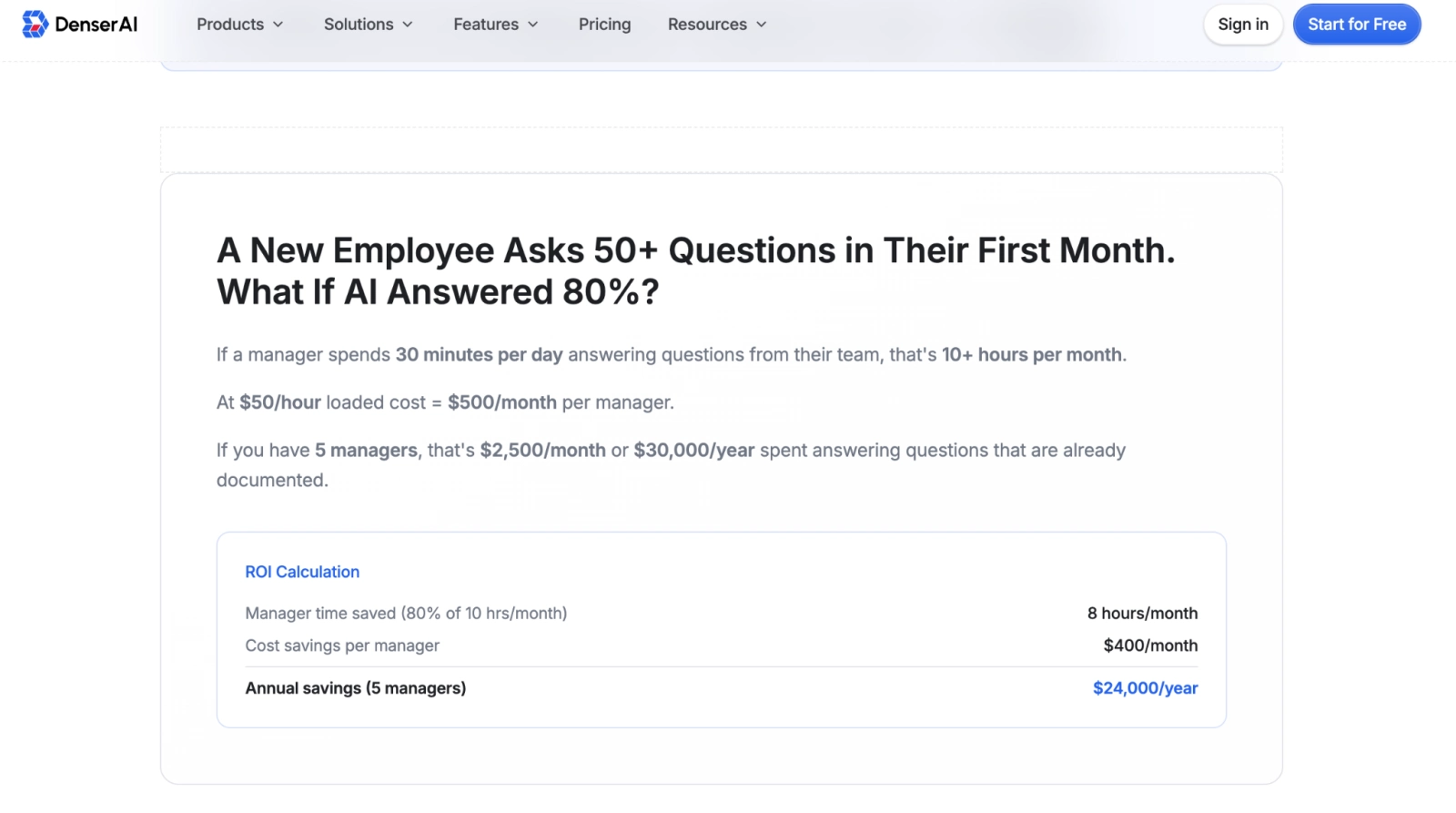
Overall ROI formula:
ROI = (Ticket deflection savings + Response time value + 24/7 coverage value + Efficiency gains + Lead capture value + Training cost savings) ÷ (Platform subscription + Implementation costs + Knowledge base maintenance) − 1
Here are the key parameters you'll need to run the calculation — fill in your own numbers first:
| Parameter | How to collect it | Common Industry Ranges |
|---|---|---|
| Annual support ticket volume | Export from your support system (Zendesk, HubSpot, etc.) | SMBs typically: 5,000–50,000 tickets/year |
| All-in cost per ticket | Total support cost ÷ annual ticket volume | Industry average: $8–$25/ticket |
| Share of high-frequency FAQ tickets | Sample and categorize a batch of tickets | Industry average: 50–70% |
| Chatbot deflection rate (projected) | If already live, check query-to-ticket-creation ratio | Typically achievable: 40–60% |
| Number of paid support agents | HR data for the support team | Scale to your team size |
| Monthly chatbot leads (projected) | Organic website traffic × estimated chatbot engagement rate | Small businesses: typically 50–300/month |
| Average customer order value | Export from your order management system | Set based on your business model |
A Worked Example: Mid-Size SaaS Company#
Scenario: a SaaS company with 100 paying customers and a 4-person support team handling 18,000 tickets per year. All-in cost per ticket: $12. The team is at capacity and needs overtime during peak periods.
This is a hypothetical example for illustration:
| ROI source | Calculation basis | Annual value (USD) |
|---|---|---|
| Ticket deflection savings | 18,000 tickets × 55% deflection × $12/ticket | $118,800 |
| Turnover cost savings (partial) | Projected reduction of 1 replacement, saving ~40% of annual salary | $20,000 |
| 24/7 coverage value | 25% of tickets handled after hours × $12 × 4,500 tickets | $13,500 |
| Lead capture value | 80 new leads/month × 5% conversion × $1,200 ACV × 12 months | $57,600 |
| Efficiency gains (internal search reduction) | Time saved by agents no longer hunting through documents manually | $8,000 |
| Total annual value | — | $217,900 |
| Annual platform cost (incl. setup) | — | $24,000 |
| Static ROI | ($217,900 − $24,000) / $24,000 × 100% | ≈ 808% |
Key takeaway: at $24,000/year, this company projects $217,900 in returns — a net ROI of roughly 808%. Even if you apply a 50% haircut to every line item (an extremely conservative view), the full-year ROI still comes in at 354%, typically reaching payback within 3–6 months.
What to Automate vs. What to Keep Human#
Not every support scenario belongs in a chatbot. Knowing where the line is matters: automating the wrong things doesn't just fail to deliver ROI — it actively damages customer relationships.
| Good candidates for AI chatbot automation | Better handled by a human agent |
|---|---|
| Common FAQs: return policies, shipping status, billing questions | High-intensity emotional complaints where the user is visibly frustrated |
| Onboarding guides, download links, account setup flows | Negotiations involving legal liability — custom contracts, compensation discussions |
| Pricing lookups, plan feature comparisons | High-value sales opportunities requiring relationship-driven selling |
| Troubleshooting guides and product documentation | Queries involving sensitive personal data — health records, financial accounts |
| Appointment status, event confirmations | Real-time emergency decisions — system outages, service disruptions |
| Internal HR policy and procedure lookups | High-risk emotional crisis situations (e.g., mental health crises, intense distress) |
| Navigation: helping users find the right page or resource | Contract negotiations and upsell conversations requiring judgment |
8 Post-Launch Metrics to Track#
ROI needs to be validated and improved through continuous measurement. These eight metrics form the core performance framework for an AI customer service chatbot:
| Metric | Definition | How to calculate |
|---|---|---|
| Ticket deflection rate | Share of total queries the chatbot resolved without human involvement | Chatbot-closed tickets ÷ total queries |
| Average First Response Time (FRT) | Time from user message to first reply | Total response time ÷ number of conversations |
| Conversation completion rate | Share of started conversations that ended with the user getting an answer | Completed conversations ÷ started conversations |
| Customer satisfaction (CSAT) | Share of users who rated the chatbot positively | Positive ratings ÷ total ratings |
| Fallback rate | Share of queries the chatbot couldn't answer or had to escalate to a human | Escalated queries ÷ total queries |
| Lead conversion rate | Share of chatbot-generated leads that closed as paying customers | Closed leads ÷ chatbot-generated leads |
| Knowledge base coverage | Share of question types the chatbot can answer correctly | Correctly answered question types ÷ total question types |
| Tickets per agent | Annual ticket volume handled per human agent | Total tickets ÷ human agent headcount |
How Denser AI Maps to the 6 ROI Sources#
Capturing the six ROI sources above requires a platform that can actually execute on each one.
Denser AI's product capabilities map directly to each:
| ROI source | Denser AI capability |
|---|---|
| Ticket Deflection | Automated FAQ answering + website/PDF knowledge base responses |
| Faster Response Times | Sub-30-second instant responses, 24/7 with zero interruptions |
| 24/7 Coverage | Always-on deployment; after-hours queries handled automatically |
| Team Efficiency | AI handles repetitive queries so agents focus on high-value cases |
| Lead Capture | Proactive conversation initiation; contact information collected via in-chat forms |
| Training Cost Reduction | Knowledge base auto-syncs; new agents can query the chatbot directly for standard answers |
Here's how Denser AI's core capabilities work in practice:
Website / PDF / knowledge base training: connect your help center docs, product pages, and PDF manuals to build a closed knowledge base — responses stay grounded in your content, significantly reducing hallucination.
RAG retrieval + source citations: every response is bound to a specific source document via the Denser Retriever; users can click to verify, which directly reduces the complaint risk that comes from misinformation.
Conclusion#
AI chatbot ROI comes from six directions at once: ticket savings, faster responses, round-the-clock coverage, team efficiency, lead capture, and lower people costs.
Roll all six together, and most businesses reach payback within six months — even after applying a conservative discount to every line item. The ticket-savings line is the largest, and ticket deflection explains how to calculate it without overstating it.
Denser AI packages FAQ automation, lead capture, document Q&A, and internal knowledge base into a single platform — so each ROI source has a real path to realization.
FAQ About AI Chatbot ROI#
How long does it typically take for a chatbot to pay for itself?#
Most businesses see payback within 3–6 months. Key factors: ticket volume, proportion of repetitive queries, and knowledge base quality.
Is it worth investing in a chatbot if my ticket volume is low?#
Low ticket volume means smaller deflection savings, but 24/7 coverage and lead capture still deliver ROI — often exceeding deflection savings for high-traffic, low-converting sites.
How can a small team make the case for chatbot ROI?#
Track ticket volume and handle time 30 days before and after launch. The difference is your ROI.
Does Denser AI have built-in ROI tracking?#
Denser AI's dashboard tracks conversation volume, satisfaction, and completion rates. Pair with Zendesk or similar to calculate deflection impact directly.
What ROI can a small ecommerce store realistically expect?#
For small ecommerce stores, the biggest ROI usually comes from 24/7 coverage and lead capture rather than ticket deflection — chatbots engage visitors who'd otherwise bounce. Denser AI's Shopify chatbot is built for this scenario.