
Also from DenserSharper AI
Sharper AI
NewThe AI office assistant built on your knowledge. Research, draft, and build slides and spreadsheets from your own sources.
A sister product from the team behind Denser Chat.
Templates
Every template Denser ships, with what it does and how it works. Start from one, change the wording to fit your business, test it in a real chat, then switch it on.
Playbooks · 6
Step-by-step procedures. Each starts when a conversation matches its example messages, then runs its steps in order. How playbooks work
Support
Works through fixes from your knowledge base one at a time, and hands off with a summary only if they don't work.
Starts when: Something isn't working for the customer, for example “the app keeps crashing” or “I can't sign in”.
Say / ask
Ask what they're trying to do, what happens instead, and which product, plan or device it's on.
Say / ask
Suggest one fix at a time, most likely first, and check it worked before the next. Never ask for a password.
Ifit's fixed
Check it's working and ask if there's anything else.
OtherwiseTalk to a person
Sum up what was tried so the team doesn't repeat it, then hand off.
Needs Talk to a person
Use templateSupport
Acknowledges the problem, fixes what it can, and offers a person straight away when it can't.
Starts when: The customer is upset, angry or complaining, for example “this is ridiculous”.
Say / ask
Acknowledge how they feel and apologise in one sentence, without excuses or blame.
Say / ask
Ask what happened, unless they've said.
Ifyou can fix it and they haven't asked for a person
Fix it step by step, and check they're happy with the result.
OtherwiseTalk to a person
Connect them with a person straight away.
Needs Talk to a person
Use templateE-commerce
Finds the order, checks it's inside your return window (30 days to start), and requests the return in Shopify once the shopper confirms.
Starts when: The customer wants to send something back, for example “I want to return this” or “it doesn't fit”.
Say / ask
Ask for the order number and the email used at checkout.
DoOrder status
Check the order exists and when it was delivered.
Ifit was delivered more than 30 days ago
Explain the return window, and offer to pass it to the team if it's a special case.
OtherwiseRequest a return
List what can be returned, ask which items and why, and request the return once the shopper confirms.
Needs Shopify store
Use templateE-commerce
Cancels an order that hasn't shipped once the shopper confirms, and offers a return instead when it has.
Starts when: The customer wants to cancel, for example “please cancel my order” or “I ordered the wrong thing”.
Say / ask
Ask for the order number and the email used at checkout.
DoCancel order
Check it can still be cancelled, and show it for the shopper to confirm.
Ifit can be cancelled and they confirm
Cancel it and tell them they'll be refunded to how they paid.
Ifit has already shipped
Explain it can't be cancelled, and offer to start a return once it arrives.
Needs Shopify store
Use templateBilling
Answers charge, invoice and plan questions from your Stripe account after checking who's asking, and writes down refund and plan change requests for your team.
Starts when: The customer asks about a charge, an invoice or their plan, for example “why was I charged twice?”.
Say / ask
Ask for the email they're billed at and the number of any invoice they've had.
DoLook up billing (Stripe)
Answer their question from what it finds.
Ifthey want a refund, a cancellation or a plan change
Write it down for the billing team with the Billing request form. Never promise a refund.
Otherwise
Ask if there's anything else.
Needs Stripe restricted key
Use templateSales
Takes the visitor's details with your lead form, then offers a time to talk.
Starts when: The visitor wants a demo, a quote or to talk to sales, for example “can I see a demo?”.
Say / ask
Ask briefly what they'd like to discuss.
DoCollect leads
Ask them to leave their details.
DoBook in chat (Cal.com)
Offer to book a time that suits them.
Needs Collect leads and Cal.com booking link
Use templateActions · 16
Things your agent can do in the chat, each with its own test chat. Shopify stores also get 11 built-in actions, from product search to returns. How actions work
Connect visitors with your team. Offer a ticket when nobody is available.
You set: When to use, prefilled for the usual cases; Live support on or off, and how long to wait for a teammate; A hand-off message and up to ten notification emails
“Can I talk to a person?”
Create Zendesk support tickets from the conversation.
You set: Your Zendesk subdomain; When to use
Create Freshdesk support tickets from the conversation.
You set: Your Freshdesk subdomain; When to use
Create Intercom support tickets from the conversation.
You set: Your Intercom connection; When to use
Create HubSpot support tickets from the conversation.
You set: Your HubSpot connection; When to use
Look something up or make a change in your own system, with details the agent collects.
You set: Describe: a name, when to use it, and where it runs; Connect: paste a URL, cURL or code snippet, then test a real query; Response: tick the fields the agent may read, and pick a card
“Where's my order 1042?”
Show one of your cards in the chat, filled in by the agent from the conversation.
You set: The card to show; When to use
Send visitors to a link from the conversation.
You set: Button text and URL; When to use
“How much does it cost?”
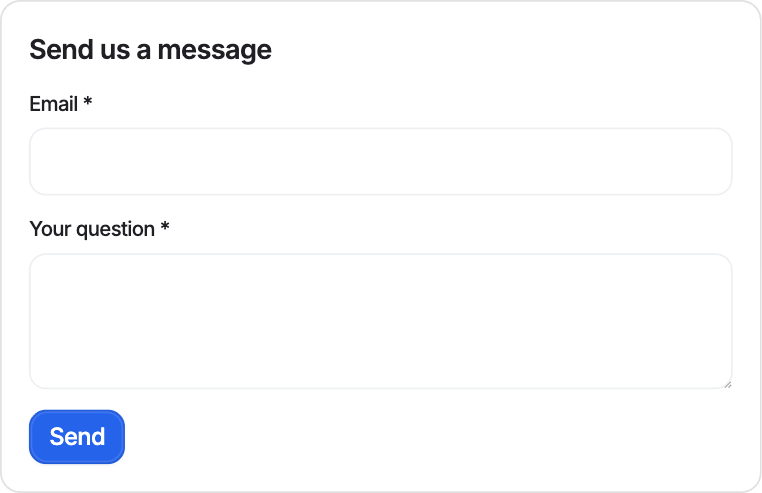
Collect information with a form inside the chat.
You set: The form's fields; When to use
“Can I get a quote?”
Ask for details during the conversation, with no form, and save the answers.
You set: The details to ask for; When to use
Ask visitors for their contact details with your lead form, and find them under Leads.
You set: Form title and up to 8 fields; When the form shows, or require it before chatting
Find open times on your Cal.com calendar and book one without leaving the chat.
You set: Your public Cal.com booking link; The time zone to offer
“Can I book a demo?”
Let visitors book a meeting through Calendly.
You set: Your Calendly booking link; When to use
Let visitors book a meeting through Cal.com.
You set: Your Cal.com booking link; When to use
Answer questions about invoices and subscriptions from your Stripe account, once the customer proves who they are.
You set: A Stripe restricted key with read access to Customers, Invoices, Subscriptions and Products
“Can I see my last invoice?”
Tell your team in a Slack channel, with what the customer needs and a link to the chat.
You set: Slack connected to the chatbot; The channel to post to
“Can someone call me back?”
Cards · 8
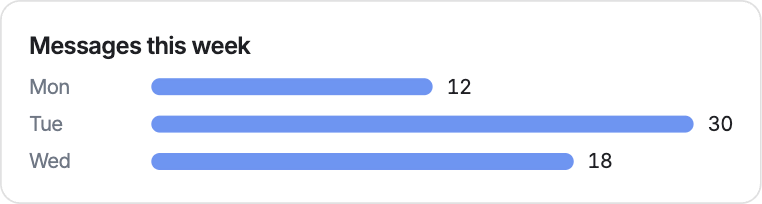
Layouts your agent shows in the chat, so a result reads at a glance. The action that shows a card fills in its fields. These are real renders from the card editor.
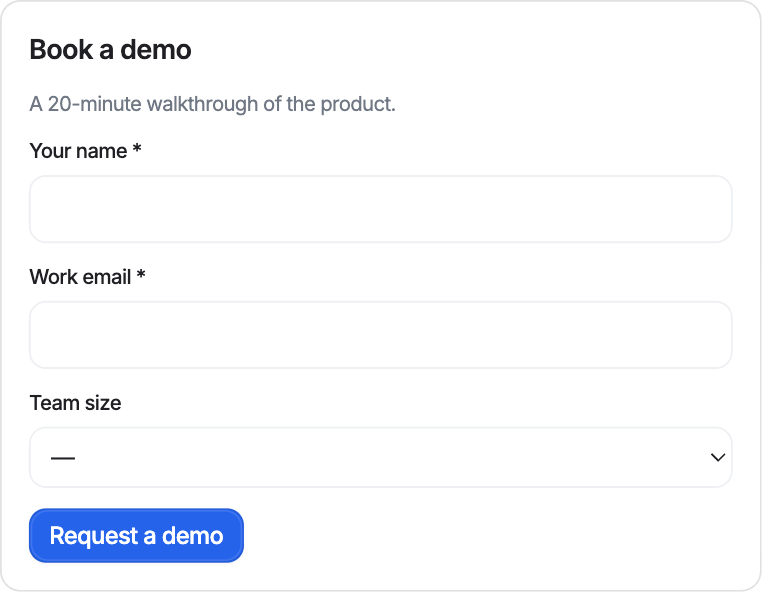
Sales
Asks for a few details and sends them as a demo request.
Fields: Headline, Name, Work email, Team size
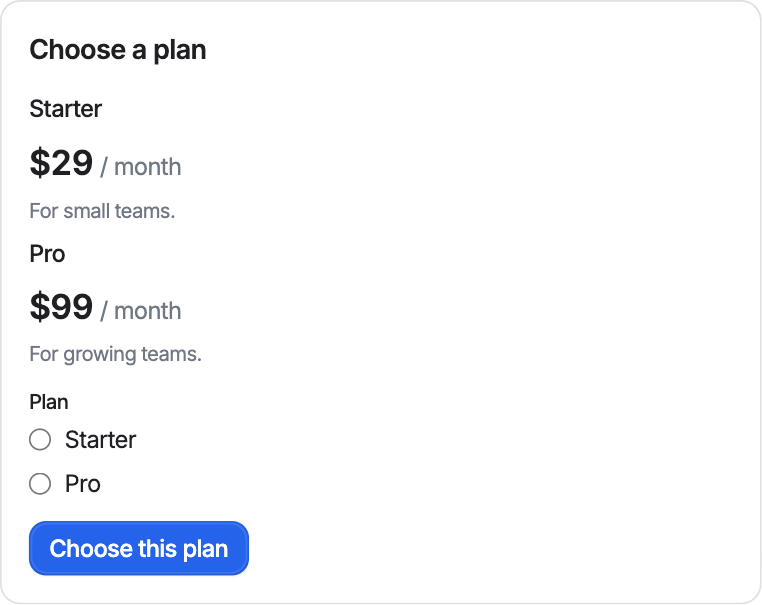
Sales
Shows your plans with prices and lets the customer pick one.
Fields: Plans: name, price, summary, The customer's choice
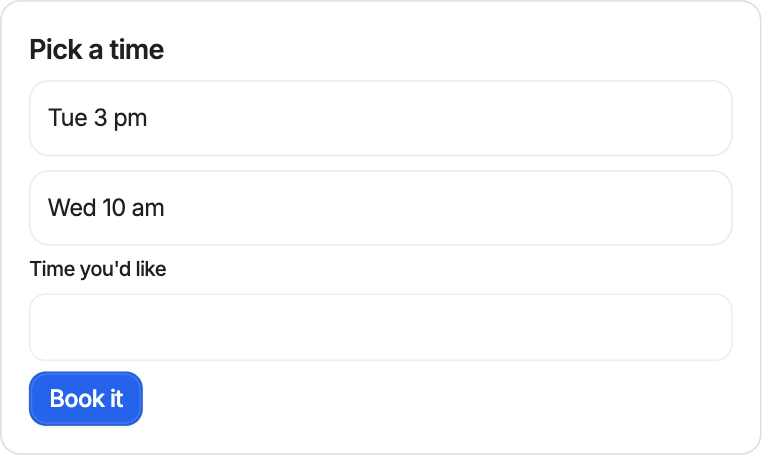
Scheduling
Lists open times; picking one asks to book it.
Fields: Open times, A preferred time
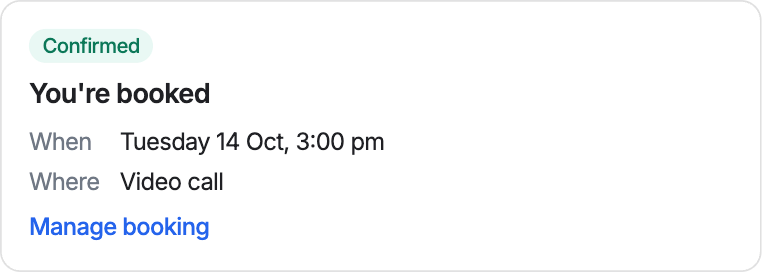
Scheduling
Confirms a booking with its time and place.
Fields: When, Where, A link to manage it
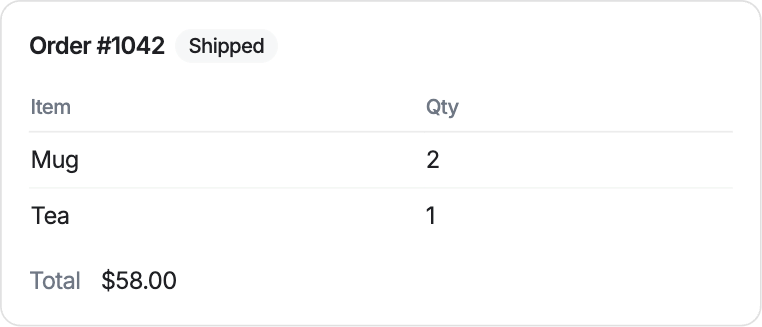
E-commerce
An order's items, total and status.
Fields: Order number, Status, Total, Items and quantities
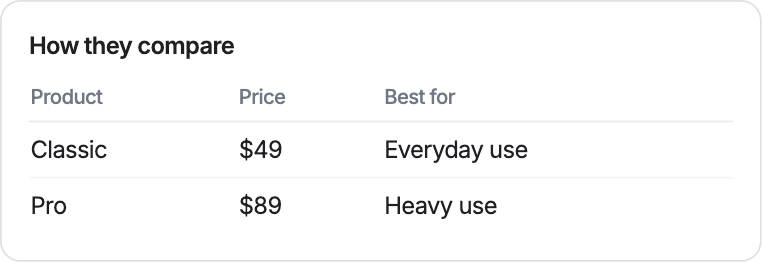
E-commerce
Compares a few products side by side.
Fields: Products: name, price, highlight
No template fits?
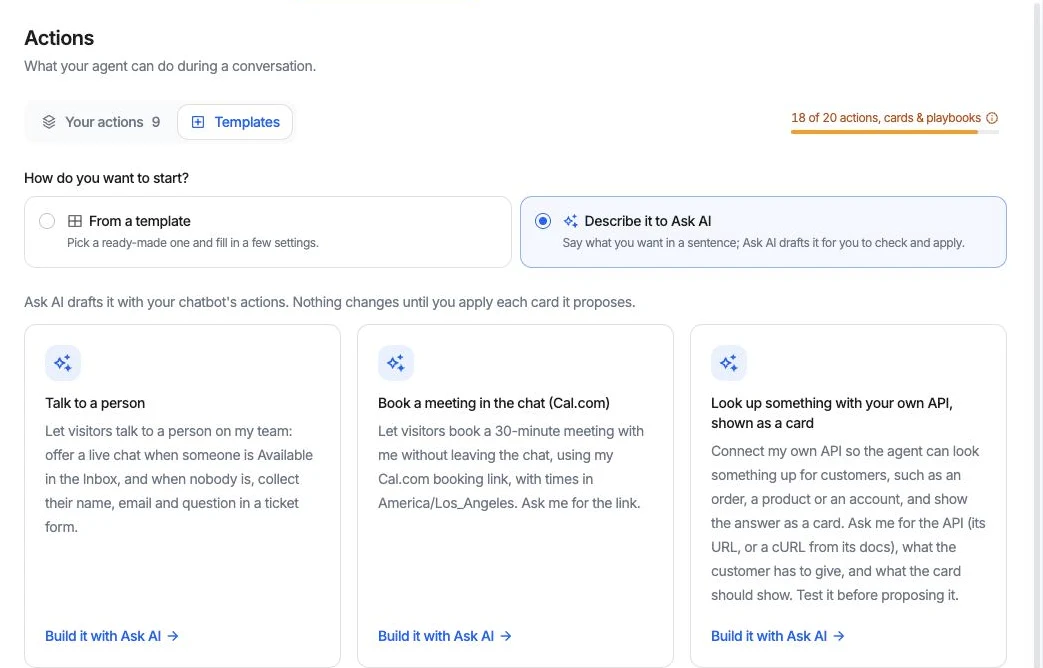
Tell Ask AI what should happen. It asks for anything it needs, drafts the playbook, action, or card, and changes nothing until you apply it. For example:
Before you go live
Every template runs in a test chat that is the real widget. For playbooks, the trace under each reply names the step and the actions behind it, so you can check a template does what you expect before a customer sees it.
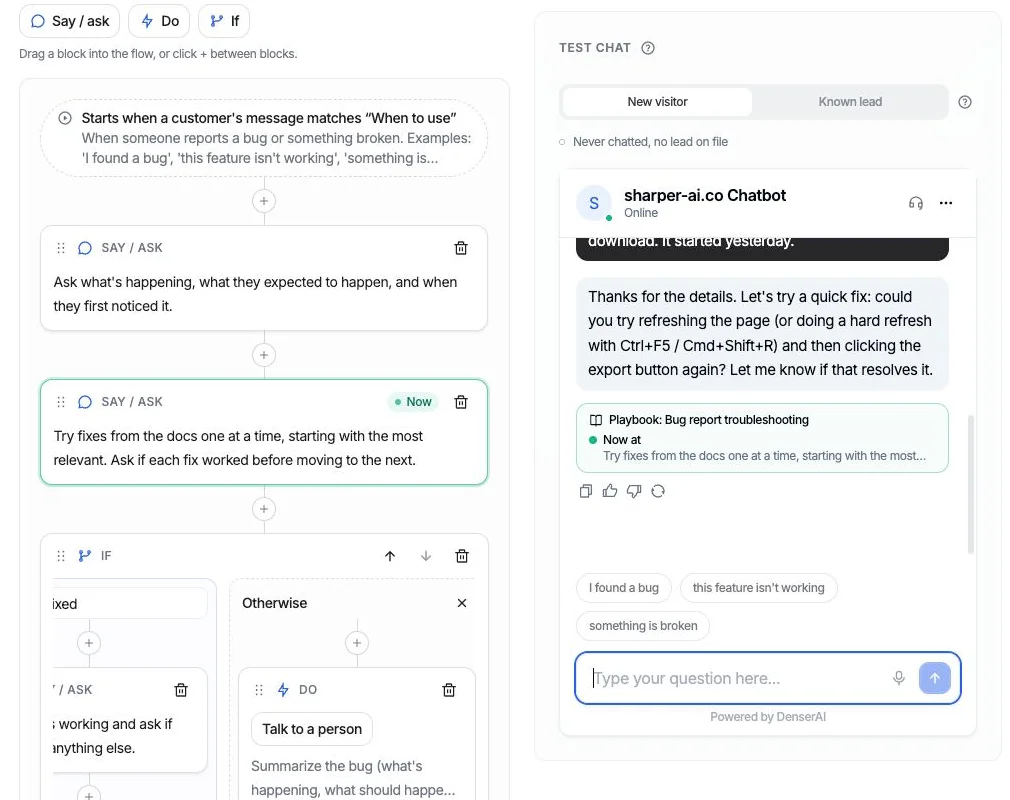
Under each reply in the test chat, a trace shows the playbook, the step the agent is on, the path it took at each decision, and the actions that ran.
The same step is highlighted in the editor and marked Now, so you can see which block produced each answer, and change that block when an answer is wrong.
If a reply says “I’ll connect you with a teammate” and no hand-off ran, the trace says so, before a customer ever sees it.
Start from a template
Questions
A chatbot template is a ready-made starting point for one job, such as handing off to a person, booking a meeting, or handling a return. In Denser there are three kinds: playbooks (step-by-step procedures), actions (things the agent can do), and cards (layouts it shows in the chat). Pick one, fill in what is yours, test it, and switch it on.
An action is one thing the agent can do, like look up an order or post to Slack. A playbook strings steps and actions into a procedure for one situation, like a return request. A card is how a result looks in the chat, like an order summary. Playbooks run actions, and actions can show cards.
Yes. A template is only a starting point. Change the wording of any step, the example messages that start it, the fields on a card, or the settings of an action. For a playbook, you can add, remove, and reorder Say, Do, and If blocks.
They do the job of a script without the rigidity. A playbook template lists what the agent should ask and do, step by step, but the agent says it in its own words, so customers can phrase things however they like.
Every action and playbook has a test chat that works like the real widget. For playbooks, each reply shows which step produced it and the flow lights up as the conversation moves. The test chat runs actions for real, so use a test channel, calendar event, or order.
The actions, cards, and playbooks you create from them do. They share one allowance per chatbot: 1 on Free, 5 on Starter, 10 on Standard, and 20 on Business and Enterprise. Collect leads and the Shopify actions don't count.
Point Denser at your website, docs, and PDFs. It answers in minutes, every reply cited to its exact source.
No code. Free to start. Cancel anytime.