
Also from DenserSharper AI
Sharper AI
NewThe AI office assistant built on your knowledge. Research, draft, and build slides and spreadsheets from your own sources.
A sister product from the team behind Denser Chat.
Playbooks
A playbook is a step-by-step procedure your AI support agent follows for one situation: what to ask, which action to run, and what to do when the conversation goes one way or the other. Write it in plain words, test every path, and watch each step run.
Free to start. No credit card.
Customer proof
2k+
active teams
24/7
support coverage
50%
fewer tickets
 City of San José
 Onondaga County
 EOS Australia
 Portfoliobox
 Upsiide
 Valk WeldingCity of San JoséOnondaga CountyEOS AustraliaPortfolioboxUpsiideValk Welding
What a playbook is
Your team already has a way of handling returns, billing questions, and bug reports. A playbook writes that procedure down for your AI agent: the steps in order, the actions to run, and the rule for what happens next. The agent follows the steps in its own words, so the conversation never sounds scripted.
Denser playbook
Decision-tree flow builder
A single prompt
PlaybookSteps in plain words: Say, Do, If
Flow builderA node for every message and every reply
PromptOne long instruction block
PlaybookThe agent answers in its own words; your steps still decide what happens next
Flow builderFalls back or breaks
PromptHandles it, but may skip steps
PlaybookReal actions at the step you choose
Flow builderButtons that hand the work to someone
PromptWhenever the model decides
PlaybookA trace names the step and actions behind every reply
Flow builderVisible, but only for the paths you drew
PromptNo step-level visibility
How you build one
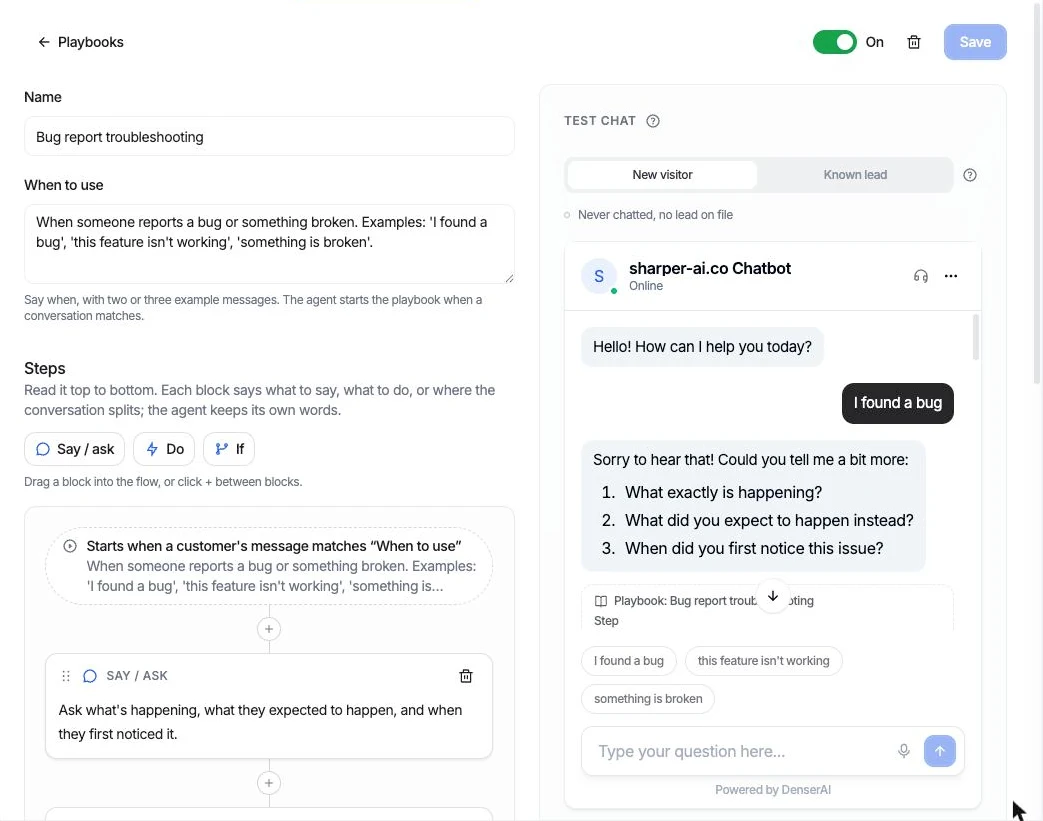
Drag a block into the flow, or click + between two. Name the playbook, say when to use it with two or three example messages, and the agent starts it when a conversation matches.
What the agent says or asks, in plain words. It keeps its own phrasing, so the conversation never sounds scripted.
Say / ask
Ask for the order number and the email used at checkout.
An action to run: look up an order, call your API, book a meeting, post to Slack, or hand off to a person.
DoOrder status
Check the order exists and when it was delivered.
Where the conversation splits, with each path side by side and an Otherwise for everything else.
Ifit was delivered more than 30 days ago
Explain the return window.
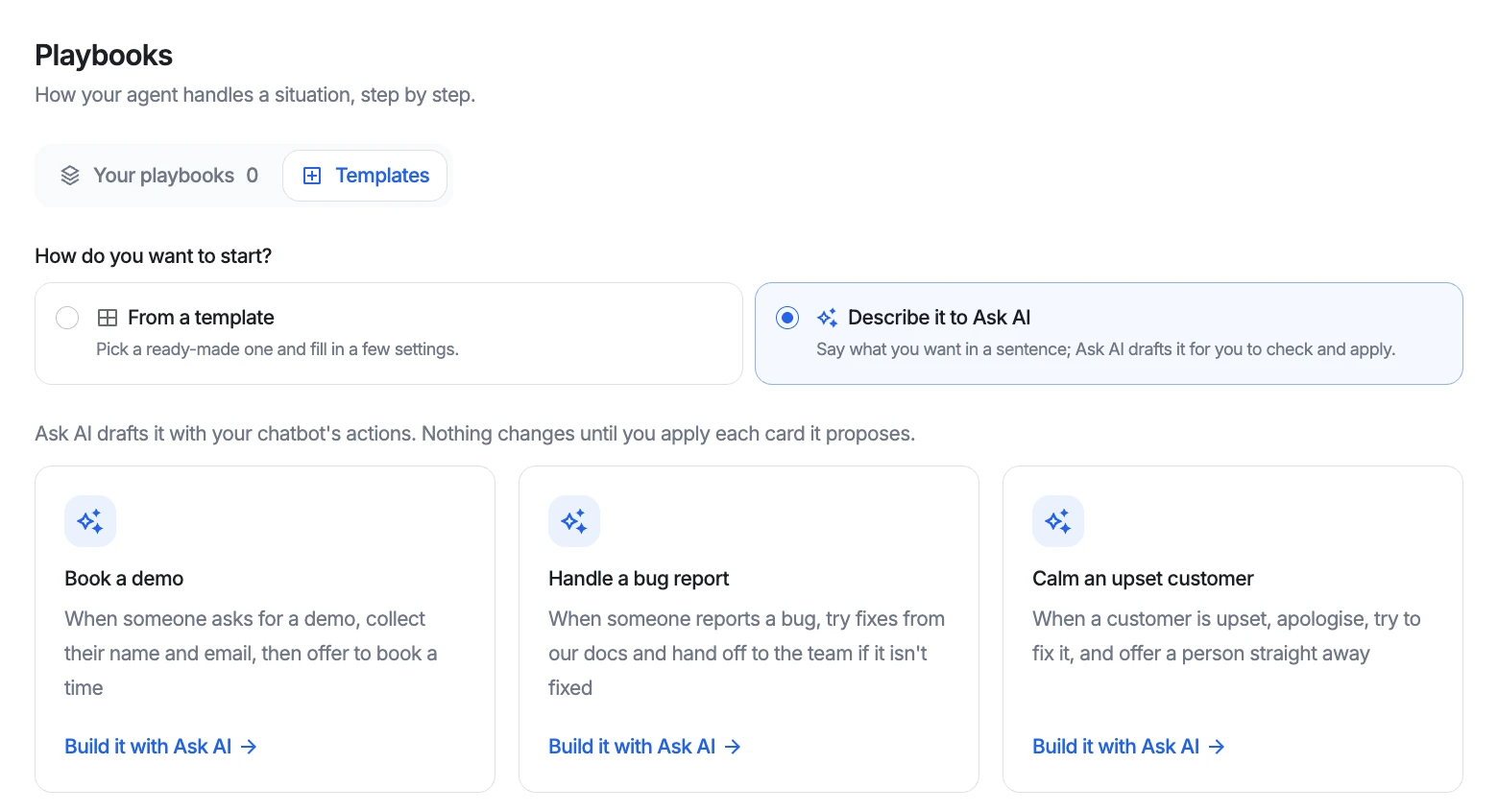
Tell Ask AI what should happen, like “when someone reports a bug, try fixes from our docs and hand off to the team if it isn't fixed.” It drafts the playbook, and any action it needs, as proposals you review one by one.
Test before you go live
A playbook is only as good as your confidence that the agent follows it. So every playbook has a test chat that is the real widget, and every reply in it shows which step produced it. Switch between a new visitor and a known lead to test both paths.
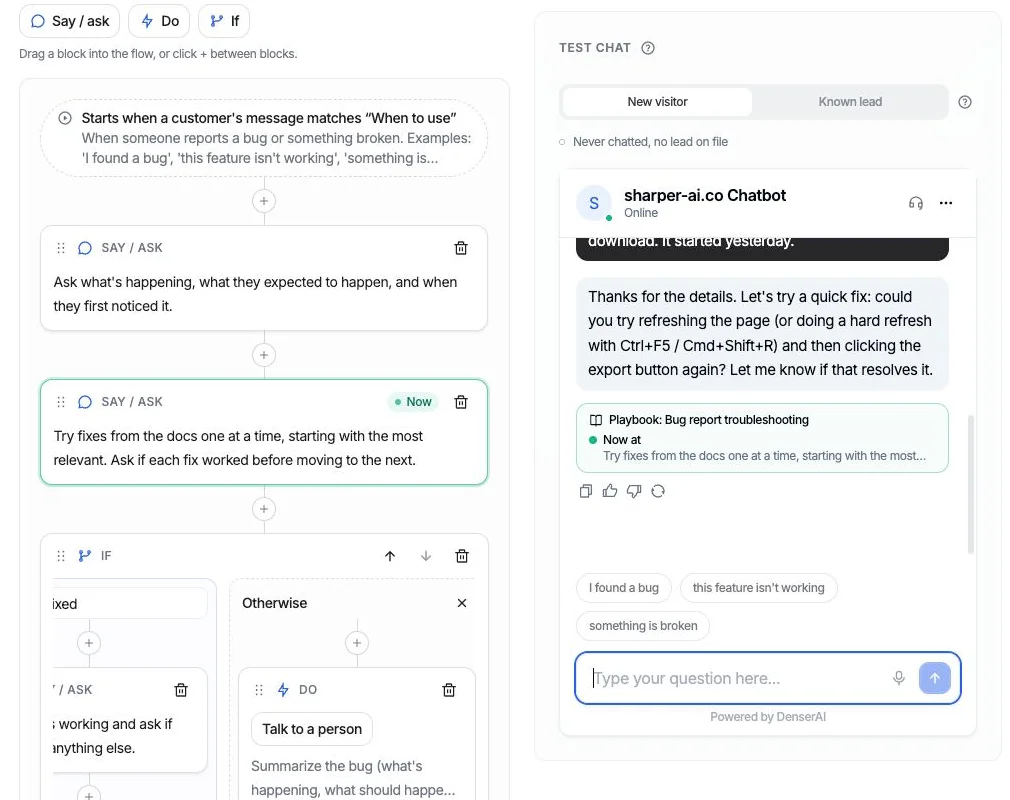
Under each reply in the test chat, a trace shows the playbook, the step the agent is on, the path it took at each decision, and the actions that ran.
The same step is highlighted in the editor and marked Now, so you can see which block produced each answer, and change that block when an answer is wrong.
If a reply says “I’ll connect you with a teammate” and no hand-off ran, the trace says so, before a customer ever sees it.
Start from a template
A worked example
The Return request template checks the order, applies your return window, and requests the return in Shopify only after the shopper confirms. Change the 30 days to your own policy in the step's wording.
I'd like to return something from order 1002
Happy to help. What's the email you used at checkout?
sam@example.com
Thanks. From order #1002 you can return The Videographer Snowboard. Which would you like to send back, and why?
The snowboard, I don't need it any more
Return from order #1002? 1 × The Videographer Snowboard. Reason: Unwanted.
The playbook's steps
Say / ask
Ask for the order number and the email used at checkout.
DoOrder status
Check the order exists and when it was delivered.
Ifit was delivered more than 30 days ago
Explain the return window, and offer to pass it to the team if it's a special case.
OtherwiseRequest a return
List what can be returned, ask which items and why, and request the return once the shopper confirms.
Templates
In production
While a playbook is on, the actions it uses run only inside it, so every return or billing question follows your steps. Talk to a person is the exception: customers can always reach your team.
Each playbook shows how its conversations ended over the last 30 days: completed, escalated to a person, or left the playbook. A run counts as completed only when it got where it was going.
Start from a template, or describe the procedure to Ask AI in a sentence. It drafts the playbook, and any action it needs, and nothing changes until you apply it.
Playbooks run the same actions your AI support agent uses everywhere else, from Shopify orders to a live hand-off in the helpdesk.
Questions
A customer service workflow is the sequence of steps your team follows to resolve one kind of request: what to ask, what to check, what to do, and when to involve someone else. In Denser, a playbook is that workflow written for your AI support agent, so the agent follows the same steps your best teammate would.
A flow builder makes you draw every message and every reply as a node, and the bot breaks when a customer says something you didn't draw. A playbook describes the steps in plain words. The agent follows them in its own phrasing, so customers can word things however they like.
Yes. A Do step runs one of your actions: look up a Shopify order, request a return, call your own API, read Stripe billing, book a Cal.com meeting, post to Slack, or hand the chat to a person. Actions that change something wait for the customer's confirmation.
Use the test chat in the playbook editor. It starts from the example messages in When to use, lights up each step in the flow as the conversation reaches it, and shows a trace under every reply with the step, the path taken, and the actions that ran. You can test as a new visitor or as a known lead. The test chat runs actions for real, so test bookings and Slack posts happen.
Yes. Describe the procedure in a sentence, such as “when someone reports a bug, try fixes from our docs and hand off if it isn't fixed”. Ask AI drafts the playbook and any action it needs as proposals you review and apply. A new playbook starts switched off.
They're the same idea. Intercom and Zendesk call this feature procedures, and Decagon calls it agent operating procedures (AOPs). A playbook is your standard operating procedure for one situation, written so an AI agent can follow it.
Yes. Actions, cards, and playbooks share one allowance per chatbot: 1 on Free, 5 on Starter, 10 on Standard, and 20 on Business and Enterprise. A playbook has up to 15 steps.
Point Denser at your website, docs, and PDFs. It answers in minutes, every reply cited to its exact source.
No code. Free to start. Cancel anytime.