
Also from DenserSharper AI
Sharper AI
NewThe AI office assistant built on your knowledge. Research, draft, and build slides and spreadsheets from your own sources.
A sister product from the team behind Denser Chat.
Helpdesk
Denser Helpdesk turns conversations from your chatbot, help page, email, API, phone, and WhatsApp into tickets automatically, so your team can assign, track, and close them together, without anything falling through the cracks.
Free to start. No credit card. Live in minutes.
Built-in Helpdesk
Full conversation attached
AI resolves routine questions
Your team handles the rest
Customer proof
2k+
active teams
24/7
support coverage
50%
fewer tickets
 City of San José
 Onondaga County
 EOS Australia
 Portfoliobox
 Upsiide
 Valk WeldingCity of San JoséOnondaga CountyEOS AustraliaPortfolioboxUpsiideValk Welding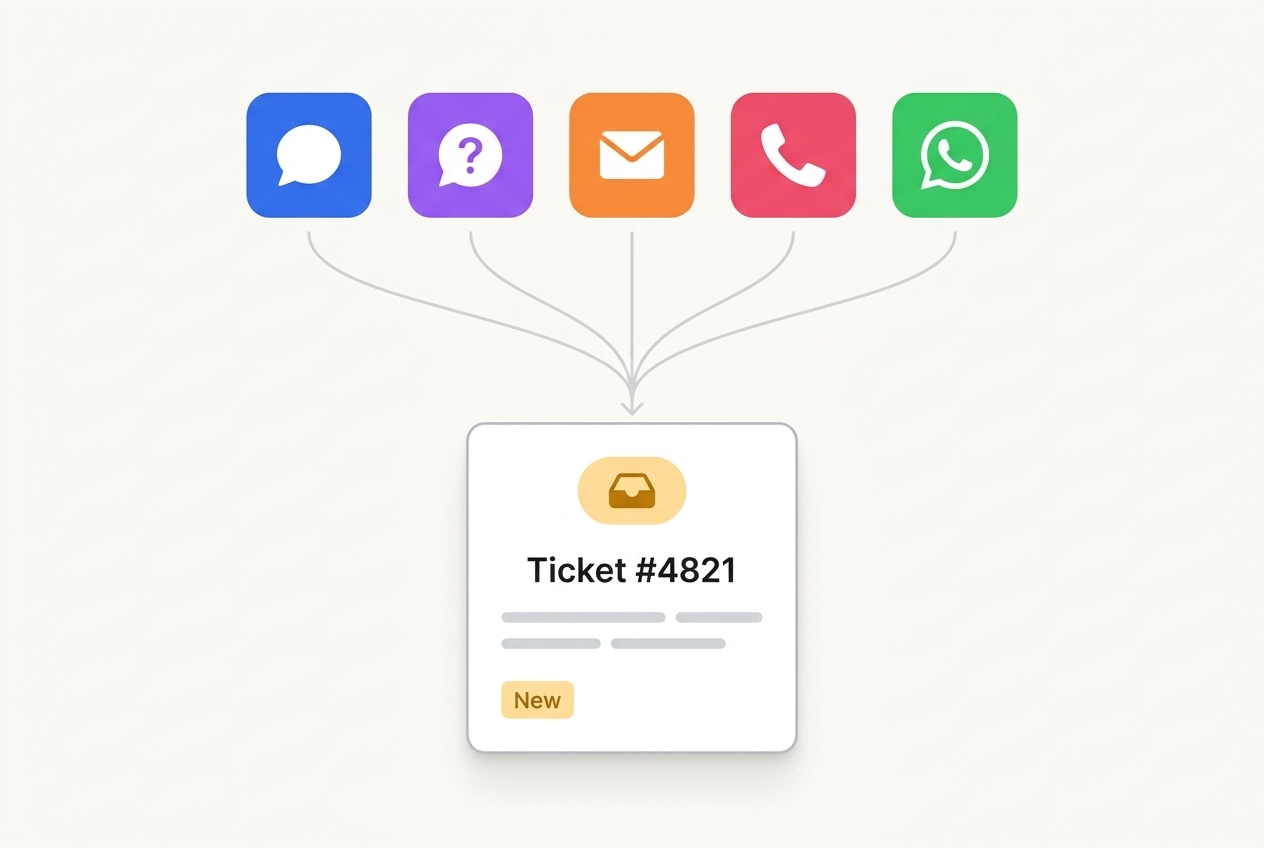
Chat logs from your website widget, help page, email, REST API, phone, and WhatsApp all convert into tickets automatically, full transcript and context attached. Nothing gets re-typed, and nothing gets lost between channels.
Whether a customer messages on your site, emails support, or calls in, it lands in the same queue with the same format.
Each ticket carries the full transcript, so your team never asks a customer to repeat themselves.
Escalation
Denser opens a ticket the moment a conversation needs a person, not after a customer gives up.
The visitor explicitly asks to speak with a person or support agent.
The AI can't resolve the issue after repeated tries, and knows to stop guessing.
The AI recognizes frustration or dissatisfaction in the conversation and escalates before it gets worse.
Live chat
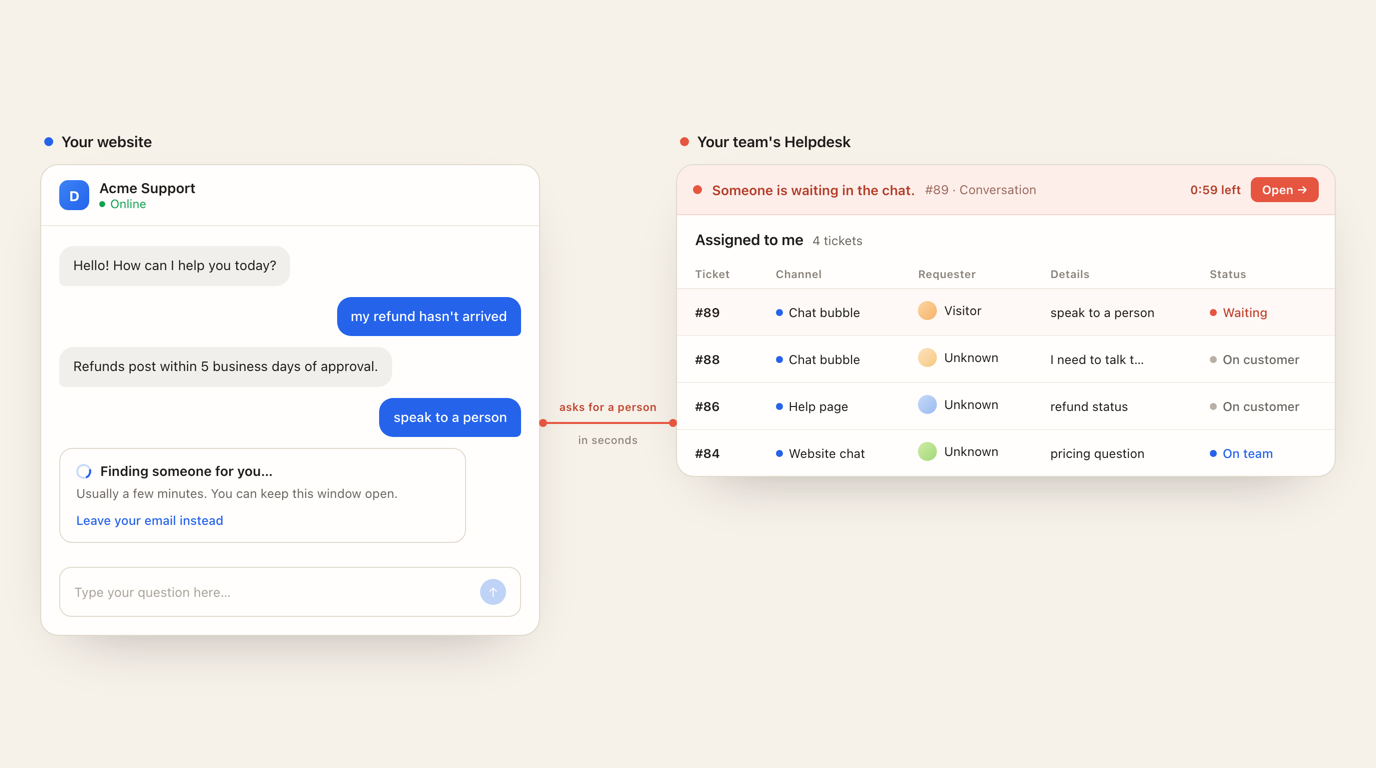
A visitor who asks for a person stays in the chat they are already in — no form, no email, no repeating themselves. Your team sees who is waiting and how long they have been, from anywhere in the helpdesk.
Live handoff
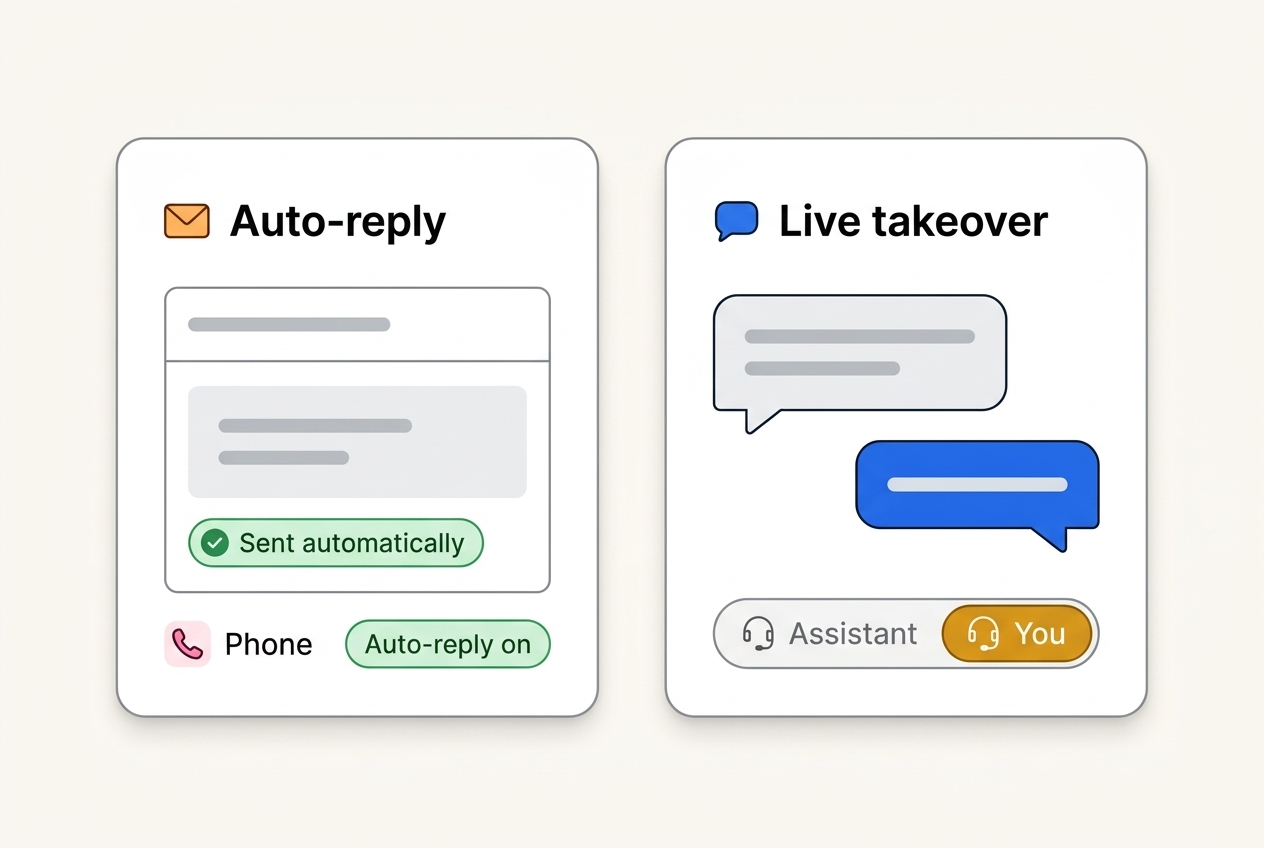
Configure automatic replies for email and phone so customers always hear back, and let a live agent step directly into an active chat the moment a customer asks for one.
Team collaboration
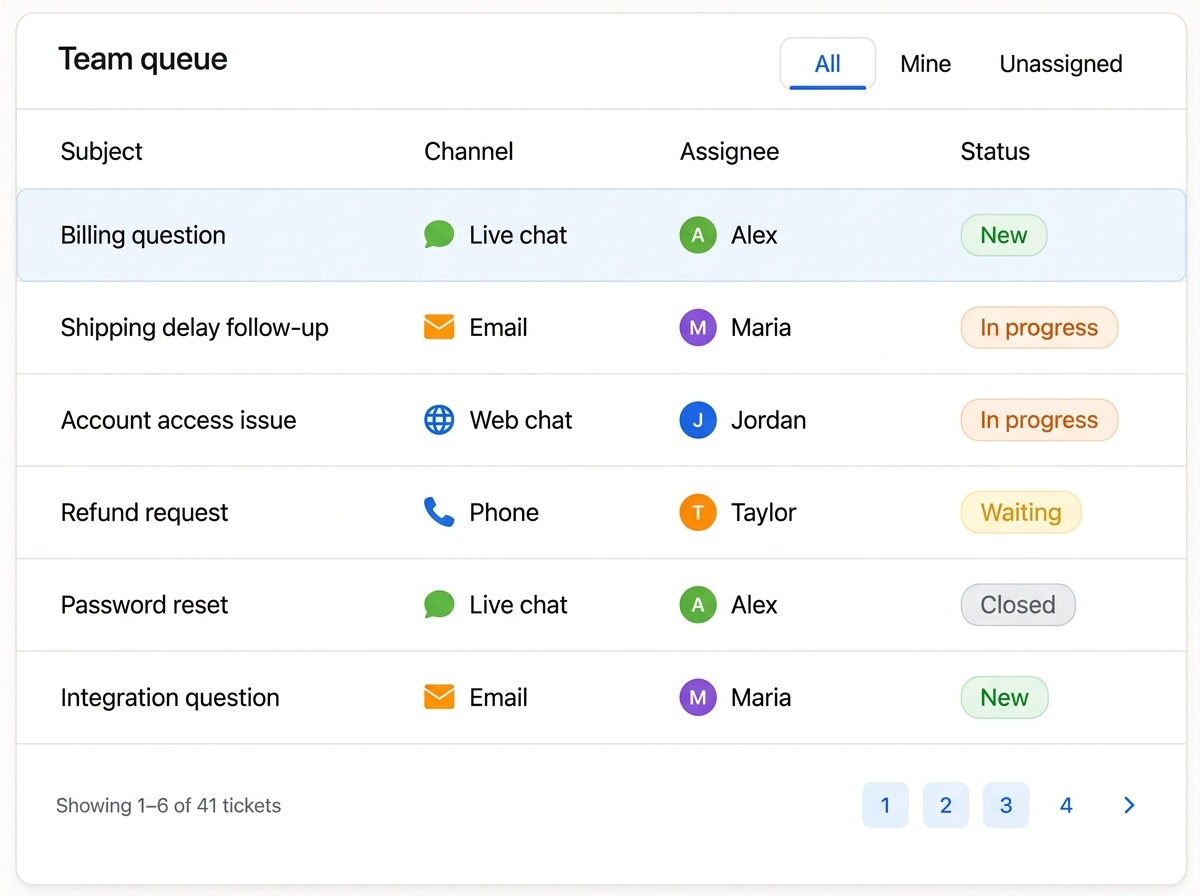
Every ticket has an owner, a status, and a place on the board. Assign tickets to teammates, watch progress move from new to resolved, and see the whole queue at a glance so nothing is missed.



Embed Denser on your website, or deploy it to WordPress, Slack, WhatsApp, Telegram, and Shopify, so every cited answer reaches customers wherever they already are. No code required.
Denser Chat has been a game changer for us. It intelligently handles many of our customers' frequently asked questions, reducing customer support tickets by approximately 50%. This has freed up our marketing team to focus on more meaningful, high-value work.
Questions
Denser Helpdesk is where your team manages the conversations your AI agent can't finish alone. Every escalated chat, email, or call becomes a ticket your team can assign, track, and close.
When a conversation is escalated - by request, after repeated failed attempts, or when frustration is detected - Denser opens a ticket automatically, with the full transcript attached, in the same queue regardless of channel.
Website chat, your help page, email, the REST API, phone, and WhatsApp all feed the same ticket queue.
Yes. Configure automatic responses for email and phone so customers get an immediate acknowledgment even before a teammate picks up the ticket.
Yes. When a customer asks for a human, an agent can take over the live chat instantly, with full context from what the AI already discussed.
Assign tickets to teammates, track status as it moves from new to resolved, and see the whole queue in one place, so nothing is missed.
Point Denser at your channels. Conversations become tickets automatically, your team closes them together, and nothing slips through.
No code. Free to start. Cancel anytime.