DenserAI Logo

Claude and ChatGPT integration

Your AI chatbot, inside Claude and ChatGPT.

Your Denser chatbot already answers customers from your website and documents. Connect it to Claude, ChatGPT or Cursor, and your team gets the same cited answers, conversations and analytics in the assistant they work in all day.

On every plan, including Free. Sign in with Denser, no API key.

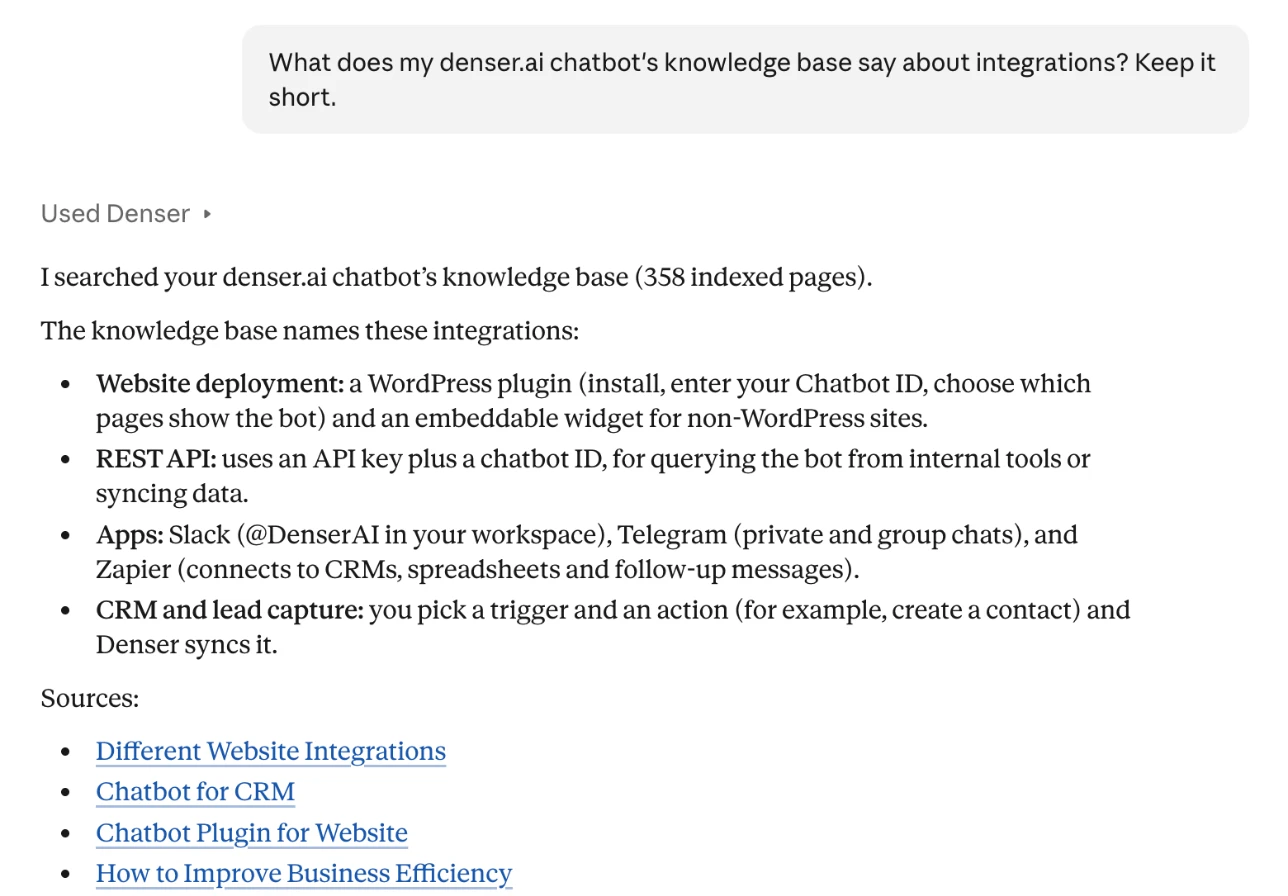
Claude using Denser to answer what a chatbot's knowledge base says about integrations, with links to the source pages
Claude answers from a Denser chatbot's knowledge base, with its sources.

What your team can ask

Your support knowledge, one question away.

Draft a reply, check a policy, or find out what customers asked this week, without opening another tab.

Answers from your knowledge base

“What does our help center say about refunds for annual plans?”

Searches the chatbot's knowledge base and answers with links to the pages it used, or returns the chatbot's own answer exactly as a customer would see it.

Conversations and ratings

“Which answers did visitors rate badly this week, and why?”

Reads recent conversations with their ratings and sources, so you can see where the chatbot fell short and which page to fix.

Analytics and usage

“Which chatbot handled the most conversations this month?”

Messages, conversations, ratings and leads over any period, plus how many chat queries your plan has left.

Sources and leads

“Did last night's website re-crawl finish? Who left their email today?”

Each knowledge source's indexing status, and the leads your chatbots captured, when you allow it.

One knowledge base

Update it once. Every assistant knows.

Claude and ChatGPT search the same knowledge base that answers customers on your website. Re-crawl a page or upload a new PDF in Denser, and every connected assistant answers from it as soon as it is indexed. No copies of your docs in a Custom GPT or a Claude Project to keep in sync.

How retrieval and MCP fit together: RAG vs MCP.

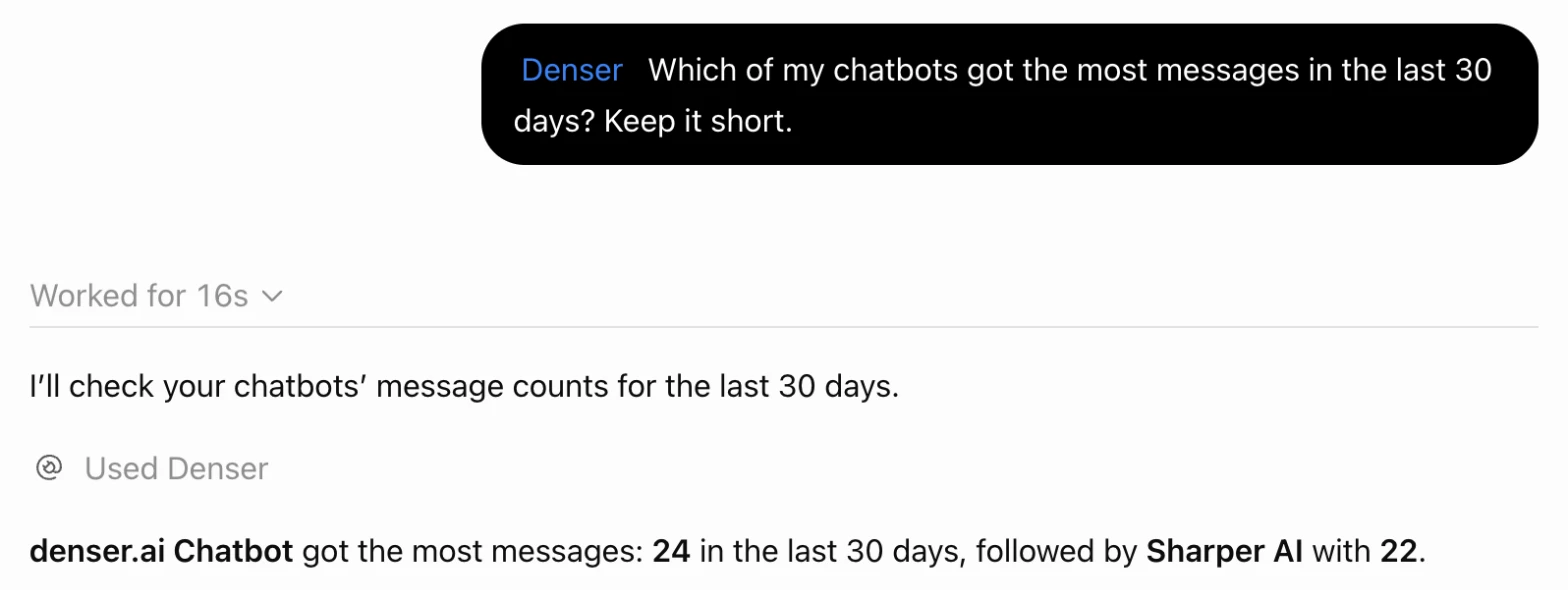
ChatGPT using Denser to answer which chatbot got the most messages in the last 30 days
ChatGPT checks which chatbot was busiest this month.

Set it up

Connected in about two minutes.

  1. 01

    Add Denser to your assistant

    Paste https://mcp.denser.ai/mcp as a connector in Claude or a custom MCP server in ChatGPT. There is no API key to copy.

  2. 02

    Sign in and choose access

    Sign in with your Denser account, pick the workspace, and keep or change what the assistant may read.

  3. 03

    Ask in plain language

    The assistant finds the right chatbot and tool by itself. Claude and ChatGPT ask you before running a tool you haven't allowed yet.

Claude
Customize → Connectors → Add custom connector, or find Denser in Claude's connectors directory.
ChatGPT
Add a custom MCP server on a paid ChatGPT plan. In Business and Enterprise workspaces, an admin allows it first.
Cursor and Claude Code
Add it as a remote HTTP server; Claude Code takes one command.

Exact steps for each assistant, with screenshots, are in the MCP setup guide.

Access and control

Your data, on your terms.

Signed in as you
Each person connects with their own Denser account over OAuth, and their role in the workspace still applies.
You choose what it reads
Pick the workspace and the permissions on Denser's sign-in page. Leads, which hold visitors' personal data, stay off unless you turn them on.
Nothing changes your chatbot
No tool edits a chatbot, source or setting. Asking a chatbot adds the conversation to its chat logs, like a visitor's question.
Every call on record
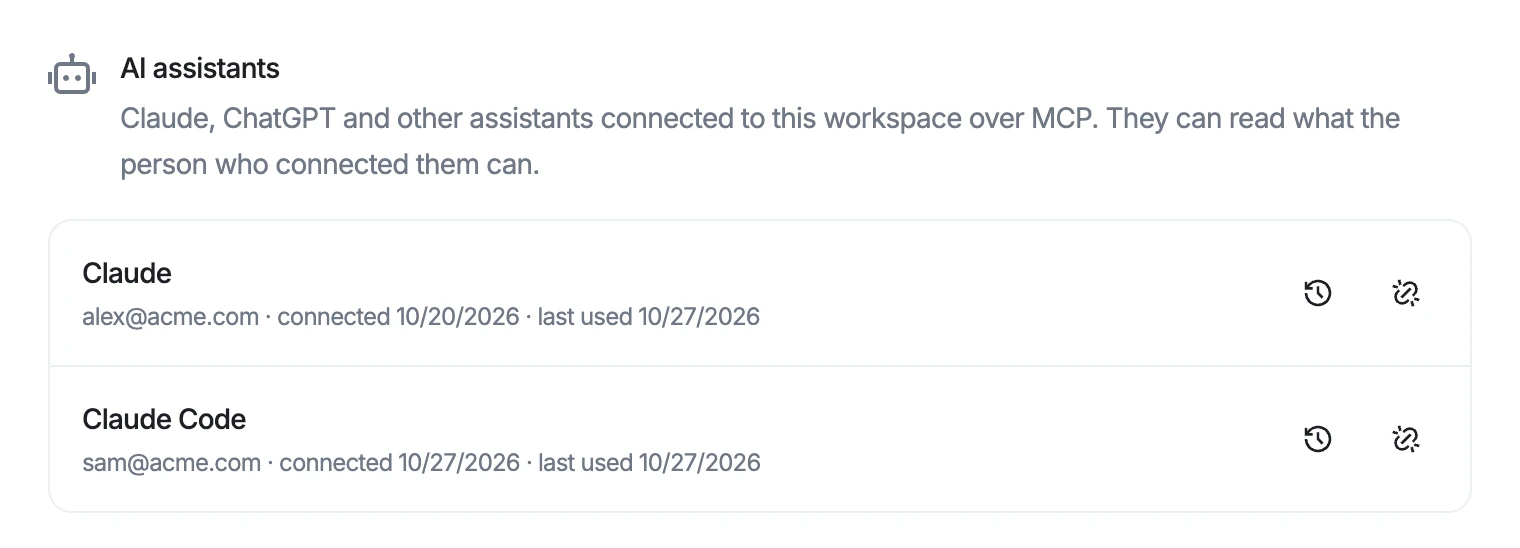
Admins see each connected assistant, review the tools it called, and disconnect it from Connected accounts.
Denser's Connected accounts page listing Claude and Claude Code as connected AI assistants, with buttons to view activity and disconnect
Every connected assistant, with who connected it and when it was last used.
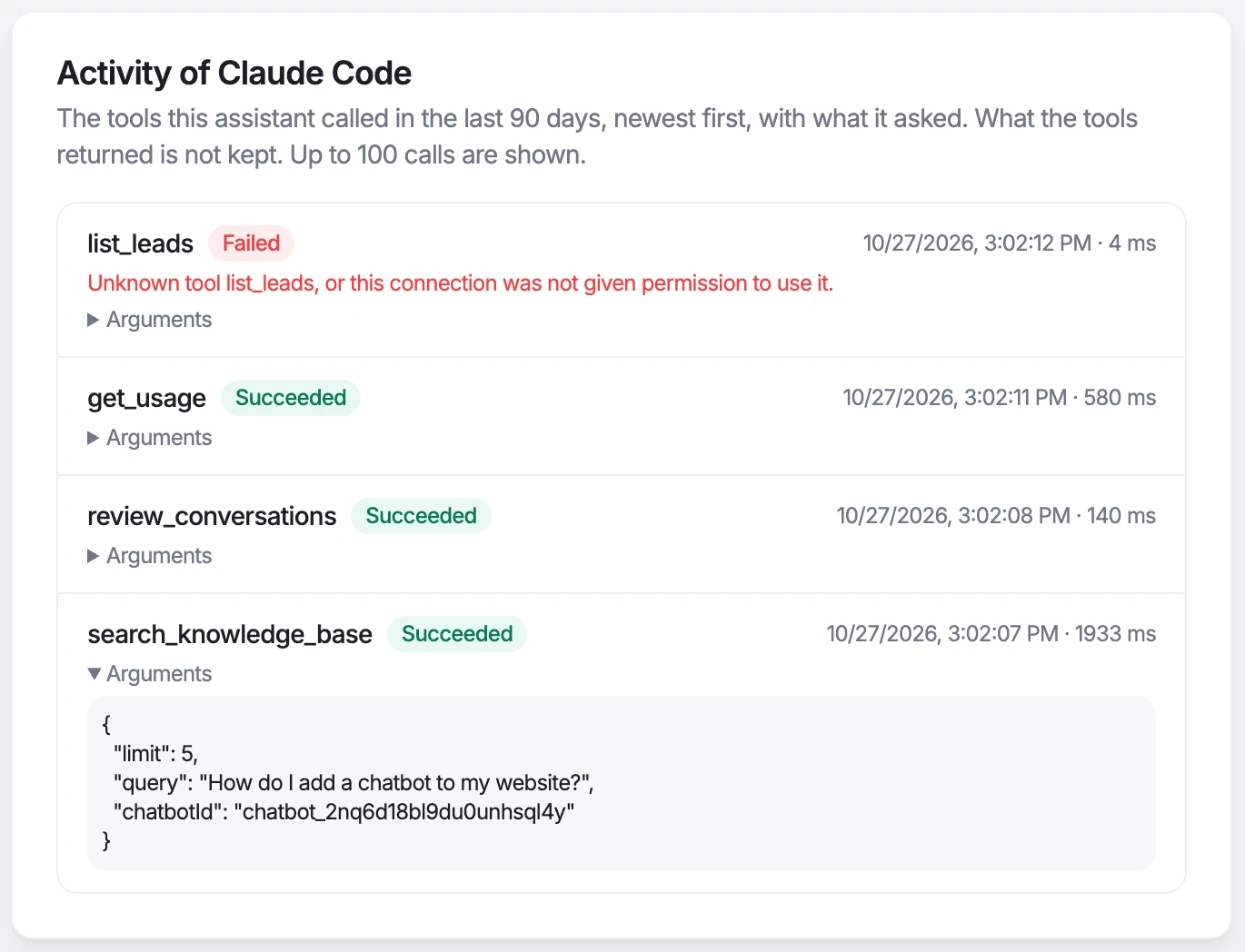
The activity log of a connected assistant, listing each tool it called with the time, duration and arguments
The activity log shows each tool an assistant called, and what it asked.

Questions

Which AI assistants work with Denser?+

Claude (on the web and the desktop app), ChatGPT, Cursor, Claude Code, and any other assistant that supports remote MCP servers with OAuth sign-in. They all use the same address: https://mcp.denser.ai/mcp.

Does it cost extra?+

No. The MCP server is included on every Denser plan, including Free. Asking a chatbot for an answer uses one of your plan's chat queries, as a visitor's question would. Searching the knowledge base, reading conversations, analytics and leads are free.

Do I need a paid Claude or ChatGPT plan?+

On Claude, the free plan allows one custom connector, so Denser works there. On ChatGPT, custom MCP servers are available on paid plans. In Claude Team and Enterprise, and in ChatGPT Business and Enterprise, an owner or admin adds or allows Denser first.

Can the assistant change my chatbot?+

No. Every tool reads, except asking a chatbot a question, which records that conversation in the chatbot's chat logs. The assistant can't edit sources, instructions or settings.

What can my teammates see?+

Each person signs in with their own Denser account, so the assistant sees what that person can see in the workspace. Reading leads also needs the chatbot's admin role.

How is this different from a Custom GPT or a Claude Project?+

A Custom GPT or Project keeps its own copy of files you upload, and you update it by hand. With Denser, the assistant searches the same knowledge base your website chatbot uses, so a re-crawled page or a new PDF shows up in every assistant once it is indexed.

What is MCP?+

The Model Context Protocol is an open standard that lets AI assistants like Claude and ChatGPT connect to outside tools and data. Denser runs an MCP server, so any assistant that speaks the protocol can use your chatbots without a custom integration.

See how the chatbot itself works on the knowledge base chatbot page.

Get started

A chatbot worth shipping, live in minutes.

Point Denser at your website, docs, and PDFs. It answers in minutes, every reply cited to its exact source.

No code. Free to start. Cancel anytime.