

HR Knowledge Management: 5 AI Tools to Automate Employee FAQ (2026)

"How many vacation days do I have left?" "What is the expense reimbursement process?" "How long is the probation period?" — how much time does your HR team spend answering these questions every day?
The answers already exist in your employee handbook and policy documents. The problem is that nobody can find them.
This guide compares 5 AI-powered HR knowledge management tools that help employees find answers on their own.

The Core Problem with HR Knowledge Management#
HR teams get asked the same questions repeatedly — not because employees are lazy, but because of three structural issues:
Information is scattered. The vacation policy lives in an employee handbook PDF. The expense process is buried in an intranet post. The onboarding checklist was attached to an email last month. Employees are not unwilling to look — they just do not know where to look.
Search does not work. Even if you have an internal knowledge base, traditional keyword search requires employees to type the exact terms used in the document. Searching "maternity leave" will not find a document titled "Family and Medical Leave Policy" — that is not search, that is guessing.
Manual answers do not scale. At 50 employees, one HR person can handle the questions. At 200, answering routine inquiries takes up half the day. Every new hire cycle, every policy update, the same batch of questions comes back around.
The AI Solution#
Turn your existing HR documents — employee handbooks, policy PDFs, onboarding guides — into a semantic search and AI Q&A system.
Employees ask questions in natural language, and the AI finds the answer from your documents with a source citation attached.
Quick Overview#
| Tool | Core Capability | AI Q&A | Document Sources | Source Citations | Starting Price |
|---|---|---|---|---|---|
| Denser AI | Semantic doc search + AI Q&A | ✅ RAG architecture | PDF, DOCX, website | ✅ | $39/mo |
| Guru | Knowledge verification + workflow delivery | ✅ AI search | Multi-platform integration | ❌ | $15/user/mo |
| Confluence | Team documentation collaboration | ✅ Atlassian AI | Built-in editor | ❌ | $6.05/user/mo |
| Tettra | Lightweight internal wiki | ✅ AI search | Built-in editor | ❌ | $8.33/user/mo |
| Notion | Flexible all-in-one workspace | ✅ Notion AI | Built-in editor | ❌ | $10/user/mo |
1. Denser AI — Turn HR Documents into an Employee AI Q&A Assistant#
Best for: Teams that want employees to ask questions in natural language and get cited answers directly from HR documents.
How the Product Works#
The search engine behind Denser AI is Denser Retriever — a semantic search and document retrieval platform.
You do not need to understand the technical details. What matters is that it works fundamentally differently from a traditional knowledge base:
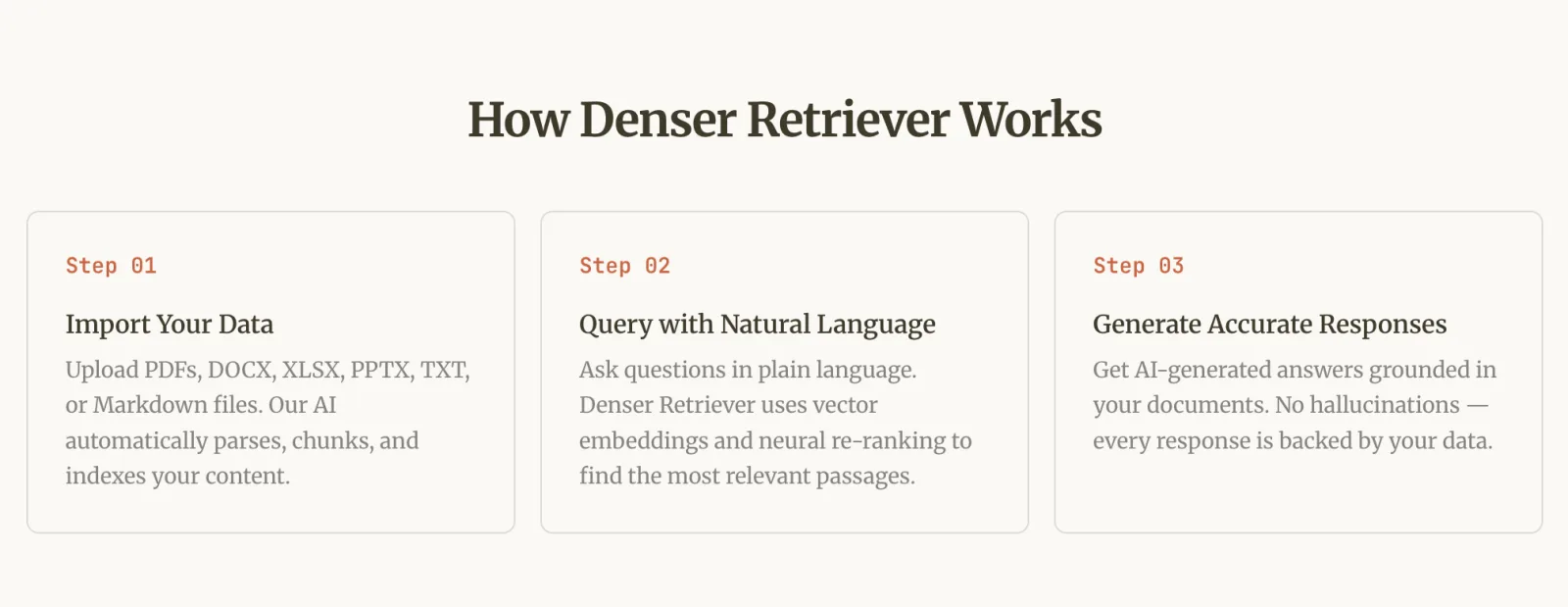
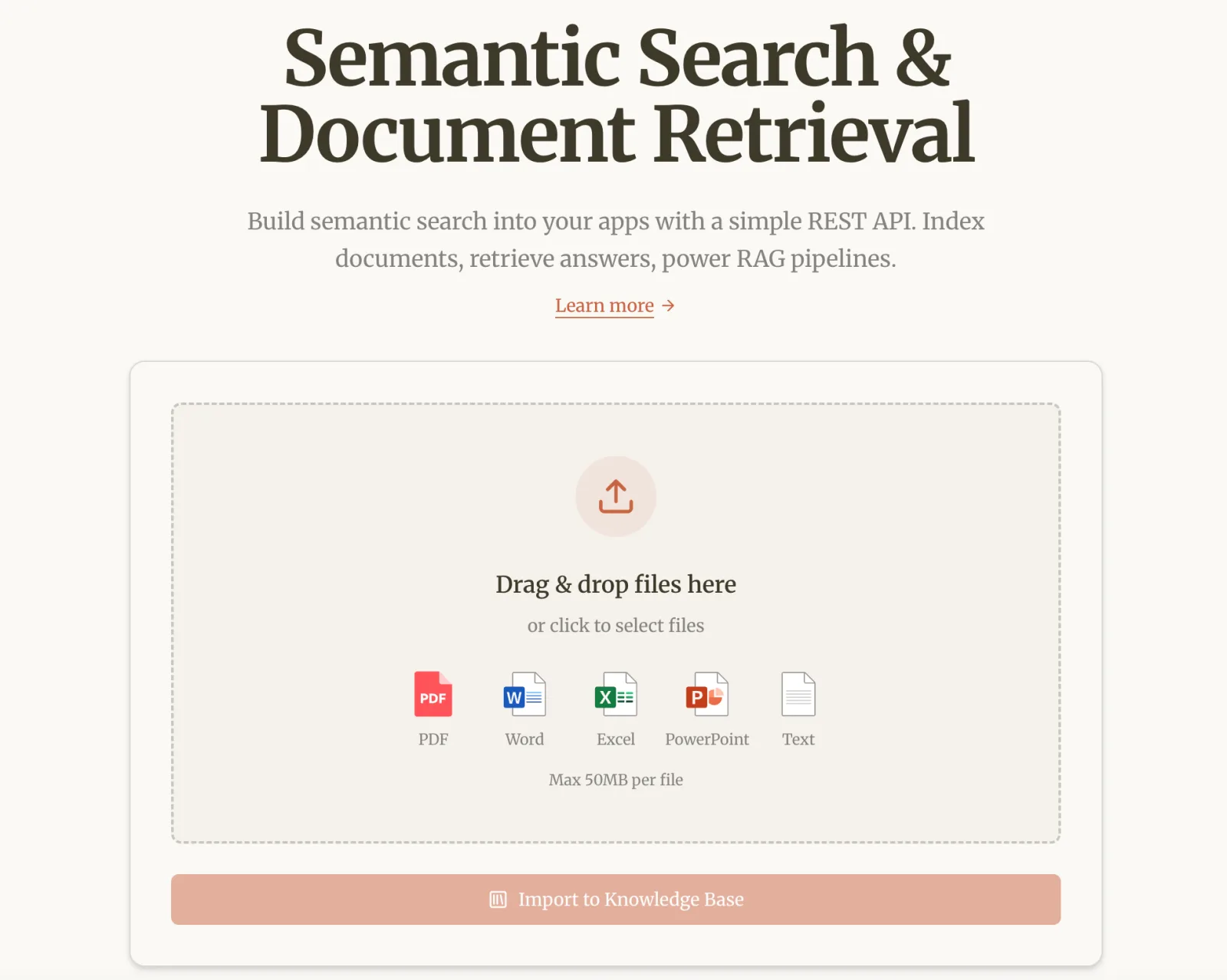
Step 1: Upload your HR documents. Supports PDF, DOCX, XLSX, PPTX, TXT, and Markdown.
Upload your employee handbook, policy files, and onboarding guides — the AI automatically parses, chunks, and indexes the content. You can also connect a website for automatic syncing.
Step 2: Employees ask questions in natural language. No exact keywords needed.
When an employee asks "what is the process for expense reimbursement," the system understands the intent and matches it to the relevant section in your "Travel and Expense Management Policy" — even though the wording is completely different. Traditional keyword search cannot do this.
Step 3: AI returns an answer with a source citation. Every response indicates which document and which section the answer came from.
Employees can click through to verify the original text. No guessing, no AI fabrication.
HR Use Cases in Practice#
| Employee Question | How Denser AI Handles It |
|---|---|
| "What documents do I need for probation completion?" | Extracts the answer from the onboarding guide PDF with a source link |
| "Can I carry over unused vacation days to next year?" | Locates the relevant clause in the vacation policy document |
| "What is the daily limit for business travel expenses?" | Returns the specific amount from the expense policy PDF |
| "What is the company's remote work policy?" | Extracts the remote work section from the employee handbook |
| "When does the performance review cycle start?" | Finds the information from HR announcements or the policy handbook |
Why It Fits the HR Use Case#
Source citations are non-negotiable for HR.
When an employee asks "what is my vacation policy," an AI answer without a source could cause misunderstandings or even disputes.
Every Denser AI response cites its source — this is not "what the AI thinks," it is "what page X of the policy document says."
For more on how source citations work, see our guide on AI knowledge base best practices.
No need to rewrite content.
Your existing employee handbook and policy PDFs are the data source. Upload them and the AI indexes automatically — no need to manually recreate content in a new knowledge base tool.
Semantic search solves the "can't find it" problem.
Employees searching "maternity leave" will not find a document titled "Family and Medical Leave Policy."
Searching "my laptop broke" will not surface "IT Equipment Repair Request Process."
These are common blind spots for keyword search. Denser Retriever's semantic search understands intent, so employees can use everyday language and still find the right policy.
Security and compliance.
Denser AI holds SOC 2 Type II certification. Data is encrypted in storage and transit, and your documents are never used to train public AI models.
For HR scenarios involving compensation and performance reviews, this is the baseline requirement.
Learn more about Denser AI's security credentials and government clients.
Fast deployment.
HR teams typically lack technical resources. Denser AI is a no-code platform — upload files, embed a code snippet on your site, and you are live in minutes. No engineering support needed.
For details on the setup process, see our document chatbot creation guide.
Pricing: Free plan available for testing. Paid plans start at $39/month with AI built in.
If your company has a technical team that wants deeper integration, Denser Retriever offers API and SDK support.
2. Guru — Verify and Deliver HR Knowledge Inside Workflows#
Best for: Teams that prioritize knowledge accuracy and review processes, and need to surface HR policies directly in Slack or Teams.
Guru's core differentiator is its knowledge verification system — every knowledge card has an assigned owner and an expiration date.
When a policy changes, the system automatically reminds the owner to review and update.
This is highly practical for HR: compliance policies and benefits information must stay current.
Pros:
- Knowledge verification + expiration reminders help content stay current
- Slack/Teams browser extension lets employees access knowledge without switching tools
- AI search works across multiple connected platforms
Cons:
- Per-user pricing gets expensive for large teams
- Does not support direct PDF upload
- Search results are knowledge cards, not AI conversational answers
Pricing: From $15/user/month.
Verdict: Guru is the most professional option for "is this knowledge current and reviewed."
But it does not offer AI conversational Q&A — the employee experience is "finding a card" rather than "getting a direct answer."
3. Confluence — HR Document Collaboration in the Atlassian Ecosystem#
Best for: Companies already using Jira and the Atlassian suite that need an internal documentation collaboration platform.
Confluence's core strength is team collaboration — real-time editing, rich templates, and granular permissions.
It is well-suited for multiple people maintaining HR documents together.
Pros:
- Deep Jira integration
- Rich templates (employee handbook, onboarding checklists)
- Fine-grained permission controls
Cons:
- Complex interface — steep learning curve for non-technical HR staff
- AI features require additional payment
- Employee self-service search experience is mediocre
Pricing: From $6.05/user/month.
Verdict: Confluence excels at "multiple people collaborating to maintain documents," not at "helping employees find answers on their own."
If your HR team needs a platform for collaborative document authoring, it works well. If the goal is reducing repetitive questions, its search and self-service experience falls short.
4. Tettra — Lightweight Internal Wiki for Small Teams#
Best for: Teams under 50 people that need a quick-start internal knowledge base.
Tettra has a clean interface with a low learning curve. It supports imports from Google Docs, and its AI search helps employees find relevant articles.
Pros:
- Quick to set up, user-friendly interface
- Google Docs import support
- AI-assisted search
Cons:
- Basic feature set — not suited for large organizations
- No PDF upload
- No AI conversational Q&A
Pricing: From $8.33/user/month.
Verdict: Good for small teams that need to get started fast. But Tettra does not support PDF upload, which means you need to manually recreate your employee handbook content inside the tool — a maintenance cost that grows as your company scales.
5. Notion — A Natural Extension for Existing Notion Users#
Best for: Teams already using Notion deeply that do not want to add another tool.
Notion's flexibility allows you to design knowledge base structures freely. Notion AI assists with search and content summarization.
Pros:
- Highly flexible, design any structure you want
- Integrates with other Notion workspaces (projects, calendars)
- Notion AI search and summarization
Cons:
- Basic permission controls (page-level only, not field-level)
- Requires manual setup of structure from scratch
- No AI conversational Q&A — search returns page results, not direct answers
Pricing: From $10/user/month.
Verdict: Notion's advantage is flexibility and zero migration cost. But its knowledge base functionality requires you to manually build everything from scratch — directory structure, permissions, search tags — and there is no AI conversational Q&A.
Employees can search for pages, but they cannot get direct answers.
How to Get Started: 5 Steps to Build an AI HR Knowledge Base#
Step 1: List your high-frequency questions. Have your HR team compile the 20–30 most-asked questions from the past month. These are what your knowledge base needs to cover first.
Step 2: Gather existing documents. Employee handbooks, policy files, onboarding guides, commonly used forms — collect them in one place.
With Denser AI, you simply upload the PDFs or connect your website.
Step 3: Upload and test. After uploading documents to the Denser AI platform, the underlying Denser Retriever engine automatically handles parsing and indexing.
Test with your high-frequency question list, checking answer accuracy and source citation correctness.
Step 4: Pilot in one department. Roll out to a single department first and collect feedback. Focus on: Are employees willing to use it? Are the answers accurate? Which questions can the AI not answer?
Step 5: Continuously optimize. Based on search data and unanswered questions, fill in missing documents and update outdated content.
Which Tool Is Right for You?#
| Your Scenario | Recommendation |
|---|---|
| Employees should ask questions and get direct answers + citations | Denser AI |
| Knowledge accuracy and review verification matter most | Guru |
| Already in the Atlassian ecosystem, need internal collaboration | Confluence |
| Under 50 people, need a lightweight start | Tettra |
| Already deeply using Notion | Notion |
| Want to add an AI Q&A layer on top of existing documents | Denser AI (works alongside any of the above) |
Free Your HR Team from Repetitive Questions#
The value of HR is not in answering "how is vacation calculated" every day — it is in recruiting, training, and employee development.
If your HR team is still spending significant time on repetitive policy inquiries, it is time to let AI handle that workload.
Denser AI connects to your employee handbooks, policy documents, and intranet pages, letting employees ask questions in natural language and get answers with source citations.
The underlying Denser Retriever provides the semantic search and RAG architecture. Technical teams can also integrate via API for deeper customization.
Start with the free plan — no credit card required. Explore all solutions to find the right fit.
FAQ About HR Knowledge Management#
Q1. Can AI give employees wrong policy answers?
Denser AI uses RAG — it retrieves from your uploaded documents first, then generates cited answers. If the docs do not contain relevant information, the system says so rather than fabricating.
Q2. Is it safe to upload sensitive HR documents to an AI platform?
Denser AI holds SOC 2 Type II certification. Data is encrypted in storage and transit, and never used to train public AI models.
Q3. How long does it take to set up an AI HR knowledge base?
Upload your existing PDFs or connect your website — Denser AI automatically parses and indexes content. You can start testing within minutes, not weeks.
Q4. What if employees are not comfortable using AI tools?
Test internally first, then roll out to a small group. "Ask a question, get an answer" has a much lower adoption barrier than browsing a knowledge base. Denser AI's chat interface feels like everyday messaging tools.
Q5. Does a small company (under 50 employees) need an HR knowledge base?
Small companies with 1–2 HR staff need automation the most. Denser AI's free plan and paid options from $39/month make it accessible without a large budget.