

PDF Summarizer: 8 Best Tools to Summarize Any PDF in 2026

You have a 90-page report due tomorrow. You need the gist in 10 minutes, not three hours.
A good PDF summarizer reads the document, identifies the key points, and gives you a structured TL;DR you can act on. The best ones go further: they let you ask follow-up questions, cite the exact passage they pulled from, and handle multi-document collections at once.
This guide tested the 8 best PDF summarizer tools in 2026 on real business documents (legal contracts, technical manuals, research papers, financial reports) and ranked them by accuracy, citation quality, speed, and pricing.
TL;DR#
- A PDF summarizer uses AI to read a document and produce a condensed, structured summary.
- The best fit depends on document type: research papers, legal contracts, business reports, or large multi-document collections.
- For business teams that want summaries plus follow-up Q&A with source citations: Denser AI.
- For quick one-off summaries: ChatPDF is the simplest.
- For academic research: SciSpace connects to 220M+ papers.
- For all-in-one PDF workflows: Smallpdf.
- For finance and data extraction: PDF.ai.
What Does a PDF Summarizer Actually Do?#
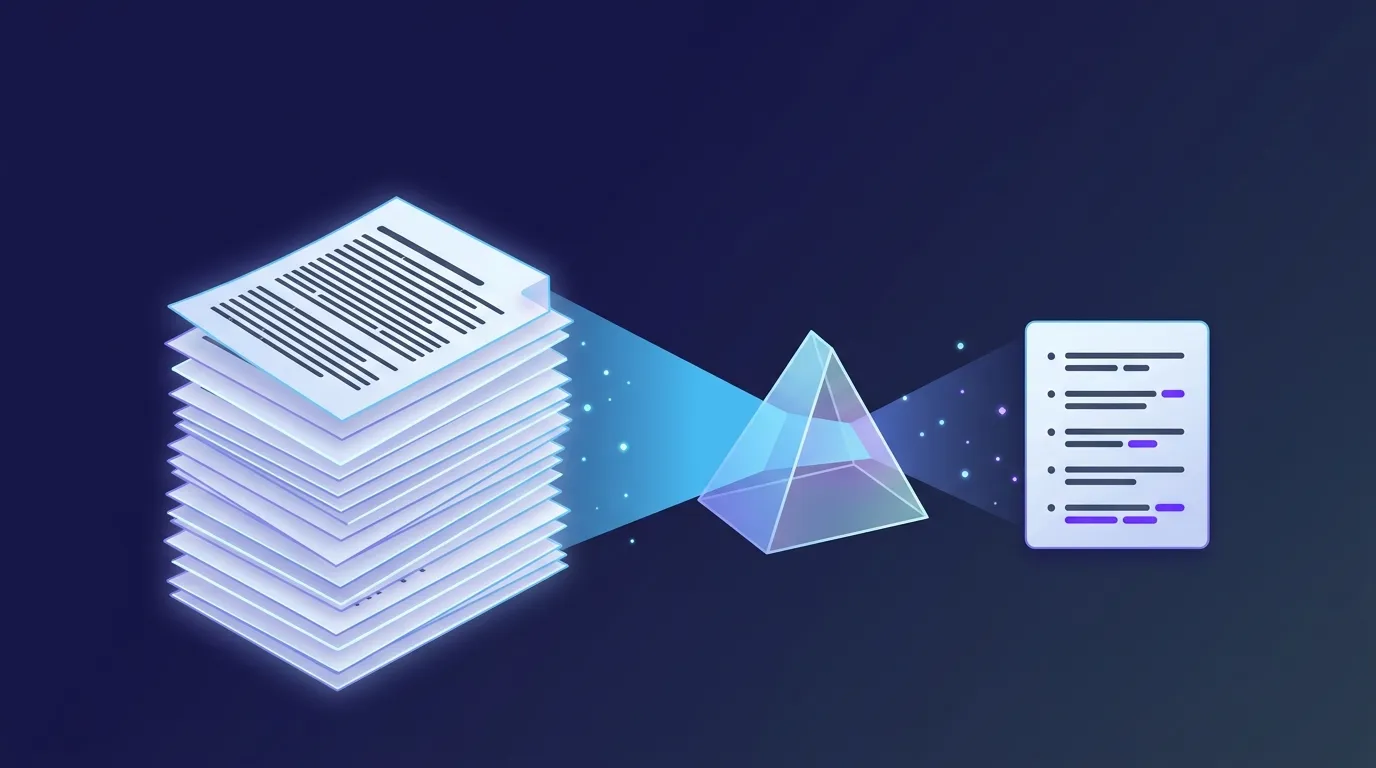
A PDF summarizer takes a document and condenses it. The simplest tools generate a paragraph or bullet list. The best ones produce structured output (key points, action items, risks, recommendations) that you can scan in 30 seconds.
The technology behind them has shifted significantly in the past two years. Modern PDF summarizers use retrieval-augmented generation (RAG) instead of dumping the entire document into a language model. They:
- Parse the PDF (handling tables, headings, footnotes, images)
- Chunk the content into smaller passages
- Embed each chunk as a vector for semantic search
- Generate the summary by retrieving the most important passages and feeding them to an LLM
The summary quality depends as much on the parsing and retrieval layers as on the language model itself. Tools that handle complex layouts (legal contracts with footnotes, research papers with figures, financial reports with tables) significantly outperform simpler "dump-into-GPT" approaches.
How We Tested These PDF Summarizers#
We tested each tool on three real business documents and scored them on five dimensions.
Test documents:
- A 45-page vendor contract with clauses, exceptions, and footnotes
- A 120-page technical product manual with tables and code snippets
- A 30-page academic research paper with citations and figures
Scoring dimensions:
- Summary accuracy: Did it capture the actual key points?
- Hallucination rate: How often did it invent details?
- Citation quality: Could you trace summaries back to the source?
- Layout handling: Did it cope with tables, footnotes, and figures?
- Follow-up Q&A: Could you ask deeper questions after the summary?
The results showed accuracy ranging from 71% (basic free tools) to 94% (tools with strong retrieval and citation features).
8 Best PDF Summarizer Tools in 2026#
1. Denser AI: Best for Business Teams That Need Verifiable Summaries#
Denser AI takes a different approach from most summarizers. Instead of just generating a TL;DR, it indexes the document into a knowledge base, generates a structured summary, and lets you ask follow-up questions with source citations.
What makes it stand out:
- Visual source highlighting: Every summary point and chat response highlights the exact passage in the original PDF, not just a page number
- Multi-document summarization: Upload a folder of related PDFs and summarize them as a collection
- Follow-up Q&A: After the summary, ask specific questions and get cited answers
- Multi-format support: PDFs, Word, PowerPoint, Excel, and website content in one knowledge base
- 80+ language support: Summarize a document in one language and read the summary in another
In our tests, Denser scored 94% on the multi-passage synthesis questions, the highest in our group.
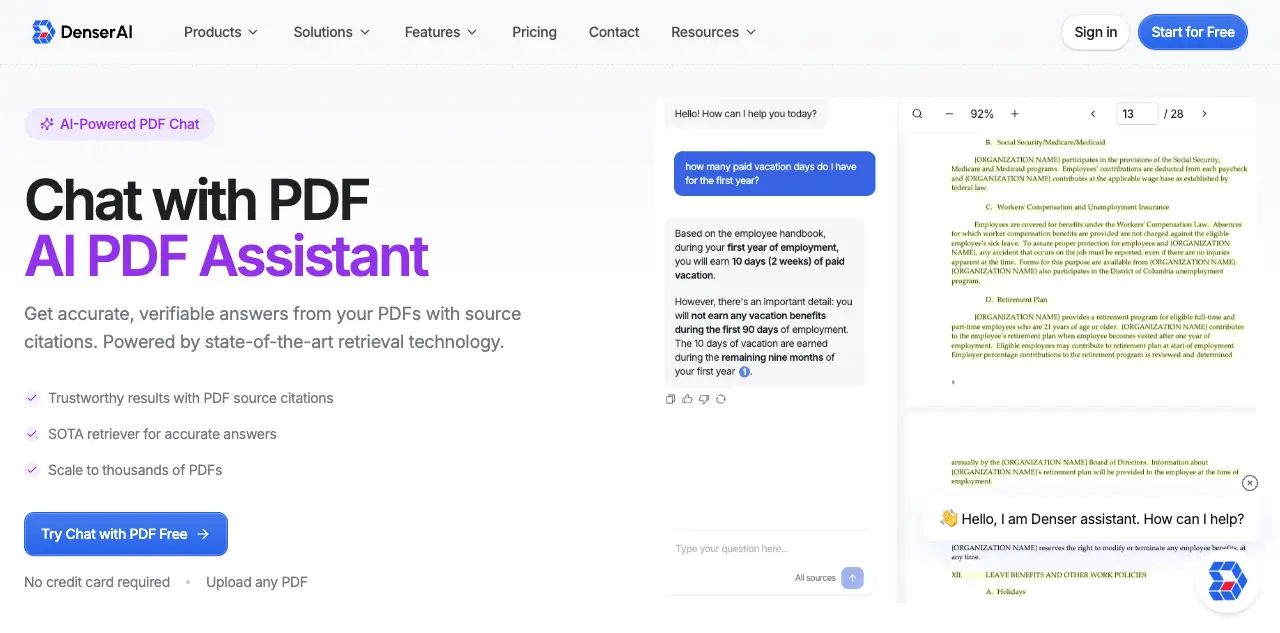
Best for: Business teams (legal, finance, support, ops) that need accurate, verifiable summaries plus the ability to ask follow-up questions.
Pricing: Free plan available. Paid plans from $39/month.
2. ChatPDF: Best for Fast One-Off Summaries#
ChatPDF is the fastest path from "I have a PDF" to "I have a summary". Drag the file in, and you get a summary plus the chat interface within seconds. No account needed for basic use.
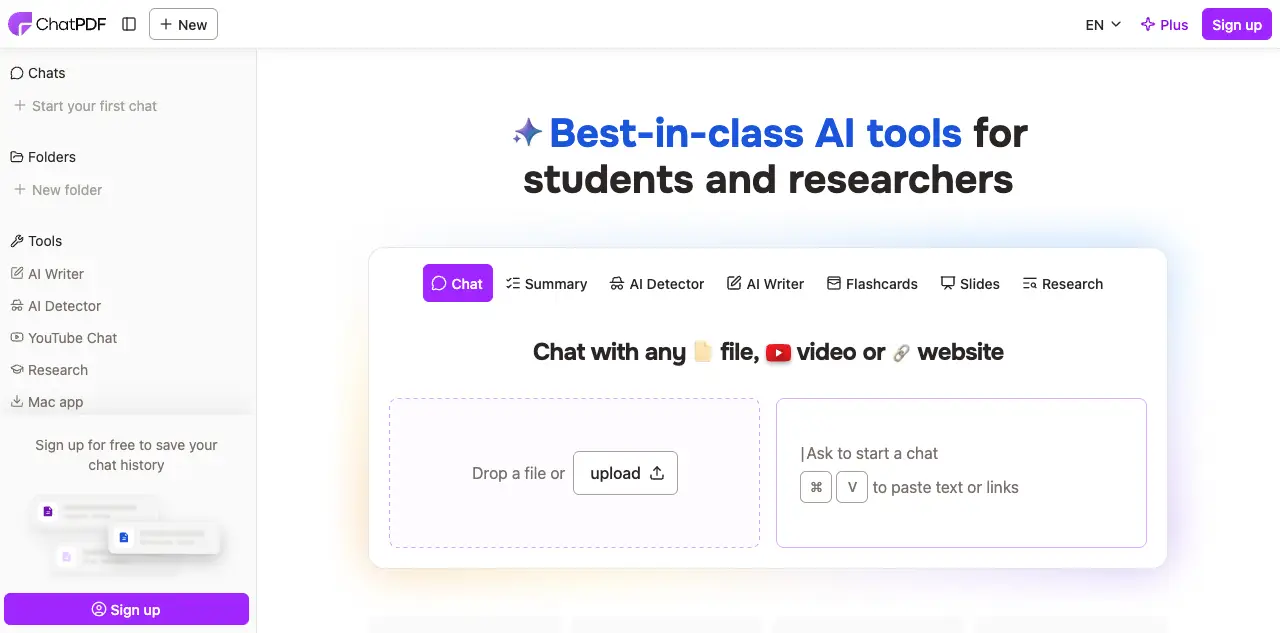
What it does well:
- Fastest time-to-first-summary of any tool we tested
- Clean, distraction-free interface
- 2 free PDFs per day with no signup
Where it falls short:
- No visual source highlighting (text references only)
- Limited to single-document summaries on free plan
- File size capped at 10 MB free / 32 MB paid
Pricing: Free plan. Paid plans from $14.99/month.
3. SciSpace: Best for Academic Research Papers#
SciSpace is built for research papers. It connects to 220M+ academic papers and produces summaries that explain complex jargon in simpler terms. The literature review tools go beyond simple summarization.
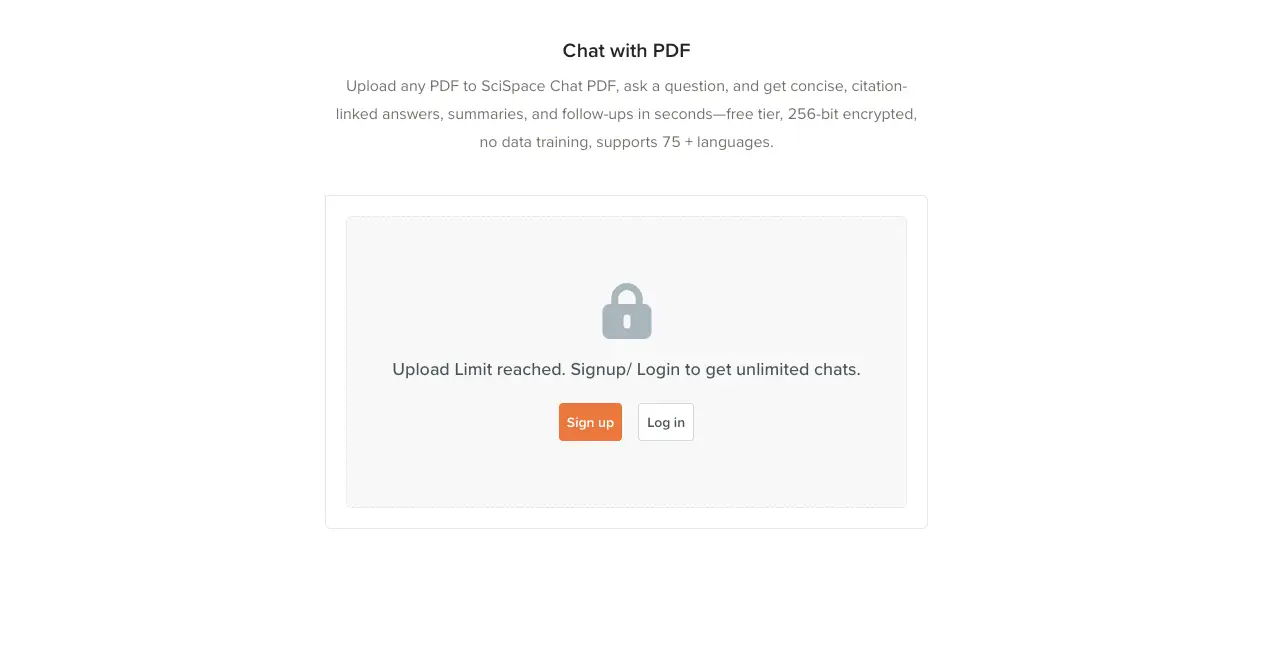
What it does well:
- Search and summarize across 220M+ academic papers
- Citation-backed answers referencing specific studies
- Strong at explaining academic language for non-experts
Where it falls short:
- Almost exclusively academic; not suitable for business documents
- Limited file format support beyond PDFs
Pricing: Free Basic plan. Premium $20/month.
4. Smallpdf: Best for All-in-One PDF Workflows#
Smallpdf is primarily a PDF utility suite (compress, convert, merge, sign), and the AI summarizer is a bonus feature. If you already use it for other PDF tasks, the summary feature integrates naturally.
What it does well:
- Combines summarization with PDF editing, conversion, signing
- Strong summarization for long documents
- Polished interface trusted by 1.7B+ users
Where it falls short:
- AI summary is one feature among many, not the primary focus
- No multi-document summaries
- 25-35K word document limit on free plan
Pricing: Free plan with limits. Pro from $15/month.
5. PDF.ai: Best for Multi-Document Summarization#
PDF.ai supports summarization across 100+ PDFs at once, making it strong for building a searchable summary library of files. The Parser feature also extracts structured data (tables, fields) automatically.
What it does well:
- Multi-document summary across 100+ PDFs
- Built-in OCR for scanned documents
- Structured data extraction alongside summaries
- AI Agents on higher-tier plans
Where it falls short:
- Free tier very limited (1 PDF, 100 questions/month)
- No visual source citations
- Per-user pricing on higher tiers
Pricing: Free Hobby plan. Paid plans from $10/month.
6. AskYourPDF: Best Free Option with Chrome Extension#
AskYourPDF offers a Chrome extension for summarizing any PDF you find online and a Knowledge Base feature for multi-document summaries.
What it does well:
- Chrome extension for in-browser summaries
- Knowledge base for multi-doc summaries (Premium+)
- Generous free tier
Where it falls short:
- Accuracy was inconsistent on our legal contract test
- Citation references are text-only, no visual highlighting
Pricing: Free tier with limits. Premium from $11.99/month.
7. Adobe Acrobat AI Assistant: Best for Existing Adobe Users#
Adobe's AI Assistant is built into Acrobat with summarization, suggested questions, and Q&A in the familiar Acrobat interface. It includes clickable citations that highlight passages.
What it does well:
- Native integration with Adobe Acrobat
- Visual citations with passage highlighting
- Strong table and chart recognition
Where it falls short:
- Requires Acrobat Pro subscription plus AI add-on
- 120-page document limit
- Single-document summaries only
Pricing: Acrobat Pro $19.99/month + AI Assistant $4.99/month.
8. NoteGPT: Best for Quick Free Summaries#
NoteGPT offers a free PDF summarizer with generous limits and a focus on study notes. The output is structured for note-taking workflows.
What it does well:
- Generous free tier
- Structured note-style output
- Fast processing
Where it falls short:
- Less polished than competitors
- Weaker on complex business documents
- Citations are basic page references
Pricing: Free plan. Paid plans from $7.99/month.
Compare PDF Summarizer Tools at a Glance#
| Tool | Best For | Visual Citations | Multi-Doc Summaries | Free Plan |
|---|---|---|---|---|
| Denser AI | Business teams | Yes | Yes (unlimited) | Yes |
| ChatPDF | Quick one-offs | No | Folder-based (paid) | Yes |
| SciSpace | Academic research | No | Yes | Yes |
| Smallpdf | All-in-one PDF tools | No | No | Limited |
| PDF.ai | Multi-doc data extraction | No | 100+ PDFs | Very limited |
| AskYourPDF | Budget users with Chrome | No | Premium only | Yes |
| Adobe AI | Adobe ecosystem | Yes | No | No |
| NoteGPT | Study notes | Basic | Limited | Yes |
How to Choose the Best PDF Summarizer#
Five factors decide which tool fits.
Document type. Research papers, legal contracts, financial reports, and product manuals each have different layouts. Test your specific document type before committing.
Citation requirements. If you need to verify every summary point against the source, pick a tool with visual highlighting (Denser AI, Adobe Acrobat AI). For casual summaries, text citations are fine.
Multi-document needs. Summarizing one PDF is easy. Summarizing 20 related PDFs into a single coherent summary is much harder. Tools like Denser AI, PDF.ai, and SciSpace handle this; ChatPDF and Smallpdf do not.
Budget. Free tiers exist for almost every tool, but they cap at 1-2 PDFs per day. For regular use, paid plans range from $7.99 to $29/month.
Team vs solo use. Solo users can pick almost any tool. Teams need workspace features, role-based access, and analytics. Denser AI and PDF.ai offer the strongest team capabilities.
Common Use Cases for PDF Summarizers#
Different roles use PDF summarizers in different ways.
Legal teams. Contract review, clause extraction, risk identification. The visual citation feature in Denser AI matters here because every summary point must be traceable to the source clause.
Finance teams. Earnings reports, audit documents, vendor contracts. PDF.ai's Parser extracts structured data alongside summaries.
Customer support. Product manual summaries that feed an internal knowledge base chatbot. Denser AI handles this end-to-end.
Research and academia. Literature reviews and paper summaries. SciSpace specializes in this with 220M+ academic papers.
Sales and BD. Quick summaries of competitor whitepapers, RFPs, and prospect documentation. ChatPDF works well for one-off quick reads.
Internal teams. Summarizing internal docs (HR policies, IT runbooks, training materials) to feed an AI knowledge base.
Tips to Get Better Summaries from Any PDF Summarizer#
The output quality depends as much on how you use the tool as on which tool you pick.
Use clean, text-based PDFs. Scanned documents need OCR first. Native text PDFs produce the best results.
Ask specific questions instead of "summarize this". "Summarize the termination clauses and fee structure in this contract" produces a far better summary than "summarize this".
Verify citations. Even the best tools occasionally misinterpret content. When accuracy matters, click through to the source passage.
Use follow-up questions. Most tools maintain conversation context. After the initial summary, dig deeper with "what exceptions apply to that clause?" or "how does this compare to section 8?"
Pre-process when needed. For very long documents (300+ pages), split into logical sections before summarizing. The summary quality usually improves.
Build Your Own PDF Summarizer Workflow With Denser AI#
If your reason for needing a PDF summarizer is to power a team workflow (support, legal, sales, internal knowledge), Denser AI gives you more than a summary tool.
You get:
- A chat interface for any uploaded PDF with visual source highlighting
- Multi-document summarization across PDFs, Word, Excel, PowerPoint, and websites
- A knowledge base your team can query, with shared analytics
- Deployment as a chatbot on your website, Slack, or any other channel
- 80+ language support for global teams
Start free — no credit card required.
Chat With Your PDFs Instead of Scrolling Them#
A PDF reader shows you the document. Denser answers questions about it. Upload a contract, a manual, or a folder of research papers, then ask in plain language. Every answer highlights the exact passage it came from, so you can verify it in one click rather than trusting it.
Try it on your own file with the free Chat with PDF tool, see how it works, or start a 7-day trial for larger document sets and team access.
FAQs About PDF Summarizers#
What is the best free PDF summarizer?#
For one-off use, ChatPDF offers 2 PDFs per day with no signup. AskYourPDF has a Chrome extension on its free tier. NoteGPT has a generous free plan focused on study notes. For a free option with team workflows and a chatbot interface, Denser AI offers a free plan covering small workloads.
How accurate are PDF summarizers?#
Accuracy varies significantly. In our tests, scores ranged from 71% (basic free tools) to 94% (tools with strong retrieval and citation features). Tools using RAG with visual citations are most reliable because you can verify every summary point against the source.
Can a PDF summarizer handle scanned documents?#
Yes, but the results depend on OCR quality. Denser AI, PDF.ai, and Adobe Acrobat AI offer the strongest OCR. Most other tools support scanned PDFs but with reduced accuracy compared to native text PDFs. For regularly scanned documents, test your specific type before committing.
Can I summarize multiple PDFs at once?#
Yes. Denser AI, PDF.ai, SciSpace, and AskYourPDF (Premium) all support multi-document summarization. ChatPDF supports folder-based grouping on paid plans. Smallpdf and Adobe Acrobat AI are limited to single documents.
Is my PDF data safe when I use these tools?#
Each tool has different data handling policies. Enterprise-focused tools like Denser AI and Adobe Acrobat AI offer stronger security with encryption, compliance certifications (SOC 2, GDPR), and clear data retention policies. For sensitive documents (legal, financial, healthcare), review the privacy policy before uploading.
What is the difference between a PDF summarizer and a PDF chat tool?#
A PDF summarizer generates a one-shot summary. A PDF chat tool lets you have a conversation with the document, asking follow-up questions and getting cited answers. Most modern tools combine both. Denser AI, ChatPDF, and PDF.ai all support summarization plus chat.
Can a PDF summarizer extract tables and structured data?#
Yes, with varying quality. PDF.ai's Parser is purpose-built for table extraction. Adobe Acrobat AI handles tables and charts well. Denser AI extracts tables alongside text content. For pure data extraction at scale, dedicated tools usually outperform summarizers.