
Customer support
Answer policy, product, and troubleshooting questions before they become tickets.
Website Chatbot
Denser answers website visitors from your content and cites every source. One knowledge base powers your help page, inbox, phone line, and API. It also works as an AI support agent with human handoff.
Free to start. No credit card. Live in minutes.

Denser AI
Online
Powered by DenserAI
Customer proof
2k+
active teams
24/7
support coverage
50%
fewer tickets
 City of San José
 Onondaga County
 EOS Australia
 Portfoliobox
 Upsiide
 Valk WeldingCity of San JoséOnondaga CountyEOS AustraliaPortfolioboxUpsiideValk Welding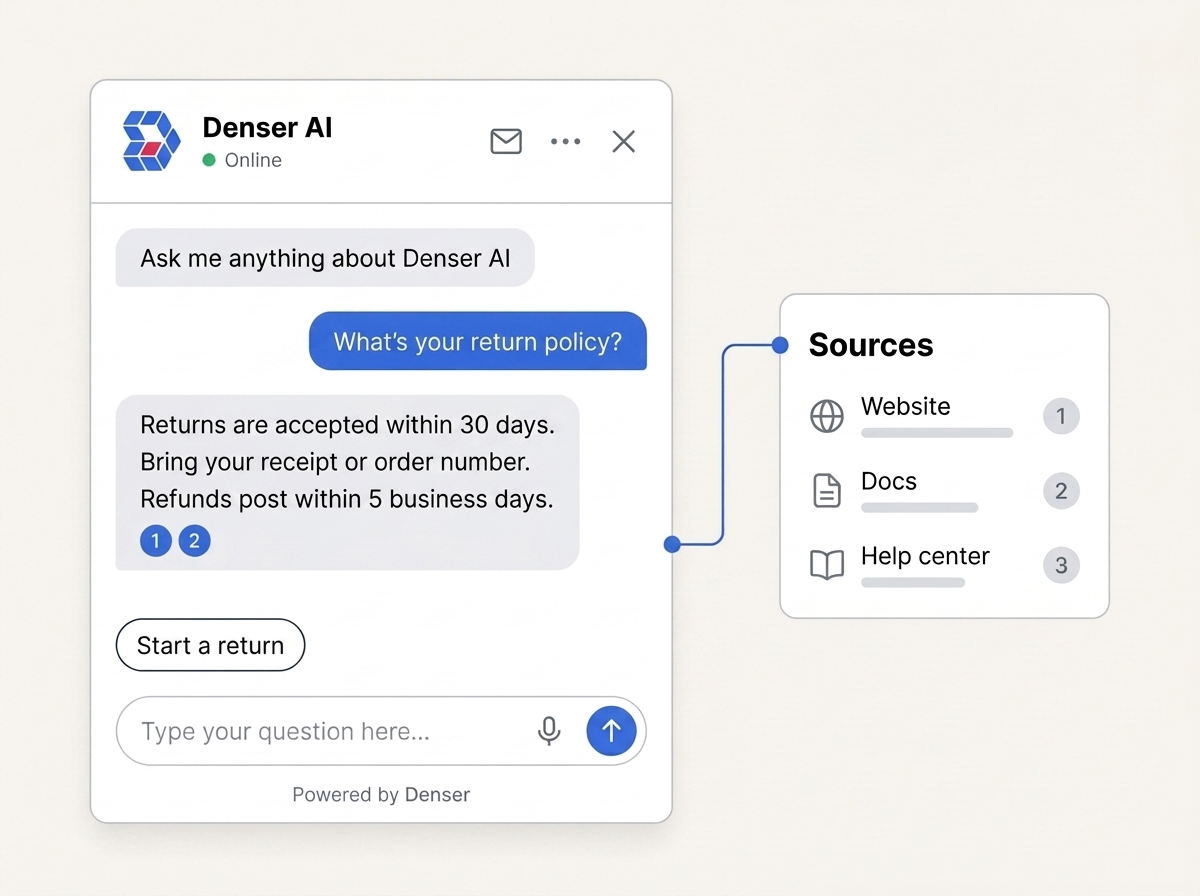
Chatbots
Point Denser at your website, PDFs, and docs. It answers with citations, scales to your whole knowledge base, and tells you exactly where it still needs help.
Grounded answers
Denser retrieves from the website pages and documents you approve before it responds. That makes answer quality inspectable and gives your team a practical way to improve it.
Each grounded answer can link to the source passage, so visitors and your team can check the information behind it.
When the answer is not in your approved sources, the chatbot can say so and route the question instead of filling the gap.
See unresolved questions and conflicting sources, then improve the content that powers future answers.
No-code setup
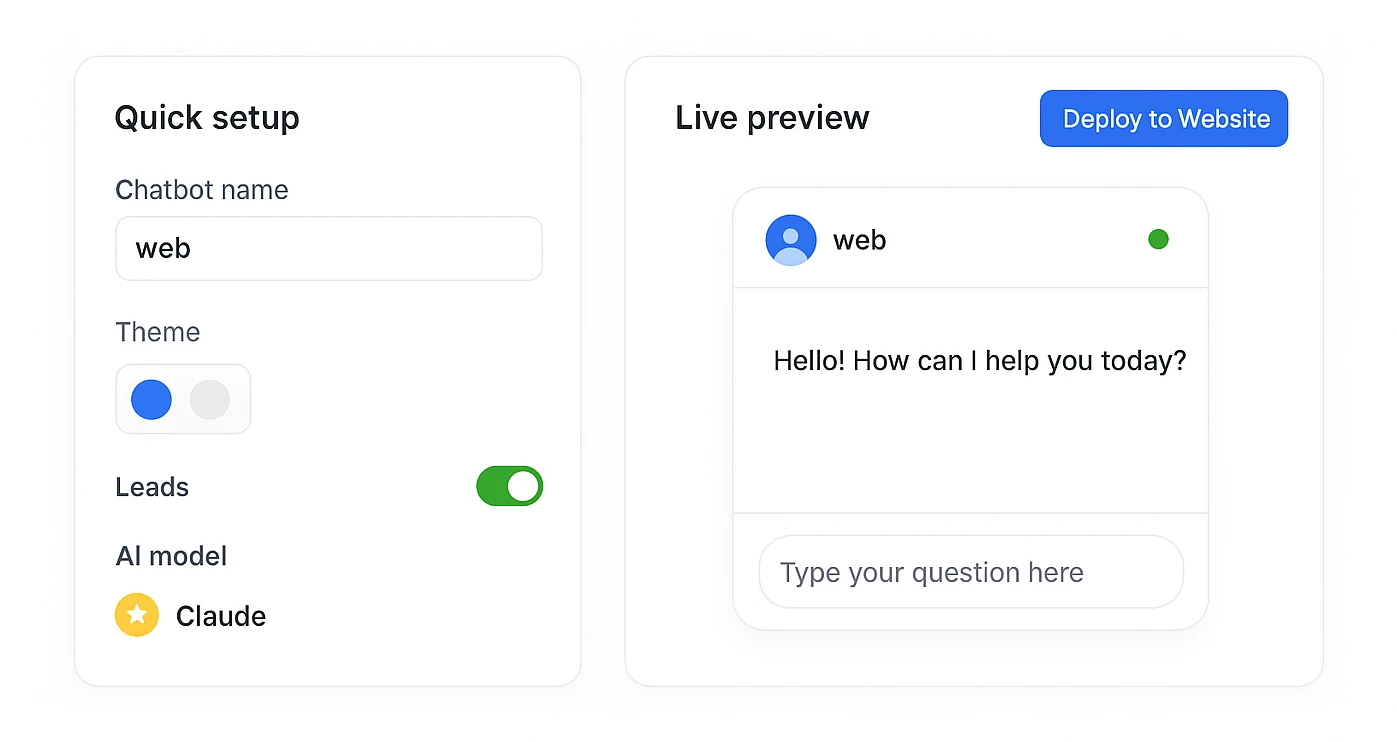
Set your chatbot's name, theme, and lead form, pick your AI model, and watch the live preview update as you go. When it's ready, copy one snippet, or click Deploy to Website.
Running a Shopify store? Use the dedicated Shopify AI chatbot integration for live product search, native cart actions, and verified order status.
Paste your site URL. Denser crawls and indexes every page, and you can add PDFs, Word, PowerPoint, and plain text on top.
Ask real questions in the live preview and check the citation behind each answer. Tune the prompt, theme, and lead form before anyone sees it.
Copy one snippet onto your site. Every other channel is then one switch away.
Pricing
Start on the Free plan and upgrade when your traffic grows. Prices are per month, with 20% off billed yearly, and you are never charged per answer.
Want to see it on your own site first? The free website chatbot tool builds a chatbot from your URL before you sign up.
$0 / month
Good for getting started.
$39 / month
For solo and side projects.
$119 / month
Good for small teams.
$399 / month
Perfect for businesses.
Where it fits
Start with the visitor questions your existing content can answer reliably. Add lead capture or support handoff after the chatbot has delivered value.
Answer policy, product, and troubleshooting questions before they become tickets.
Answer buying questions first, then collect details or book a meeting when intent is clear.
Give users a conversational route through technical guides, release notes, and help content.
Search across website pages and uploaded files without making visitors guess the right keyword.
Actions
When the next step is a booking, a lookup, or a person, the chatbot takes it inside the conversation. Each action has its own test chat, so you see exactly what visitors will see.
Visitors pick a time from your Cal.com calendar without leaving the page, and the agent books it.
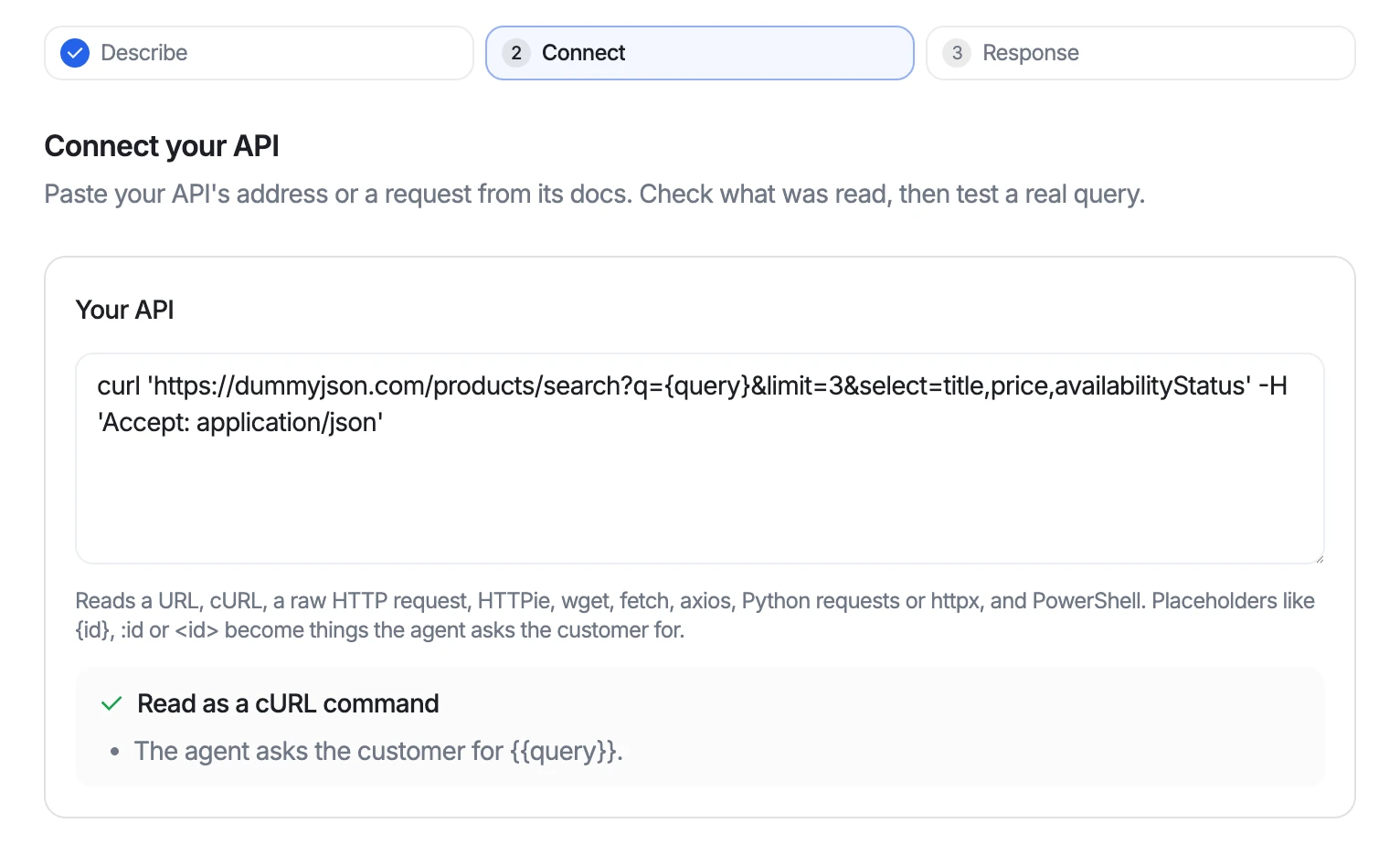
Paste a request from your API docs, test it with a real query, and choose what the agent may read.
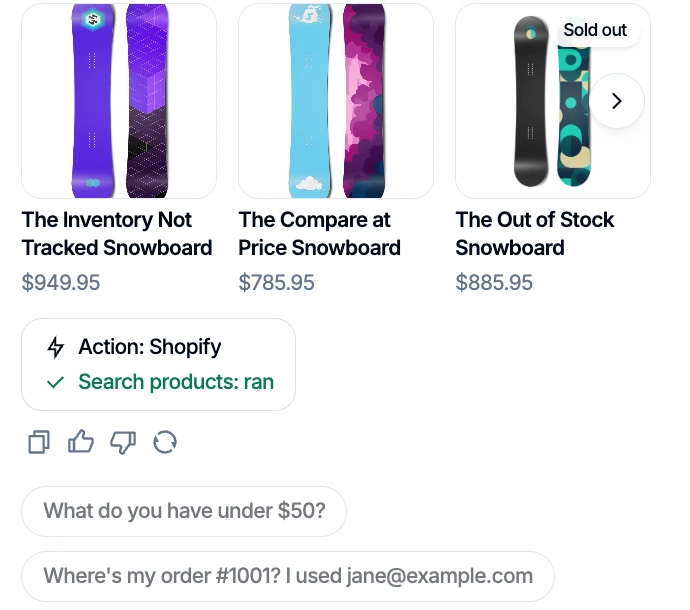
Products, orders, and plans appear as cards visitors can scan, filled in by the action that found them.
Call-back requests and other hand-offs post to your Slack channel with a link to the conversation.
Human handoff
Denser can offer live takeover when a teammate is available or create a helpdesk ticket with the transcript and visitor context attached. Customers do not have to repeat the conversation.
Explore the AI support agent workflowEscalation includes
Deploy everywhere
Chat widget, help page, email, API, and phone - same knowledge base, same citations, same agent, wherever the question shows up.
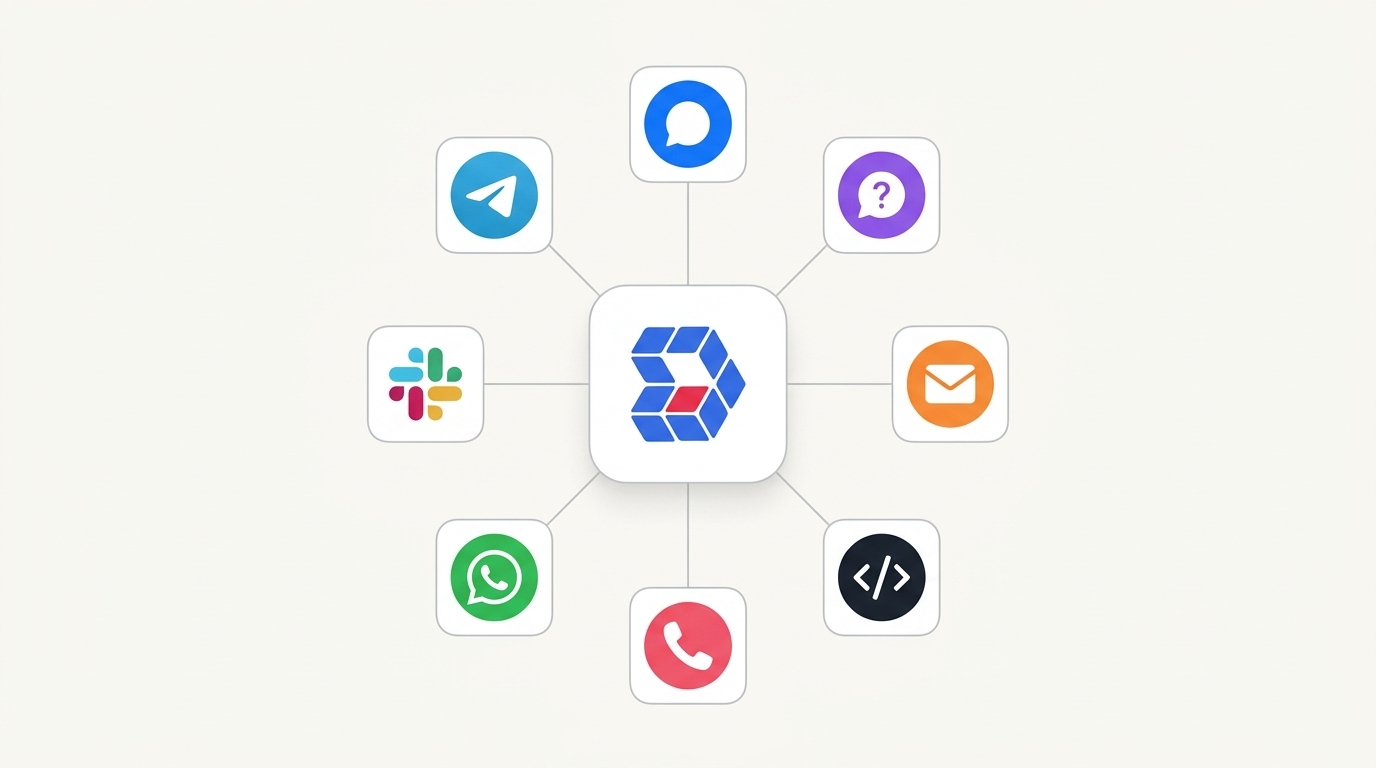
Channels
Each one is a switch in the same dashboard. Turn on what you need - the knowledge base does not change.
A floating bubble on any page, or an inline frame that sits inside your layout.
Every channel writes into the same chat logs, and any conversation the AI cannot finish hands off to your team. See how Helpdesk works



Embed Denser on your website, or deploy it to WordPress, Slack, WhatsApp, Telegram, and Shopify, so every cited answer reaches customers wherever they already are. No code required.
Denser Chat has been a game changer for us. It intelligently handles many of our customers' frequently asked questions, reducing customer support tickets by approximately 50%. This has freed up our marketing team to focus on more meaningful, high-value work.
Questions
Yes. Denser's Free plan trains one chatbot on your website content, with 20 queries / month and 100 pages or 50 MB / bot: enough to test it on a low-traffic site. You can also try the free website chatbot tool with your own URL before you sign up.
Denser is free to start. Paid plans are $39 (Starter), $119 (Standard), $399 (Business), $899 (Enterprise) a month, and yearly billing saves 20%. You are not charged per answer or per resolution.
Paste your site URL so Denser can crawl and index it, test the answers in the dashboard, then copy one embed snippet into your site. It works with WordPress, Shopify, Wix, Squarespace, Webflow, or any HTML page, with no code required.
Your website pages, plus PDFs, Word and PowerPoint files, and plain text. Denser crawls your site automatically and combines every source into one knowledge base.
Denser uses retrieval-augmented generation (RAG): it finds the relevant passage in your own content first, then answers from it and links the citation. If the answer is not in your content, it says so instead of guessing.
Yes. Turn on the lead form to collect a visitor's name, email, and any custom fields mid-conversation, then export them or sync them to your CRM.
Yes. Actions let it book a meeting on your Cal.com calendar inside the chat, call your own API to answer from live data, post requests to a Slack channel, hand the chat to your team, and run Shopify orders. You set when each action runs and test it in a test chat before visitors see it.
Customize the widget's name, logo, colors, and greeting in the dashboard so the chatbot looks like a natural part of your site.
A single Denser chatbot indexes hundreds of thousands of pages and up to 50GB of content, with three-layer retrieval that stays accurate at that scale.
Website chat as a bubble or an inline frame, a hosted help page, your support email, a phone number, and the REST API. It also installs on WordPress, Shopify, Slack, Telegram, and WhatsApp. All of them answer from the same knowledge base.
No. The website widget is one snippet you paste once, and WordPress has a plugin that needs no code at all. The API and the phone channel are the two that expect a developer.
Yes. Denser hosts it by default, and generates the rewrite rules for your host - Next.js, Netlify, and others - so it can be served at your own URL instead.
You forward a support address to the address Denser gives you. Incoming mail is answered from your knowledge base, with your sender name, signature, and disclaimer on the reply.
Yes, through Twilio or Vapi. On Twilio you point the number's incoming-call webhook at your chatbot and keep the number on your own account. On Vapi you paste Denser's endpoint into your assistant, then buy a number there or bring your own over SIP. Either way the provider runs the call, Denser supplies the answers, and every call appears in your chat logs.
Point Denser at your website, docs, and PDFs. It answers in minutes, every reply cited to its exact source.
No code. Free to start. Cancel anytime.