
8 Best AI Document Reader Tools in 2026 (Tested)

Reading a 50-page contract shouldn't take your entire afternoon. Neither should pulling specific data points from a research paper or summarizing quarterly financial reports for your team.
An AI document reader does the heavy lifting for you. Upload your files, ask questions in plain English, and get answers with citations pointing to the exact page and paragraph. Whether you need a document reader AI for legal contracts or a PDF AI tool for research papers, the right tool eliminates hours of manual reading.
We tested 8 AI document reader tools across different document types, from legal contracts and academic papers to business reports and technical manuals. If you're looking for a broader roundup, check our best AI PDF reader guide. Here's how they compare on accuracy, speed, and real-world usefulness.
Quick Comparison#
| Tool | Best For | Free Tier | Formats | Multi-Doc | Price |
|---|---|---|---|---|---|
| Google NotebookLM | Research and study | Yes (generous) | PDF, Docs, URLs | Yes (50 sources) | Free |
| Adobe Acrobat AI | Existing PDF workflows | Limited | PDF only | Yes (100 files) | $22.99/mo |
| Claude | Long, complex documents | Yes (limited) | PDF, text, code | Yes | $20/mo |
| ChatGPT | General document tasks | Yes (limited) | PDF, Word, Excel | Yes | $20/mo |
| Denser | Business knowledge bases | Yes (100 pages) | PDF, Word, Excel, PPT | Yes | $23.99/mo |
| Unriddle | Academic papers | Yes (limited) | Yes | $16/mo | |
| DocAnalyzer | Multi-model flexibility | Yes (basic) | PDF, DOCX, images | Yes | $9.99/mo |
| AskYourPDF | Budget-friendly option | Yes (limited) | Yes | $11.99/mo |
1. Google NotebookLM#
Best for: Students, researchers, and anyone who needs to synthesize information across multiple sources
Google NotebookLM stands out as a free AI document reader that handles up to 50 sources per notebook, including PDFs, Google Docs, web pages, and YouTube videos.
What makes it different from other tools is the Audio Overview feature, which generates podcast-style conversations about your documents. This is useful for reviewing material while commuting or doing other tasks.
Key strengths:
- Upload up to 50 sources per notebook (PDFs, Docs, URLs, YouTube)
- Audio Overview creates podcast-style summaries
- Inline citations link every answer to specific source passages
- Completely free with a Google account
Limitations:
- No OCR for scanned documents
- Cannot process spreadsheets or PowerPoint files
- Limited export options
Pricing: Free (NotebookLM Plus available for teams)
2. Adobe Acrobat AI Assistant#
Best for: Professionals already using Adobe Acrobat for PDF management
Adobe Acrobat AI Assistant is built directly into Acrobat, so there's no need to upload documents to a separate platform. If you already pay for Acrobat, the AI features integrate with your existing workflow.
The February 2025 update added Contract Intelligence, which auto-detects contracts and surfaces key terms like payment schedules, termination clauses, and renewal dates. You can also compare up to 10 document versions side by side to spot changes.
Key strengths:
- Native integration with Acrobat's editing, signing, and annotation tools
- Contract Intelligence flags key clauses automatically
- Compare up to 10 document versions
- Strong OCR for scanned documents
Limitations:
- PDF-only format support
- Expensive if you don't already use Acrobat
- AI features require the Pro plan
Pricing: $22.99/month (Acrobat Pro with AI Assistant)
3. Claude#
Best for: Long, complex documents that need deep analysis
Claude handles documents up to 200,000 tokens, roughly 500 pages of text. This makes it the strongest option for reading entire books, lengthy legal filings, or comprehensive technical manuals in a single conversation.
Where Claude excels is in reasoning. Ask it to compare clauses across different sections of a contract, identify inconsistencies in a research methodology, or explain the implications of a specific finding, and it provides thoughtful, nuanced answers.
Key strengths:
- 200K token context window (largest among general-purpose AI tools)
- Strong reasoning for complex analysis tasks
- Projects feature lets you organize documents by topic
- Handles code, text, and data files
Limitations:
- No built-in OCR for scanned documents
- Free tier has limited uploads
- No dedicated document viewer
Pricing: Free tier available; Pro at $20/month
4. ChatGPT#
Best for: General-purpose document reading and everyday tasks
ChatGPT is the most widely used AI tool for a reason. It handles PDFs, Word documents, Excel spreadsheets, and images. The GPT-5 model provides solid accuracy for most document reading tasks, from summarizing reports to extracting specific data points.
For teams already using OpenAI's ecosystem, ChatGPT integrates with the API for automated document processing. The interface is familiar and straightforward, which reduces the learning curve for new users.
Key strengths:
- Broad file format support (PDF, Word, Excel, images)
- Large user community and extensive documentation
- GPT-5 model provides strong general-purpose analysis
- Custom GPTs for specialized document workflows
Limitations:
- Answers sometimes lack source citations
- Free tier has restricted uploads
- Can struggle with very long documents
Pricing: Free tier available; Plus at $20/month
5. Denser#
Best for: Teams building searchable knowledge bases from business documents
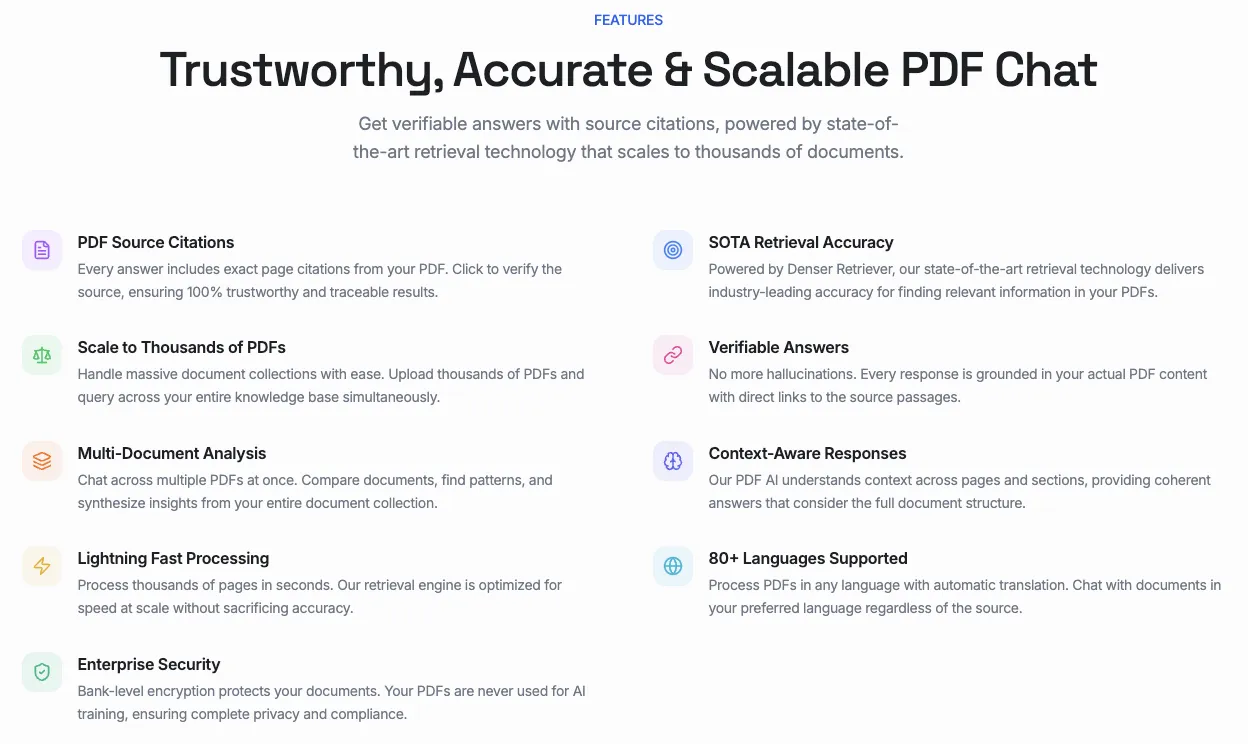
Denser takes a different approach to document reading. Instead of one-off conversations, it builds a persistent knowledge base chatbot from your documents using its chat with PDF platform. Upload contracts, product manuals, HR policies, or support docs, and the AI creates a searchable resource your entire team can query.
The standout feature is visual source highlighting. When you ask a question, Denser shows the exact passage in the original document where it found the answer. This transparency matters for legal review, compliance checks, and any scenario where you need to verify the AI's response.
Denser uses retrieval-augmented generation combined with semantic search to pull the most relevant passages before generating an answer. This reduces hallucination and keeps responses grounded in your actual documents.
Key strengths:
- Visual source highlighting shows exact passages
- Supports PDF, Word, Excel, and PowerPoint
- 80+ language support for multilingual teams
- Persistent knowledge base that your team can search
- Website widget for customer-facing document Q&A
Limitations:
- Free tier limited to 100 pages
- Smaller model selection compared to multi-model platforms
- Best suited for knowledge base use cases
Pricing: Free tier (100 pages); Starter at $23.99/month
6. Unriddle#
Best for: Academics and researchers working with scientific papers
Unriddle is purpose-built for academic research. It maps concepts across papers, generates literature review summaries, and links related findings from different sources. If you regularly read academic papers, this tool understands the structure of research articles better than general-purpose AI.
The concept mapping feature creates visual connections between ideas in your documents, helping you spot patterns and gaps in the literature that might take hours to find manually.
Key strengths:
- Understands academic paper structure (abstract, methods, results)
- Concept mapping visualizes connections across papers
- Auto-generates citation-ready summaries
- Designed specifically for research workflows
Limitations:
- Limited to academic/research use cases
- Free tier is restrictive
- No support for non-PDF formats
Pricing: Free tier available; Pro at $16/month
7. DocAnalyzer#
Best for: Users who want to switch between AI models on the same document
DocAnalyzer lets you choose from 25+ AI models, including Claude, GPT-5, Gemini, and DeepSeek, and switch between them mid-conversation without losing context. This flexibility matters when you want to cross-check answers or use different models for different tasks.
For example, you might use Claude for deep contract analysis, then switch to GPT-5 for summarization, all within the same document session.
Key strengths:
- 25+ AI models available (Claude, GPT-5, Gemini, DeepSeek)
- Switch models mid-conversation without losing context
- Supports PDF, DOCX, and image files
- Smart agent pipeline for complex workflows
Limitations:
- Interface can feel overwhelming for new users
- Quality depends on which model you select
- Smaller company with less community support
Pricing: Free tier; Pro at $9.99/month
8. AskYourPDF#
Best for: Budget-conscious users who need solid PDF reading
AskYourPDF is a straightforward AI tool for PDF reading that does the basics well. Upload a PDF, ask questions, and get answers with page references. The Knowledge Base feature lets you upload multiple documents and query across them as a collection.
The Chrome extension adds convenience. Right-click any PDF you find online and start chatting with it directly in your browser, without downloading or uploading files separately.
Key strengths:
- Chrome extension for instant PDF chat from any webpage
- Knowledge Base for multi-document queries
- Affordable pricing for individual users
- Simple, focused interface
Limitations:
- PDF-only format support
- OCR quality varies with scanned documents
- Free tier is limited
Pricing: Free tier available; Pro at $11.99/month
Feature Comparison#
| Feature | NotebookLM | Acrobat AI | Claude | ChatGPT | Denser | Unriddle | DocAnalyzer | AskYourPDF |
|---|---|---|---|---|---|---|---|---|
| PDF Support | Yes | Yes | Yes | Yes | Yes | Yes | Yes | Yes |
| Word/Excel | No | No | Yes | Yes | Yes | No | Yes | No |
| OCR (Scanned) | No | Yes | No | Yes | Yes | No | Yes | Limited |
| Source Citations | Yes | Yes | Partial | Partial | Yes | Yes | Varies | Yes |
| Multi-Doc | 50 sources | 100 files | Projects | Yes | Yes | Yes | Yes | Yes |
| API Access | No | Yes | Yes | Yes | Yes | No | No | Yes |
| Team Features | Plus plan | Enterprise | Teams | Teams | Yes | No | No | No |
| Free Tier | Generous | Limited | Limited | Limited | 100 pages | Limited | Basic | Limited |
How to Choose the Right AI Document Reader#
The best tool depends on what documents you work with and how you use the outputs.
Choose Google NotebookLM if you're a student or researcher who needs to synthesize information across many sources. The free tier is generous, and Audio Overviews are genuinely useful for review.
Choose Adobe Acrobat AI if you already use Acrobat and want AI features without switching platforms. Contract Intelligence is strong for legal and procurement teams.
Choose Claude if you work with very long documents (100+ pages) or need deep reasoning about complex content. The 200K context window is unmatched.
Choose ChatGPT if you want an all-rounder that handles various file types and integrates with the broader OpenAI ecosystem. Looking for ChatPDF alternatives? ChatGPT is one of the strongest options.
Choose Denser if you want to build a persistent, searchable knowledge base from your business documents, especially for team or customer-facing use. Learn more about how to chat with PDF documents using RAG-powered search.
Choose Unriddle if you're in academia and need tools that understand research paper structure and can map concepts across literature.
Choose DocAnalyzer if you want the flexibility to test different AI models on the same document without committing to one provider.
Choose AskYourPDF if you want a simple, affordable tool focused on PDF reading with browser integration.
What to Look for in an AI Document Reader#
Before picking a tool, consider these factors:
Format support. Some tools handle only PDFs, while others accept Word, Excel, PowerPoint, and images. If you work with mixed document types, narrow your list to tools that support all of them.
Accuracy and citations. The best AI document readers cite their sources, pointing you to the exact page, paragraph, or section. Tools that generate answers without citations are harder to trust for professional use. For a deeper look at how AI document analysis works, check our dedicated guide.
Context window. Longer documents need tools with larger context windows. Claude leads here with 200K tokens, while some tools cut off at 50-100 pages.
Team features. If multiple people need access to the same documents, look for shared workspaces, team plans, and permission controls. An AI PDF summarizer with team sharing can save hours across departments.
Privacy and security. Review each tool's data handling policies. Some process documents locally, while others send content to cloud servers. For sensitive documents, on-premise or SOC 2 certified options may be necessary.
Integration. Consider how the tool fits into your existing workflow. API access, browser extensions, and native integrations with tools you already use reduce friction.
Common Use Cases by Industry#
AI document readers speed up work across every field that deals with paperwork:
Legal teams use them to review contracts, flag risky clauses, and compare document versions. A legal chatbot or document review tool trained on your firm's documents can answer questions about precedents and policies instantly.
Healthcare organizations pull patient data, medication lists, and test results from medical records. A healthcare chatbot handles the extraction while clinicians focus on patient care.
Finance and accounting teams process invoices, audit reports, and compliance documents. A PDF AI document reader reduces manual data entry errors and speeds up month-end closing.
Research and education benefit from cross-document synthesis, literature reviews, and concept mapping. Students can chat with their study materials and get instant explanations with page references.
Government agencies manage permits, policy documents, and citizen requests. Document AI tools reduce processing times and make public records more accessible.
For a broader comparison of free AI PDF tools available today, we've tested the top options side by side.
FAQs About AI Document Readers#
What is an AI document reader?#
An AI document reader is software that uses natural language processing and machine learning to understand, search, and answer questions about your documents. Unlike traditional PDF viewers, these tools let you ask questions in plain English and get answers with citations pointing to specific passages.
Can AI document readers handle scanned documents?#
Some can. Adobe Acrobat AI, ChatGPT, and Denser include OCR (optical character recognition) that converts scanned pages into searchable text. Tools like NotebookLM and Claude currently require documents with selectable text.
Are AI document readers safe for confidential files?#
Security varies by tool. Adobe Acrobat and Denser offer enterprise-grade security with data encryption and compliance certifications. Free tools like NotebookLM process documents on Google's servers. Always review a tool's privacy policy before uploading sensitive documents.
How accurate are AI document readers?#
Tools that use retrieval-augmented generation (RAG), like Denser and NotebookLM, tend to be more accurate because they retrieve relevant passages before generating answers. This grounds responses in your actual documents rather than the AI's general knowledge, reducing hallucination risk. For the most accurate results, look for tools with best AI PDF reader capabilities that include source citations.
Can an AI document reader and summarizer handle multiple file types?#
Most can. Tools like ChatGPT, Denser, and DocAnalyzer accept PDFs, Word documents, Excel files, and images. Specialized tools like AskYourPDF and Unriddle focus on PDFs only. Check the feature comparison table above for a full breakdown of format support by tool.
Can I use an AI document reader for free?#
Yes. Google NotebookLM offers the most generous free tier with up to 50 sources per notebook. ChatGPT, Claude, and AskYourPDF also have free tiers with usage limits. Denser offers a free plan with 100 pages of document processing.
Start Reading Smarter#
The right AI document reader depends on your specific needs. Students and researchers should start with NotebookLM. Legal and finance teams should evaluate Adobe Acrobat AI or Claude. And businesses building document-powered knowledge bases should try Denser, which offers a free trial to test with your own documents.
Every tool on this list offers a free tier or trial. Pick the one that matches your document types and workflow, upload a few files, and see how much time you save in the first week.