
10 Best Internal Knowledge Base Tools in 2026 (AI-Powered & Compared)

TL;DR — Our Top 3 Picks
- Denser.ai — Best overall AI knowledge base. RAG-powered, trains on your company data, and delivers citation-backed answers you can trust. Starts free; paid plans from $39/month. Try Denser.ai free →
- Guru — Best for enterprise teams that need a governed knowledge layer inside their existing workflow. From ~$15/user/month.
- Notion — Best all-in-one workspace for teams that want docs, wikis, and AI in one place. Business plan with AI from $20/user/month.
Quick verdict: If your primary goal is AI-powered internal knowledge retrieval with verifiable, citation-backed answers, Denser.ai is the strongest pick. It deploys as an internal knowledge base chatbot in minutes, connects to Slack and WhatsApp, and grounds every response in your actual source documents — eliminating the hallucination risk that plagues generic AI tools.
Why Internal Knowledge Base Tools Matter More Than Ever in 2026#
Your employees spend a staggering amount of time just looking for information. McKinsey research found that knowledge workers spend nearly 20% of their workweek — roughly one full day — searching for and gathering information. That's not a productivity hiccup; it's a systemic drain on output, morale, and revenue.
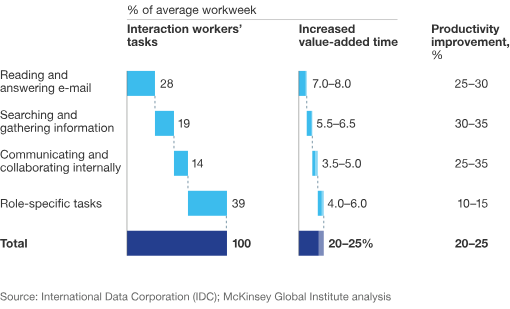
The problem compounds when tribal knowledge — the unwritten know-how that lives in the heads of senior employees — walks out the door when people leave. The tribal knowledge problem costs U.S. businesses an estimated $31.5 billion annually in lost productivity, rework, and onboarding friction.
An AI internal knowledge base solves this by capturing, organizing, and surfacing institutional knowledge the moment someone asks a question. Instead of digging through scattered Google Docs, Slack threads, and PDF folders, employees get instant, accurate answers grounded in real company data.
But not every tool labeled "knowledge base" is built for this. In 2026, the divide between AI-powered knowledge platforms and traditional wikis has never been wider. This guide compares the 10 best internal knowledge base tools on the market — their pricing, AI capabilities, limitations, and best-fit use cases — so you can choose with confidence.
If your goal is a customer-facing assistant rather than an employee knowledge system, use our AI chatbot solutions comparison to evaluate website deployment, citations, integrations, and human handoff.
How We Evaluated These Tools#
We assessed each platform across six criteria that matter most to teams deploying an internal knowledge base in 2026:
| Criterion | What We Looked For |
|---|---|
| AI capability depth | Does it use RAG, semantic search, or generative AI to answer questions from your own data? Or is AI bolted on as an afterthought? |
| Answer reliability | Does it cite sources? Can you verify where an answer came from? Is it grounded to prevent hallucinations? |
| Pricing transparency | Are costs published openly, or hidden behind a sales call? How does it scale with team size? |
| Ease of deployment | Can a non-technical person set it up in minutes, or does it require engineering resources? |
| Integrations | Does it connect to the tools your team already lives in — Slack, Teams, WhatsApp, CRMs? |
| Content management | Can it ingest documents, PDFs, web pages, and existing wikis? Does it flag outdated content? |
We prioritized tools that genuinely use AI for internal knowledge retrieval — not just storage. Pricing was verified against each vendor's public pricing page in June 2026, supplemented by third-party sources where vendors have moved to quote-based models.
Quick Comparison: 10 Best Internal Knowledge Base Tools#
| Tool | Best For | AI Features | Pricing | Standout Feature |
|---|---|---|---|---|
| Denser.ai | AI-powered answers from company data | RAG-based search, citation-backed responses, semantic search | Free; from $39/mo (per chatbot) | Source citations on every answer |
| Guru | Enterprise knowledge governance | AI agentic search, federated search, browser extension | ~$15/user/mo; Enterprise custom | In-workflow card delivery |
| Notion | All-in-one workspace teams | Notion AI (Business+), Enterprise Search, AI agents | Free; Plus $10/user/mo; Business $20/user/mo | Flexible block-based docs + AI |
| Confluence | Jira-aligned dev teams | Rovo AI assistant, Atlassian Intelligence | Free (10 users); Standard $5.42/user/mo; Premium $10.44/user/mo | Deep Jira integration |
| Slite | Self-maintaining team docs | Ask AI Q&A, Slite Agent, doc verification | Free; Standard $8/user/mo; Suite $20/user/mo | Auto-syncing docs with tools |
| Tettra | Slack-first knowledge | Kai AI bot answers in Slack, content verification | Free (10 users); Scaling $8/user/mo | Slack-native AI Q&A bot |
| Document360 | Customer-facing + internal docs | Eddy AI search, AI content generation, AI FAQ creation | Quote-based (~$149+/project/mo) | Dual public + private KBs |
| Bloomfire | Enterprise knowledge analytics | AI-powered search, AI Author Assist, content analytics | Sales-led (~$1,250+/mo) | Advanced knowledge gap analytics |
| Stack Overflow for Teams | Developer Q&A knowledge | AI Enhanced Search, Auto-Answer App | Free (50 users); Basic $6.50/seat/mo | Developer-familiar Q&A format |
| Nuclino | Fast, lightweight team wikis | Sidekick AI assistant, real-time collaboration | Free; Starter $6/user/mo; Business $10/user/mo | Blazing-fast, clutter-free UI |
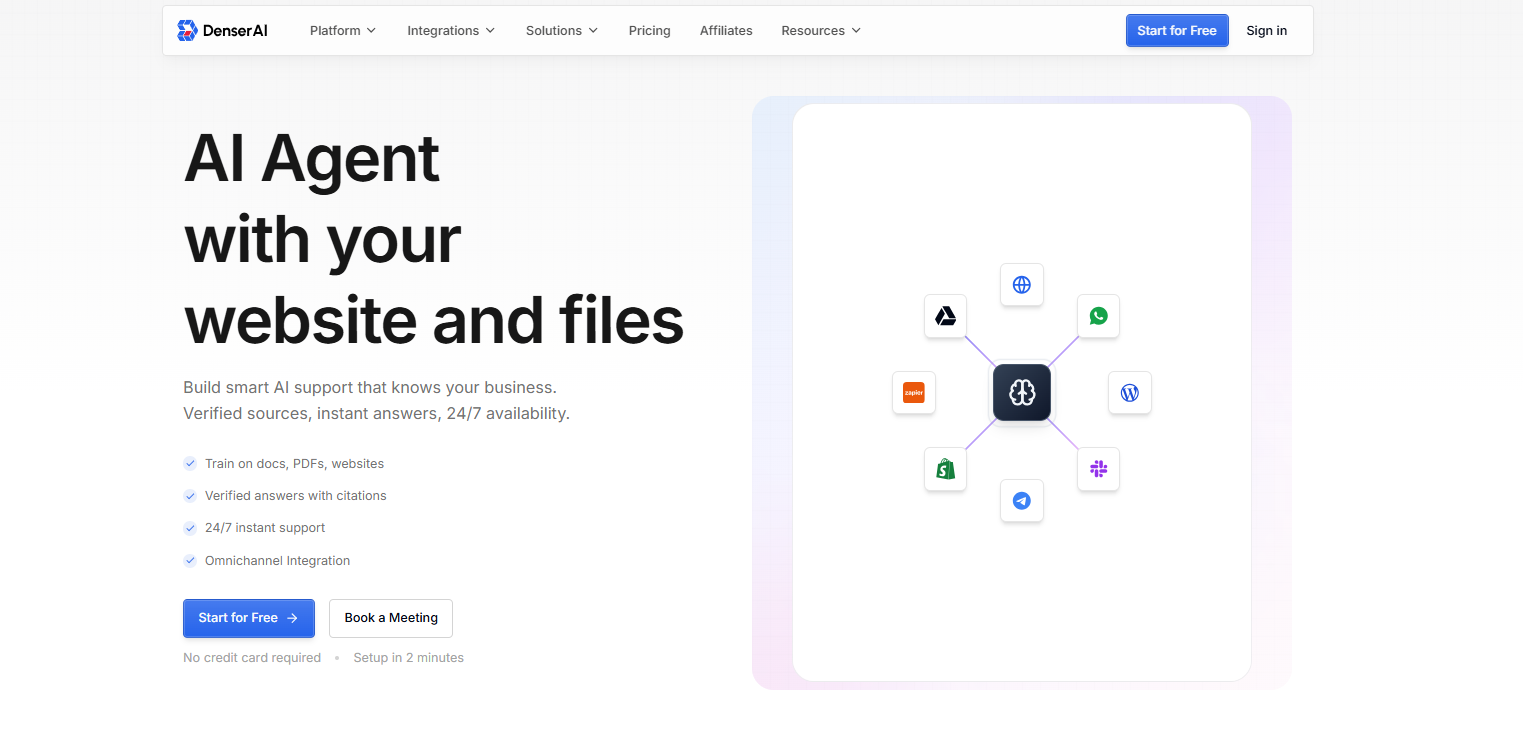
1. Denser.ai — Best AI Knowledge Base Overall#
Best for: Teams that want an AI-powered internal knowledge base with citation-backed answers and zero hallucination risk.
Pricing: Free plan (50 queries/month); Starter $39/month; Standard $119/month; Business $399/month; Enterprise custom. Priced per chatbot, not per user — a major cost advantage for larger teams.
Key Features#
- RAG-based search engine: Denser is built on retrieval-augmented generation (RAG), which means it retrieves relevant information from your company data before generating an answer — instead of relying on a generic model's training data.
- Source citations on every answer: Each response includes clickable source links so users can verify where the information came from. This is what makes Denser a trustworthy AI knowledge base rather than a chatbot that guesses.
- Train on company data: Upload PDFs, documents, web pages, wikis, and existing knowledge bases. Denser ingests your content and builds a searchable knowledge layer. Learn more about how to train AI on company data.
- No-code setup: Deploy a functional internal knowledge assistant in minutes without engineering support.
- Multi-channel deployment: Embed on your website, deploy internally, or integrate with Slack, WhatsApp, and Telegram.
- Denser Retriever semantic search: Uses semantic search to understand the meaning behind questions, not just keyword matches — so "How do I reset my password?" finds the right article even if it's titled "Credential Recovery Guide."
- 80+ language support: Serve global teams in their preferred language.
AI Capabilities#
Denser's AI is purpose-built for knowledge retrieval, not bolted on. The RAG architecture ensures answers are grounded in your actual documents, and the citation system provides a built-in audit trail. If Denser can't find a confident answer in your data, it says so — rather than fabricating one. This is the single biggest differentiator for teams concerned about AI hallucinations in sensitive internal documentation.
Limitations#
- Not a full document authoring platform — it excels at retrieval and answering, not at being your primary wiki editor.
- Best suited for teams that already have content to ingest rather than those starting from a blank slate.
Our Review#
Denser.ai is the standout AI knowledge base software in 2026 for one reason: it solves the trust problem that holds back AI adoption in the enterprise. Most AI tools generate confident answers; Denser generates verifiable answers with source citations. For internal teams that need to trust their knowledge base — compliance, HR, engineering, customer support — that distinction is everything. The per-chatbot pricing model is also remarkably cost-effective compared to per-seat tools like Guru or Notion, especially for organizations with 50+ employees. If you're looking for an AI company knowledge base that deploys fast, integrates with your chat tools, and won't hallucinate, Denser is the top choice.
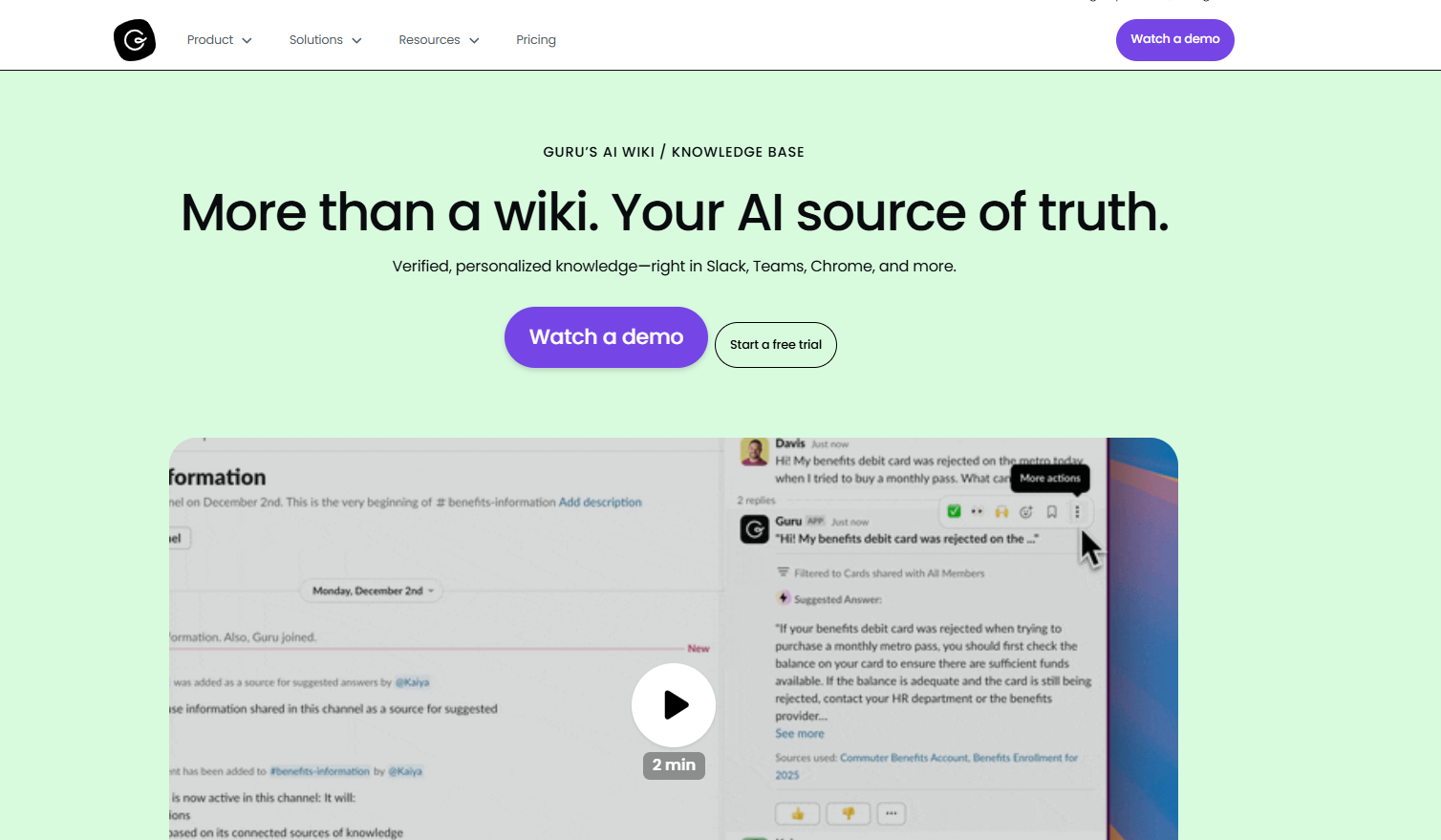
2. Guru — Best for Enterprise Knowledge Governance#
Best for: Large or heavily regulated organizations that need a governed, audit-ready knowledge layer with deep controls.
Pricing: Self-serve from ~$15/user/month (billed annually); Enterprise requires a custom quote. Note: Guru has moved toward a sales-led model, and published pricing varies across sources. Contact Guru for current rates.
Key Features#
- Card-based knowledge system: Information is structured as modular "cards" that surface inside Slack, Microsoft Teams, Chrome, and your CRM — so answers appear where work happens.
- Federated AI search: Guru's AI agentic search queries across your connected apps (Confluence, Google Drive, Notion, Zendesk, and more) to find answers regardless of where the content lives.
- Browser extension: Get answers without leaving your current tab — the extension reads the page context and surfaces relevant knowledge automatically.
- Verification workflows: Subject-matter experts verify cards, ensuring content stays accurate with expiration dates and verification reminders.
AI Capabilities#
Guru's AI capabilities center on "agentic search" — an AI that searches across your entire tool stack and synthesizes answers. It also detects stale content and prompts experts to review it. However, the actual answer-generation is more of a search-and-summarize model than the grounded, citation-first RAG approach that Denser uses.
Limitations#
- Pricing is opaque — you'll need a sales conversation for most plans.
- The card-based system requires ongoing curation to stay useful; if cards aren't maintained, the AI's answers degrade.
- 10-seat minimum on some plans means it's not ideal for very small teams.
Our Review#
Guru is the enterprise heavyweight of AI knowledge management tools. Its strength lies in governance: verification workflows, access controls, and deep integrations make it a strong fit for compliance-driven industries like healthcare, finance, and legal. The federated search is genuinely useful for teams whose knowledge is scattered across five different SaaS tools. The trade-off is complexity and cost — Guru requires organizational commitment to keep cards fresh, and the sales-led pricing makes it hard to evaluate without a demo. For teams that prioritize governance over speed-to-deploy, Guru delivers.
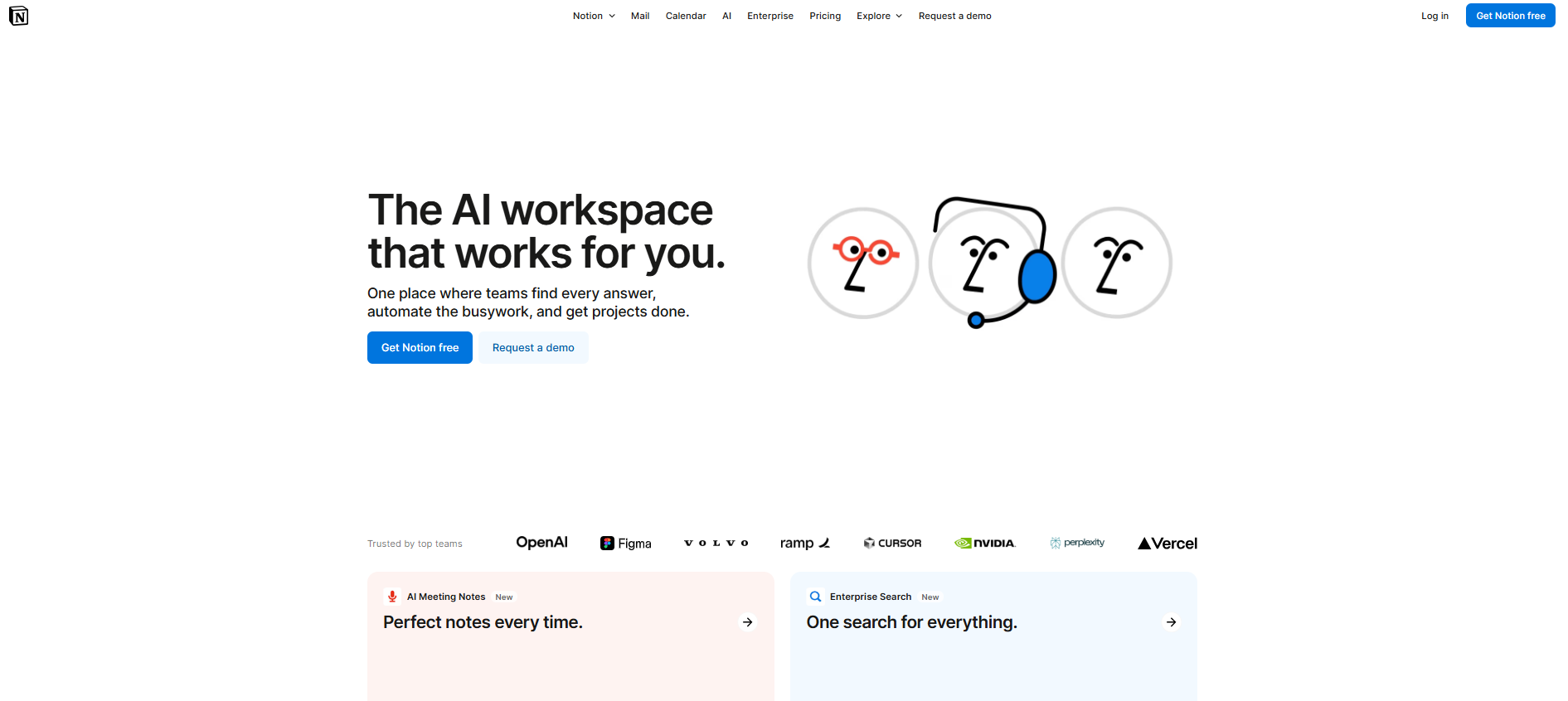
3. Notion — Best All-in-One Workspace#
Best for: Teams that want documents, wikis, project management, and AI in a single flexible workspace.
Pricing: Free; Plus $10/user/month; Business $20/user/month (annual); Enterprise custom. Notion AI is now included only in Business and Enterprise plans — it's no longer available as a standalone add-on for Free or Plus users as of May 2025.
Key Features#
- Block-based editor: Build pages, databases, wikis, and project boards using flexible, drag-and-drop blocks.
- Notion AI: Generate content, summarize pages, autofill databases, translate, and answer questions across your workspace (Business plan and above).
- Enterprise Search: AI-powered search that spans your entire Notion workspace and connected apps.
- AI agents: Automate repetitive workflows like meeting notes, data extraction, and status updates.
- Connections: Integrate with Google Drive, Slack, GitHub, and more.
AI Capabilities#
Notion AI has matured significantly. The Business plan includes AI content generation, AI-powered Q&A across your workspace, and AI agents that can automate multi-step tasks. Enterprise Search extends AI answers beyond Notion to connected tools. However, Notion's AI is a general-purpose assistant layered on top of a productivity tool — it's not purpose-built for the kind of grounded, citation-first knowledge retrieval that a RAG-based platform like Denser provides.
Limitations#
- AI requires the Business plan ($20/user/month) — a significant jump from the $10 Plus plan.
- Notion AI answers don't consistently cite specific source documents the way RAG-based tools do.
- The flexibility that makes Notion powerful also means it's easy to create a disorganized mess without deliberate structure.
Our Review#
Notion is the Swiss Army knife of team workspaces — and in 2026, its AI features are genuinely useful for teams already invested in the platform. If your company lives in Notion, the Business plan's AI is a natural upgrade. But if your primary need is an AI internal knowledge base that reliably retrieves and cites information from your documents, Notion's AI is more of a productivity assistant than a dedicated knowledge retrieval engine. It's the best all-in-one workspace; it's not the best dedicated AI knowledge base.
4. Confluence — Best for Jira-Aligned Development Teams#
Best for: Engineering and product teams already embedded in the Atlassian ecosystem (Jira, Bitbucket, Trello).
Pricing: Free (up to 10 users); Standard $5.42/user/month; Premium $10.44/user/month (annual); Enterprise custom. Atlassian raised cloud list pricing 5–10% in October 2025, so these figures reflect 2026 pricing.
Key Features#
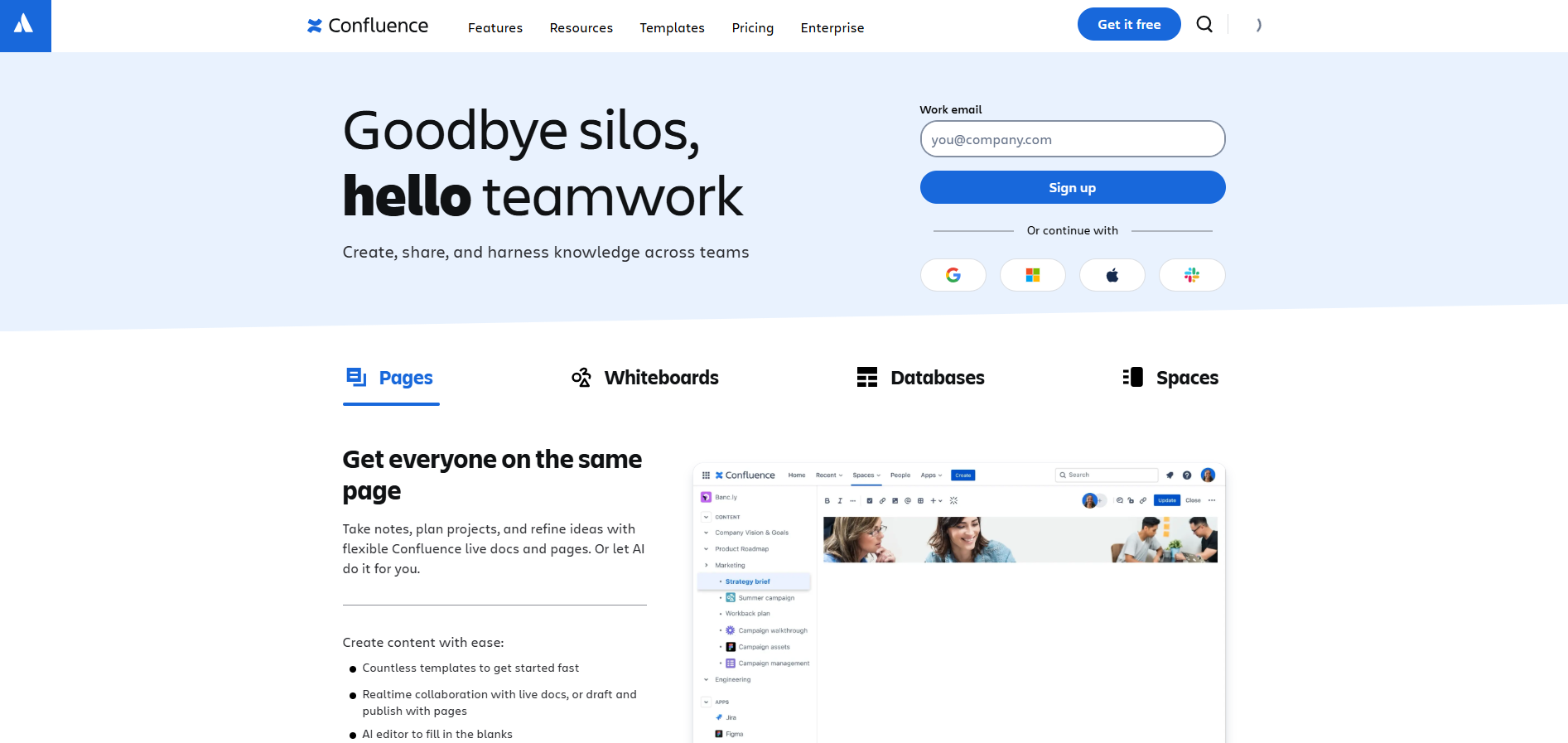
- Deep Jira integration: Link Confluence pages to Jira issues, embed roadmaps, and auto-generate release notes.
- Rovo AI: Atlassian's AI assistant that searches across Confluence, Jira, and third-party apps to answer questions and take action.
- Atlassian Intelligence: AI-powered content generation, summarization, and search within Confluence.
- Templates and blueprints: Pre-built templates for engineering docs, meeting notes, product requirements, and more.
- Granular permissions: Space-level and page-level access controls for sensitive documentation.
AI Capabilities#
Atlassian's "Rovo" AI is a cross-product search and action agent. It can search Confluence pages, Jira tickets, and connected third-party apps, then synthesize answers. It also supports creating custom AI agents for specific workflows. The AI is strongest within the Atlassian ecosystem — if your knowledge lives in Confluence and Jira, Rovo is powerful. Outside that ecosystem, its utility drops.
Limitations#
- Per-user pricing gets expensive at scale, especially with marketplace add-ons (which routinely add 30–50% on top of base costs).
- The interface can feel heavy and slow compared to newer, lighter tools.
- AI features are gated to Premium and Enterprise tiers.
Our Review#
Confluence remains the default choice for engineering teams that live in Jira. The Rovo AI integration is a meaningful upgrade that turns Confluence from a static wiki into a searchable knowledge layer. But Confluence's per-user pricing — amplified by Atlassian's annual price increases and the cost of marketplace apps — makes it an expensive proposition for large organizations. If you're already all-in on Atlassian, Confluence + Rovo is a solid choice. If you're starting fresh, consider whether the Atlassian lock-in is worth it.
5. Slite — Best for Self-Maintaining Team Documentation#
Best for: Teams that want documentation that stays current without manual upkeep.
Pricing: Free; Standard $8/user/month (billed annually); Knowledge Suite $20/user/month (minimum 10 users); Enterprise custom. AI features are capped at 30 answers/month per user on the Standard plan.
Key Features#
- Slite Agent: AI-powered search that finds answers across your docs and connected tools (Slack, Linear, Jira, etc.).
- Document verification: Flags outdated docs and prompts owners to review and update them.
- Ask AI: Natural language Q&A that searches your knowledge base and returns answers with source references.
- Workspace analytics: Track what's being searched, what's missing, and which docs are stale.
- SOC 2 compliance: Enterprise-grade security certification.
AI Capabilities#
Slite positions itself as a "self-maintaining AI knowledge base." Its AI doesn't just answer questions — it actively identifies content gaps and stale documents, then prompts the right people to fix them. The Slite Agent extends search beyond Slite into your connected tools, making it a lightweight federated search option. The AI usage caps on the Standard plan (30 Q&A answers/month per user) are a notable limitation for power users.
Limitations#
- AI answer caps on the Standard plan (30/month) may be too restrictive for active teams.
- The Knowledge Suite ($20/user/month with a 10-user minimum) is required for unlimited AI and deeper integrations.
- Less customizable than Notion or Confluence for complex content structures.
Our Review#
Slite carves out a smart niche: the knowledge base that maintains itself. The combination of AI Q&A and automated stale-content detection is exactly what most teams need but rarely get from traditional wikis. If your biggest pain point is "our docs are always out of date," Slite addresses that head-on. Just be aware of the AI usage caps on the entry-level plan, and budget for the Knowledge Suite if you need unlimited AI queries.
6. Tettra — Best for Slack-First Knowledge Management#
Best for: Teams that run their entire communication through Slack and want AI answers without leaving the channel.
Pricing: Free (up to 10 users); Scaling $8/user/month ($6.40/user/month billed annually); Professional custom pricing.
Key Features#
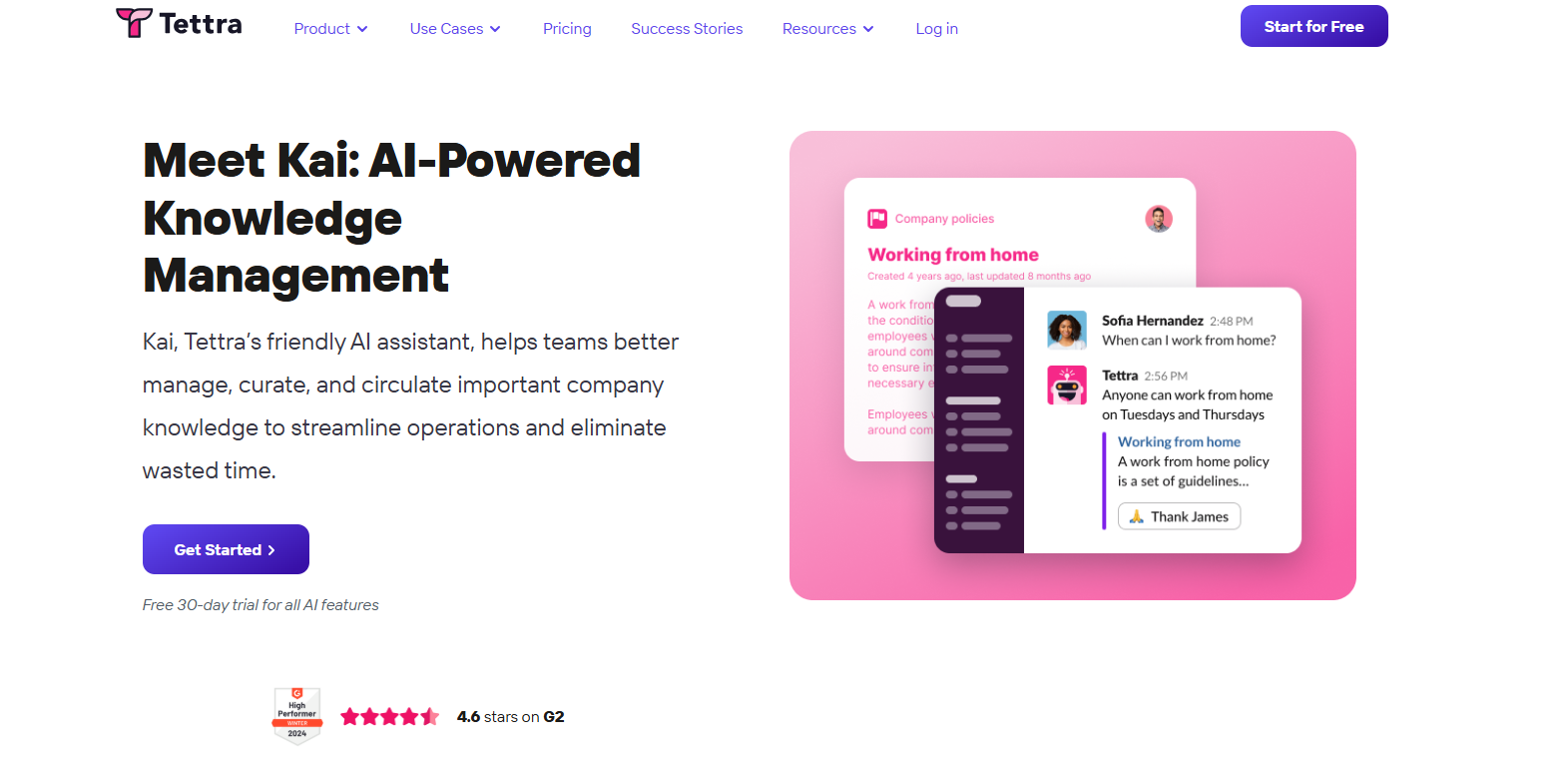
- Kai AI bot: An AI assistant that lives in Slack and Tettra, answering team questions from your knowledge base in real time.
- Content verification: Mark docs as verified, with expiration dates to flag when content needs review.
- Slack integration: Ask questions in any Slack channel or DM and get instant AI answers sourced from your Tettra docs.
- Google Docs and Notion import: Pull existing content from other platforms to build your knowledge base quickly.
- Simple editor: A clean, distraction-free editor that lowers the barrier to documentation.
AI Capabilities#
Tettra's AI bot "Kai" is the centerpiece. It works inside Slack — where most teams already spend their day — to answer repetitive questions automatically. When someone asks "How do I set up the staging environment?" in a Slack channel, Kai searches your Tettra knowledge base and responds with an answer and a link to the source document. This directly reduces the "Slack interruptions" that drain senior employees' time.
Limitations#
- The AI is most valuable if your team is Slack-centric; Teams-only shops get less benefit.
- Free plan is limited to 10 users and lacks AI features.
- Less feature-rich than Notion or Confluence for complex documentation needs.
Our Review#
Tettra solves a specific, high-value problem: answering the same questions in Slack over and over again. If your team's knowledge culture lives in Slack threads and DMs, Kai is a game-changer that turns those ephemeral conversations into a searchable, AI-powered knowledge base. It's lighter and more focused than Guru or Confluence, which is a feature, not a bug, for teams that want simplicity. The pricing is competitive, too. For Slack-first organizations, Tettra is a strong pick.
7. Document360 — Best for Dual Public and Private Knowledge Bases#
Best for: SaaS companies and teams that need both a customer-facing help center and an internal knowledge base from the same platform.
Pricing: Quote-based. Document360 moved to fully opaque, sales-led pricing in late 2024 and discontinued its free plan. Historical pricing was approximately $149/project/month (Professional), $299/project/month (Business), and $599/project/month (Enterprise). Priced per project, not per user. The AI Suite is an additional add-on.
Key Features#
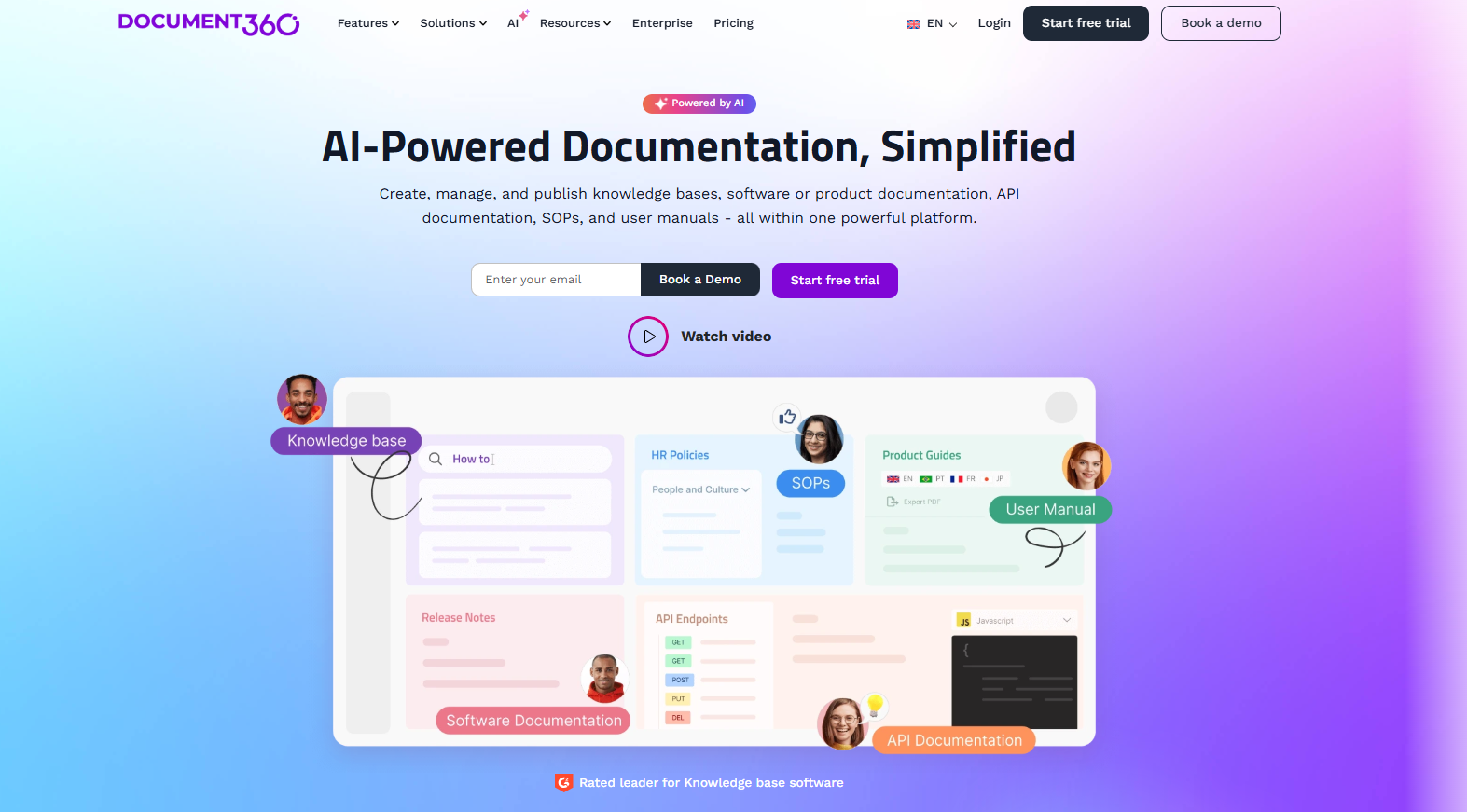
- Eddy AI: An AI-powered search assistant that answers questions from your knowledge base content.
- Dual knowledge bases: Run a public customer-facing help center and a private internal wiki from the same platform.
- AI content generation: AI Writer Suite helps create FAQs, article titles, related-article suggestions, and content improvements.
- Version control and approval workflows: Manage content lifecycle with drafts, reviews, and publishing workflows.
- Custom branding and CSS: Fully white-label your knowledge base with custom domains, themes, and JavaScript.
- API access: Serve real-time answers from your KB via API in higher tiers.
AI Capabilities#
Document360's AI spans both search (Eddy AI) and content creation (AI Writer Suite). Eddy AI provides conversational answers from your KB content, while the AI Writer assists with generating and improving articles. The AI Suite is sold as an add-on on top of your base plan, which means the real cost of AI features is higher than the headline plan price.
Limitations#
- No free plan and no published pricing — you must contact sales for a quote.
- Per-project pricing means a second knowledge base (e.g., one internal and one external) doubles your cost.
- AI Suite is an additional cost on top of the base plan.
Our Review#
Document360 is a well-built platform that shines for organizations managing both customer-facing and internal documentation. The approval workflows, version control, and custom branding make it a strong choice for SaaS companies with a dedicated content team. However, the shift to fully quote-based pricing and the AI Suite add-on make it harder to evaluate cost without a sales conversation. If you need a polished, dual-purpose knowledge base and don't mind a sales-led buying process, Document360 is worth a look.
8. Bloomfire — Best for Enterprise Knowledge Analytics#
Best for: Large enterprises that need deep analytics on how knowledge is used, searched, and shared across departments.
Pricing: Sales-led with no published pricing. Third-party estimates place Bloomfire at approximately $1,250+/month with a 50-user minimum. Annual costs typically range from $12,000 to $48,000, with enterprise deployments exceeding $75,000. Contact Bloomfire for a custom quote.
Key Features#
- AI-powered search and discovery: Semantic search that finds answers across all content formats (documents, videos, images, Q&A).
- AI Author Assist: AI helps content creators write, tag, and categorize knowledge articles.
- Advanced analytics: Track search queries with no results, identify knowledge gaps, measure content engagement, and monitor adoption by team or individual.
- Multi-format support: Upload and search across documents, videos, images, and structured Q&A.
- Enterprise integrations: Connects with Salesforce, Zendesk, Slack, Microsoft Teams, and more.
- Granular permissions: Group-based and role-based access controls for departmental knowledge silos.
AI Capabilities#
Bloomfire's AI is focused on search quality and content analytics rather than generative answer delivery. The AI-powered search understands natural language queries and surfaces relevant content across all formats. The analytics engine is Bloomfire's true differentiator — it tells you not just what people are finding, but what they're failing to find, which is invaluable for knowledge managers trying to close content gaps.
Limitations#
- No public pricing and a 50-user minimum make it inaccessible for small teams.
- Implementation and data migration fees can push total costs significantly higher.
- The AI is search-centric; it doesn't deliver the kind of conversational, citation-backed answers that RAG-based tools provide.
Our Review#
Bloomfire is the analytics-first enterprise knowledge platform. If your organization has a dedicated knowledge management function and needs to measure, report on, and optimize how knowledge flows across departments, Bloomfire's analytics are best-in-class. The trade-off is cost and complexity — this is an enterprise tool with enterprise pricing and a sales-led buying process. For most small to mid-size teams, Bloomfire is overkill. For large organizations that treat knowledge as a measurable asset, it's a serious contender.
9. Stack Overflow for Teams (Stack Internal) — Best for Developer Q&A Knowledge#
Best for: Engineering teams that want a familiar Q&A-style knowledge base modeled on the Stack Overflow experience.
Pricing: Free (up to 50 users); Basic $6.50/seat/month (up to 250 seats); Business (unlimited seats, contact sales); Enterprise custom. Now branded as "Stack Internal."
Key Features#
- Q&A format: Questions and answers with upvoting, accepted answers, and tagging — a format developers already know and trust.
- AI Enhanced Search: AI-powered search that finds relevant answers across your team's Q&A content.
- Auto-Answer App: When someone asks a question, AI automatically surfaces existing answers to reduce duplicates.
- Content Health: Flags outdated or low-quality content for review.
- Collections and Articles: Organize related Q&A into structured collections and long-form articles.
- Slack and Teams integration: Search and share knowledge directly from chat tools.
- MCP Server: Use natural language prompts to search and create content (Enterprise add-on).
AI Capabilities#
Stack Internal's AI focuses on search enhancement and duplicate prevention. The Auto-Answer App is particularly useful in developer communities where the same questions recur — AI identifies existing answers before a new question is even posted. The AI Enhanced Search understands natural language and surfaces relevant Q&A threads. However, Stack Internal's AI is search-and-retrieval oriented within a Q&A structure, not a generative RAG system that synthesizes new answers from documents.
Limitations#
- The Q&A format works great for technical knowledge but is less natural for policy docs, onboarding guides, and procedural content.
- AI features (Enhanced Search, Auto-Answer) are gated to Business and Enterprise plans.
- Business plan pricing requires a sales conversation.
Our Review#
Stack Overflow for Teams — now Stack Internal — is the natural choice for engineering organizations that already rely on the Q&A model. The familiar interface drives adoption because developers don't need to learn a new tool. The AI features, particularly Auto-Answer, genuinely reduce duplicate questions and surface existing knowledge. For non-technical teams or organizations that need a more flexible documentation format, the Q&A structure can feel limiting. But for dev teams, Stack Internal hits the sweet spot of familiarity and AI-enhanced search.
10. Nuclino — Best for Fast, Lightweight Team Wikis#
Best for: Small to mid-size teams that want a blazing-fast, clutter-free knowledge base with light AI assistance.
Pricing: Free (up to 50 items, 2GB storage); Starter $6/user/month; Business $10/user/month (includes Sidekick AI). Yearly billing saves up to 25%.
Key Features#
- Sidekick AI: An AI assistant (Business plan) that helps write, edit, summarize, and answer questions from your Nuclino workspace.
- Real-time collaboration: Multiple people can edit the same document simultaneously with live cursors.
- Multiple views: Switch between list, board, table, and graph views of your content.
- Canvases: Built-in whiteboards for visual brainstorming and diagramming.
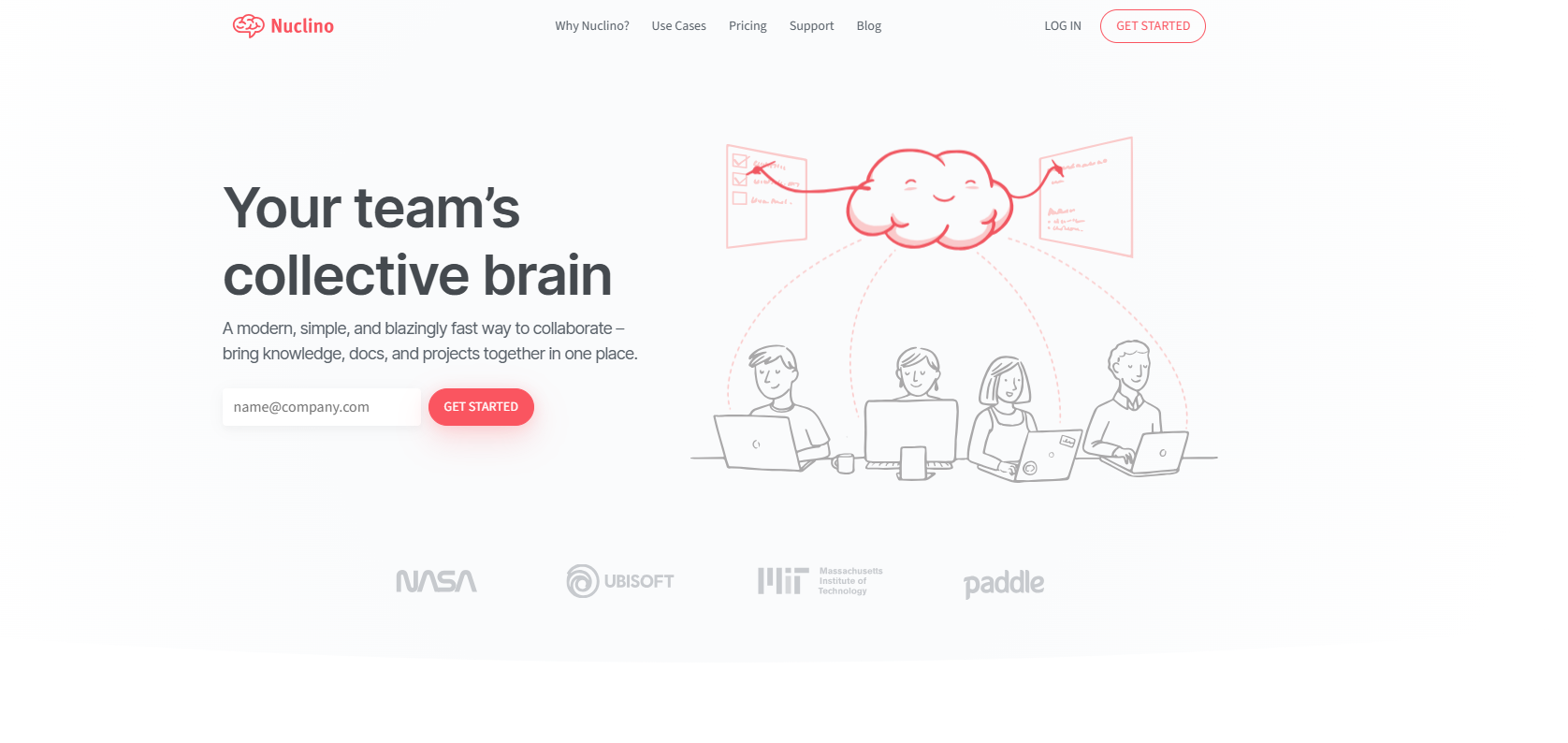
- Blazing-fast performance: Nuclino is consistently praised for speed — pages load instantly.
- Clean, minimal interface: No clutter, no complex configuration — just a fast, intuitive editor.
AI Capabilities#
Nuclino's Sidekick AI (available on the Business plan at $10/user/month) provides writing assistance, content summarization, and Q&A within your workspace. It's a lighter AI implementation compared to Denser's RAG-based retrieval or Guru's federated search, but it's well-suited for teams that need occasional AI help rather than a full AI knowledge retrieval engine.
Limitations#
- AI is limited to the Business plan and is relatively basic compared to purpose-built AI knowledge platforms.
- No advanced workflow automation or approval processes.
- The free plan's 50-item limit is restrictive for any real team use.
Our Review#
Nuclino is the fastest, simplest knowledge base tool on this list. If your team values speed and simplicity over feature density, Nuclino delivers a delightful experience. The Sidekick AI on the Business plan is a nice addition for writing and search assistance, but teams with serious AI knowledge retrieval needs will find it too lightweight. Nuclino is best understood as a modern, collaborative wiki with AI as a helpful side feature — not as a primary AI knowledge base platform.
AI vs. Traditional Knowledge Base Tools: Why the Difference Matters#
If you're evaluating internal knowledge base tools in 2026, you'll encounter two fundamentally different categories. Understanding the difference is critical to choosing the right one.
Traditional Knowledge Base Tools#
Traditional tools — think classic wikis and documentation platforms — store content and make it findable through keyword search and manual navigation (folders, tags, categories). Examples include early versions of Confluence, basic Notion setups, and old-school intranets.
How they work: You write a document, tag it, file it in a folder, and hope someone searches for the right keyword to find it later.
The problem: Keyword search fails when people don't know the exact term to search for. It fails when content is scattered across multiple tools. And it fails when documents are long and the answer is buried on page 47.
AI-Powered Knowledge Base Tools#
AI-powered tools use natural language processing, semantic search, and RAG (retrieval-augmented generation) to understand the intent behind a question, find the relevant information across your connected content, and generate a direct, conversational answer — often with source citations.
How they work: You ask "What's our refund policy for enterprise clients?" in plain language. The AI understands the question, searches your documents semantically, retrieves the relevant section, and responds with a direct answer plus a link to the source document.
Key Differences at a Glance#
| Feature | Traditional KB | AI-Powered KB |
|---|---|---|
| Search type | Keyword matching | Semantic + natural language |
| Answer format | "Here are 10 documents that might help" | "Here's the answer, and here's where it came from" |
| Content discovery | Manual navigation | AI surfaces relevant content proactively |
| Cross-tool search | Rare | Common (federated search across apps) |
| Hallucination risk | N/A (no AI) | Low with RAG + citations; high without |
| Time to answer | Minutes to hours | Seconds |
| Maintenance burden | High (manual updates) | Lower (AI flags stale content) |
Why AI-Powered Wins in 2026#
The shift to AI-powered knowledge bases isn't a trend — it's a response to a real, measurable problem. When employees spend 20% of their week searching for information, the ROI of cutting that search time from 5 minutes to 5 seconds is immediate and quantifiable. AI-powered tools like Denser.ai deliver answers in seconds with source citations, while traditional tools leave employees reading through document after document hoping to find the right paragraph.
The key is choosing an AI tool that grounds answers in your real data with citations — not one that generates plausible-sounding but potentially fabricated responses. This is why RAG-based platforms are the gold standard for AI for internal knowledge retrieval.
How to Choose an Internal Knowledge Base Tool#
With 10 strong options on the table, here's a practical decision framework to help you narrow down:
1. Define Your Primary Use Case#
| If your primary need is... | Consider... |
|---|---|
| AI-powered answers with source citations | Denser.ai |
| Enterprise governance and compliance | Guru or Bloomfire |
| All-in-one docs + projects + AI | Notion |
| Developer Q&A and technical knowledge | Stack Overflow for Teams |
| Slack-native AI Q&A | Tettra |
| Self-maintaining documentation | Slite |
| Dual customer + internal KBs | Document360 |
| Fast, simple team wiki | Nuclino |
| Jira-integrated engineering docs | Confluence |
2. Evaluate AI Reliability#
Not all AI is created equal. Ask vendors:
- Does the AI cite its sources for every answer?
- Is it built on RAG, or is it a generic LLM wrapper?
- What happens when the AI can't find a confident answer? (The right answer: it says "I don't know," not it hallucinates.)
- Can users verify where answers come from?
3. Check Pricing Scalability#
Pricing models vary dramatically:
- Per chatbot (Denser.ai): Cost stays flat as your team grows — best for large teams.
- Per user (Notion, Guru, Confluence, Slite): Cost scales linearly with headcount.
- Per project (Document360): Each separate KB is a separate cost.
- Sales-led (Bloomfire, Guru Enterprise, Document360): No public pricing — budget for a negotiation.
For a 100-person team, per-user tools at $15-20/user/month cost $18,000-$24,000/year. A per-chatbot tool like Denser at $119-$399/month costs $1,428-$4,788/year — a 4-16x difference.
4. Assess Integration Needs#
Your knowledge base is only useful if people actually use it. Tools that deliver answers inside the apps your team already lives in (Slack, Teams, WhatsApp) drive dramatically higher adoption than tools that require employees to open yet another tab.
5. Consider Setup Complexity#
Some tools (Denser.ai, Nuclino, Notion) can be set up in minutes by a non-technical person. Others (Confluence, Bloomfire, Document360 Enterprise) may require IT involvement, implementation services, or weeks of configuration. Match the setup complexity to your team's resources.
Frequently Asked Questions#
What is an AI internal knowledge base?#
An AI internal knowledge base is a platform that uses artificial intelligence — specifically natural language processing, semantic search, and often retrieval-augmented generation (RAG) — to help employees find answers from company documentation by asking questions in plain language. Unlike a traditional wiki that relies on keyword search and manual navigation, an AI knowledge base understands the intent behind questions, retrieves relevant information from connected content sources, and delivers direct, conversational answers — often with source citations so users can verify accuracy. Tools like Denser.ai exemplify this approach by training on your company data and providing citation-backed responses for every answer.
What is the best AI knowledge base software in 2026?#
Denser.ai is the best AI knowledge base software in 2026 for most teams. It's built on RAG technology, trains on your company data (documents, PDFs, web content), provides citation-backed answers to eliminate hallucination risk, and deploys as an internal chatbot or website widget with integrations for Slack, WhatsApp, and Telegram. Its per-chatbot pricing model is also significantly more cost-effective than per-seat alternatives for growing teams. For enterprise governance needs, Guru is a strong alternative; for all-in-one workspace teams, Notion with AI is popular.
How much does an internal knowledge base tool cost?#
Internal knowledge base tool pricing ranges widely. Denser.ai offers a free plan and paid plans starting at $39/month (per chatbot, not per user). Per-user tools like Notion ($10-$20/user/month), Confluence ($5.42-$10.44/user/month), and Slite ($8-$20/user/month) scale with team size. Enterprise tools like Bloomfire ($12,000-$48,000+/year) and Document360 (quote-based, historically $149-$599/project/month) carry higher price tags. For teams of 50+ employees, per-chatbot pricing is typically 4-16x cheaper than per-seat pricing.
Can I train an AI on my company's internal data?#
Yes. AI knowledge base tools like Denser.ai let you train an AI assistant on your own company data — including PDFs, internal documents, web pages, wikis, and existing knowledge bases. The AI uses RAG (retrieval-augmented generation) to retrieve relevant information from your ingested content before generating an answer, ensuring responses are grounded in your actual data rather than a generic model's training data. This approach also enables source citations, so every answer links back to the specific document it came from.
What's the difference between AI-powered and traditional knowledge base tools?#
Traditional knowledge base tools rely on keyword search and manual navigation — you write documents, tag them, and search by exact terms. AI-powered knowledge base tools use semantic search and natural language processing to understand the intent behind questions, retrieve relevant content across connected sources, and generate direct conversational answers. The key advantage of AI-powered tools is that employees can ask questions in plain language and get instant, specific answers instead of being pointed to a list of potentially relevant documents. AI tools with RAG and citation features also provide verifiable, trustworthy answers — something traditional tools can't offer.
How do I choose the right internal knowledge base tool?#
Start by defining your primary use case: AI-powered answers with citations (Denser.ai), enterprise governance (Guru, Bloomfire), all-in-one workspace (Notion), developer Q&A (Stack Overflow for Teams), or Slack-native knowledge (Tettra). Then evaluate AI reliability (does it cite sources?), pricing scalability (per-user vs. per-chatbot vs. sales-led), integration with your existing tools (Slack, Teams, CRM), and setup complexity. For most teams seeking an AI-first knowledge base, tools built on RAG with citation features deliver the best combination of accuracy, trust, and value.
The Bottom Line#
The internal knowledge base landscape has fundamentally shifted. In 2026, the question is no longer "which wiki should we use?" — it's "which AI-powered knowledge platform will help our team find answers in seconds, not minutes?"
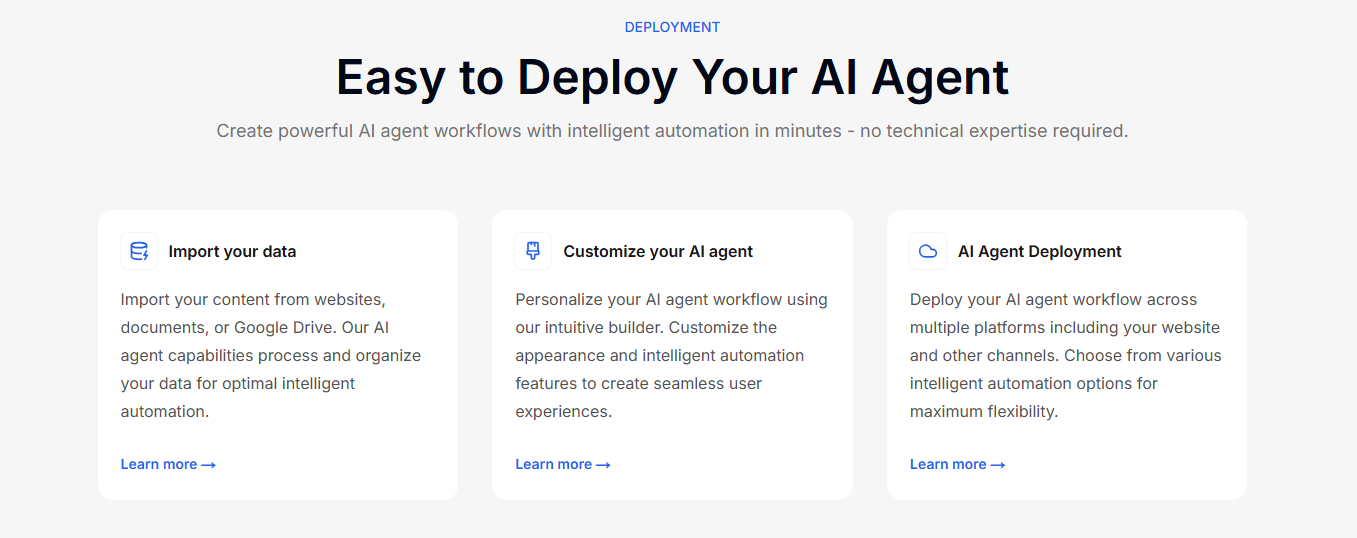
For most teams, the answer is clear: a RAG-based tool that grounds answers in your real company data and cites its sources will deliver the highest ROI, the lowest hallucination risk, and the fastest time-to-value. Denser.ai leads this category with its citation-backed AI answers, no-code setup, multi-channel deployment, and cost-effective per-chatbot pricing.
For enterprise teams with complex governance needs, Guru and Bloomfire remain strong options. For all-in-one workspace devotees, Notion with AI is a natural fit. And for developer-centric organizations, Stack Overflow for Teams delivers familiarity and utility.
Ready to deploy an AI knowledge base for your team? Try Denser.ai free → — set up takes minutes, no credit card required.