

ChatGPT API or a Chatbot Platform: Which Should You Choose?

Get access to the ChatGPT API and the same thought tends to surface: "That's it? Plug this in and our website chatbot is done?"
Reality is more complicated. The ChatGPT API handles text generation — but a production-ready website chatbot needs a full stack around it.
This article walks through what's actually required, where OpenAI's tooling helps, and when a dedicated platform makes more sense. If you need the broader developer primer first, start with our guide to the ChatGPT API.
What ChatGPT API Can and Can't Do#
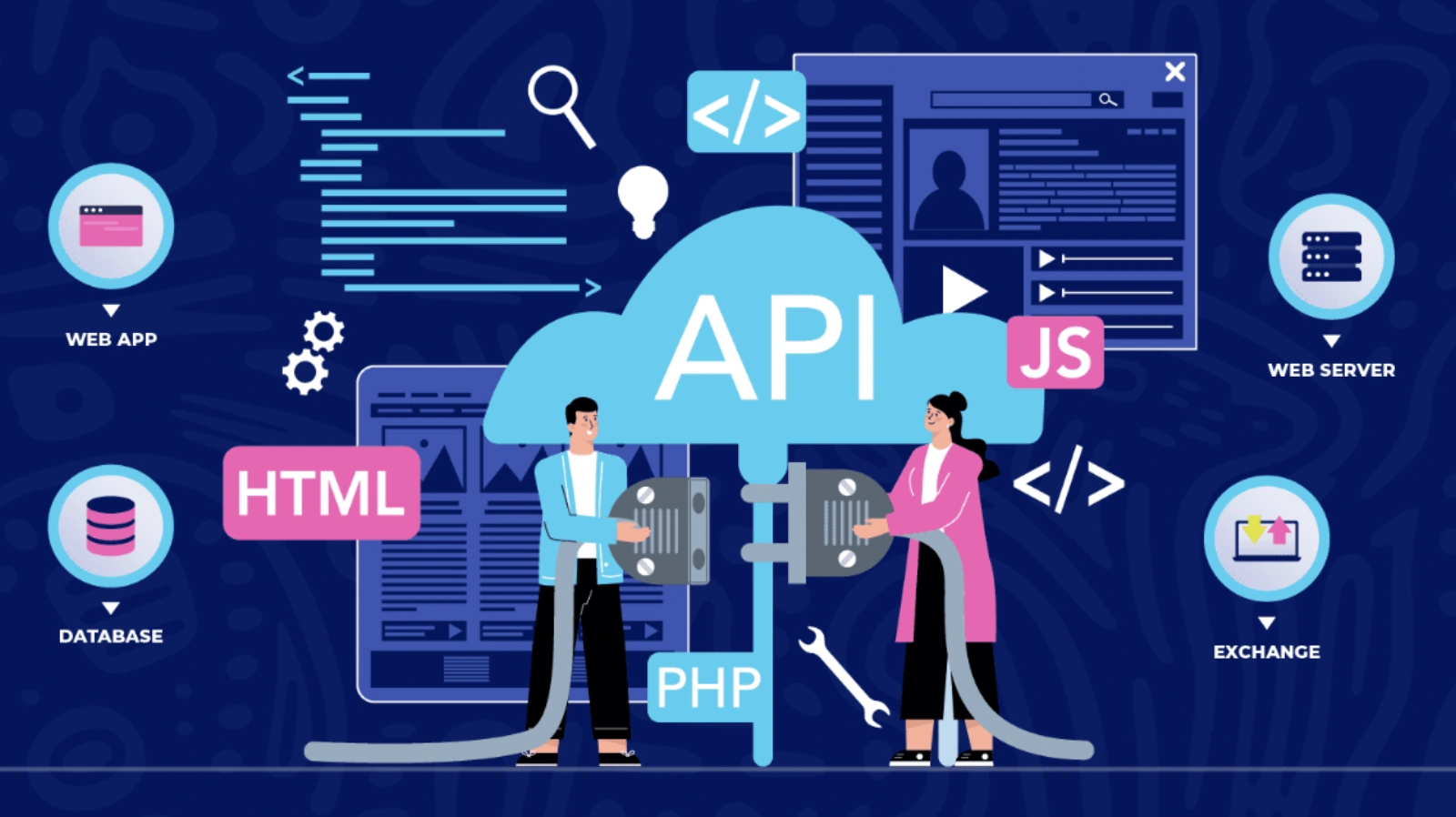
OpenAI's ChatGPT API gives developers programmatic access to GPT models for natural language understanding, reasoning, and text generation. Its capabilities are well-defined:
What it can do#
- Understand natural language input and identify user intent
- Generate responses based on supplied context (text passed in the prompt)
- Support multi-turn conversations and maintain short-term dialogue context
- Handle general text tasks: summarization, translation, code generation, and more
What it cannot do#
- Web crawler — the Responses API accepts uploaded files, but does not crawl live website URLs or detect when your pages change. Keeping your chatbot current as your site evolves is still your problem to solve.
- Chat UI — there is no hosted chat widget. Embedding a conversation interface on your website requires building or sourcing one separately.
- Human escalation — routing a conversation to a live agent, with full context intact, requires custom logic and integration with your support stack.
- Analytics and monitoring — there are no built-in dashboards for tracking answer quality, fallback rates, or user satisfaction. Observability is your responsibility.
- Access control — scoping what the chatbot will and won't answer for different user types, or restricting it to specific domains, requires application-layer logic you write yourself.
OpenAI's Assistants API, which previously offered a higher-level abstraction for file retrieval and persistent threads, is scheduled for deprecation in August 2026.
What a Self-Built Website Chatbot Actually Requires#
Most teams underestimate how much is involved. A chatbot that runs reliably on a website and answers questions from company-specific content requires nine core components working in concert:
| # | Component | Function | Build Complexity |
|---|---|---|---|
| 1 | Web Crawler | Fetches and parses website pages, converting content into processable text | Medium |
| 2 | Document Parser | Processes PDFs, Word docs, Excel files — extracts structured text | Medium |
| 3 | Chunking & Embedding | Splits long text into appropriately sized segments and generates vector representations | High |
| 4 | Vector Database | Stores and retrieves text vectors; supports semantic similarity search | High |
| 5 | Denser Retriever / RAG | Takes user questions and finds the most relevant knowledge base passages | High |
| 6 | Chat Interface (UI) | The chat window users see; must embed in your site, be mobile-responsive | Medium |
| 7 | Conversation Log & History | Stores multi-turn context; maintains continuity across a conversation | Medium |
| 8 | Access Control & Security | Manages who can use the chatbot; guards against prompt injection attacks | High |
| 9 | Feedback & Monitoring | Collects user satisfaction signals; tracks answer quality; supports ongoing improvement | High |
Each of these nine components requires its own design, development, and ongoing maintenance. Here's what building each one actually involves.
Components 1–2: Data Ingestion Layer (Crawler + Document Parser)#
Your chatbot needs to ingest your company's content before it can answer anything. That means a crawler that periodically fetches your site and detects content changes, plus a parser that can handle complex PDF layouts — multi-column formats, tables, caption text under charts.
This sounds straightforward but comes with real edge cases: dynamically loaded pages (JavaScript-rendered content), gated content that requires login, and scanned PDFs that need OCR processing. Data problems at this layer propagate through every response the chatbot generates.
Components 3–4: Vectorization & Storage Layer (Embedding + Vector DB)#
Converting text to vectors is the foundation of semantic search, requiring three key decisions: an embedding model (e.g., text-embedding-3-small), a chunking strategy (chunk size and handling continuity across paragraphs), and a vector database (Pinecone, Weaviate, Qdrant, or self-hosted pgvector).
Cold-start configuration, index optimization, and cost management for a vector database all require an engineer with hands-on experience in this space. The underlying architectural details utilize RAG principles.
Component 5: RAG Retrieval Layer#
This is the highest-complexity piece of the entire architecture. You need to:
- Design a retrieval strategy: keyword matching, semantic search, hybrid retrieval — and decide how to weight them
- Implement post-retrieval reranking: from a Top-20 recall set, surface the genuinely useful Top-3
- Engineer the prompt: structure the retrieved document fragments and user question into a prompt that ChatGPT API can act on effectively
- Handle context window limits: what do you truncate when a document is too long? How do you combine multiple documents?
RAG quality directly determines chatbot answer quality. Tuning it is a continuous engineering effort, not a one-time configuration.
Component 6: Chat Interface (UI)#
The chat window your users see needs to embed on your site without degrading page performance, be responsive across desktop and mobile, support streaming output (the typing effect), and load fast.
This frontend work typically takes one to two weeks of development, with ongoing maintenance as your product evolves.
Components 7–9: Operations Layer (Logging, Access Control, Monitoring)#
These three components are the ones most teams overlook early on — and they're what determine whether a chatbot gets better with use or quietly deteriorates:
- Conversation logging: multi-turn context management, session ID assignment, and history storage all directly affect how coherent the conversation experience feels
- Access control: defending against prompt injection attacks, scoping what the chatbot will and won't answer, and controlling content visibility by user type
- Feedback & monitoring: without data, you can't improve. You need to know which questions were answered incorrectly, which triggered fallbacks, and what users actually thought of the responses
The Real Cost of Building from Scratch#
Breaking those nine components into engineering tasks produces a project plan considerably longer than most teams expect:
| Engineering Phase | Key Work | Estimated Timeline (small team) |
|---|---|---|
| Data ingestion layer | Crawler development, PDF parsing, data cleaning | 2–3 weeks |
| Vectorization & retrieval | Embedding pipeline, vector DB setup, RAG implementation | 3–4 weeks |
| API integration & prompt engineering | ChatGPT API integration, prompt templates, context management | 1–2 weeks |
| Chat UI | Frontend chat window, site embedding, mobile responsiveness | 1–2 weeks |
| Logging & access control | Conversation history, user permissions, security hardening | 1–2 weeks |
| Feedback & monitoring | Satisfaction collection, quality monitoring, alerting | 1 week |
| Testing & launch | End-to-end testing, load testing, staged rollout | 1–2 weeks |
| Ongoing maintenance | Knowledge base updates, model upgrades, bug fixes (monthly) | Ongoing |
Total initial timeline: approximately 10–16 weeks (2.5–4 months), requiring a team with full-stack, NLP, and DevOps experience.
Ongoing cost: the more frequently your knowledge base needs updating, the higher your ongoing maintenance costs. Every site redesign, product update, or policy change requires re-crawling, rebuilding the index, and revalidating answer quality.
The real hidden cost isn't development — it's operations. A chatbot whose knowledge base nobody maintains consistently will become a liability within 3–6 months of launch: answers that grow staler and less accurate over time.
Build vs. Buy: A Decision Framework#
Neither building nor buying is inherently the right answer — it depends on your team's capabilities and your business requirements. Here's a framework to help you decide:
| Dimension | Build makes sense when… | A platform (e.g., Denser AI) makes sense when… |
|---|---|---|
| Engineering team size | 3+ full-stack/ML engineers available, with NLP experience | Small tech team, or engineers focused on core product |
| Time to launch | 3–6 month development runway available | Need to go live within 2–4 weeks |
| Customization needs | Highly bespoke interaction flows or deep system integrations required | Standard customer service, knowledge base, or sales use cases |
| Knowledge base scale | Millions of documents at massive scale, requiring custom optimization | Small to mid-size knowledge base (website + PDFs + help center) |
| Long-term maintenance | Dedicated team available to maintain the knowledge base and model pipeline | No dedicated maintainer; relying on platform-managed updates |
| Data compliance | Full on-premise deployment required — no SaaS permitted | Compliant SaaS acceptable (SOC 2, GDPR, etc.) |
| Budget structure | High upfront development cost acceptable; lower long-term marginal cost preferred | Predictable monthly subscription preferred |
When Building from Scratch Makes Sense#
Self-building has legitimate merits in the right circumstances:
Scenario 1: Highly customized business workflows#
If your chatbot needs deep integration with internal ERP, order management, or CRM systems — and your interaction flows are genuinely complex (multi-step forms, conditional branching logic, role-based answer visibility) — the configuration space of a standard platform may not be sufficient.
Scenario 2: Very large-scale knowledge base management#
When your knowledge base runs into the millions of document fragments, or when retrieval precision requirements are extremely high (medical, legal, and similar regulated domains), building your own vector database and custom retrieval strategy gives you meaningfully more control.
Scenario 3: Fully on-premise deployment requirements#
Certain industries — financial services, healthcare, government — have strict data compliance requirements: all data must stay on your own servers. In those situations, self-building may be the only viable path. Understanding how ChatGPT stores and processes your data is essential context for making this call.
Scenario 4: Large tech companies with dedicated ML engineering capacity#
If your team has substantial ML engineering experience and building AI infrastructure is a core, long-term strategic investment, self-building compounds into a genuine technical moat over time.
When a Platform Like Denser AI Makes More Sense#
For most businesses, the three core use cases — website customer support, knowledge base Q&A, and sales lead conversion — don't require building infrastructure from scratch.
Denser AI packages all nine of those components into a ready-to-deploy product, letting your team stay focused on the business instead of managing an AI pipeline.
What Denser AI Provides Out of the Box#
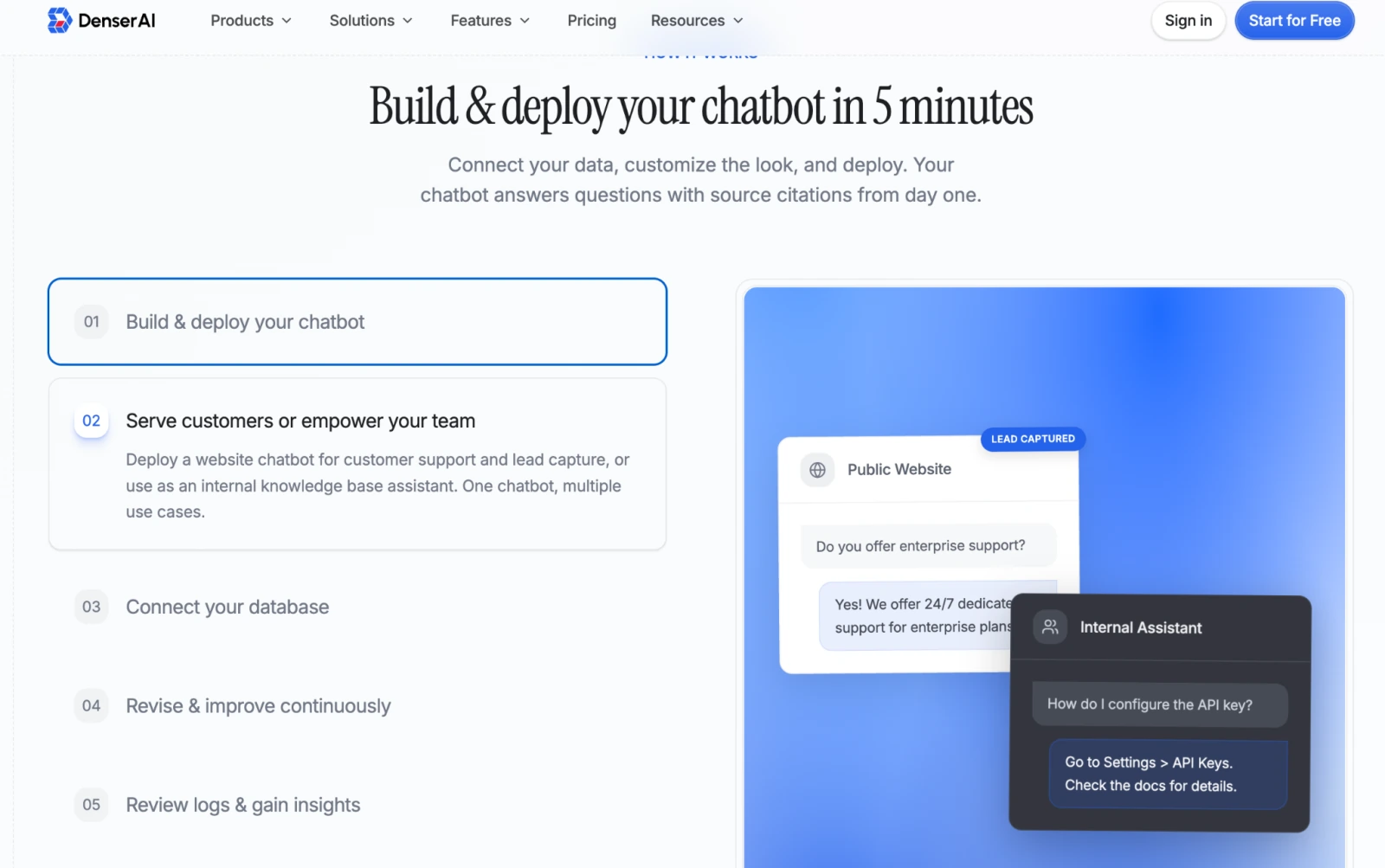
With Denser AI, you don't need to hire an engineering team to manage the AI pipeline. The workflow is:
- Import your website URL or upload your PDFs into Denser AI
- Wait for the platform to automatically handle content ingestion, vectorization, and knowledge base creation (typically 15–30 minutes)
- Configure chatbot name, visual style, and response tone
- Copy the embed snippet and paste it into your site
The full process — from zero to a live chatbot — typically fits within a single working day.
What Denser AI Adds Beyond a Raw API Setup#
Beyond eliminating the engineering cost, Denser AI adds capabilities that a raw API integration simply can't replicate:
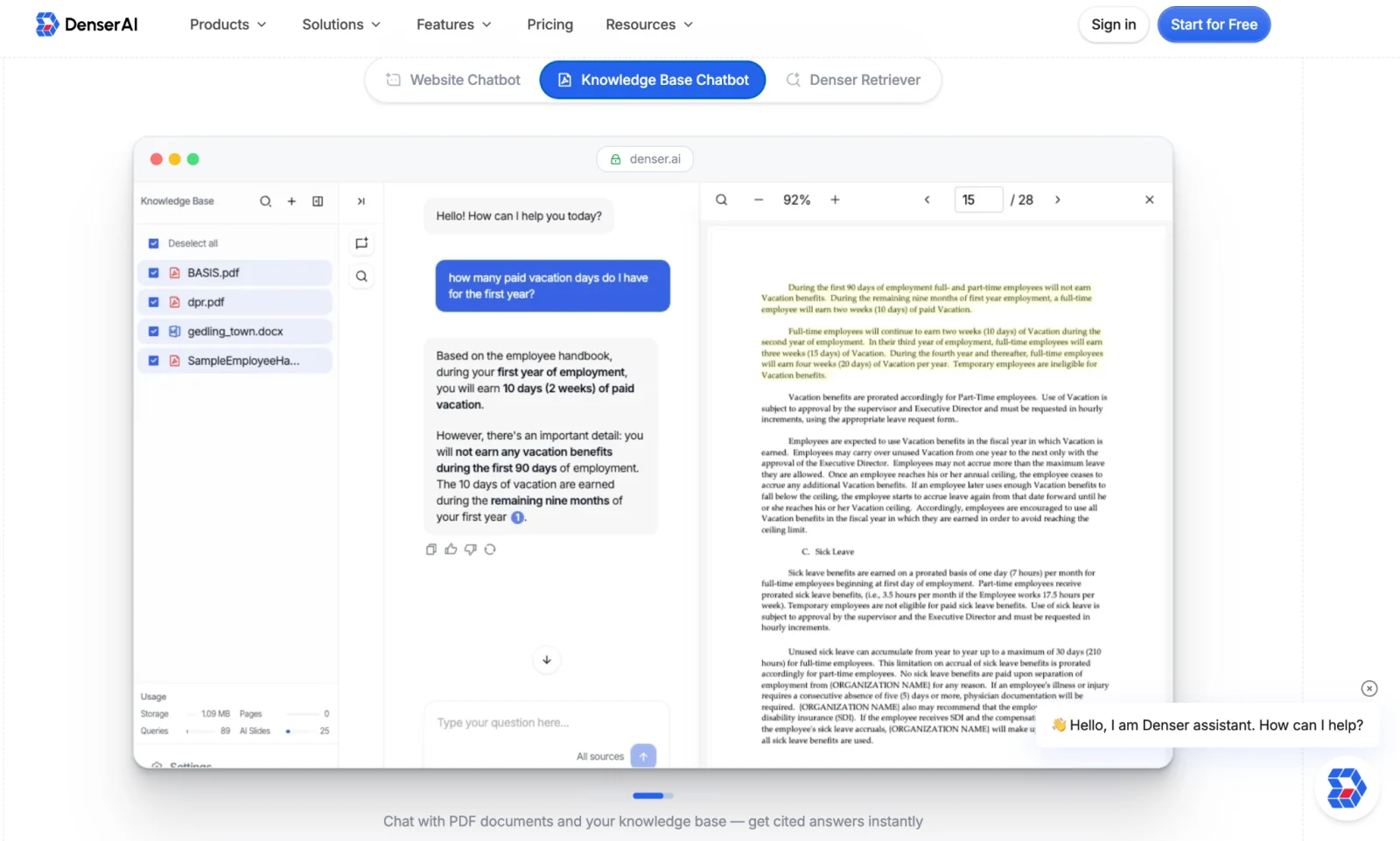
- Source Citations: every response is automatically tagged with its source document and passage; users can click through to verify, resolving the "where did that answer come from?" trust problem
- Automatic knowledge base sync: set a crawl schedule and the chatbot's knowledge base stays current as your site changes — no manual re-imports needed
- Business integrations: supports human agent handoff, lead capture, and custom workflow triggers
Total Cost Comparison: Self-Build vs. Denser AI#
| Cost item | Self-build (estimated) | Denser AI |
|---|---|---|
| Initial development cost | Engineering team: 10–16 weeks (~$30,000–$80,000, based on typical US small-team rates) | No development cost |
| Infrastructure | Vector DB + server + CDN (~$500–$2,000/month, depending on scale and provider) | Included in subscription |
| LLM API fees | Token-based billing; unpredictable at scale | Usage-based pricing; predictable |
| Ongoing maintenance labor | Ongoing engineering time to maintain knowledge base and pipeline (varies by update frequency) | Platform-managed; team focuses on business |
| Time to launch | approximately 2.5–4 months | about 1 working day |
| Iteration speed | Every feature change requires engineering time | Adjustable via admin config; no dev work needed |
For small to mid-sized businesses, or teams deploying AI chatbots for the first time, a platform approach typically delivers a much stronger return on investment than self-building.
Conclusion#
ChatGPT API is a powerful text engine — but not a finished chatbot product. Turning it into a system that serves your website visitors requires nine components, months of engineering, and ongoing maintenance.
Self-building makes sense for teams with the engineering capacity, deep customization needs, or strict on-premise requirements. For most businesses, a platform is the more practical choice.
Denser AI packages crawling, RAG retrieval, knowledge base management, and the chat interface into one ready-to-deploy product — going from import to live chatbot in about a working day.
FAQ About Building a Website Chatbot#
ChatGPT API vs. chatbot platform — what's the difference?#
The ChatGPT API is just the engine — it handles text, nothing else. A platform like Denser AI adds knowledge base management, retrieval, a chat interface, and business integrations on top.
Do I need an ML engineer to build a chatbot?#
Self-building requires engineers with RAG, vector database, and NLP experience. Without that in-house, a platform is the more practical path.
Do I still need a ChatGPT API key with Denser AI?#
No separate key needed. Denser AI's subscription includes model access in one monthly fee, transparently disclosed on Denser AI's pricing page.
Can I integrate my own components with Denser AI?#
Denser AI supports custom data sources and API connections, so existing components and workflow integrations can be preserved.
How fast can Denser AI go live compared to building from scratch?#
Building from scratch takes 2.5–4 months with a dedicated team. With Denser AI, most teams go from importing content to a live chatbot in about a working day.