

Best Enterprise Search Software of 2026: 7 Tools Compared

The enterprise search market today is built around a few distinct technical approaches --- pure keyword search, vector-based semantic search, AI-powered hybrid retrieval, and native integration into SaaS ecosystems.
The differences matter, and choosing the wrong fit often costs more than not choosing at all.
This guide compares seven leading tools across four dimensions: architecture, data source support, deployment, and pricing --- so you can see what each does well, where it falls short, and which organizational profile fits best.

At a Glance: Seven Tools Compared#
Tool Search Type Multi-Source Source Citations Deployment Best For
Denser Retriever Keyword + Vector + Re-rank Yes (web, PDF, DB) Yes API / SaaS AI semantic search, fast deploy
Elasticsearch Keyword (+ vector plugin) Yes (custom build) No Self-hosted Large-scale custom search infra
Algolia Keyword + NeuralSearch Limited No SaaS Website & app search UX
Coveo AI + keyword hybrid Yes (broad connectors) Partial SaaS Salesforce-heavy enterprises
Glean AI (LLM-powered) Yes (broad app coverage) Yes SaaS Large orgs on Google/M365 stack
Google Vertex AI Search Keyword + ML ranking Google Workspace only No Google Cloud Google Workspace environments
Microsoft Search Keyword + ML ranking Microsoft 365 only No Microsoft 365 Microsoft-first organizations
Denser AI tip: Pricing details change over time --- always check each vendor's official page before making a decision.
For Denser Retriever, current pricing is published at denser.ai, with self-serve onboarding, usage-based billing, and no procurement process required.
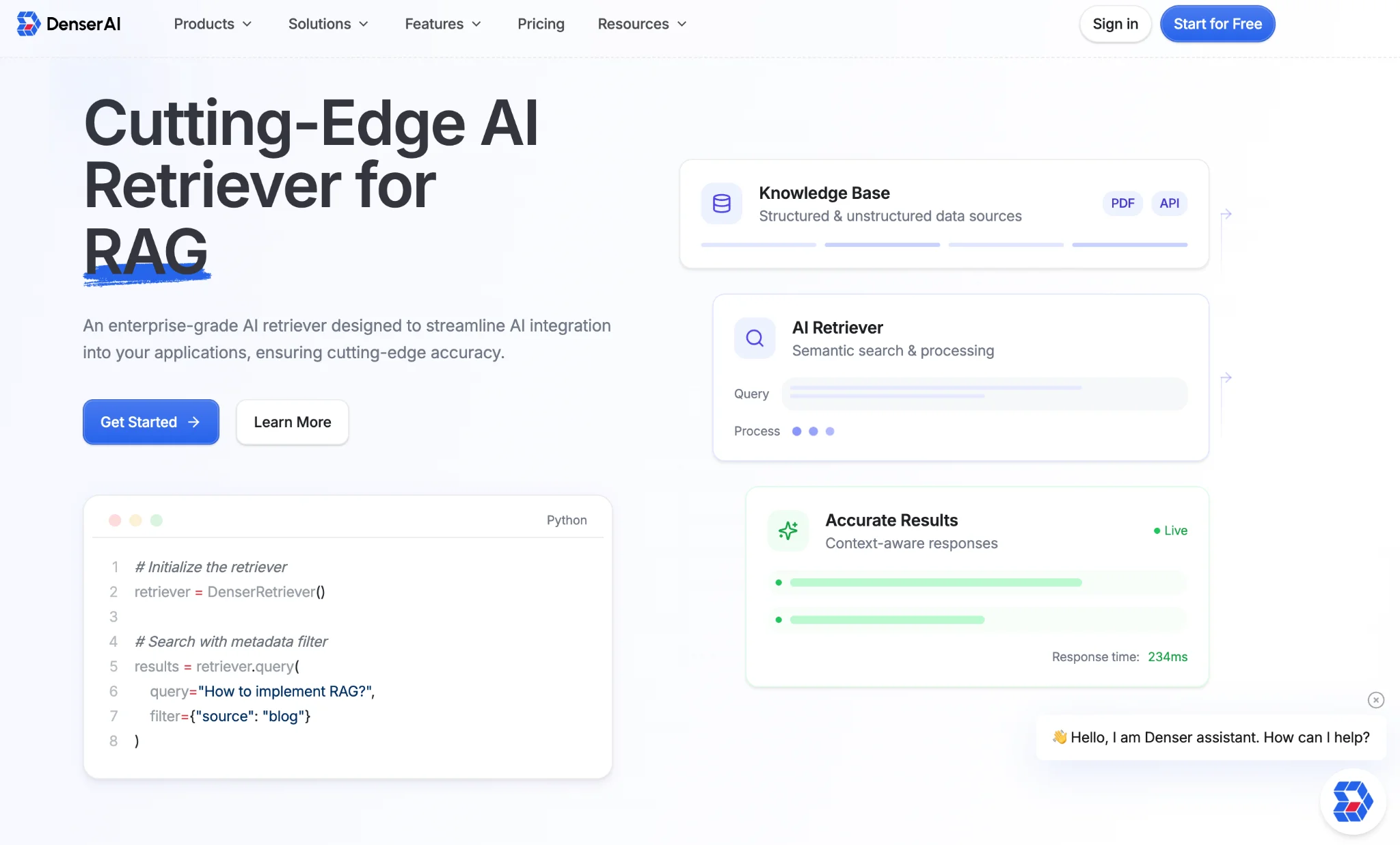
Denser Retriever: AI Semantic Search with Fast Deployment#
Best for: Technical teams and knowledge-intensive organizations that need accurate, cited answers across websites, PDFs, and databases --- without managing infrastructure.
Most enterprise search tools make a single architectural bet: keyword matching or vector retrieval. Denser Retriever runs both in sequence and adds a re-ranking layer on top.
The practical effect is that it catches what pure keyword systems miss (intent and synonyms) and what pure vector systems miss (exact product codes, employee names, technical identifiers) --- then surfaces the most relevant results at the top of large document sets.
For enterprise knowledge bases where terminology varies across teams and employees phrase questions in many different ways, this combination tends to be more stable than either approach alone.
How the Three-Layer Architecture Works#
-
Keyword layer: Matches exact terms and phrases --- useful for product codes, employee IDs, and technical identifiers where literal alignment matters.
-
Vector layer: Converts queries and documents into numerical embeddings, returning semantically similar results even with zero literal overlap. A search for "remote work policy" finds documents titled "distributed team guidelines."
-
Re-ranking layer: Scores the combined results from both layers and reorders them, filtering out the false positives that would otherwise surface at the top.
Data Source Support#
Denser Retriever indexes three types of content simultaneously:
-
Websites and intranets: Paste a domain URL --- pagination, sub-pages, and dynamic content are all handled.
-
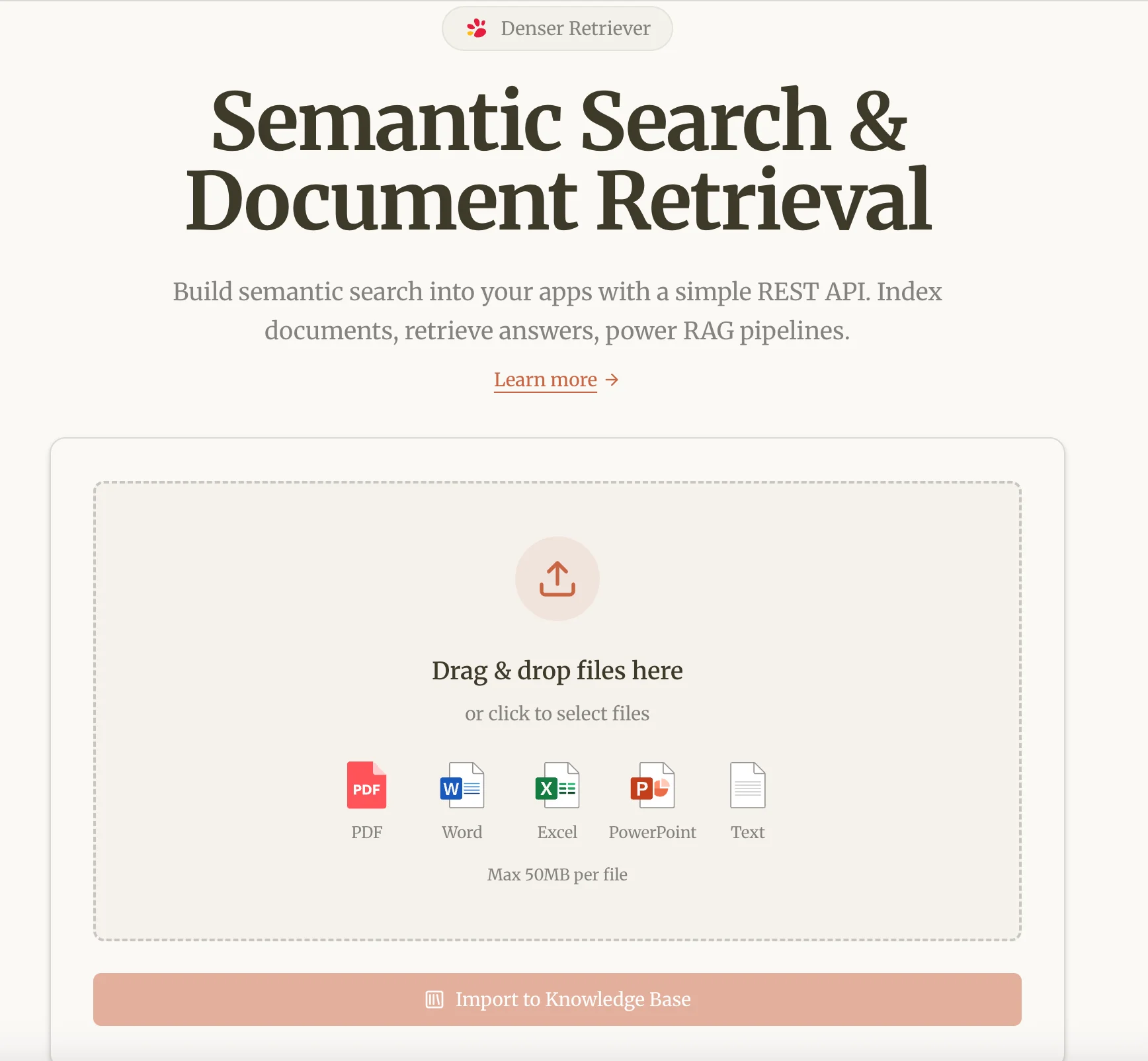
Documents: Upload PDFs, Word documents, spreadsheets, and other formats. Content is indexed at paragraph granularity for precise retrieval.
-
Databases: Connect via REST API to enable natural language queries over structured data --- orders, product catalogs, HR records.
Multi-source queries run across all connected sources simultaneously and return a unified, relevance-ranked result set.
Deployment and Integration#
Denser Retriever is a fully managed SaaS API --- no cluster provisioning, no infrastructure to maintain. Integration follows a standard REST pattern: create a project in the dashboard or via API, connect your data sources, index your content, and start sending POST queries that return structured responses with answers and citations.
Results can be embedded into any frontend --- an intranet search widget, a Slack bot, a custom application, or an internal tool.
✓ Strengths ✗ Limitations
Three-layer retrieval (keyword + vector + re-rank) for both intent and exact match Fewer pre-built SaaS connectors than Glean or Coveo
Multi-source: websites, PDFs, and databases in one unified index Ecosystem for deep custom search UI builds less mature than Elasticsearch
REST API --- integrates into any existing tool or workflow
Fully managed infrastructure --- no cluster ops required
Self-serve onboarding with published pricing
Elasticsearch: Large-Scale Custom Search Infrastructure#
Best for: Engineering teams with the resources to build and operate highly customized search experiences at scale.
Elasticsearch is one of the most widely deployed search engines in the enterprise market, handling massive document volumes with sub-second response times. It offers full control over indexing, scoring, and relevance tuning --- but requires custom engineering to combine keyword and vector retrieval into a hybrid pipeline.
The open-source version is free to self-host; Elastic Cloud and production-grade enterprise deployments scale up significantly once hardware, support, and security are factored in.
✓ Strengths ✗ Limitations
Industry-leading scale --- handles billions of documents Requires a dedicated engineering team
Full control over indexing, scoring, and search behavior Hybrid retrieval needs custom pipeline work
Mature ecosystem with active community No source citations out of the box
Flexible deployment across environments Total cost of ownership rises quickly with staffing
Algolia: Website and Application Search UX#
Best for: Product and engineering teams building fast, polished search experiences on customer-facing websites or SaaS applications.
Algolia is built for delivering the most relevant result to the user interface as quickly as possible --- ideal for ecommerce product search, documentation sites, and in-app SaaS search. NeuralSearch adds vector capability on top of its keyword foundation.
The trade-off is that Algolia works best when content lives in a single, well-structured index; multi-source queries across heterogeneous systems require custom data pipeline work upfront.
✓ Strengths ✗ Limitations
Fastest search latency in this comparison Multi-source indexing requires custom pipeline work
Strong developer experience and pre-built UI components No native source citations
NeuralSearch adds semantic capability on top of keyword Less suited for long-form document search
Polished search UX out of the box Cost scales quickly with record and request volume
Coveo: Salesforce-Integrated Enterprise Search#
Best for: Mid-to-large enterprises running Salesforce Service Cloud, Commerce Cloud, or heavily integrated CRM environments.
Coveo is an AI-powered enterprise search platform deeply integrated with the Salesforce ecosystem. It connects to a broad range of enterprise sources and surfaces results directly within Salesforce interfaces.
Its relevance model improves over time through behavioral learning --- clicks, dwell time, and conversions feed back into ranking. Pricing is enterprise-tier, not publicly listed, and typically involves annual contracts and a structured implementation.
✓ Strengths ✗ Limitations
Best-in-class Salesforce native integration Enterprise pricing --- not suitable for smaller teams
Broad enterprise connector library Sales-driven procurement; no self-serve
Behavioral learning improves relevance over time Significant implementation effort required
Strong for self-service and knowledge management Less flexible outside the Salesforce ecosystem
Glean: Unified AI Search for Large Enterprises#
Best for: Large organizations running many SaaS applications who want a unified AI search layer across the entire stack.
Glean is designed for knowledge fragmentation at scale.
It connects to a wide range of enterprise apps --- Google Workspace, Microsoft 365, Slack, Confluence, Jira, Salesforce, Zendesk, and more --- and builds a unified index that understands relationships between people, documents, and projects.
The value scales non-linearly with size: more apps and employees mean higher returns.
For smaller organizations with fewer than a dozen SaaS tools, most of Glean's connector breadth goes unused.
✓ Strengths ✗ Limitations
Broad library of pre-built enterprise app connectors Enterprise pricing with multi-week implementation
Personalized results based on role and activity Not suited for API-first or self-serve deployment
LLM-powered answers with cross-app citations Requires IT to configure each connector
Strong people search across the organization Heavier governance overhead for smaller teams
Google Vertex AI Search: Native Integration with Google Workspace#
Best for: Organizations running primarily on Google Workspace.
Google Cloud Search (now part of Vertex AI Search) provides AI-enhanced search across Drive, Docs, Gmail, Sheets, and Sites.
For organizations fully standardized on Google's stack, it's deeply integrated with no additional connectors needed.
Outside the Google ecosystem, coverage drops sharply --- multi-source indexing across heterogeneous systems isn't natively supported the way it is in Denser Retriever or Glean.
✓ Strengths ✗ Limitations
Seamless integration with Google Workspace Very limited outside the Google ecosystem
Zero additional setup for Google-native content No traditional source citations
AI-enhanced ranking from Google's ML infrastructure Not suited as a standalone enterprise search layer
Competitive pricing within Workspace tiers Custom data setups require significant Cloud configuration
Microsoft Search: Native Search Inside Microsoft 365#
Best for: Organizations standardized on Microsoft 365.
Microsoft Search is embedded across SharePoint, Teams, Outlook, and OneDrive, providing consistent search inside the Microsoft stack.
A Microsoft 365 Copilot license adds LLM-powered query answering on top of the index --- a separate product layer from Search itself.
Coverage outside Microsoft 365 requires Graph connectors or a separate search layer.
✓ Strengths ✗ Limitations
Native across all Microsoft 365 apps with zero setup Coverage outside M365 requires Graph connectors
Copilot adds conversational AI on top of the index Copilot license adds significant per-user cost
Included in existing Microsoft 365 licensing Less flexible than API-based tools for custom integrations
Strong permissions model respecting M365 access controls Almost no multi-source support beyond M365
Picking the Right Tool for Your Setup#
The right choice comes down to three things: your data environment, your technical resources, and your deployment timeline.
If your situation is... Consider...
You need semantic search across websites, PDFs, and databases --- fast Denser Retriever --- API-first, multi-source, live in minutes
You have an engineering team and need maximum customization at scale Elasticsearch --- most flexible, highest engineering investment
You're building a customer-facing search experience for a website or app Algolia --- lowest latency, best developer experience
Your entire tech stack runs on Salesforce Coveo --- deepest Salesforce integration
You're a large enterprise with many SaaS tools and an IT team Glean --- broadest connector library, personalized results
Your team runs entirely on Google Workspace Google Vertex AI Search --- zero setup inside GWS
Your team runs entirely on Microsoft 365 Microsoft Search / Copilot --- native and included
Choosing the Solution That Fits You#
For organizations that want to roll out AI-powered search quickly without taking on infrastructure overhead, Denser Retriever is worth putting at the top of the shortlist --- covering semantic search quality, source citations, multi-source support, and deployment speed in one platform.
Published pricing and a self-serve API make the path from early evaluation to production more predictable on cost.
Start a trial directly at denser.ai.
The Questions People Ask Most About Denser Retriever#
Q1: Why does search break down when employees phrase questions differently?
Keyword search only matches literal words. Denser Retriever's vector layer understands intent, so relevant content surfaces regardless of phrasing.
Q2: How long does it take to deploy Denser Retriever?
Indexing the first data source and running a test query typically takes under an hour. No infrastructure setup --- just connect sources in the dashboard and send REST queries.
Q3: How does Denser Retriever handle source citations?
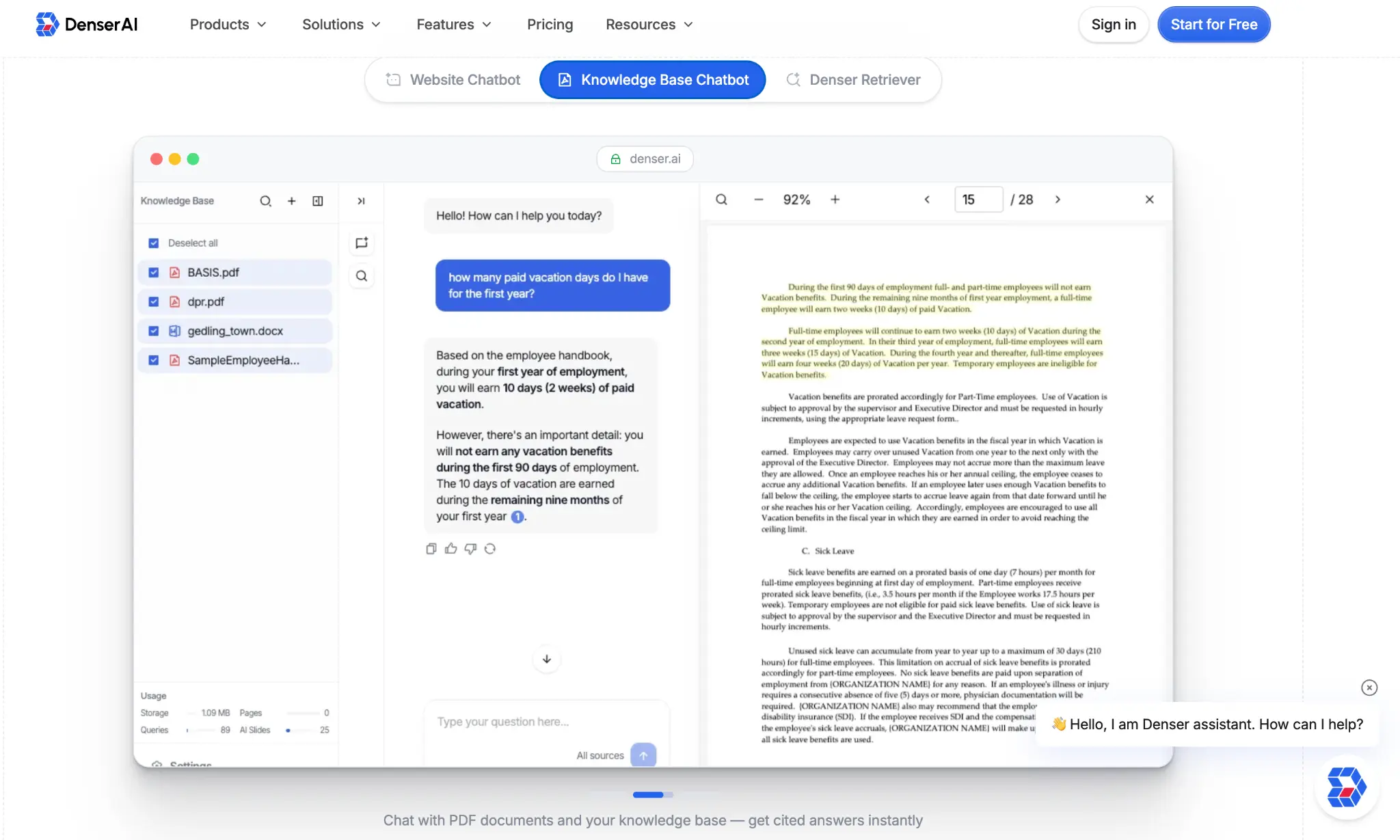
Every result comes with paragraph-level citations, so users can verify the exact passage an answer came from. Important for compliance audits and AI answer trust.
Q4: Can Denser Retriever query operational databases directly?
Yes. Connect a database via REST API, and natural language queries can run over structured data --- orders, catalogs, HR records --- alongside document search.
Q5: Is Denser Retriever suitable for small and mid-sized teams?
Yes. Self-serve onboarding, published pricing, and usage-based billing mean no procurement process and no engineering team required. Most teams in the 30-to-500-person range are live within a few hours.
Q6: Do I need to pay or sign a contract to try it?
Self-serve registration and usage-based pricing --- upload a few of your own documents and start testing at denser.ai.