

15 FAQ Templates You Can Copy for Your Website in 2026

A clear FAQ template helps your visitors find answers faster, reduces support friction, and makes your FAQ page easier to build.
When you already know the layout, the question style, and the right order, it's much easier to turn common questions into useful FAQ content instead of starting from a blank page.
This guide gives you 15 copy-ready FAQ templates for different website needs. You can paste them into a landing page, contact page, help center, or full FAQ section, then customize the wording to fit your business, services, or customer support flow.
15 FAQ Templates You Can Use#
You can copy the formats below, paste them into your site, and adjust the wording to fit your product, services, clients, or customer support needs.
If you need inspiration, use the structure as your starting point and then customize each answer for your own visitors.
1. Simple Accordion FAQ Template#
A simple accordion FAQ template stacks questions in a clean list and reveals answers when someone clicks. It keeps the page concise, helps users jump to one topic at a time, and works well when you have a short list of common questions.
Best use case:
Use this format for a small-business site, landing page, or contact page that needs one clean FAQ section.
Copyable template:
Q: What services do you offer?
A: We offer [service 1], [service 2], and [service 3].
Q: How do I get started?
A: You can fill out our contact form, and we'll reply within one business day.
Q: Do you offer custom quotes?
A: Yes. We can provide a quote based on your project details.
Why this format works:
This format is easy to scan, simple to build, and friendly on mobile. It keeps the page clean when visitors only need direct answers to general questions.
2. Category-Based FAQ Template#
A category-based FAQ template groups commonly asked questions by topic, such as shipping, billing, account access, or support. It helps visitors navigate faster when your FAQ page covers more questions than one simple list can handle.
Best use case:
Use this format for a growing website that needs an effective FAQ structure with clear topic groups.
Copyable template:
Billing
Q: What payment methods do you accept?
A: We accept major credit cards and selected online payment options.
Account
Q: How do I reset my password?
A: Click "Forgot password" on the sign-in page and follow the steps.
Support
Q: How do I contact support?
A: You can use our support form or email us at [email].
Why this format works:
Categories make FAQ content easier to scan as your page grows. They also help users find the right answer faster when they already know the type of help they need.
3. Search-First FAQ Template#
A search-first FAQ template starts with a search bar instead of a long list of questions. It works well when users arrive with specific customer queries and want to search by topic, keyword, or problem.
Best use case:
Use this format for a help center, support hub, or knowledge page with many FAQs.
Copyable template:
Search prompt: Search for answers, topics, or keywords.
Popular questions:
-
How do I update my account details?
-
Where can I review billing history?
-
How do I cancel my plan?
Quick links: Billing | Orders | Setup | Support
Why this format works:
Search-first layouts help users find answers without browsing every entry. They also make large FAQ pages easier to manage when support questions keep growing over time.
4. Product FAQ Template#
A product FAQ template focuses on purchase questions, usage details, setup steps, and product limits. It helps answer buyer concerns before checkout and reduces follow-up questions after the purchase.
Best use case:
Use this format for a product page that needs to support both conversion and customer support.
Copyable template:
Q: What is included with this product?
A: Each purchase includes [item], [item], and setup instructions.
Q: Is this product right for beginners?
A: Yes. It's designed to be easy to use, even if you're new.
Q: How long does setup take?
A: Most users can get started in less than 10 minutes.
Why this format works:
This format answers practical questions before someone buys. It also keeps product details on the page, so visitors don't need to send support messages for basic information.
5. E-commerce Shipping FAQ Template#
An e-commerce shipping FAQ template answers delivery, timing, tracking, and location questions in one section. It's one of the most useful free templates for online stores because shipping questions often appear before and after purchase.
Best use case:
Use this format for an online store that needs to answer shipping and delivery questions quickly.
Copyable template:
Q: How long does shipping take?
A: Standard shipping takes 3 to 5 business days.
Q: Do you offer international shipping?
A: Yes, we ship to select countries. Delivery times vary by location.
Q: How can I track my order?
A: Once your order ships, you'll get a tracking link by email.
Why this format works:
This format keeps delivery details in one place. It helps visitors answer the most common shipping questions before they leave the cart or contact support.
6. Returns and Refund FAQ Template#
A returns-and-refunds FAQ template explains your policy, timelines, and steps for requesting a return. Refund questions shape trust, so this section should be clear, direct, and easy to find.
Best use case:
Use this format for an e-commerce site that needs clear post-purchase support information.
Copyable template:
Q: What is your return window?
A: You can request a return within 30 days of delivery.
Q: How do I start a return?
A: Contact us with your order number and reason for return.
Q: When will I receive my refund?
A: Refunds are usually processed within 5 to 7 business days after approval.
Why this format works:
This format gives customers direct answers when they need certainty. Clear refund details can also build trust before purchase because visitors can see how your business handles problems.
7. SaaS Onboarding FAQ Template#
A SaaS onboarding FAQ template answers setup, account, and first-step questions for new users. It supports product education and helps users move from sign-up to activation without waiting for support.
Best use case:
Use this format for a SaaS site, onboarding flow, trial page, or sign-up page.
Copyable template:
Q: How do I create my account?
A: Click Sign Up, add your email, and follow the setup steps.
Q: How long does onboarding take?
A: Most users finish the core setup in under 15 minutes.
Q: Where can I find setup guides?
A: Visit our help center for step-by-step onboarding details.
Why this format works:
This format answers questions at the point where new users are most likely to get stuck. It also lowers support requests by solving setup problems before they become tickets.
8. Pricing FAQ Template#
A pricing FAQ template answers plan, billing, contract, trial, and payment questions near the point of decision. Pricing pages often attract visitors who are comparing options, so the answers need to be clear and specific.
Best use case:
Use this format for a pricing page that needs to remove objections and answer billing questions.
Copyable template:
Q: Do you offer monthly and annual billing?
A: Yes, you can choose either billing option at checkout.
Q: Is there a free plan or trial?
A: Yes, we offer a free option so you can try the product.
Q: Can I change plans later?
A: Yes, you can upgrade or downgrade from your account settings.
Why this format works:
This format helps visitors decide before they buy. It also keeps pricing questions on the page instead of pushing users to email, chat, or sales calls.
9. Service Business FAQ Template#
A service business FAQ template covers process, timing, pricing, availability, and project fit. It's useful for freelancers, consultants, agencies, and local service providers who frequently answer the same pre-project questions.
Best use case:
Use this format for a services page for consultants, agencies, freelancers, or local service businesses.
Copyable template:
Q: What services do you provide?
A: We offer [service 1], [service 2], and [service 3].
Q: How do you price projects?
A: Pricing depends on scope, timeline, and the level of support required.
Q: How do I request a quote?
A: Use our contact form and send a few project details to get started.
Why this format works:
This format gives potential clients direct answers before the first conversation. It also helps filter out poor-fit inquiries before a person on your team spends time replying.
10. Contact-First FAQ Template#
A contact-first FAQ template answers a few common questions and then points visitors to the right support channel. It works well when the page needs to reduce confusion while still guiding users toward a form, email, or live support option.
Best use case:
Use this format for a contact page or support page that gets many repeat messages.
Copyable template:
Q: How quickly do you reply?
A: We usually reply within one business day.
Q: What should I include in my message?
A: Please include your name, order number, or project details if relevant.
Q: Where do I go for urgent issues?
A: Use the priority support option on our contact page.
Why this format works:
This format clears up the most common questions before someone sends a message. It also routes visitors to the right contact path without making them search the whole site.
11. Internal Team FAQ Template#
An internal team FAQ template collects process answers, policy details, and repeated operational questions in one place. It helps employees find internal knowledge without searching chat threads, email, comments, or shared folders.
Best use case:
Use this format for an internal knowledge page for onboarding, HR, operations, or project workflows.
Copyable template:
Q: Where do I find the latest project brief?
A: Check the shared knowledge folder in our internal workspace.
Q: How do I request time off?
A: Use the HR form in the employee portal.
Q: Where should I post client comments or updates?
A: Add them to the project workspace so everyone can review them.
Why this format works:
This format keeps internal answers easy to access. It also helps new employees find the right information without asking the same person every time.
12. Event FAQ Template#
An event FAQ template answers timing, location, ticket, access, and attendance questions before event day. It helps visitors find the details they need without searching several pages or sending extra messages.
Best use case:
Use this format for an event landing page, registration page, webinar page, or conference website.
Copyable template:
Q: What time does the event start?
A: Doors open at 9:00 AM and the event starts at 10:00 AM.
Q: Where is the event located?
A: The event will take place at [venue name and city].
Q: Do I need to print my ticket?
A: No, you can show your digital ticket at check-in.
Why this format works:
This format puts key event details in one easy section. It also reduces last-minute support questions from visitors who need quick answers.
13. Course or Membership FAQ Template#
A course or membership FAQ template covers access, billing, lesson format, cancellation, and member benefits. It works well for education products, paid communities, coaching programs, and subscription-based offers.
Best use case:
Use this format for a course sales page, a membership sign-up page, a coaching program, or a paid community.
Copyable template:
Q: How do I access the course after purchase?
A: You'll get a login email with access details after payment.
Q: Is the membership billed monthly or yearly?
A: You can choose the plan shown on the checkout page.
Q: Can I cancel my membership?
A: Yes, you can cancel from your account settings at any time.
Why this format works:
This format answers the questions people ask before they sign up. It helps build trust by making access, billing, cancellation, and member expectations clear.
14. Help Center FAQ Template#
A help center FAQ template is built for support content that users need to browse, search, or filter by issue. It usually includes categories, short answers, and links to deeper knowledge articles.
Best use case:
Use this format for a support site with many recurring issues and a growing knowledge base.
Copyable template:
Account
Q: How do I update my email address?
A: Go to account settings and save your new email.
Billing
Q: Where can I download invoices?
A: Open billing settings and choose the invoice you want.
Support
Q: Where can I find more help?
A: Use the search bar or open the related support article links.
Why this format works:
This format gives users several ways to find answers through browsing, search, and related links. It also lets you handle more questions without turning the FAQ page into one long list.
15. Minimal One-Page FAQ Template#
A minimal one-page FAQ template keeps everything on one clean page with short answers and a simple structure. It fits a small website, one-product brand, or early project that does not need categories or search yet.
Best use case:
Use this format for a small site that needs a free, direct FAQ layout without extra design work.
Copyable template:
Q: What do you offer?
A: We offer [product or service] for [audience].
Q: How can I contact you?
A: Use our contact form, and we'll reply soon.
Q: Where can I learn more?
A: Browse our website for product details, support, and purchase information.
Why this format works:
This format is quick to create, easy to publish, and simple to maintain. It keeps your FAQ concise when you only need to cover the most common questions.
What Are Frequently Asked Questions and Why Are They Useful?#
FAQs are short question-and-answer sections that help users solve common problems without waiting for support. They work best when they answer real customer questions, match the page theme, and give clear next steps in plain language.
A well-planned FAQ section supports good customer service, marketing, SEO, and sales. Harvard Business Review found that 81% of customers try to solve problems on their own before contacting a live representative, which makes FAQs a great place to answer common questions before they become tickets.
Useful FAQs usually include a few key factors:
-
Real examples from support tickets, sales calls, search queries, and customer chats
-
Clear answers that help users decide what to do next
-
Internal links to policies, product pages, pricing details, or contact options
-
Accessible headings, clean typography, and scannable formatting
-
Monitoring so you can update questions when traffic, product details, or customer needs change
Good FAQ practices also improve accessibility. Clear headings help users and screen readers move through page content faster, while readable typography makes answers easier to scan on desktop and mobile.
The idea is not to list every possible question, but to build FAQs around the questions that affect trust, support load, conversions, and the user's ability to move forward.
Turn a Static FAQ Page Into Searchable Answers#
A clean FAQ template helps you organize answers, but visitors still need a fast way to find the right one.
Denser turns static FAQ content into an AI chatbot that understands natural-language questions, delivers instant answers with source citations, and reduces the friction caused by long FAQ lists and repeated support requests.
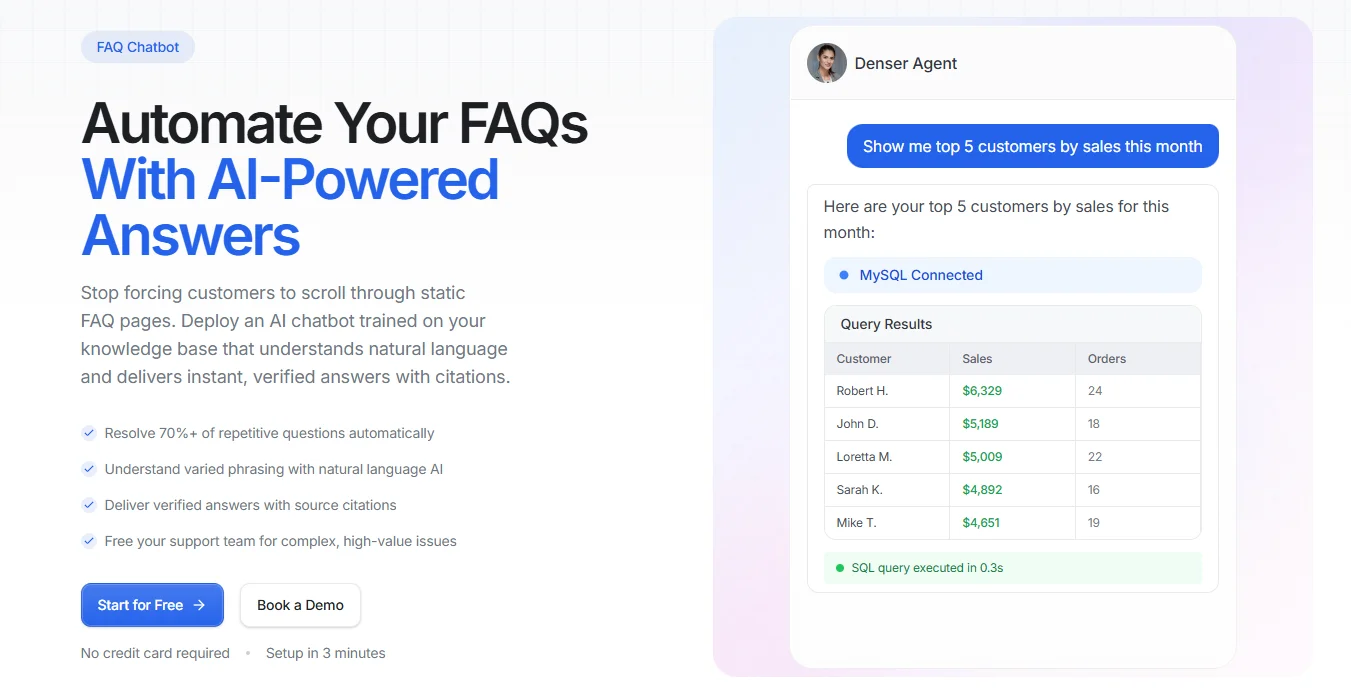
You can train it on your FAQ page, help articles, PDFs, and knowledge base, then embed it on any page with a single line of code.
When your content changes, the chatbot syncs automatically, keeping your FAQ experience up to date without manual rewrites every time you update a policy, product detail, or support article.
Start for free and turn your FAQ page into instant, cited answers!
FAQs About FAQ Templates#
What is the difference between an FAQ page and an FAQ section?#
An FAQ page is a full page dedicated to frequently asked questions, while an FAQ section is a smaller section on another page, such as a product or landing page. Use a page when you need to cover many questions, and use a section when you only need to answer a few common questions in context.
Can FAQ templates help with SEO?#
Yes, FAQ templates can help SEO by making your answers easier to organize, crawl, and find. They can also support long-tail keywords and internal links.
What is the best layout for an FAQ page?#
The best FAQ page layout depends on how many questions you need to answer and how people use the page. If you have a short list, an accordion layout is usually enough, and if you have a larger help page, categories or search will make the content easier to navigate.
Should an FAQ page use categories or accordions?#
Use accordions when you have a short list of direct questions and want a clean page. Use categories when you need to organize more topics, support faster browsing, and help visitors filter by the type of answer they need.