
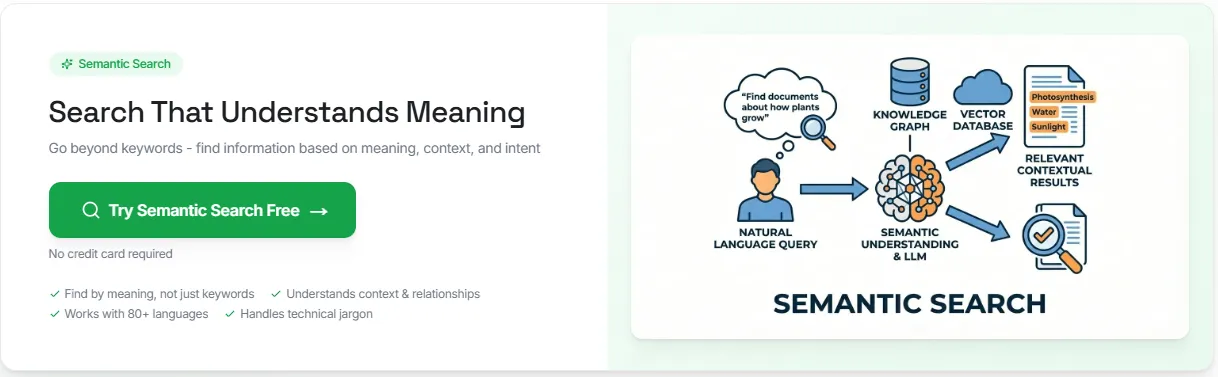
4 Steps for a Successful Semantic Search Implementation

Most search systems still depend too much on keyword matching. That works for exact matches, but it breaks when users describe what they want in their own words.
A query can be clear to a person and still fail in a traditional search engine because the indexed content uses different terms.
Semantic search solves that problem by matching a user's search query to meaning, context, and related terms instead of relying only on exact keywords.
This article explains how semantic search works, how to implement it step by step, and how businesses use it to improve search results.
TL;DR#
With Denser, semantic search implementation comes down to four steps:
- Connect your data from documents, databases, or websites
- AI creates embeddings that capture meaning, relationships, and context
- Users search in natural language instead of exact keywords
- Receive precisely ranked results based on semantic similarity
What Is Semantic Search?#
Semantic search is a search method that focuses on meaning instead of plain keyword matching. It tries to understand user intent, contextual meaning, and how a query relates to the content being searched.
A traditional search engine often depends on lexical search, exact keywords, and term overlap. Semantic search, on the other hand, can return relevant information even when the wording changes.
For example, semantic search connects:
- "athletic footwear" with running shoes or walking sneakers
- "days off" with a PTO policy or vacation policy
- "best laptops for graphic design students" with models that have ample RAM, strong graphics, and color-accurate displays
Most semantic search systems do this with vector embeddings. Documents and search queries are turned into numerical representations, stored in a vector database or vector store, and compared with similarity search methods such as cosine similarity.
How Does Semantic Search Work?#
Many semantic search systems follow the same retrieval flow. They take documents, turn them into vectors, compare them with user queries in the same vector space, and rank results by semantic similarity.
The process is more advanced than traditional keyword search, but the logic is still easy to follow once each step is clear.
A traditional search engine usually depends on keyword matching, lexical search, and exact matches. Semantic search reads natural language, looks at contextual meaning, and tries to understand the user's intent behind the query.
In many production systems, teams combine AI semantic search with keyword search and filters because exact keywords still matter for SKUs, product names, policy numbers, and other structured data.
A semantic search system usually moves through five stages:
- Query analysis: The query is interpreted for intent and underlying meaning, not only literal wording.
- Embedding generation: Documents and search queries are turned into vector embeddings so similar ideas sit close together in high-dimensional space.
- Similarity search: The query vector is matched against stored document vectors in a vector database or vector store. Large systems often use a vector index and an Approximate Nearest Neighbor search for faster retrieval.
- Distance scoring: Nearby vectors are ranked with measures such as cosine similarity or dot product, depending on how the embeddings are normalized.
- Reranking and filtering: The strongest matches are refined with metadata, permissions, keyword signals, or neural reranking so the final search results are cleaner and more precise.
For teams that want to put this into practice, Denser handles that retrieval flow on top of your own content.
4 Easy Steps To Implement Semantic Search#
Denser lets you implement semantic search in four clear steps.
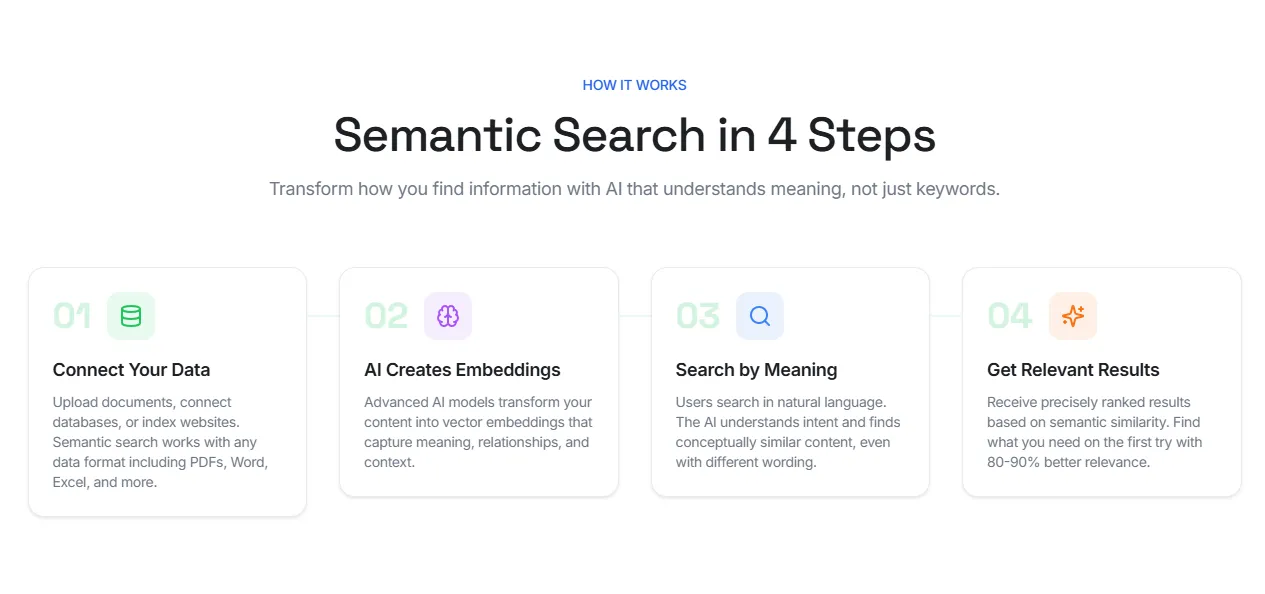
First, create an account and then follow these four steps:
Step 1. Connect Your Data#
Start by connecting the content people need to search, for example, documents, databases, websites, help centers, product pages, and internal knowledge.
With Denser, this usually means:
- Uploading PDFs, DOCX, XLSX, PPTX, TXT, or Markdown files
- Connecting databases if the content lives in structured records
- Indexing websites, wikis, or documentation pages
This step matters because search quality depends on source quality. If useful content is missing, outdated, or scattered across different tools, the results will be weaker. A cleaner source base gives semantic search a better foundation from the start.
Step 2. AI Creates Embeddings#
After the content is connected, AI creates embeddings automatically. Vector embeddings capture meaning, relationships, and context across your content.
That is what allows semantic search to go beyond exact terms. A search for "days off" can still match a PTO policy. A search for "athletic footwear" can still match running shoes.
With Denser, you don't have to build a separate embedding pipeline yourself. The platform handles parsing, chunking, and embedding generation as part of the workflow. Your main job is to make sure the source content is clean, current, and worth retrieving.
Step 3. Search by Meaning#
Once the content is embedded, users can search in natural language. Denser reads the intent behind the query and looks for conceptually similar content, even when the wording is different.
That is the key difference between semantic search and keyword matching. Traditional search depends on exact words, and semantic search looks for meaning.
In practice, that means users can type questions the way they normally speak or write. The system then compares that query with the stored content and retrieves the closest matches based on semantic similarity.
Denser supports more than 80 languages, so you can search in one language and find results in any other.
Step 4. Get Relevant Results#
The final step is ranked retrieval. Denser returns results based on semantic similarity, so users see the most relevant answers first instead of scanning through loosely related matches. Users can find what they need on the first try and with 80-90% better relevance.
This is where semantic search becomes useful in real workflows. Users get direct results from the content they already trust, whether that content lives in documents, websites, databases, or internal resources.
The goal is not only retrieval, but to help users find the right answer faster, with less guessing, less filtering, and less dependence on exact keywords.
Benefits of Semantic Search#
Semantic search earns its place when search quality affects support, discovery, or productivity. Compared to traditional keyword-based search, it gives teams a better way to return relevant information from large sets of documents, product descriptions, and internal content.
More Relevant Results#
Semantic search focuses on semantic meaning instead of plain keyword overlap. That helps a semantic search engine return results that match the user's intent, even when the wording changes.
Better Handling of Natural Language#
People rarely type perfect search queries. More often, they describe what they want in their own words. Semantic search models can read a user's search query, understand related terms, and match broader concepts without forcing rigid syntax or exact keywords.
A Better Search Experience#
Search feels more useful when users find the right page, product, or answer on the first try. This especially matters in customer support, ecommerce, and internal knowledge search, where time spent reformulating queries often leads to frustration.
Stronger Performance on Unstructured Data#
PDFs, policy files, help center articles, tickets, and long-form documents do not fit neatly into a traditional search engine built around exact term matching. Semantic search relies on machine learning, text embeddings, and vector search to make that content easier to retrieve.
A More Practical Path to Modern Information Retrieval#
A strong semantic search solution creates a better base for search, recommendations, and retrieval-augmented generation. Once the system can find the right passages, it becomes much easier to support cited answers, ranked passages, and downstream workflows.
The Use Cases of Semantic Search#
Semantic search works best when people describe what they need instead of naming the exact document, phrase, or product title. It's why it shows up in search-heavy workflows where keyword matching alone leaves too many gaps.
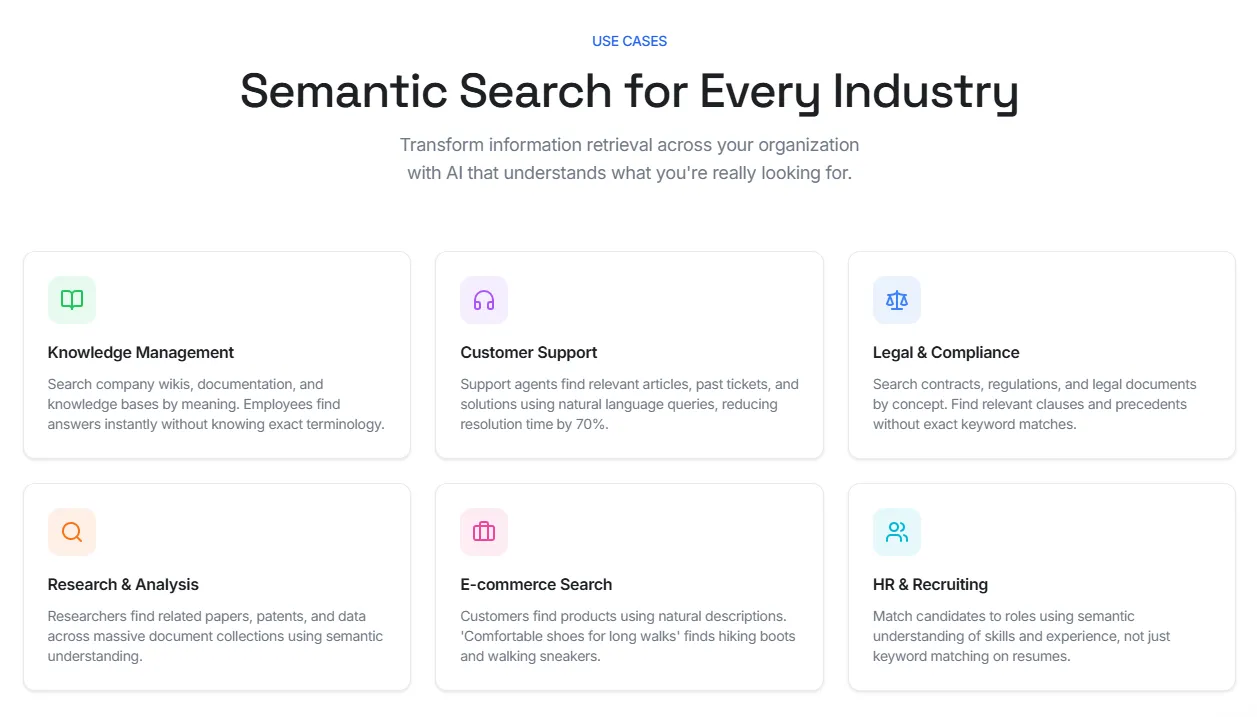
In knowledge management, employees can search wikis, SOPs, onboarding docs, and internal manuals by meaning. That reduces time spent digging through folders or guessing the exact title of a document.
In customer support, agents can search tickets, help center articles, return policies, and troubleshooting guides in natural language.
In legal and compliance, semantic search helps teams find clauses, obligations, and precedents without relying on one exact phrase. Some platforms also combine semantic search with knowledge graphs to map related entities and concepts across documents.
In e-commerce, semantic search reads natural product descriptions and intent-driven queries more accurately than traditional keyword-based search. A search for "comfortable shoes for long walks" can still return walking sneakers, hiking shoes, or cushioned trainers.
In HR and recruiting, semantic search helps teams match resumes to roles based on skills, experience, and related terms rather than exact keyword matches alone.
Transform How You Find Information With Denser#
You already have the data. Denser helps you actually use it.
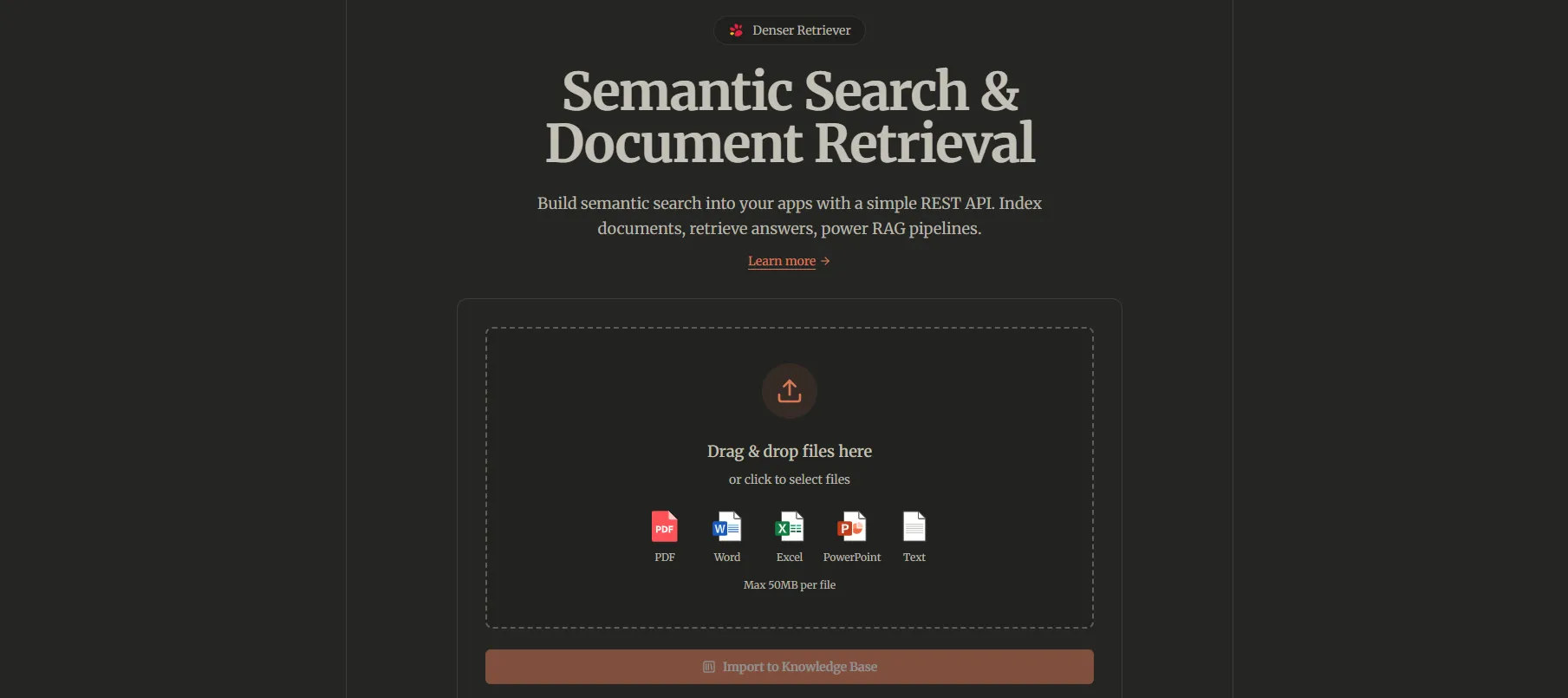
Instead of relying on exact keywords, you can search based on meaning. For example, you can type "revenue growth" and still find documents about increasing sales or improving profit. That's because Denser understands intent, not just words.
It uses vector embeddings powered by advanced AI models to map relationships across your content. This allows the system to connect ideas, recognize synonyms, and surface results that match what you mean.
It works across your entire content stack:
- PDFs, Word, Excel, and other files
- Databases and internal tools
- Websites, emails, and code repositories
You're not limited by language either. Search in one language and get results from content written in another. Denser supports 80+ languages while keeping the original meaning intact.
Results come back in under a second, even for large datasets. And everything stays secure. Access controls and permission-aware search make sure users only see what they're allowed to see.
You also get built-in analytics so you can track what people search for, what works, and where results can improve.
Start for free and see it firsthand!
FAQs About Semantic Search Implementation#
How does semantic search differ from keyword search?#
Semantic search differs from keyword search because it looks at meaning, not only exact terms. Keyword search depends on literal matches. Semantic search uses contextual search to find related ideas, even when the wording changes.
Do you need your own embedding model to perform semantic search?#
No. You do not always need to train your own embedding model to perform semantic search. Many platforms use a built-in language model to turn text into a vector embedding, which is a numeric representation of meaning. That removes a lot of manual setup.
Does semantic search need a lot of computational power?#
It can, especially at a large scale. Embedding generation, indexing, and retrieval all use computational power. Without the right setup, search can become time-consuming and expensive. That is why teams usually rely on managed infrastructure instead of building everything from scratch.
Why does efficient similarity search matter?#
Efficient similarity search matters because semantic retrieval depends on comparing a query with many stored vectors. If that process is slow, users wait longer for results. A good setup keeps response times fast, even as the content library grows.
Is there a maximum number of documents that semantic search can handle?#
There is no fixed maximum number for every system. The real limit depends on storage, indexing design, retrieval method, and available computational power. Some setups work well for small libraries, while others are built to handle much larger datasets.