
6 Best AI Knowledge Base Software in 2026

AI knowledge base software helps teams find accurate answers faster, keep documentation easier to manage, and reduce time lost to scattered knowledge.
Microsoft found that 86% of people want AI to help them find the right information and answers they need. An advanced platform can support internal teams, customer-facing support, and a knowledge base chatbot that pulls answers from approved content.
In this guide, you'll learn what AI knowledge base software is, which features matter most, and which tools are worth considering in 2026.
TL;DR#
These are the best AI knowledge base software tools in 2026:
- Denser AI
- Zendesk Guide
- Intercom Articles
- Guru
- Document360
- Capacity
What Is an AI Knowledge Base Software?#
An AI knowledge base software is a knowledge management system that stores existing information, understands natural language search queries, and returns relevant answers, rather than relying solely on keyword matching.
It goes beyond a traditional knowledge base by using natural language processing, AI-powered search, and other AI capabilities to find answers faster, spot outdated content, and support automated content generation with human oversight.
It can support an internal knowledge base for employees, customer-facing help content for external customers, or a hybrid setup that serves both.
Key Features of an AI Knowledge Base Software#
The best AI knowledge base software combines strong knowledge management basics with AI capabilities that improve search, maintenance, and answer quality.
A searchable knowledge base needs a clear structure, version control, access controls, and support for existing systems. AI adds faster answers, better handling of outdated content, and smarter ways to surface relevant information across internal teams and support teams.
When you compare tools, focus on features like these:
| Feature | What It Does | Why It Matters |
|---|---|---|
| AI-powered search | Understands search queries by meaning, not only exact wording | Helps users find answers faster and improves knowledge base usage |
| Version control and access controls | Tracks changes and limits access by role or team | Protects content quality, security, and internal knowledge |
| Existing systems support | Connects docs, help centers, wikis, and other existing systems | Reduces scattered knowledge and keeps current documentation usable |
| Analytics and support metrics | Tracks search queries, support metrics, and self-service resolution rate | Shows what users need, where content gaps exist, and what needs improvement |
| Content gap detection | Flags outdated information, duplicate content, and weak coverage | Helps teams maintain accurate content with less manual review |
| AI agents and AI assistant support | Surfaces instant answers with a human touch | Improves self-service for external customers and helps support teams work faster |
6 Best AI Knowledge Base Software To Use in 2026#
We picked these tools based on AI accuracy, search quality, support for existing content, governance, implementation friction, pricing clarity, and fit for real support or knowledge workflows.
1. Denser AI#
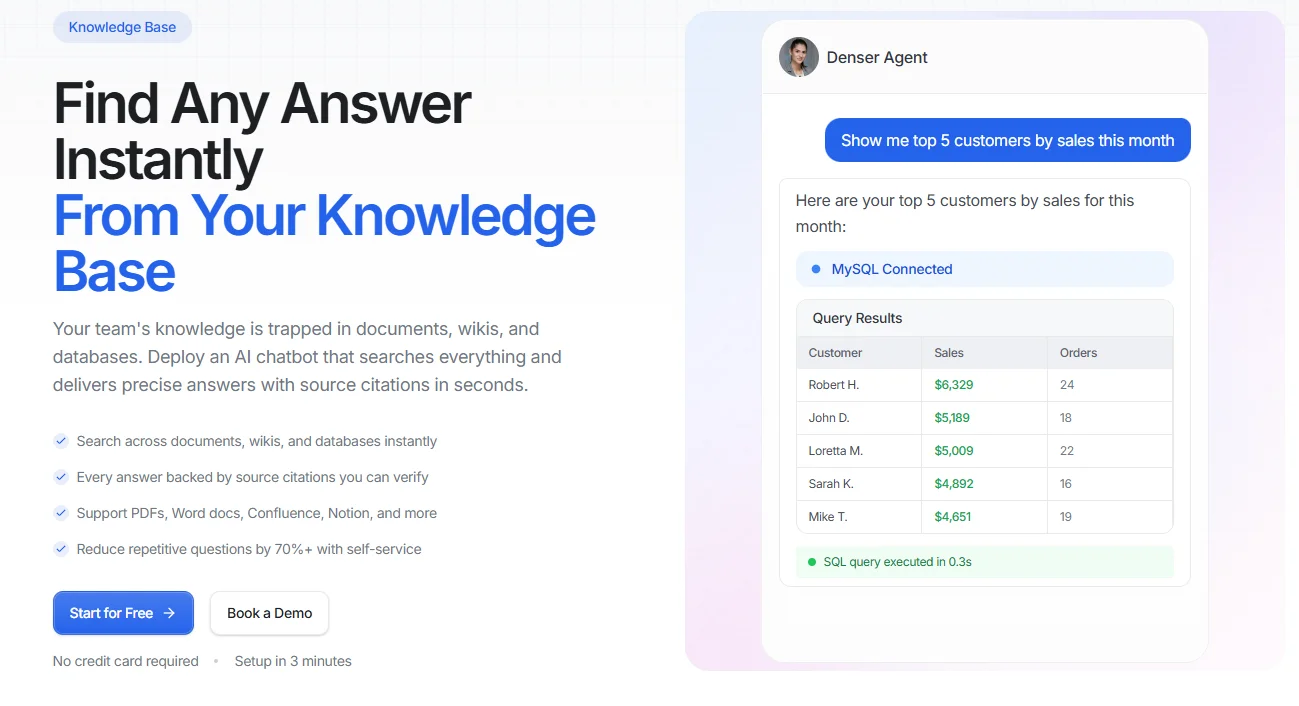
Denser AI turns documents, websites, help centers, and databases into one searchable answer layer. Instead of sending users through folders, tabs, and keyword-based search, it returns direct answers with source citations they can verify.
That gives support teams, internal teams, and customers faster access to existing knowledge without relying on scattered content or outdated documentation.
Denser AI supports PDFs, Word docs, Confluence, Notion, and other common knowledge sources, so teams can work with the content they already have instead of rebuilding everything from scratch.
Its AI-powered search reads meaning and context, which helps users find relevant information even when they don't use the exact terms to search.
Denser also fits self-service use cases well because it can reduce repetitive questions while keeping every answer tied back to the original source.
Denser AI Key features:
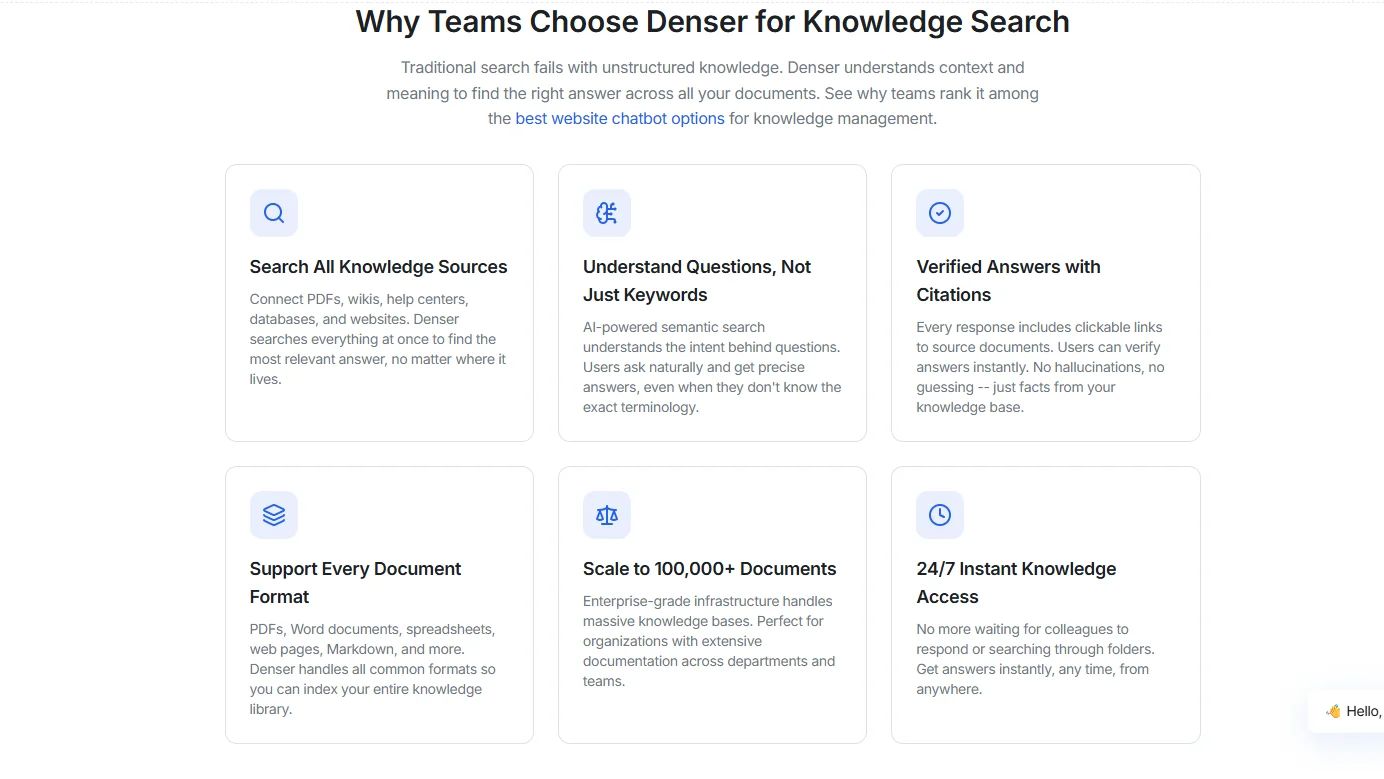
- AI-powered search with natural language processing
- Source-cited answers across documents, wikis, websites, and databases
- Support for PDFs, Word docs, spreadsheets, Markdown, Confluence, and Notion
- Access controls, suggested questions, and automatic content sync
- Scales to 100,000+ documents for larger teams and large knowledge libraries
- Fast deployment for smaller teams that want quick value without heavy setup
Pros:
- Advanced AI accuracy because every answer links back to the source
- Useful for both support teams and internal teams
- Handles unstructured content better than a traditional knowledge base
- Quick setup with a free plan and no code required
Pricing:
- Free: $0
- Starter: $29/month
- Standard: $119/month
- Business: $399/month
- Enterprise: Contact Sales
All plans have a 20% discount when paid annually.
Start free with Denser and reduce repetitive questions by 70%+ with self-service!
2. Zendesk Guide#
Zendesk Guide is a mature platform for teams that already use Zendesk for support and want knowledge tightly linked to service workflows.
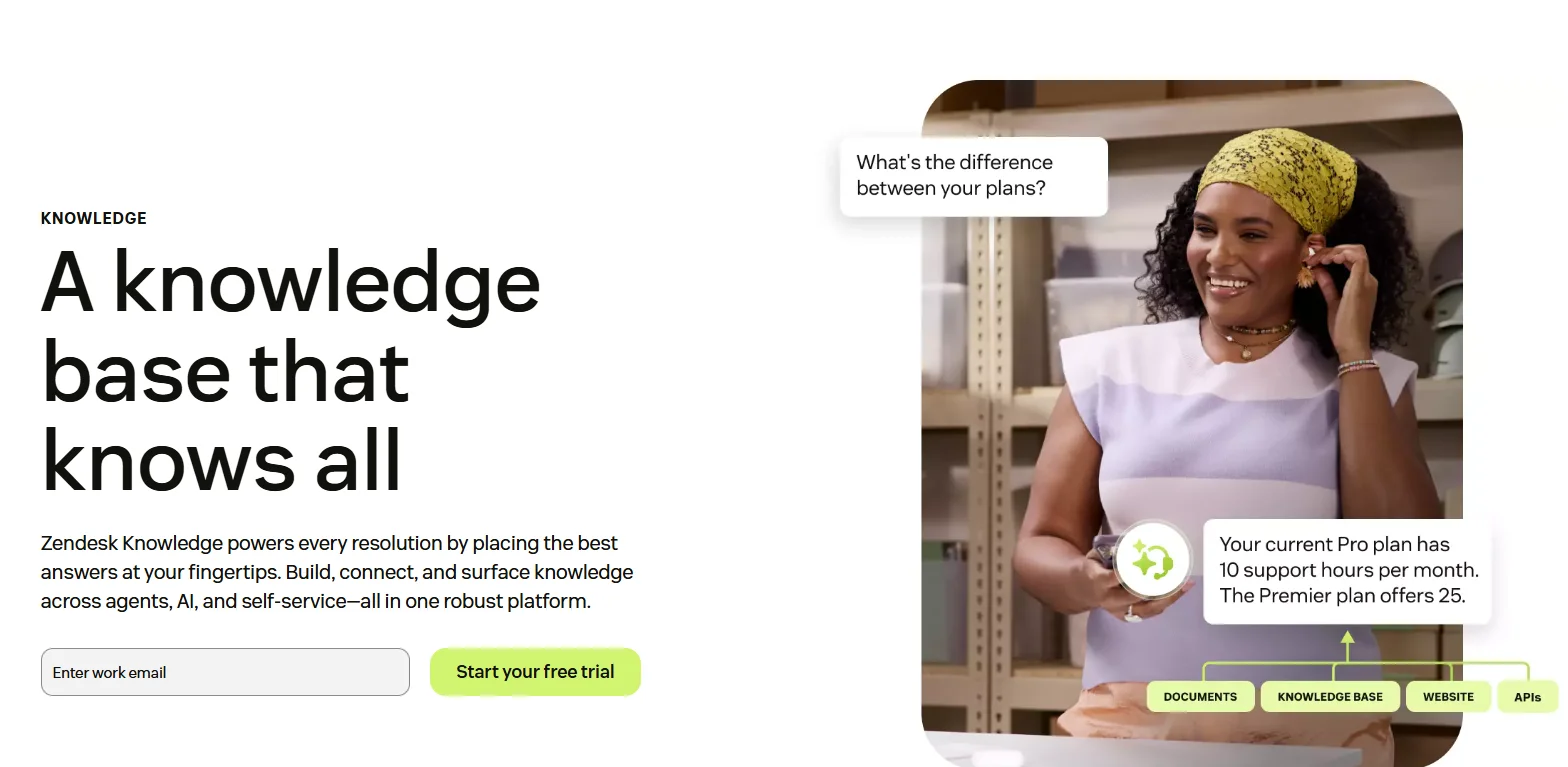
Image Source: zendesk.com
It brings together help center content, internal knowledge, and AI-assisted article creation inside the broader Zendesk ecosystem.
The platform works best when support teams need a structured knowledge base, analytics, and AI features tied to ticketing and agent workflows.
Zendesk Key features:
- Single platform for agents, AI, and self-service
- AI tools for drafting, editing, and translating articles
- Internal and external knowledge support
- Broader integration with service workflows
Pros:
- Mature platform with advanced service depth
- Solid analytics and governance controls
- Good fit for enterprise support operations
Cons:
- Pricing rises fast with Copilot and add-ons
- Better fit for the Zendesk stack than neutral environments
Pricing:
- Support Team: $25/agent/month
- Suite Team: $69/agent/month
- Suite Professional: $149/agent/month
- Suite Enterprise: $219/agent/month
3. Intercom Articles#
Intercom Articles fit teams that want self-service tied closely to messaging, AI support, and customer conversations.
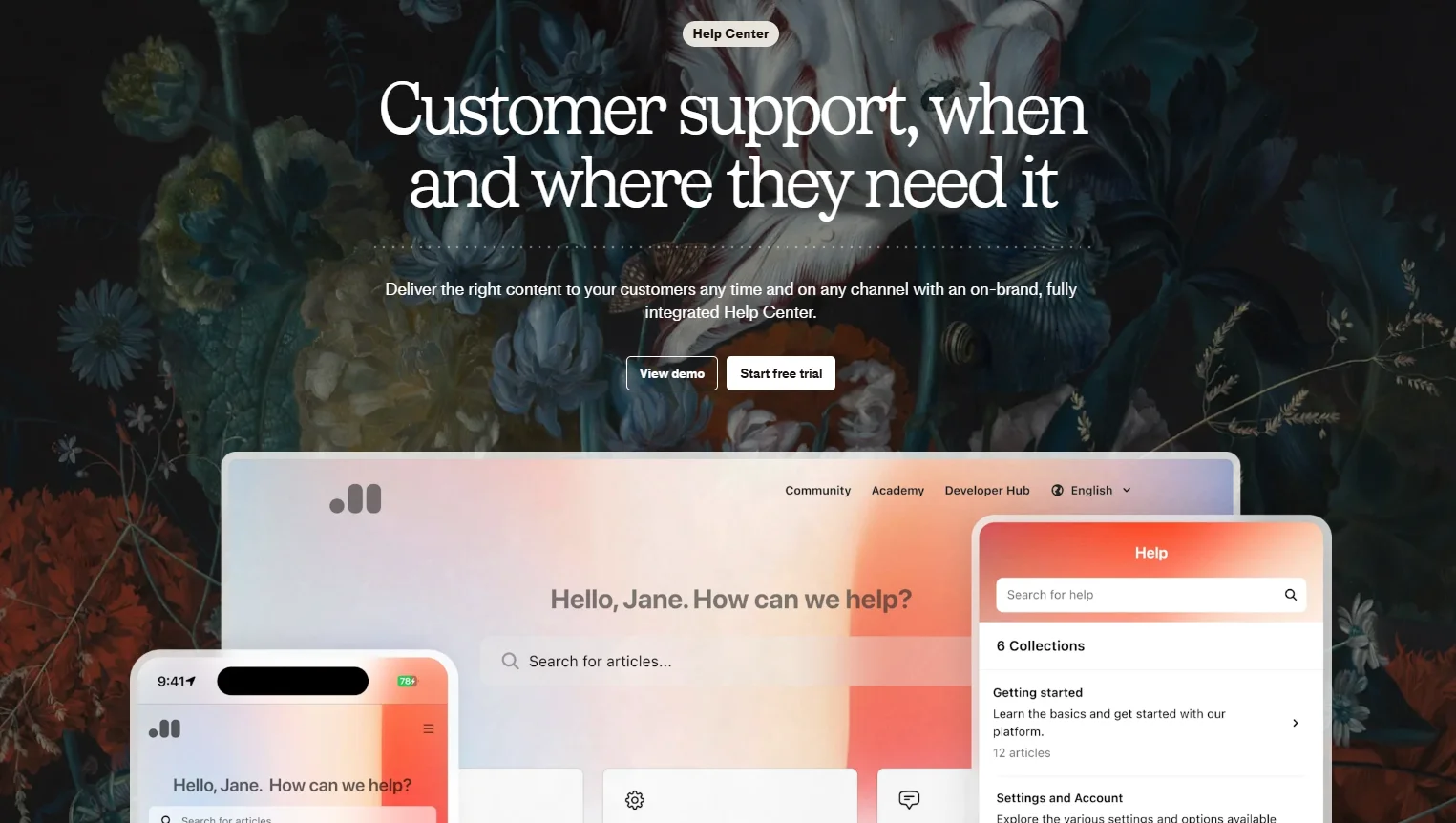
Image Source: intercom.com
Its Help Center lets teams publish articles, suggest content before a chat starts, and use that knowledge to power Fin AI Agent.
It's a practical option for SaaS and product-led teams that care about faster answers, fewer support tickets, and a smooth handoff from knowledge to live support.
Intercom Key features:
- Public Help Center with multilingual support
- AI-powered answers through Fin AI Agent
- Article suggestions inside Messenger and Inbox
- Multi-brand setup and usage-based AI model
Pros:
- Solid fit for product-led customer support
- Good self-service and messaging fit
- Clean path from article to live conversation
Cons:
- Usage-based AI pricing can add up
- Less ideal for broad internal knowledge programs
Pricing:
- Essential: $39/seat/month
- Advanced: $99/seat/month
- Expert: $139/seat/month
4. Guru#
Guru is built around verified internal knowledge and in-workflow answers. It connects docs, chats, and apps, then delivers cited, permission-aware answers through enterprise search, AI chat, and a browser extension.
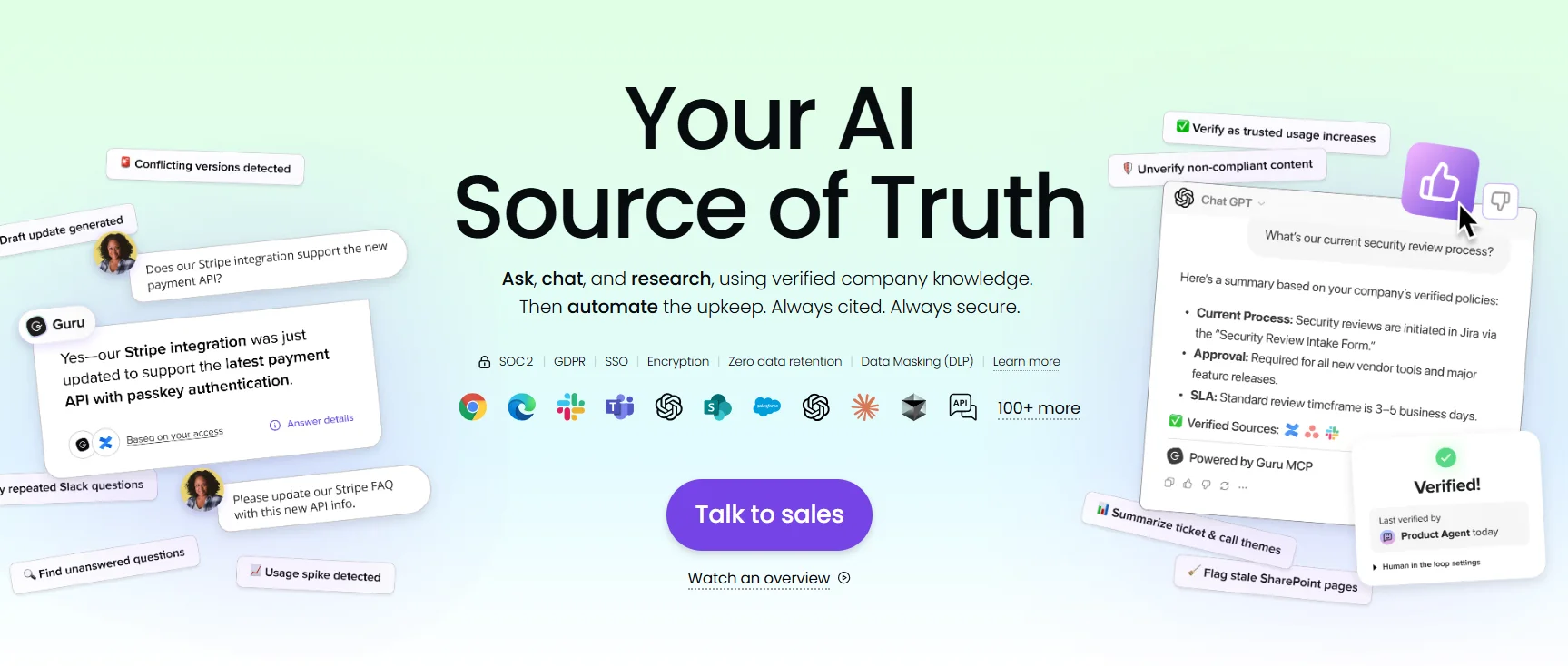
Image Source: getguru.com
Guru is useful when internal teams need faster access to trusted knowledge without leaving the tools they already use. It's less focused on external customers than platforms built for public help centers first.
Guru Key features:
- Enterprise AI search across connected apps
- Verification system for content trust
- Browser extension for answers in workflow
- Governance, permissions, and GDPR compliance support
Pros:
- Strong fit for internal knowledge and access control
- Helps reduce scattered knowledge across tools
- Useful for teams that want cited answers in workflow
Cons:
- Public customer support use cases are not its main focus
- Pricing gets less clear at enterprise scale.
Pricing:
- Custom
5. Document360#
Document360 is a solid pick for technical documentation, structured knowledge bases, and teams that care about content governance. It supports public, private, and mixed knowledge bases, plus AI-assisted search through Ask Eddy.
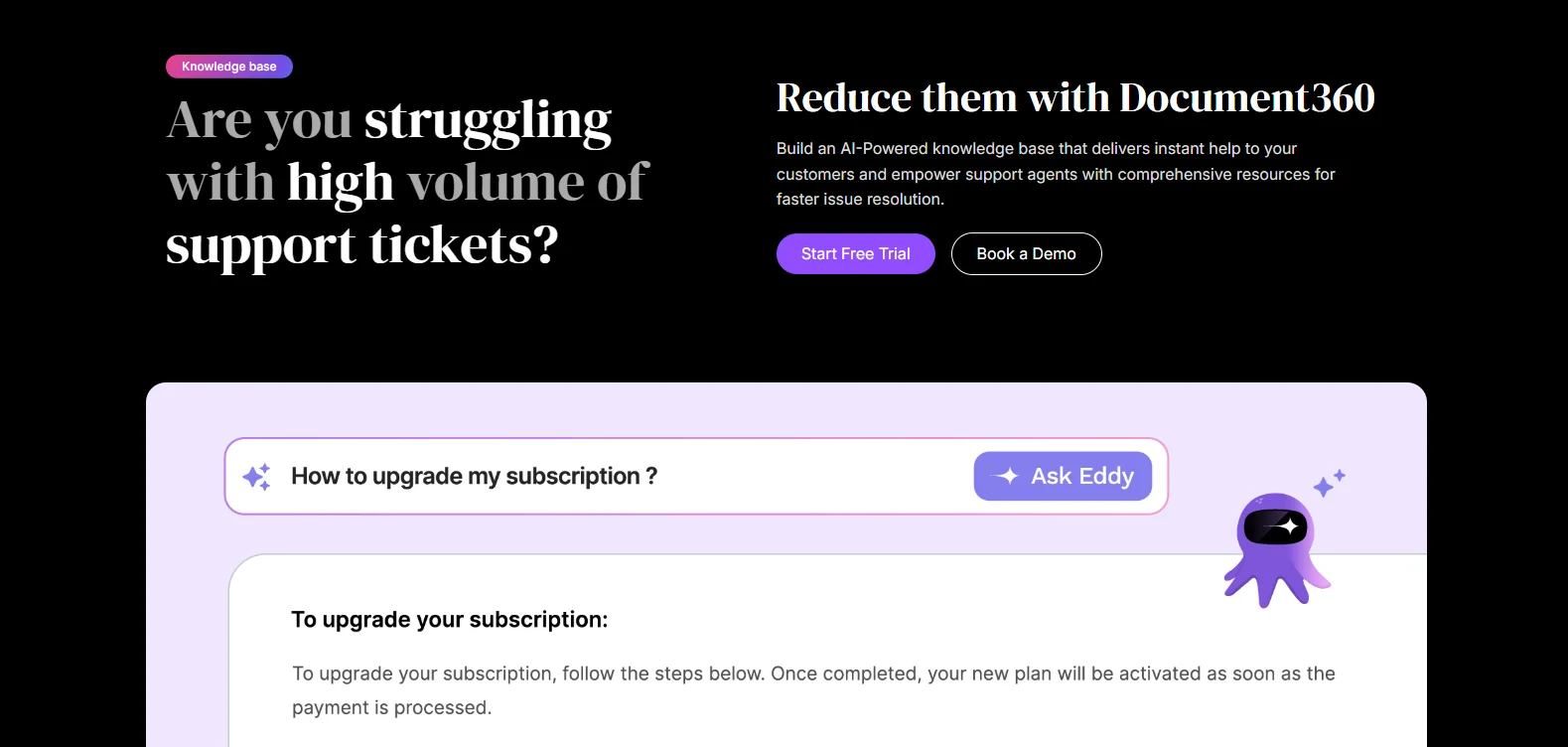
Image Source: document360.com
The platform is built for clear structure, version control, article workflows, and documentation-heavy environments where content quality matters as much as speed. It's a better fit for technical docs than for broad support automation.
Document360 Key features:
- Public, private, and mixed knowledge base options
- Ask Eddy AI for conversational answers
- Strong version control and article structure
- Analytics and support for large documentation sets
Pros:
- Strong technical documentation fit
- Good control over structured content
- Solid search and feedback tools
Cons:
- Pricing is not transparent
- Can be slow when it comes to loading large projects
Pricing:
- Custom
6. Capacity#
Capacity focuses on AI knowledge management tied to support automation, agent assist, and answer delivery across channels.
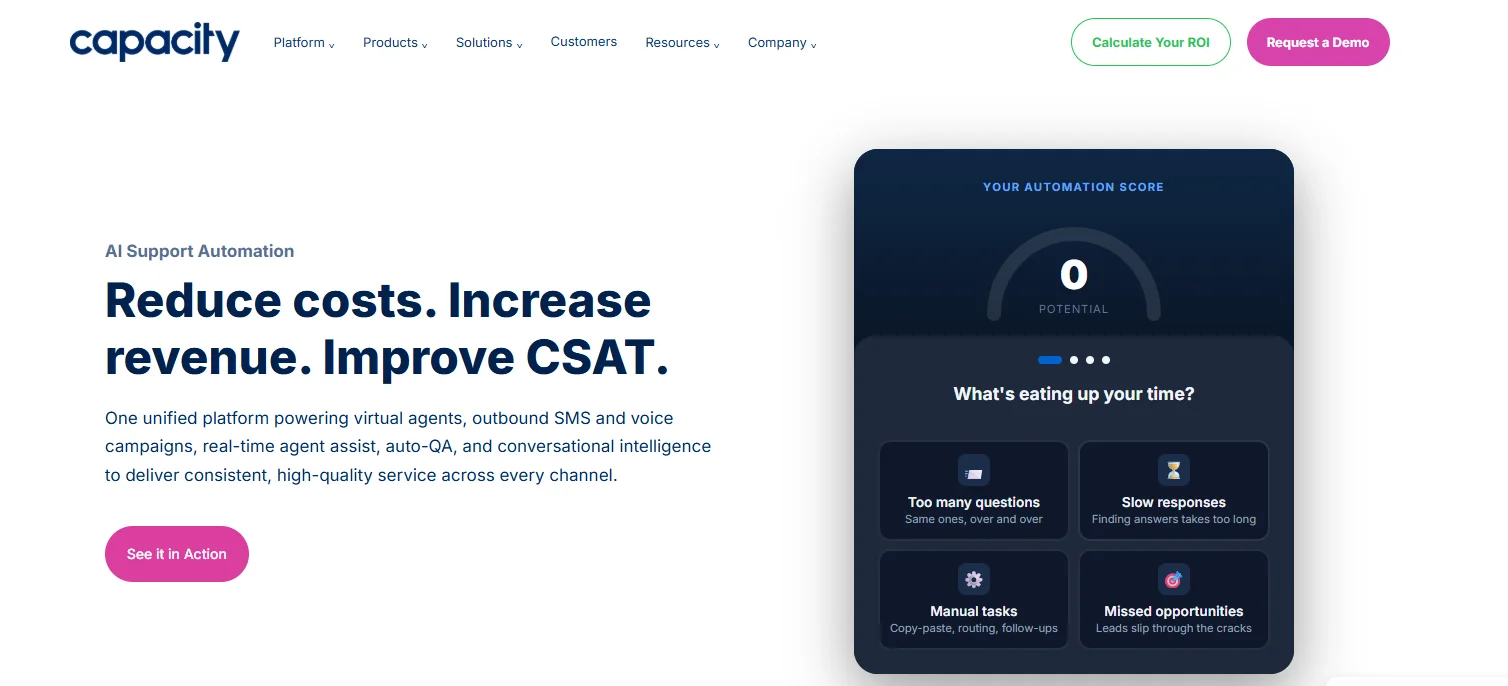
Image Source: capacity.com
Its knowledge base stores FAQs, documents, guided conversations, and external content, while AI content generation can mine closed help desk tickets into new knowledge.
It's a good match for teams that want knowledge and automation in one desk platform, especially when support and internal access overlap.
Capacity Key features:
- Unified knowledge base with permissions
- AI content generator from closed tickets
- Support for multiple knowledge bases
- Answer engine and virtual agent support
Pros:
- Good mix of knowledge and support for automation
- Useful for teams with many repetitive questions
- Strong multi-KB and workflow angle
Cons:
- No clear public pricing
- Building the initial knowledge base can take some time
Pricing:
- Custom
How to Choose the Right Knowledge Management Solution#
Start with the role you need the platform to do. Some tools are built for customer-facing support, some for internal teams, and some for both.
Check whether the product handles your current documentation, existing systems, and support context without forcing a huge cleanup project first.
A clear structure, strong search, and useful analytics often matter more than flashy content generation demos.
Use this checklist during evaluation:
- Fit: Customer support, internal knowledge, or both.
- Search: AI-powered search, citations, and search functionality.
- Governance: Access controls, version control, and human oversight.
- Maintenance: Help with content gaps, outdated content, and new content.
- Reporting: Knowledge base usage, support metrics, and self-service resolution rate.
- Security: Customer data handling, GDPR compliance, and admin control.
How To Implement an AI Knowledge Base Software#
Implementation works better when you start with one clear use case, connect the right knowledge sources, and launch with a setup people can actually use.
With Denser, you can do it in three easy steps.
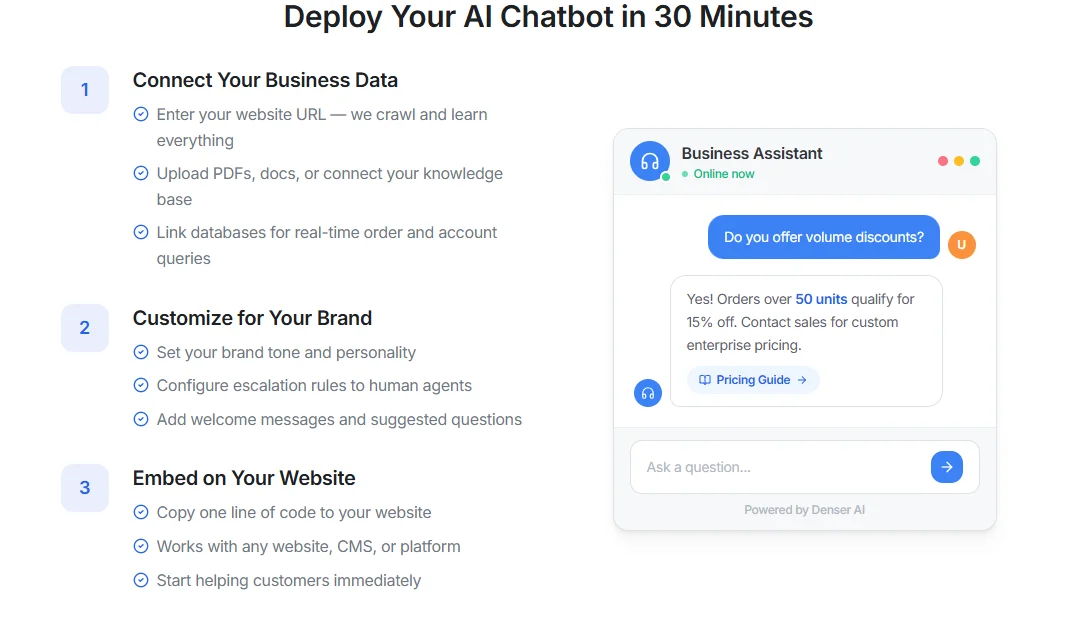
First, create an account and then follow these steps:
Step 1: Connect Your Knowledge Sources#
Start by connecting the content your chatbot needs to read. That can include your website, help center, wiki, PDFs, Word docs, spreadsheets, uploaded files, and internal documentation.
Denser can crawl documentation sites, import from tools like Confluence, Notion, and SharePoint, and search across documents, wikis, and databases from one layer.
Before you move on, clean up the source content. Remove outdated files, fix duplicate pages, and fill the biggest content gaps so the chatbot starts with stronger answers.
Step 2: Customize and Test the Chatbot#
Once the content is connected, customize the chatbot around the people who will use it.
With Denser, you can match your brand colors and style, set access controls for sensitive content, and add suggested questions for common topics.
Then test the same questions your team hears every week. Check whether the chatbot returns the right answer, links to the right source, handles follow-up questions, and stays clear under real search conditions. This is where you improve search quality before users ever see the chatbot.
Step 3: Deploy and Keep Improving#
When the chatbot is ready, deploy it on the channel where people already look for answers.
Denser supports website embeds, intranet deployments, application installs, and direct share links for employees or customers.
Content can sync automatically when documents update, so the knowledge base stays current without constant manual work. Most teams can get the first version live in about 30 minutes.
After launch, review search queries, repeated misses, weak answers, and content gaps. The biggest gains usually come from improving the content behind the chatbot, not rebuilding the setup.
Turn Docs and Wikis Into a Knowledge Base Chatbot#
Denser AI turns documents, wikis, help centers, and databases into a knowledge base chatbot that returns direct answers with source citations.
Large organizations and teams can search across PDFs, Word docs, spreadsheets, websites, Confluence, Notion, and more from one place.
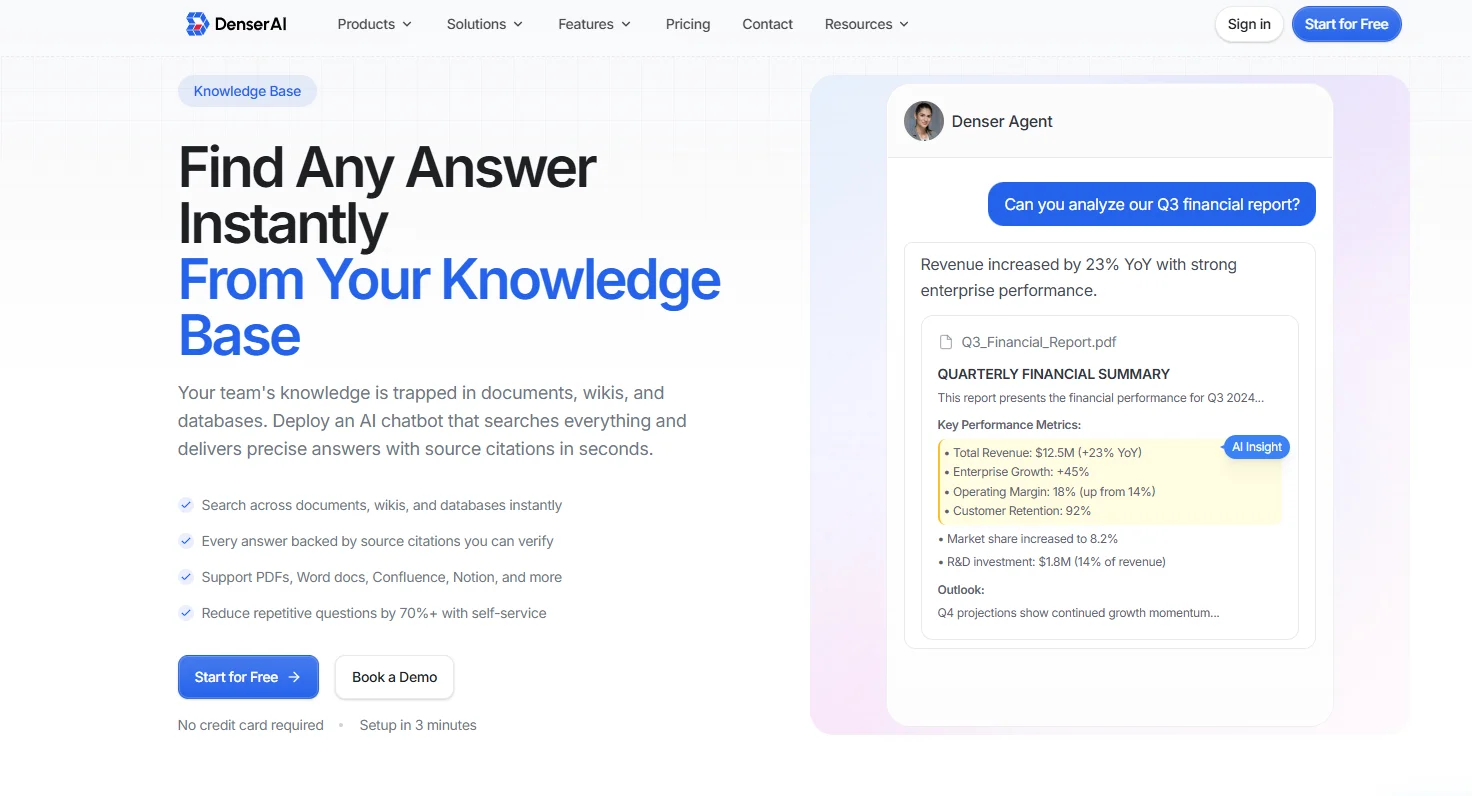
You can use the knowledge base chatbot to:
- Answer internal process and policy questions faster
- Give customers self-service answers from approved content
- Support new employee onboarding without repeated manual help
- Search technical documentation and troubleshooting guides in seconds
Start for free and join more than 1,000 teams that already trust Denser AI!
FAQs About AI Knowledge Base Software#
How long does AI knowledge base implementation take for different team sizes?#
Smaller teams can often launch a focused setup in days if the content is already clean. Larger teams usually need more time for permissions, structure, integrations, and review workflows. In most cases, the timeline depends more on content quality and governance than on software alone.
Can AI knowledge base platforms handle technical documentation?#
Yes. AI knowledge base platforms can handle technical documentation well when the content is structured clearly and kept up to date. This includes product docs, runbooks, API references, setup guides, and troubleshooting articles. Advanced platforms should support version control, clear search, and reliable retrieval so teams can find technical answers without digging through scattered files.
What's the difference between AI and traditional knowledge bases?#
A traditional knowledge base depends on manual content creation and exact-term search. An AI knowledge base adds natural language processing, smarter retrieval, content gap detection, and, in many tools, some level of automated content generation.
How much can knowledge base software reduce support ticket volume?#
The result varies based on content quality, search quality, and how many of the same questions your team gets today. In general, ticket deflection improves when the knowledge base is easy to search, stays up to date, and is connected to self-service or AI agents. A weak content library will not reduce much volume, even with advanced AI features on top.