
AI Live Chat: How to Combine Chatbots With Live Agents (2026)

Your support team handles the same 20 questions over and over. Meanwhile, the complex issues that actually need human attention sit in a queue. Adding more agents doesn't scale, and a basic chatbot frustrates customers who need real help.
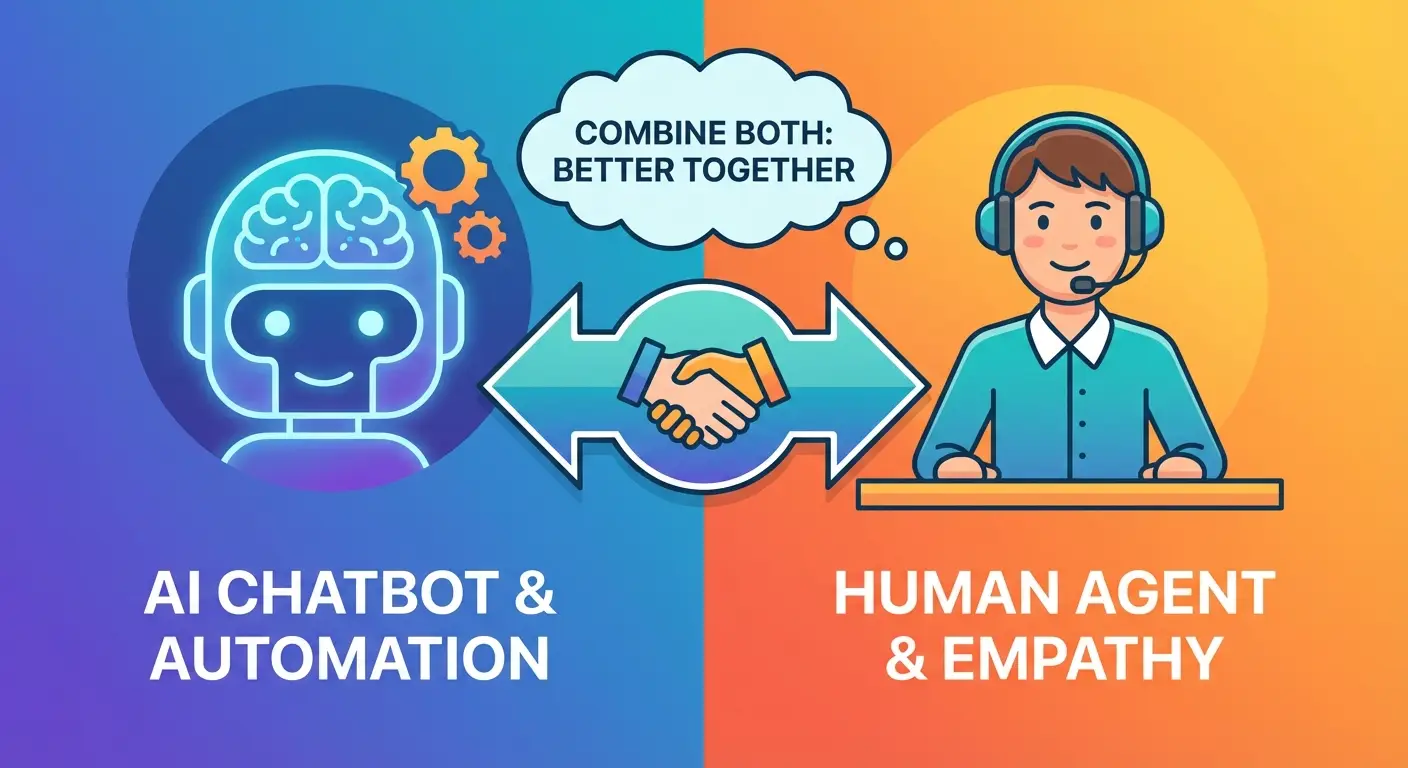
The solution isn't choosing between live chat and chatbots. It's combining them. A live chat chatbot uses AI to handle routine conversations automatically, then routes complex issues to human agents with full context. The result: faster responses, lower costs, and customers who actually get the help they need.
This guide covers how AI live chat works, when AI should handle the conversation versus a human, and how to set up the hybrid model for your business. If you're still deciding between chatbot platforms, see our best website chatbot comparison first.
What Is a Live Chat Chatbot?#
A live chat chatbot is a system that combines AI-powered automation with human agent support in a single chat interface. Visitors interact with one chat widget on your website, but behind the scenes, AI and humans share the workload.
The AI handles the conversations it's trained for: answering FAQs, looking up order status, explaining pricing, or guiding visitors through common processes. When a conversation requires judgment, empathy, or specialized knowledge, the system hands it off to a human agent with the full conversation history attached.
This is different from a pure chatbot (AI only, no human fallback) or traditional live chat (human agents handling every conversation). The hybrid model gives you the speed of automation with the reliability of human support.
For a deeper comparison of how chatbots and live chat differ, see our guide on chatbot vs live chat.
How AI Live Chat Actually Works#
The hybrid model follows a simple flow: AI first, human when needed.
Step 1: Visitor starts a conversation. The chat widget appears on your website. A visitor types a question or selects from suggested topics.
Step 2: AI processes the message. The chatbot analyzes the visitor's intent using natural language processing. It searches your knowledge base, help docs, or product data to find a relevant answer.
Step 3: AI responds or escalates. If the AI has a confident answer, it responds immediately with source citations. If the question is too complex, ambiguous, or emotionally charged, it routes the conversation to an available human agent.
Step 4: Human agent picks up with context. The agent sees the full conversation history, so the visitor never has to repeat themselves. The agent resolves the issue, and the interaction feeds back into the AI's training data for future improvement.
Step 5: Analytics capture everything. Both AI and human conversations get logged. You can track resolution rates, handoff frequency, response times, and customer satisfaction across the entire system.
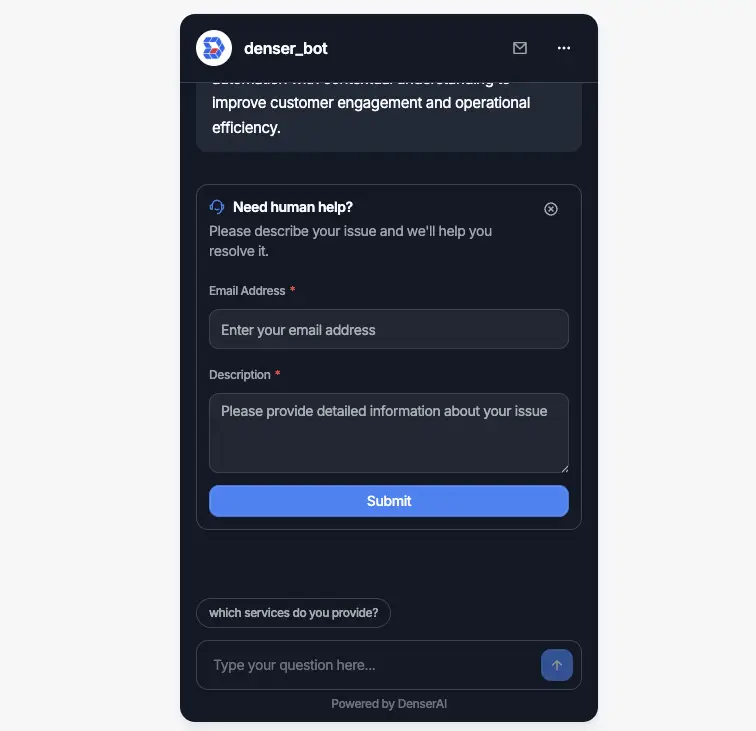
The best live chat chatbot platforms handle this routing automatically. With Denser.ai, the AI is trained on your actual website content, so it answers using your specific product information, policies, and documentation. When the chatbot can't answer a question, visitors can click a contact button to fill in their information, or the chatbot can be configured to pop up a contact form automatically. Either way, your team receives the query with context and can follow up offline.
When AI Should Handle the Conversation#
AI live chat automation works best for predictable, high-volume interactions. These are the conversations that eat up agent time without requiring human judgment.
Frequently asked questions. Shipping policies, return windows, business hours, pricing tiers. If the answer lives in your documentation, AI can deliver it instantly. Chatbots handle 60-80% of routine customer queries without human involvement.
Order and account lookups. "Where's my order?" and "What's my account balance?" are perfect for AI. The chatbot connects to your business systems and pulls the answer in seconds versus the minutes it takes a human to look it up.
Product recommendations. When visitors need help choosing between products, AI can ask qualifying questions and suggest matches based on preferences, budget, or use case. This is how the strongest e-commerce chatbots drive revenue.
Lead qualification. Instead of a static contact form, AI can ask visitors about their company size, goals, and timeline. Qualified leads get routed to sales immediately. Everyone else gets pointed to helpful resources. See how lead generation chatbots handle this in practice.
After-hours support. Your team goes home at 5 PM, but your website runs 24/7. AI live chat keeps conversations going outside business hours, resolving what it can and queuing everything else for the morning.
When to Route to Human Agents#
AI is fast, but it's not always the right tool. These situations need a human touch.
Emotionally charged conversations. A frustrated customer who has been dealing with a billing error for a week doesn't want to talk to a bot. Routing these conversations to a human early prevents the situation from escalating.
Complex troubleshooting. AI can handle "how do I reset my password?" but not "my integration breaks every time I update to the latest version and I've tried these 5 things." Multi-step technical problems need human expertise.
High-value interactions. Enterprise prospects evaluating a $50K contract expect to speak with a person. AI can qualify them and book the meeting, but the actual sales conversation should be human.
Compliance-sensitive situations. Legal, medical, and financial services often require human oversight for regulatory reasons. AI can gather initial information, but a qualified professional needs to review and respond.
Repeated failed resolution. If the AI attempts to answer and the visitor asks follow-up questions that indicate they're not satisfied, the system should escalate automatically. The worst customer experience is getting stuck in a chatbot loop with no exit.
The key is building clear escalation triggers. Good live chat chatbot platforms detect these situations automatically based on sentiment, keyword patterns, and conversation length.
Benefits of Live Chat Automation#
The hybrid model outperforms both pure-AI and pure-human approaches across every metric that matters.
Faster response times. AI responds in under 5 seconds. Human agents average 10+ minutes. With a live chat chatbot handling routine questions, your overall response time drops dramatically. Chatbots reduce customer service costs by up to 30% while improving speed.
Lower support costs. If AI handles 70% of conversations, you need fewer agents. You're not replacing your team; you're letting them focus on the work that actually requires human skills. One agent handling 10 complex cases per day creates more value than that same agent answering 50 FAQ questions.
Consistent quality. Human agents have good days and bad days. AI delivers the same quality answer at 3 AM on a Sunday as it does at 10 AM on a Tuesday. For factual questions with clear answers, consistency matters more than personality.
Scalable without hiring. If your traffic doubles next month, your AI handles the surge without adding headcount. Automated live chat scales to unlimited simultaneous conversations. Try doing that with human agents.
Better agent satisfaction. Support agents burn out answering the same questions repeatedly. When AI handles the repetitive work, agents handle the interesting, challenging conversations. Agent retention improves because the job becomes more engaging.
24/7 availability. 69% of consumers prefer chatbots for quick communication. AI live chat means your business never closes. Visitors get answers any time, from any timezone.
How to Set Up AI Live Chat on Your Website#
Getting started with a live chat chatbot doesn't require a development team. Here's the process at a high level.
1. Choose your platform. Pick an AI live chat platform that offers both automated responses and human handoff. Key features to evaluate: knowledge base training, escalation rules, analytics, and multi-channel support. Our AI chatbot builder guide compares the top options.
2. Train the AI on your content. Upload your help docs, product pages, FAQs, and policies. The AI's quality depends directly on your training data. With Denser.ai, you paste your website URL and the platform crawls and indexes your content automatically.
3. Configure escalation rules. Define when conversations should route to humans: specific topics, sentiment detection, repeated questions, VIP customers, or when the AI confidence score drops below a threshold.
4. Set up the chat widget. Customize the widget to match your brand colors and tone. Configure proactive triggers for high-intent pages like pricing or checkout. For detailed installation steps across WordPress, Shopify, and custom sites, see our guide on how to integrate AI in your website.
5. Test before launching. Run through common scenarios: FAQ questions, edge cases, escalation triggers, and after-hours behavior. Make sure handoffs work smoothly and agents receive full context.
6. Monitor and optimize. Track AI resolution rate, handoff rate, average response time, and customer satisfaction. Use analytics to identify gaps in your knowledge base and add content the AI needs.
Denser.ai offers a free plan that includes one chatbot, 20 queries per month, and up to 100 webpages or 50MB of document storage. No credit card required. Paid plans start at $29/month for higher limits and team features. Start building your chatbot for free or schedule a demo to see it in action.
What to Look for in an AI Live Chat Platform#
Not all platforms handle the hybrid model well. Here's what separates good tools from great ones.
Knowledge base integration. The AI should train on your actual content, not just keyword matching. Look for platforms that crawl your website, process documents (PDFs, DOCX), and return answers with source citations. This is what sets an AI chatbot for website apart from basic rule-based bots.
Seamless handoff. The transition from AI to human should be invisible to the customer. The agent must see the full conversation history, not just "a customer is waiting." Bad handoffs destroy the experience.
Smart escalation triggers. The platform should detect frustration, complex queries, and high-value opportunities automatically. Manual escalation ("type AGENT to speak with a human") is a poor experience.
Multichannel deployment. Your chat widget should work on your website, but the same AI should also work on Slack, WhatsApp, or Shopify if needed. One knowledge base, multiple channels.
Analytics and reporting. You need visibility into what the AI handles well, what it fails on, and where human agents spend their time. Without data, you can't optimize.
Customization. Brand colors, custom greetings, suggested questions, and configurable AI personality. The chat widget should feel native to your site, not like a third-party add-on.
If cost is a factor, explore free chatbot options to test the hybrid model before committing. For a full pricing breakdown across platforms, see our chatbot cost guide.
FAQs About AI Live Chat#
What is the difference between live chat and a chatbot?#
Live chat connects visitors to human agents for real-time conversation. A chatbot uses AI or rules to respond automatically. A live chat chatbot combines both: AI handles routine questions instantly, and human agents step in for complex issues. Most businesses get the best results from this hybrid approach.
Can AI live chat replace human agents completely?#
For most businesses, no. AI can handle 60-80% of routine conversations, but complex troubleshooting, emotional situations, and high-value sales interactions still need humans. The goal is to free agents from repetitive work, not eliminate them.
How much does a live chat chatbot cost?#
Costs range from free to several hundred dollars per month depending on conversation volume and features. Denser.ai's free plan includes 20 queries per month. Paid plans typically start between $29 and $50/month. Compare that to hiring a support agent at $3,000+/month. See our chatbot pricing guide for details.
How long does it take to set up AI live chat?#
With no-code platforms like Denser.ai, you can have a working live chat chatbot in under an hour. Training the AI on your content takes minutes. Fine-tuning escalation rules and testing might take a few days. For a full walkthrough, see our guide on how to create a chatbot.
What happens when the AI can't answer a question?#
Good platforms handle this gracefully. Some route the conversation to a live agent in real time. Others, like Denser.ai, let visitors submit their contact information through a built-in form so your team can follow up offline with full conversation context. The key is that visitors should never get stuck in a loop with no way out.
Is AI live chat suitable for small businesses?#
Yes. Small businesses with 10-50 daily inquiries often see the biggest impact. AI handles the repetitive questions that would otherwise consume hours of your time. Free chatbot plans let you test the approach without any financial commitment.