Customer Service Chatbot: Complete 2026 Guide + Best Picks

A customer service chatbot is no longer a "nice-to-have" — it's the front line of modern support. Today's customers expect instant answers, round-the-clock availability, and personalized help across every channel they use. An AI-powered customer service chatbot meets those expectations while cutting costs, deflecting routine tickets, and freeing your team to focus on the conversations that genuinely need a human touch.
The numbers back this up. According to IBM, chatbots can handle up to 80% of routine customer queries, and 75% of customer support specialists agree that AI and automation tools help them spend less time on manual tasks. Whether you're searching for the best customer service chatbots for a growing business or evaluating an AI chatbot solution to replace an outdated rule-based bot, the right tool can transform your support operation from a cost center into a growth engine.
This guide covers everything you need to make an informed decision: how customer service chatbots work, the benefits they deliver, the features that matter most, a side-by-side comparison of the top picks for 2026, real-world use cases across industries, and a step-by-step implementation plan you can follow today.
What Is a Customer Service Chatbot?#
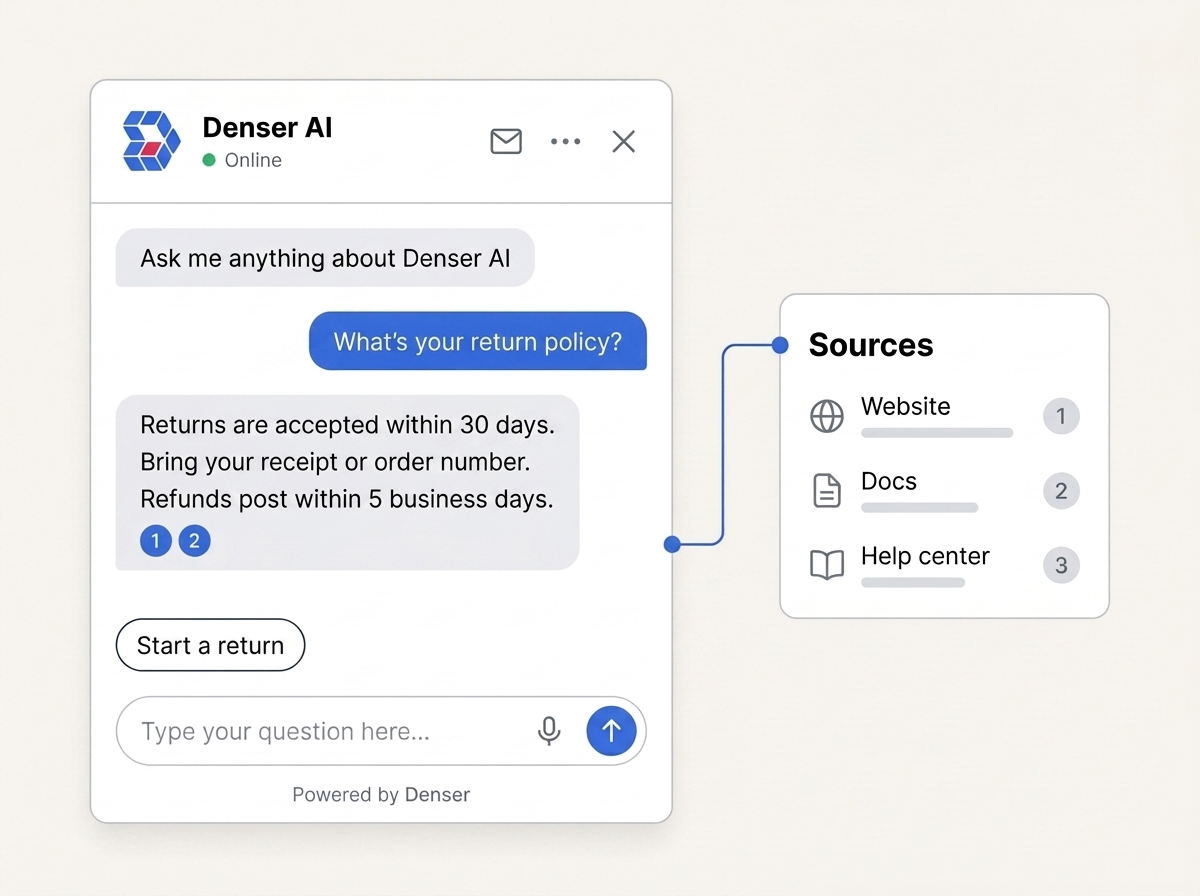
A customer service chatbot is an AI-powered software program that automates customer support interactions. It uses artificial intelligence (AI), natural language processing (NLP), and machine learning (ML) to understand what a customer is asking and respond in plain, conversational language — without needing a human agent for most routine inquiries.
A modern AI customer support bot can be embedded on your website, inside your mobile app, across messaging platforms like WhatsApp and Facebook Messenger, and on social media channels. Unlike the rigid, menu-driven bots of a few years ago, today's chatbots recognize context, intent, and even sentiment, allowing them to deliver answers that feel natural and genuinely helpful.
The core distinction is simple: a chatbot is a tool that answers questions instantly, at scale, around the clock. The best ones do this while escalating seamlessly to a live agent whenever a conversation needs a human's judgment.
How Do Customer Service Chatbots Work?#
Customer service chatbots work by processing a user's input — a question or statement — and then generating a response based on either pre-programmed rules or advanced AI. Simple chatbots follow a script and reply based on set rules, while sophisticated AI chatbots learn from interactions and improve their responses over time.
AI and Natural Language Processing (NLP)#
The key technology behind modern chatbots is NLP. It enables a chatbot to understand human language in a way that goes far beyond simple keyword matching.
NLP allows the bot to recognize context, intent, and the nuances of conversation. For example, a customer may ask, "Where's my order?" or phrase it differently as, "Can you check the status of my package?" With NLP, the chatbot understands that both requests are asking for the same information and responds accordingly.
The most advanced chatbots also rely on machine learning to improve over time. ML allows the chatbot to learn from past conversations, adjust its responses, and predict customer needs with greater accuracy. As more customers interact with the bot, its ability to handle a wider variety of questions keeps getting better.
Rule-Based vs. AI-Powered Chatbots#
There are two primary types of customer service chatbots, and understanding the difference is essential when choosing a chatbot solution:
| Feature | Rule-Based Chatbots | AI-Powered Chatbots |
|---|---|---|
| How they work | Follow predefined paths based on user input | Use NLP and ML to understand intent |
| Best for | Simple, common questions (hours, shipping, returns) | Complex, varied, and conversational queries |
| Flexibility | Limited — breaks outside scripted paths | High — adapts to unexpected phrasing |
| Learning | No — static responses | Yes — improves with every interaction |
| Sentiment awareness | No | Yes — can detect tone and adjust |
| Typical cost | Lower | Moderate, but far cheaper than scaling human agents |
Rule-based chatbots are basic bots that follow predefined decision-tree paths based on the user's input. They work best for answering simple, predictable questions such as store hours, shipping policies, or return procedures. If a customer asks something beyond their programming, these bots typically prompt the customer to speak with a live agent.
AI-powered chatbots rely on AI and machine learning to provide intelligent, conversational responses. They can handle complex customer requests, engage in longer multi-turn conversations, and continuously learn from interactions to improve accuracy over time. AI-powered chatbots can also interpret a customer's tone or sentiment, allowing them to adjust their responses to feel more personalized and empathetic.
Integration with CRM and Other Systems#
Customer service chatbots can integrate with various business systems — Customer Relationship Management (CRM) software, payment gateways, helpdesk platforms, and e-commerce platforms. This integration lets chatbots provide accurate, real-time information based on customer history, account details, and product availability.
When a customer asks about order status, for example, the chatbot can pull information directly from the company's order management system and respond, "Your package was shipped on September 5th and is expected to arrive on September 8th." For enterprise use cases, explore our B2B chatbot examples showing how companies integrate chatbots with their broader systems.
Benefits of Using AI Chatbots for Customer Service#
Using conversational AI chatbots for customer service brings measurable advantages. They help businesses provide better support, save money, and keep customers happy. Here are the key benefits:
24/7 Availability#
Unlike human agents, chatbots answer customer inquiries at any time of day, ensuring customers always get help when they need it. While human agents are limited by working hours, chatbots guarantee quick answers to provide an optimal experience around the clock. For businesses comparing live chat tools, our guide on LiveChat alternatives covers the top options for 2026.
Cost Efficiency and Scalability#
Automating routine tasks like answering common questions reduces operational costs. Instead of hiring additional support staff during peak seasons, a chatbot handles the increased volume of inquiries without requiring extra resources. This makes chatbots highly scalable — they can manage thousands of conversations simultaneously. Reduction in manual tasks also allows support teams to focus on complex issues that require human judgment.
Improved Customer Experience#
Chatbots reduce customer wait times, which is one of the biggest frustrations for consumers. By providing quick and accurate responses, handling queries, offering recommendations, and even completing transactions, chatbots create smooth and pleasant interactions that keep satisfaction high.
Reduction in Human Error#
Humans are prone to mistakes, especially when dealing with repetitive tasks or during high-pressure situations. Chatbots offer consistency — they give the same accurate answers to similar questions every time, which reduces the likelihood of errors and ensures reliable information.
Handling Repetitive Queries#
Many customer service inquiries are repetitive: checking order statuses, answering product questions, or providing shipping details. Chatbots are ideal for automating these tasks, freeing up human agents to focus on high-priority issues. Customers benefit from getting quick answers without waiting for human intervention.
Personalization#
Advanced AI chatbots use customer data to provide personalized responses. They remember past interactions and preferences, making each conversation more relevant and engaging for the customer.
Data Collection and Insights#
Chatbots collect valuable data from every interaction. This data can be analyzed to understand customer needs, preferences, and pain points — helping businesses improve their products, services, and support workflows over time.
Key Features to Look for in a Customer Service Chatbot#
Choosing the right AI customer service chatbot is crucial to ensuring it meets your support needs. Here are the essential features to evaluate:
- Natural Language Processing (NLP): The chatbot should understand different ways of asking the same question and respond appropriately — not just match keywords.
- Multi-Channel Support: It should operate across your website, mobile app, and social media channels so customers can reach out through their preferred method.
- CRM and Helpdesk Integration: Seamless integration with your existing CRM and helpdesk software lets the bot pull customer information and provide personalized support.
- Personalization Capabilities: The bot should personalize interactions based on customer data, remembering past conversations and preferences.
- Analytics and Reporting: Robust analytics help you track response time, resolution rate, and customer satisfaction so you can continuously improve.
- Easy Setup and Customization: You should be able to design conversation flows and update responses without extensive technical knowledge — ideally with a no-code interface.
- Security and Privacy: The bot must use strong encryption and comply with data protection regulations like GDPR.
- Multilingual Support: If you serve a global audience, the chatbot should handle multiple languages so all customers receive support in their preferred language.
- Proactive Support: Advanced chatbots identify common issues and offer solutions before customers even ask, significantly improving the user experience.
- Continuous Learning: AI-driven chatbots should learn from every interaction and improve over time, becoming more accurate and effective as they handle more queries.
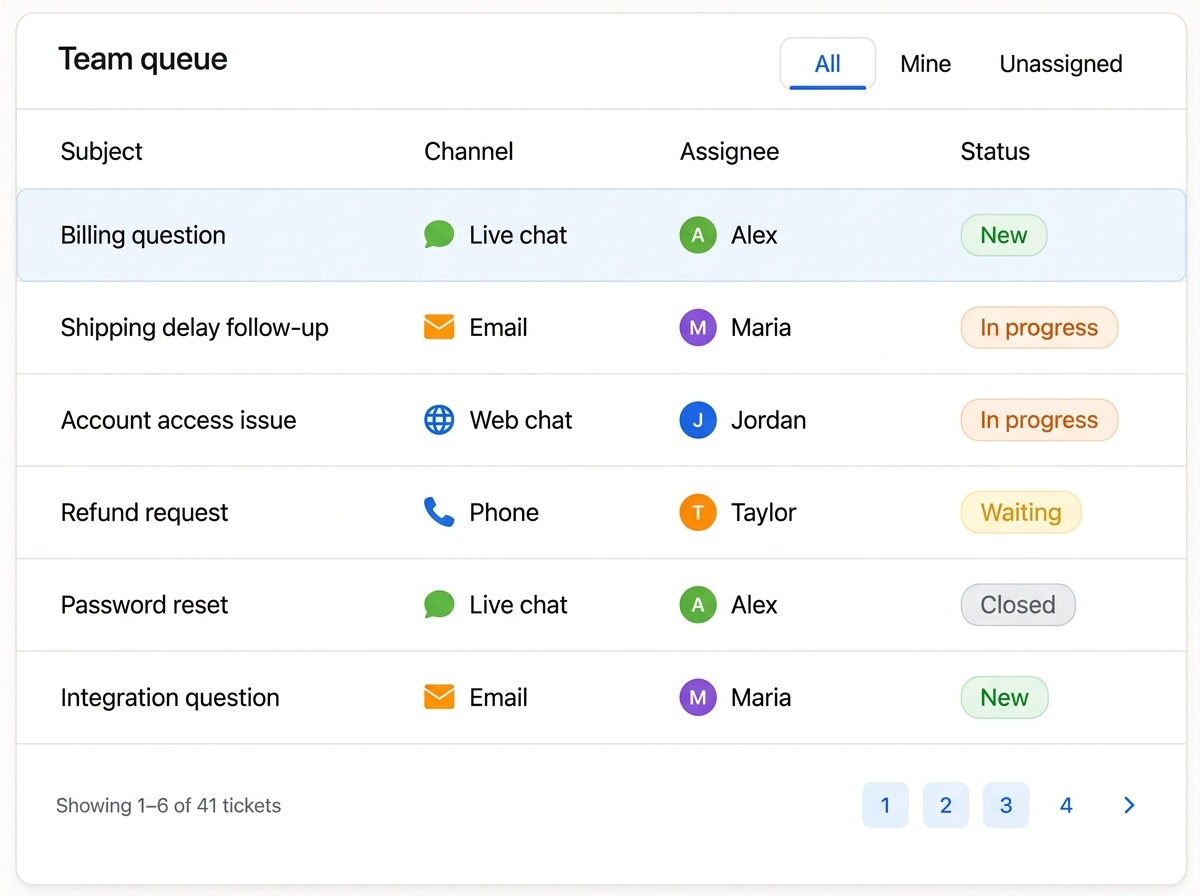
- Human Handoff: A clean escalation path to a live agent is non-negotiable. When a conversation exceeds the bot's capabilities, the transition should be seamless and preserve context.
Best Customer Service Chatbots for 2026#
Selecting the best customer service chatbot can dramatically improve your business's efficiency and customer satisfaction. Below is a comparison of the top AI chatbot solutions for 2026, followed by detailed reviews.
Quick Comparison Table#
| Chatbot | Best For | Key Strength | Starting Price | Free Plan |
|---|---|---|---|---|
| Denser.ai | No-code AI chatbot trained on your data | Train on website URL or documents in minutes | $19/mo | Yes |
| Tidio | Small businesses & ecommerce | Live chat + Lyro AI in one platform | $29/mo | Yes (limited) |
| Intercom | All-in-one support platform | Fin AI agent with seamless human handoff | $39/seat/mo | Trial only |
| Zendesk | Enterprise support teams | Pre-trained AI across all channels | ~$55/agent/mo | Trial only |
| Freshchat | Multichannel messaging on a budget | Affordable AI + omnichannel | $19/agent/mo | Yes (limited) |
| Chatfuel | Messenger-based automation | Drag-and-drop bot builder for social | From free | Yes |
1. Denser.ai — Best Overall AI Chatbot Solution#
When it comes to delivering exceptional customer service through automation, Denser.ai stands above the rest. Powered by advanced AI and designed with ease of use in mind, Denser.ai offers an unbeatable combination of intelligence and simplicity.
Key Features That Set Denser.ai Apart#
- Accurately understands and responds to customer queries using advanced NLP
- Works seamlessly across your website, app, and social media channels
- Connects with your CRM and helpdesk for personalized, context-aware support
- Delivers tailored answers based on customer history and uploaded documents
- Tracks performance metrics and customer satisfaction with built-in analytics
- Anticipates customer needs and offers help proactively before they ask
- No-code setup — just enter your website URL or upload documents to get started
Pricing#
Denser.ai offers a free plan that lets you explore the platform with no upfront cost:
- Free Plan: 1 DenserBot, 200 queries, space for 100 webpages or 50MB of documents
- Starter Plan — $19/month: 2 DenserBots, up to 1,500 queries per month (ideal for individuals and small startups)
- Standard Plan — $89/month: 4 DenserBots, up to 7,500 queries per month (for small teams needing advanced capabilities)
- Business Plan — $799/month: 8 DenserBots, 15,000 queries per month (for larger businesses with higher demands)
Denser.ai's pricing is designed to scale with businesses of all sizes, from growing startups to large enterprises. Sign up for a free trial or schedule a demo today to see it in action.
2. Tidio — Best for Small Businesses & Ecommerce#
Tidio is a customer service platform built for small and mid-sized businesses that need live chat, chatbot automation, and AI-powered support in one package without enterprise complexity. Its Lyro AI assistant handles common questions automatically while seamlessly handing off complex issues to human agents.
Pros: Affordable entry point, combines live chat and AI chatbot, easy setup, free plan available Cons: AI features require a paid add-on (Lyro), limited customization on lower tiers, best suited for smaller operations
3. Intercom — Best for All-in-One Support Platforms#
Intercom combines live chat and chatbot features into a versatile customer messaging platform suitable for businesses of all sizes. Its Fin AI agent resolves a significant portion of queries autonomously while maintaining smooth human handoff.
Pros: Combines live chat and AI chatbot, operates across web, mobile apps, and social media, provides detailed insights into customer interactions Cons: Premium features can be expensive for small businesses, integrating with other systems may require technical expertise, per-resolution AI pricing adds up at scale
4. Zendesk — Best for Enterprise Support Teams#
Zendesk offers pre-trained AI support across all channels, making it a strong fit for large enterprise support organizations that need robust ticketing, reporting, and compliance features alongside their chatbot.
Pros: Enterprise-grade ticketing and reporting, pre-trained AI agents, deep integration ecosystem Cons: Higher price point, AI features often require paid add-ons, complexity may be overkill for small teams
5. Freshchat — Best for Multichannel Messaging on a Budget#
Freshchat, part of Freshworks, delivers multichannel messaging and AI automation at a budget-friendly price point. It's ideal for teams that need to engage customers across web, mobile, and messaging apps without a heavy investment.
Pros: Affordable, omnichannel support, AI automation included, free plan with limited features Cons: Advanced AI features gated behind higher tiers, reporting less granular than enterprise tools, fewer integrations than Zendesk or Intercom
6. Chatfuel — Best for Messenger-Based Automation#
Chatfuel is known for its simplicity and extensive integration options, making it ideal for businesses looking to deploy chatbots quickly on Facebook Messenger and other social platforms.
Pros: User-friendly drag-and-drop interface, integrates with CRM and email marketing tools, operates on Facebook Messenger and websites Cons: Less flexibility for highly customized bots, provides only basic analytics, primarily rule-based so it may struggle with complex queries
How to Choose the Right Customer Service Chatbot#
With so many chatbot solutions on the market, how do you pick the right one? Here's a practical decision framework:
1. Define Your Primary Use Case#
Are you deflecting FAQs, qualifying leads, processing orders, or providing technical troubleshooting? Your primary use case determines which features matter most. A FAQ chatbot trained on your help center articles has very different requirements than an AI agent that handles end-to-end issue resolution.
2. Evaluate AI Quality#
Test how well the chatbot understands natural language. Ask it the same question three different ways. A strong AI support bot should recognize intent regardless of phrasing. Look for tools that let you train the bot on your own data — your website, documents, and past support tickets — so answers are accurate and specific to your business.
3. Check Integration Compatibility#
Your chatbot should connect with your existing CRM, helpdesk, and e-commerce tools without custom development. The fewer manual data transfers, the better.
4. Compare Pricing Models#
Chatbot pricing falls into three models: per-seat (Intercom, Zendesk), per-resolution (some AI agents), and flat-rate (Denser.ai, Freshchat). Understand what you're actually paying for. A per-resolution model can become expensive at high volume, while a flat-rate plan offers predictable costs as you scale.
5. Prioritize Ease of Setup#
If you don't have a development team, a no-code platform is essential. Denser.ai, for example, lets you deploy a fully functional chatbot by simply entering your website URL or uploading documents — no coding required.
6. Plan for Growth#
Choose a platform that scales with your business. Can it handle 10x your current query volume? Does it support additional channels and languages as you expand? The right AI chatbot solution grows with you rather than forcing a migration later.
Customer Service Chatbot Use Cases by Industry#
Customer service chatbots are a go-to solution across industries. Here's how businesses in different sectors make the most of these smart tools:
Retail & Ecommerce#
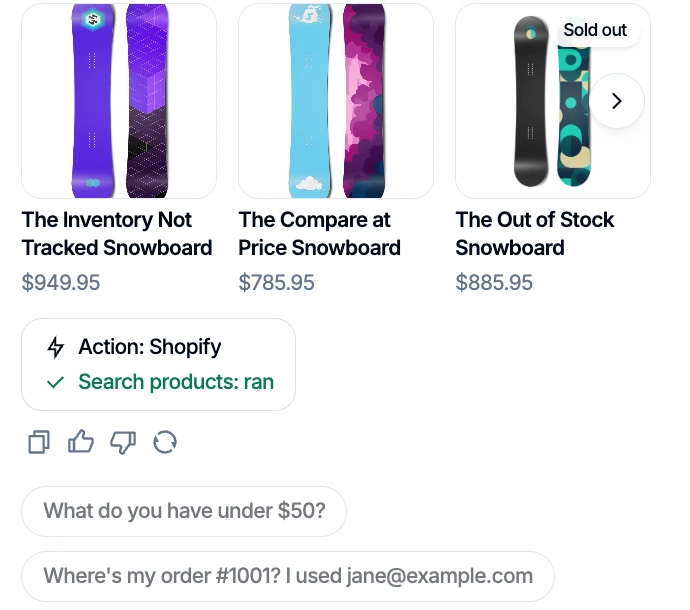
In retail, chatbots act as personal shopping assistants available 24/7. They suggest products based on purchase history, track orders, and answer questions about returns or store locations — turning support interactions into sales opportunities.
Technical Support (AI Tech Support)#
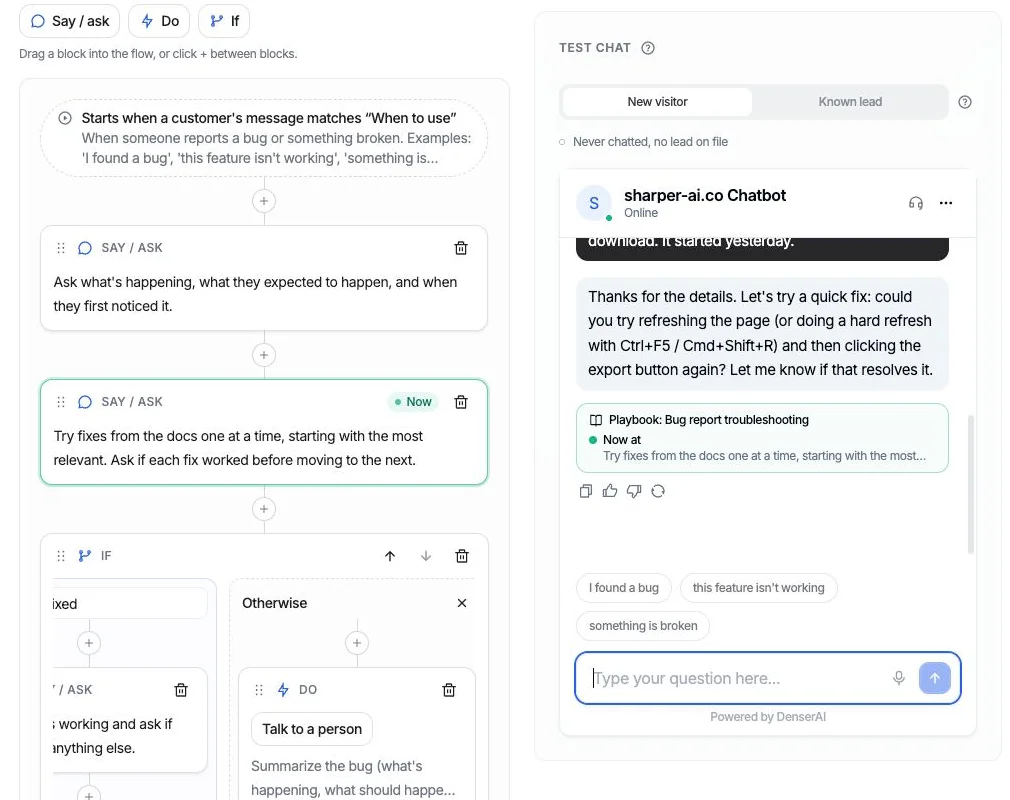
Technical support chatbots help resolve common technical issues without needing a human technician. They guide users through troubleshooting steps, answer questions about software or hardware problems, and can even remotely diagnose issues. These AI tech support bots reduce wait times and improve user satisfaction by providing immediate, step-by-step assistance.
Healthcare#
In healthcare, chatbots help patients book appointments, check symptoms, and receive medication reminders. They make it easier to access health advice without waiting for a doctor's availability, while maintaining HIPAA compliance for sensitive data.
Financial Services#
Chatbots assist users in understanding complex financial data and making informed decisions. They provide real-time updates on stock prices, financial news, and market trends. A financial chatbot might analyze spending patterns to offer budgeting advice or alert users to significant changes in their investment performance.
Travel and Hospitality#
Travel companies use chatbots to make booking and travel smoother. Chatbots help customers book flights, hotels, and car rentals; provide real-time flight status updates; and answer common travel questions — all without hold times.
Real Estate#
Real estate chatbots provide information on property listings, schedule viewings, and answer questions about buying or renting. They surface details like prices and features and can book appointments with agents automatically.
Education#
Chatbots assist with admissions, course information, and student support. They answer questions about admission requirements, deadlines, and applications, and provide details on courses and enrollment — reducing administrative burden for staff.
How to Implement a Customer Service Chatbot#
Implementing a customer service chatbot can improve your business's efficiency and customer satisfaction. Here's a step-by-step plan:
Step 1: Identify Your Goals#
Consider what tasks the chatbot will handle — answering FAQs, processing orders, managing complaints, or qualifying leads. Identify your customers' most common inquiries and whether the chatbot needs to integrate with systems like CRM or payment platforms. Having clear objectives helps you choose the right chatbot solution for your business.
Step 2: Choose the Right Chatbot Platform#
After identifying your needs, select the platform that matches your goals. Look for a solution that offers easy setup, advanced AI capabilities, and strong integration options. Platforms like Denser.ai provide a highly scalable solution with an intuitive, no-code setup — you can get started by simply inputting your website URL or uploading documents. Evaluate how user-friendly the platform is and whether it can grow with your business.
Step 3: Design the Conversation Flow#
A well-designed conversational flow ensures your chatbot engages customers effectively. Map out the typical queries customers will ask and craft responses that guide them to solutions. Keep language simple and clear, and incorporate decision trees or guided prompts to help users navigate. Plan for instances where the chatbot doesn't know the answer — ensure seamless escalation to a human agent so the customer's journey isn't interrupted.
Step 4: Train and Test the Chatbot#
For your chatbot to be effective, it needs access to accurate, relevant information. Start by uploading your FAQ section, product information, shipping details, and return policies. If you're using an AI-powered chatbot like Denser, it will learn from each interaction and improve its answers over time. Still, regularly update its knowledge base as your business evolves to ensure it always provides accurate information.
Step 5: Deploy the Chatbot#
Deploy the chatbot on your preferred platforms. Ensure it's easily accessible on your website, mobile app, and social media channels. Make the chatbot visible and easy to use so customers know they can reach out for support anytime.
Step 6: Monitor and Optimize#
After deployment, continuously monitor the chatbot's performance. Track metrics such as response time, resolution rate, and customer satisfaction. Collect feedback from users to identify areas for improvement, and regularly update the knowledge base to keep it relevant and useful.
Best Practices for Customer Service Chatbots#
Using customer service chatbots effectively requires following best practices:
Blend Automation with Human Touch#
AI chatbots can handle many tasks, but it's important to know when to switch to a human agent. Automation should never replace human interaction entirely. There will always be situations where a chatbot cannot fully understand or resolve an issue — particularly when emotions or complex queries are involved. Design your chatbot to recognize tone and seamlessly transfer the customer to a live agent who can offer personalized support.
Personalize Interactions#
Personalization makes a huge difference in customer experience, even when interacting with a bot. Use available data to make conversations feel personal and relevant. A chatbot can greet customers by name, reference previous purchases, or offer tailored recommendations based on browsing history.
Monitor Performance and Collect Feedback#
Track key performance indicators (KPIs) including response time, customer satisfaction (through post-interaction surveys), issue resolution rate, and escalation frequency. Analyzing this data reveals where the chatbot excels and where improvements are needed. If certain queries lead to repeated escalations, that signals a gap in the knowledge base or conversation flow.
Maintain Security and Privacy#
Chatbots often handle sensitive customer information, so security and privacy must be top priorities. Ensure your chatbot complies with relevant data protection regulations (GDPR, CCPA, HIPAA) and that customer data is stored and processed securely with strong encryption.
Why Denser.ai Is the Best Customer Service Chatbot for 2026#
Here are five key reasons why Denser.ai should be your go-to customer support chatbot solution:
- Get started in minutes without any technical expertise. Just enter your website URL or upload your documents, and your chatbot is ready to assist your customers.
- Provide fast, accurate responses anytime your customers need help. No waiting, just efficient service that leaves a positive impression.
- Continuous learning. Denser.ai learns from every interaction, getting better and more personalized over time. Your chatbot delivers smarter, more relevant responses with each conversation.
- Scales with your business. As your business grows, Denser.ai grows with you. Manage hundreds or even thousands of inquiries without hiring more staff — the chatbot handles routine questions while your team focuses on complex tasks.
- Turn inquiries into conversions. Denser.ai provides fast, real-time responses at any time of day, turning customer support interactions into opportunities for better engagement and revenue.
Transform Your Customer Support with Denser.ai#
Never make your customers wait again. Deliver personalized responses 24/7 and turn every interaction into an opportunity for better engagement with Denser.ai's AI-powered customer support.
This AI-powered platform creates better customer relationships, helps you attract new customers, and simplifies customer service processes. Don't miss out on the advantages of a great chatbot platform — make your website more engaging and improve customer interactions today.
Sign up for a free trial or schedule a demo now and see how Denser.ai can transform your customer service.
FAQ: Customer Service Chatbots#
What is a customer service chatbot?#
A customer service chatbot is an AI-powered software program that automates customer support interactions. It uses natural language processing and machine learning to understand customer questions and respond in conversational language, typically through chat interfaces on websites, apps, or messaging platforms. Modern chatbots can handle up to 80% of routine queries while seamlessly escalating complex issues to human agents.
How much does a customer service chatbot cost?#
Customer service chatbot pricing varies widely. Entry-level plans like Denser.ai's Starter plan start at $19/month, while mid-range platforms such as Tidio begin around $29/month. Enterprise solutions like Zendesk can cost $55 or more per agent per month, plus AI add-ons. Many providers, including Denser.ai and Tidio, offer free plans so you can test the platform before committing.
What is an FAQ chatbot and how does it work?#
An FAQ chatbot is a type of customer service chatbot specifically trained to answer frequently asked questions. It uses your existing help center articles, product documentation, and policy pages as its knowledge base. When a customer asks a question, the FAQ chatbot searches this knowledge base and delivers a relevant, accurate answer instantly — deflecting repetitive tickets and reducing your support team's workload.
Can a chatbot replace human customer service agents?#
No, a chatbot should not fully replace human agents. The best approach blends automation with human support. Chatbots handle routine, repetitive queries (order status, shipping policies, FAQs) at scale, while human agents focus on complex, emotional, or high-stakes conversations. A well-designed chatbot recognizes when to escalate and transfers the customer to a live agent seamlessly.
What's the difference between a rule-based chatbot and an AI chatbot?#
A rule-based chatbot follows predefined decision trees and can only respond to questions it's been explicitly programmed to handle. An AI chatbot uses natural language processing and machine learning to understand intent, handle varied phrasing, and improve over time. AI chatbots are more flexible, conversational, and capable of handling complex queries, while rule-based bots are simpler and cheaper but break when conversations go off-script.
How do I choose the best customer service chatbot for my business?#
Start by defining your primary use case (FAQ deflection, lead qualification, technical support), then evaluate AI quality by testing how well the bot understands natural language. Check integration compatibility with your CRM and helpdesk, compare pricing models, prioritize ease of setup, and choose a platform that scales with your business. For most businesses, a no-code AI chatbot solution like Denser.ai offers the best balance of power, simplicity, and value.
How long does it take to implement a customer service chatbot?#
With a no-code platform like Denser.ai, you can deploy a functional customer service chatbot in minutes by entering your website URL or uploading documents. More complex implementations with custom integrations, multi-channel deployment, and tailored conversation flows may take a few days to a few weeks depending on your requirements.
Are customer service chatbots secure?#
Yes, reputable customer service chatbot platforms use strong encryption and comply with data protection regulations like GDPR and CCPA. When evaluating a chatbot solution, verify its security certifications, data handling policies, and compliance with any industry-specific regulations (such as HIPAA for healthcare) that apply to your business.