

8 Best AI Chatbot Solutions for Business in 2026


AI chatbot solutions help businesses answer customer questions, reduce support tickets, qualify leads, and make company knowledge easier to access. The best tool depends on what you want the chatbot to do.
If your chatbot needs to answer from your own documents or website pages with source citations, Denser.ai is the strongest fit. If you mainly need a support inbox, Intercom is a good choice. If you want visual lead-generation flows, Landbot or ManyChat may be better.
Quick answer: The best AI chatbot solution for most businesses is the one that matches the workflow you need to automate. Choose Denser.ai for source-cited answers from your website, PDFs, and knowledge base; Intercom Fin for support teams already using Intercom; Landbot for visual lead flows; ManyChat for social commerce; and Crisp for small teams that want live chat, inbox, and lightweight AI in one tool.
Here is the simple version.
Key takeaways#
- Match the solution to the use case, not to a "best overall" badge. Customer service, sales, SaaS, and internal IT support have different winners.
- Modern AI chatbots retrieve answers from your own data (RAG) rather than relying on scripted flows. See our RAG chatbot guide for the architecture behind this shift.
- Trust now depends on transparency, citations, and clean human handoff. A chatbot that cannot show sources or preserve context during escalation creates more risk than value.
- Pricing ranges from free tiers to six-figure enterprise contracts. Budget by deployment model, not by hype. See our AI chatbot pricing breakdown.
- If you need answers grounded in your documents with citations, Denser is built exactly for that.
Best AI Chatbot Solutions at a Glance#
| Solution | Best For | Why Choose It |
|---|---|---|
| Denser.ai | Accurate answers from your own content | RAG chatbot with source citations, website crawling, file uploads |
| Intercom Fin | Support teams already using Intercom | AI support agent inside Intercom's inbox |
| Botsonic | Quick document-trained chatbot | Fast no-code setup for simple use cases |
| Landbot | Lead forms and guided flows | Visual drag-and-drop builder |
| ManyChat | Social and ecommerce messaging | Instagram, Messenger, and WhatsApp automation |
| Crisp | Small business sales and support | Shared inbox plus lightweight chatbot |
| LiveChat | Human live chat with AI help | Live chat product with AI assistant features |
| Chatbot.com | Rule-based flows with AI | Visual builder for scripted and AI conversations |
AI Chatbot Solutions by Use Case#
Top-ranking buyer guides make one point very clearly: there is no single "best chatbot" for every business. AI chatbots now cover support, sales, internal productivity, workflow automation, and research. Pick the category first, then compare vendors.
| Use Case | Best Fit | What to Prioritize |
|---|---|---|
| Website support chatbot | Denser.ai, Intercom, Tidio | Accurate answers, source citations, handoff, analytics |
| Knowledge base chatbot | Denser.ai, Chatbase, Botsonic | RAG quality, file types, citation depth, re-indexing |
| Lead generation chatbot | Landbot, ManyChat, Drift-style tools | Forms, branching flows, CRM sync, routing |
| Social commerce chatbot | ManyChat, Instagram/WhatsApp tools | Channel support, campaign automation, ecommerce triggers |
| Internal employee assistant | Microsoft Copilot, ChatGPT Enterprise, Notion AI | Workspace permissions, SSO, data governance |
| Enterprise AI agent platform | Salesforce Agentforce, Copilot Studio, IBM watsonx | Governance, audit logs, identity, deep integrations |
| Custom developer build | OpenAI API, Claude API, Vertex AI, Bedrock | Engineering control, model choice, custom workflows |
If your goal is a customer-facing website chatbot trained on your own content, a RAG-first platform is usually a better starting point than a general-purpose AI assistant. If your goal is employee productivity across email, documents, and meetings, a workspace assistant may be the better fit.
What Is an AI Chatbot Solution?#
An AI chatbot solution is a platform that deploys an AI assistant trained on your own content, which answers customer questions in natural language, deflects support tickets, and captures leads without a human agent. The best ones ground every answer in your documentation and cite the source passage, so the response can be verified rather than trusted.
Three things separate a solution from a plain chatbot: it retrieves from your own knowledge base rather than a general model, it deploys across your website and support channels, and it reports on what it could not answer so you can close the gaps.
Two adjacent guides cover narrower needs: enterprise chatbot solutions for large deployments with security and scale requirements, and chatbot solution providers if you are comparing vendors and services rather than products.
Types of AI Chatbot Solutions#
The phrase "AI chatbot solutions" now covers several different product categories:
General-purpose AI assistants such as ChatGPT Enterprise, Claude Enterprise, Gemini, and Microsoft Copilot help employees draft, summarize, analyze, and search work content. They are strong productivity tools, but they are not always the best website support chatbot.
Customer service AI agents such as Intercom Fin, Zendesk AI, and helpdesk-native bots fit teams that already manage support tickets in a shared inbox. They are strongest when your support workflow lives in that system.
RAG knowledge chatbots such as Denser.ai focus on answering from your website, PDFs, help center, and internal documents with citations. They are best when accuracy and source verification matter. If you are comparing this category specifically, review the RAG chatbot architecture and build process before choosing a platform.
Flow builders such as Landbot and Chatbot.com are useful when the conversation is mostly a guided form: collect a lead, route a request, book a meeting, or qualify a visitor.
Messaging automation tools such as ManyChat are strongest on Instagram, Messenger, WhatsApp, and ecommerce campaigns.
Developer platforms such as OpenAI API, Amazon Bedrock, Google Vertex AI, and Azure AI Foundry are best when your team wants to build a custom chatbot with deep integrations and full control.
What changed in AI chatbot solutions in 2026#
In 2026, the buying question has shifted from "Can this chatbot answer questions?" to "Can we trust it in real customer workflows?" Gartner reported that 91% of customer service leaders feel executive pressure to implement AI, but the same research points to knowledge management as a major blocker: accurate, current content is now part of the AI deployment plan, not a side project.
That is why the strongest chatbot solutions now combine four things: grounded retrieval from approved content, visible source citations, analytics for unanswered or weak answers, and a clean handoff to humans when the issue needs judgment. Five9's 2026 CX research also found that while AI adoption is widespread, customer trust still depends on transparency, choice, and seamless human handoffs. Use this as your filter when comparing vendors: the best platform is not just the most automated one; it is the one your team can monitor, correct, and trust.
Why businesses are adopting AI chatbot solutions#
Before comparing platforms, it helps to understand why adoption is accelerating. Salesforce's 2026 service trends report says 79% of service leaders view AI agent investment as critical, and teams expect AI agents to reduce service expenses and resolution times while improving customer satisfaction. The shift is not hype; it is economics:
- Support deflection. A grounded chatbot answers recurring questions (refund policy, shipping, setup) without a human, deflecting a large share of tickets.
- 24/7 coverage. Chatbots answer outside business hours, capturing leads and resolving simple issues overnight.
- Consistency. A RAG chatbot answers the same question the same way every time, from your approved content — no agent-to-agent variance.
- Internal knowledge access. The same retrieval pattern powers internal assistants so employees find policies and docs faster. See our internal knowledge base tools guide.
How AI chatbot solutions work#
Before evaluating platforms, it helps to understand what actually powers a modern AI chatbot. The quality of answers depends on four layers working together: language understanding, retrieval, generation, and integration.
Natural Language Understanding (NLU). The chatbot parses what the user typed, detecting intent, entities, and context. A user who types "where is my order" and one who types "hasn't my package shipped yet" are asking the same thing. Strong NLU handles that without requiring the user to use specific wording.
Retrieval (RAG) layer. Instead of generating answers from general training data, modern chatbot solutions retrieve the most relevant passages from your actual content. The retrieval layer matters more than the language model itself, because a weak retriever produces weak answers even with GPT-4. Learn the broad pattern in our retrieval-augmented generation (RAG) guide or the chatbot-specific workflow in our RAG chatbot guide.
Generation layer. A large language model (GPT-4o, Claude, Gemini, or a proprietary model) reads the retrieved context and generates a natural-language response. The best platforms include source citations so users can verify the answer.
Integration layer. APIs and webhooks connect the chatbot to your CRM, helpdesk, database, and messaging platforms. Without this, the chatbot is a sandbox; with it, the chatbot becomes part of your real workflow.
How we evaluated these AI chatbot solutions#
We assessed each platform on five criteria that predict real outcomes:
- Answer grounding — does it answer from your own data with citations, or hallucinate from training memory?
- Ease of deployment — no-code/embeddable vs. heavy custom build.
- Use-case fit — customer service, sales, SaaS, IT support, healthcare.
- Pricing transparency — published tiers vs. "contact sales" only.
- Enterprise readiness — security, data residency, SSO, audit logs.
We also separated business chatbot platforms from general AI assistants. A tool like ChatGPT Enterprise or Microsoft Copilot may be excellent for employee productivity, but the buyer need is different from a public website chatbot that must answer from approved content, cite sources, collect leads, and hand off to a human.
1. Denser.ai: Best for Answers From Your Own Data#
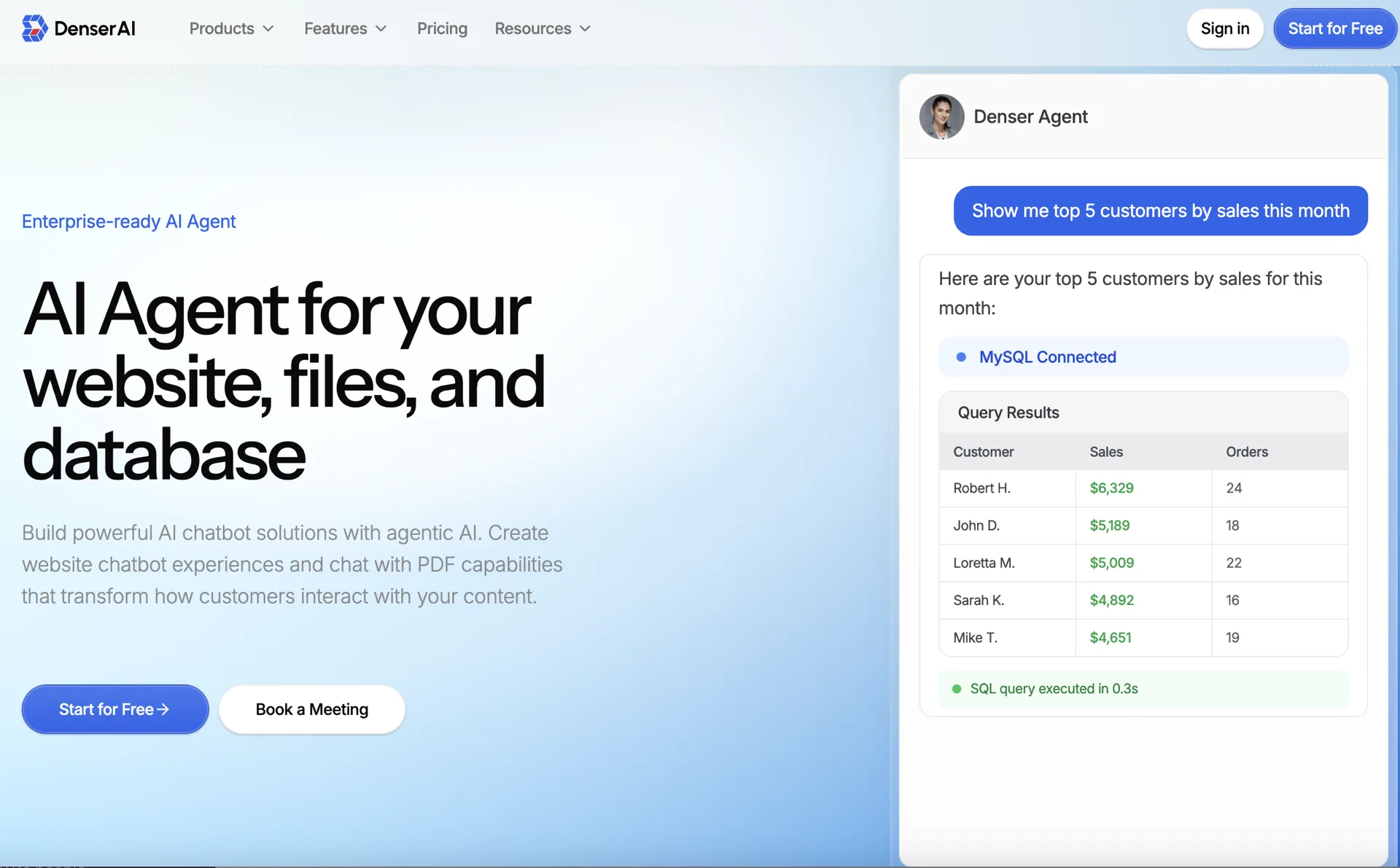
Denser.ai is built for businesses that need a chatbot to answer from their own website, PDFs, documents, and knowledge base content.
The main advantage is trust. Denser can show source citations, so users can see where an answer came from. That matters for customer support, internal knowledge bases, product documentation, and any workflow where a wrong answer creates risk.
Best for: website chatbots, customer support, internal knowledge bases, PDF chatbots, documentation search.
Why choose it:
- Crawls websites and indexes documents
- Answers with source citations
- Supports no-code website deployment
- Works well for large knowledge bases
- Offers free tools for testing, including a free website chatbot tool and free Chat with PDF tool
2. Intercom Fin: Best for Intercom Support Teams#
Intercom Fin is a good option if your support team already uses Intercom. It fits naturally into the Intercom inbox, help center, and ticketing workflow.
Best for: teams already committed to Intercom.
Watch out for: pricing can grow with resolution volume, and the workflow is tied to the Intercom ecosystem.
3. Botsonic: Best for Fast Prototypes#
Botsonic lets you upload documents and create a simple AI chatbot quickly. It is useful when you want to test a "chat with my docs" experience without much setup.
Best for: prototypes and small document-trained bots.
Watch out for: it may be less suitable for larger knowledge bases or teams that need deep answer verification.
4. Landbot: Best for No-Code Lead Flows#
Landbot is a visual chatbot builder. It works well when you want guided conversations, lead forms, and branching flows.
Best for: marketing teams, lead qualification, surveys, and form-like chat experiences.
Watch out for: it is more of a flow builder than a source-cited knowledge chatbot.
5. ManyChat: Best for Social and Ecommerce#
ManyChat is strong for Instagram, Messenger, and WhatsApp automation. Ecommerce brands use it for product recommendations, campaigns, and abandoned-cart messages.
Best for: social commerce and creator-led businesses.
Watch out for: it is not designed primarily for large document retrieval.
Other Good Options#
Crisp is a good all-in-one option for small teams that want live chat, a shared inbox, and light chatbot automation.
LiveChat is useful when human live chat is still the main workflow and AI is used to assist agents.
Chatbot.com is a solid choice for teams that want predictable rule-based flows with some AI support.
AI Chatbot Solution Pricing in 2026#
Most comparison articles skip pricing because vendors bury it. The number that matters is not the headline tier, it is what a month costs at your actual volume, and the four billing models below produce very different answers.
Per query. One customer question costs one unit, whatever model answers it. Denser works this way: free to start, then $39/mo for 1,500 questions, $119 for 7,500, $399 for 15,000, and $899 for 50,000. The bill does not move when you switch to a stronger model.
Per credit. A reply consumes credits at a rate set by the model, so identical conversation volume costs different amounts month to month. Chatbase spends 1 credit on standard models and up to 5 on premium ones, at $40/mo for 700 credits, $150 for 4,000, and $500 for 15,000. Dante AI charges up to 25 credits for a single premium reply.
Per resolution. You pay only when the bot resolves something, which is a fair meter until volume grows. Intercom Fin charges $0.99 per resolved outcome on top of seats at $29 to $132 per seat per month, so 3,000 resolutions is $2,970 in usage alone. Zendesk bundles 5 to 15 automated resolutions per agent and meters the rest at a rate it does not publish.
Per seat, with AI as an add-on. Tidio sells live chat by seat and prices Lyro separately, at roughly $39/mo for 50 to 100 AI conversations, bundled only from the $749 tier.
| Billing model | Predictable? | Cheapest at high volume | Watch for |
|---|---|---|---|
| Per query | Yes | Yes | Tier ceilings |
| Per credit | No | No | Premium models burning 2 to 25× |
| Per resolution | No | No | Cost scales with success |
| Per seat + add-on | Partly | No | Paying twice for one conversation |
Three add-ons account for most surprise invoices: removing vendor branding ($39 to $99/mo depending on the platform), API access (a $49/mo add-on on some plans until you reach the top tier), and extra chatbots or seats billed individually. Ask for the all-in figure at your volume before comparing headline prices.
How to Choose the Right Chatbot Solution#
Ask five simple questions:
- What should the chatbot answer from? If the answer is your website, documents, PDFs, or help center, choose a RAG-based chatbot like Denser.
- Where will users talk to it? Website, support inbox, social messaging, Slack, or inside your app?
- Do you need source citations? If users must verify answers, citations are important.
- Do you need human handoff? Some questions still need a person.
- How will pricing scale? Compare per-seat, per-message, per-resolution, and plan-based pricing. For more detail, see our chatbot pricing guide.
Buyer Checklist#
Before you pick a vendor, ask these questions:
| Requirement | What to Ask |
|---|---|
| Accuracy | Does the bot retrieve from approved content, or answer from general model knowledge? |
| Citations | Can users and agents see the exact source behind each answer? |
| Data freshness | How do you update content: file replacement, scheduled crawl, API sync, or manual retraining? |
| Handoff | Can the bot pass full context to a human when it is uncertain? |
| Security | Does the platform support SSO, RBAC, audit logs, and clear data retention policies? |
| Integrations | Does it connect to your website, CRM, helpdesk, Slack, Shopify, or database? |
| Reporting | Can you see unanswered questions, weak answers, top topics, and conversion events? |
| Pricing risk | Are you paying per seat, query, credit, resolution, or add-on? |
For a support or knowledge-base chatbot, prioritize accuracy, citations, and content maintenance before extra channels. For a sales or marketing chatbot, prioritize forms, routing, CRM integration, and conversion tracking.
Implementation Plan#
Use a short pilot before rolling out an AI chatbot broadly:
- Choose one workflow. Start with product FAQs, support docs, pricing questions, onboarding, or lead qualification.
- Prepare the source content. Remove outdated policies, duplicate pages, and conflicting answers.
- Build the chatbot. Upload files, crawl the website, or connect the knowledge base.
- Test real questions. Include common questions, edge cases, and questions the bot should refuse.
- Define handoff rules. Decide when the bot should ask for contact info or route to a person.
- Launch on one channel. Start with your website or support dashboard before adding social or app channels.
- Review analytics weekly. Add missing content and fix unclear answers before expanding.
This keeps the project measurable. A chatbot should not be judged by whether it sounds impressive in a demo; judge it by whether it resolves real questions accurately and safely.
Common Mistakes#
Avoid these when choosing a chatbot solution:
- Choosing a scripted flow builder when you need answers from a knowledge base
- Ignoring source citations
- Treating a general AI assistant and a website support chatbot as the same category
- Forgetting to test real customer questions before launch
- Underestimating usage-based pricing
- Launching without a clear human handoff path
- Uploading outdated or conflicting content and blaming the chatbot for bad answers
Which Solution Should You Pick?#
Choose Denser.ai if you want a chatbot that answers from your own website, PDFs, and documents with citations.
Choose Intercom Fin if you already use Intercom and want AI inside your support inbox.
Choose Landbot if you want guided lead-generation flows.
Choose ManyChat if your main channel is Instagram, Messenger, or WhatsApp.
For most businesses that want a chatbot trained on their own content, Denser is the simplest place to start.
Create a free Denser account or test the workflow with the free website chatbot tool.
FAQs About AI Chatbot Solutions#
What are AI chatbot solutions?#
AI chatbot solutions are platforms that help businesses create and deploy AI assistants. They can answer questions, capture leads, support customers, and help employees search company knowledge.
What is the best AI chatbot solution for business?#
It depends on the use case. Denser is best for source-cited answers from your own content. Intercom is strong for support teams. Landbot is good for visual flows. ManyChat is best for social messaging.
What is the difference between a chatbot and a chatbot solution?#
A chatbot is the assistant users interact with. A chatbot solution is the full platform used to build, train, deploy, monitor, and improve that assistant.
Can an AI chatbot answer from our own company data?#
Yes. RAG-based chatbot solutions can answer from your website pages, PDFs, help docs, and internal knowledge base content. Denser adds source citations so users can verify the answer.
How much do AI chatbot solutions cost?#
Costs vary. Some tools offer free tiers, while enterprise tools may require custom contracts. Pricing can be based on seats, conversations, resolutions, messages, or usage limits.